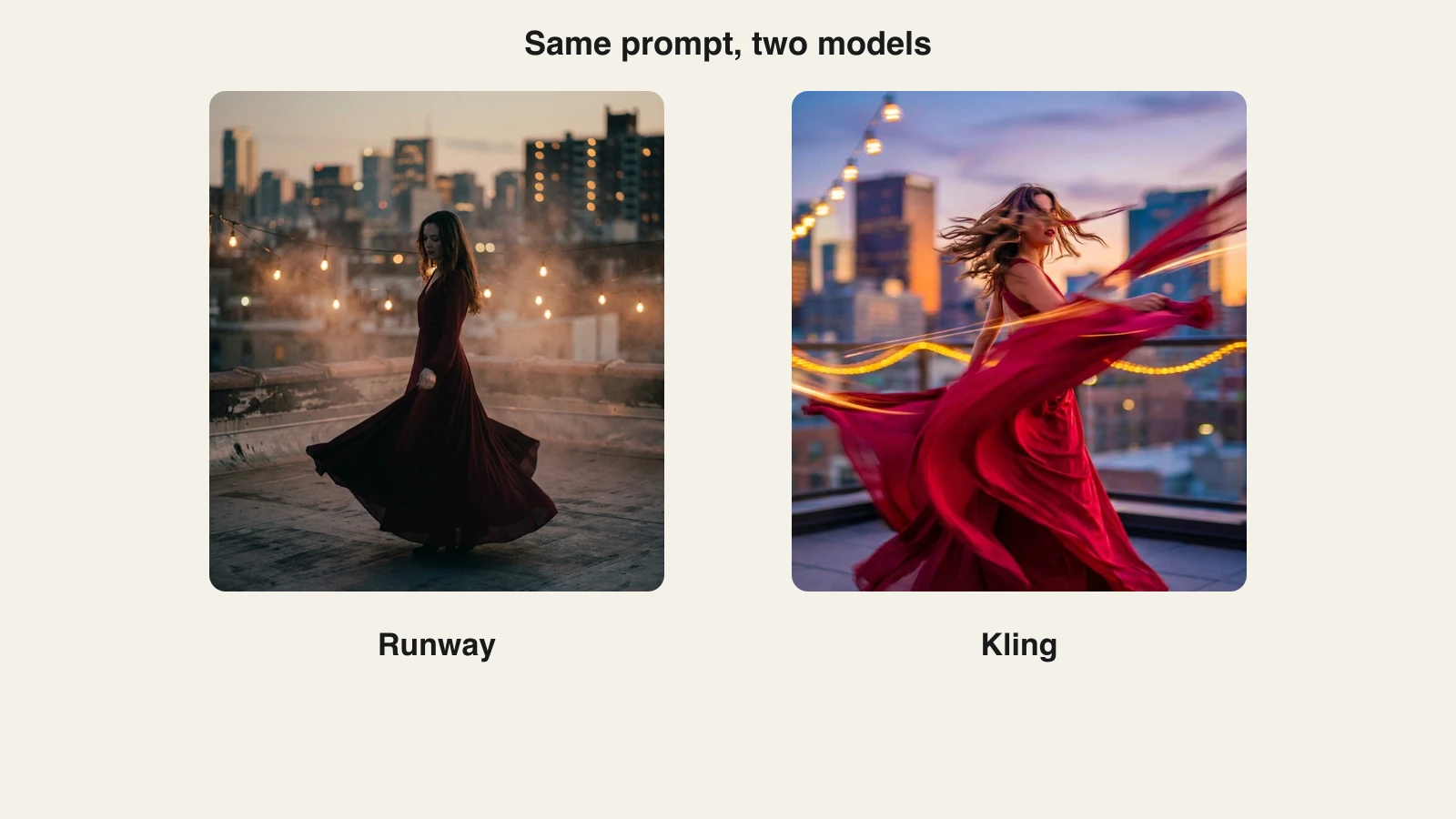
Runway (now shipping Gen-4.5) and Kling 3.0 are two of the strongest AI video generators you can use in 2026, and they excel at opposite things. Runway leads on cinematic camera control, prompt precision, and a professional editing ecosystem built around its models, while Kling leads on motion realism, physics, clip length (up to 15 seconds), native 4K output, and price per clip. If Kling's output is what you want, ClipNova hosts Kling 3.0 alongside Veo 3.1, Flux-3, and Seedance in a single subscription from $39 a month; Runway is not hosted there, so Gen-4.5 still needs Runway's own plan.
This comparison covers what each platform actually does well, what direct access costs in 2026, and a side-by-side render of the same prompt, so you can decide with evidence instead of hype.
Runway vs Kling: the quick verdict
Choose Runway when you are directing, not just generating: shots that need exact camera choreography, projects where you will edit real footage with AI, or client work that has to slot into a professional pipeline.
Choose Kling when believable movement is the deliverable: people walking, fabric and water behaving, action and dance, longer single shots, or any brief where you will burn many generations and the credit bill matters.
| What matters | Runway Gen-4.5 | Kling 3.0 |
|---|---|---|
| Made by | Runway | Kuaishou |
| Released | March 2026 | February 2026 |
| Max resolution | 1080p | Native 4K, up to 60fps |
| Clip length | Fixed 5s or 10s | Up to 15s |
| Native audio | Yes, integrated via ElevenLabs | Yes, multi-language |
| Strongest at | Camera control, editing tools | Motion realism, physics, value |
| Cheapest direct access | Standard, $12/mo annual | Standard, $10/mo |
| Inside ClipNova | No | Yes (Kling 3.0) |
One framing note before the deep dive: Kling is a model you generate clips with, while Runway is a platform that happens to contain models. That difference explains most of what follows.
Where Runway wins
Camera control and direction. Gen-4.5 is the current Western reference for directing a shot instead of hoping for one. It follows complex instructions for camera choreography, scene composition, and event timing inside a single prompt, and tools like multi-motion brush and camera direction controls let you steer movement precisely rather than describe it vaguely. When a storyboard says "slow lateral track, then push in on the hands," Runway is the model most likely to deliver exactly that.
An editing ecosystem, not just a generator. Runway's biggest structural advantage is everything around the model. Aleph 2.0 edits footage you already filmed: change the camera angle, remove an object, relight a scene, and the edit propagates across the whole clip. Edit Studio previews an edit as a still before you spend credits on video. Act-Two transfers a real human performance onto a generated character without a mocap suit. And since Runway's December 2025 partnership with Adobe, Aleph's editing features run inside Firefly too. Nothing in Kling's ecosystem matches this. If editing existing footage is your actual job, our roundup of AI video editing tools covers that category in depth.
Polished cinematic output. Gen-4.5 clips come out with a restrained, graded, filmic look, and the model offers the widest aspect ratio selection in its class, including 21:9 widescreen for genuinely cinematic frames. Fine detail like hair, fabric, and fluid surfaces holds coherent across motion better than in Gen-4.
The trade-offs. Output tops out at 1080p, durations are fixed at 5 or 10 seconds, and the credit math is steep: Gen-4.5 costs 12 credits per second, so a 10-second clip burns 120 credits and the $12 a month Standard plan's 625 credits cover about five of them. Iteration-heavy workflows get expensive fast. If those limits rule it out, our list of Runway alternatives covers the closest swaps.
Where Kling wins
Motion realism and physics. This is Kling's signature. Kling 3.0's training framework optimizes visuals and physical parameters together, and it shows: walking, gesturing, dancing, crowds, water, and fabric move with a believability that independent head-to-head tests in 2026 consistently place at or near the top of the field, above Gen-4.5. If a viewer would notice fake movement, Kling is the safer pick.
Longer clips at higher resolution. Kling 3.0 generates up to 15 seconds in a single pass at native 4K and up to 60fps. Runway needs two stitched generations to pass 10 seconds and caps at 1080p. For a 15-second product loop or a full-length Reels shot, Kling gets there in one generation with no upscaling pass.
Multi-shot direction. Kling 3.0 can break one prompt into a multi-shot sequence, cutting between angles inside a single generation like a director would. For narrative micro-scenes on social, that is a genuine capability gap in Kling's favor.
Price per clip. Kling's plans undercut Runway's at every level: Standard is $10 a month for 660 credits, and Pro is $37 for 3,000. If you iterate your way to a good take rather than engineering one perfect prompt, Kling is dramatically cheaper to experiment with. Pika is the other budget favorite, and our Pika vs Kling breakdown covers that matchup.
The trade-offs. Complex multi-character scenes can still show brief artifacts, camera-language control is less precise than Runway's, and there is no equivalent of Aleph for editing real footage. Kuaishou's Western billing and support also remain rougher, with regional price variations that make the checkout page the only reliable source. If you want Kling's motion without Kling's platform, the Kling AI alternative page breaks down your options.
Same prompt, two models
The fastest way to understand the difference is to render one prompt through both. We used this prompt:
A surfer carving through the barrel of a huge turquoise wave at sunrise, spray glittering in the low golden light, shot from inside the tube.
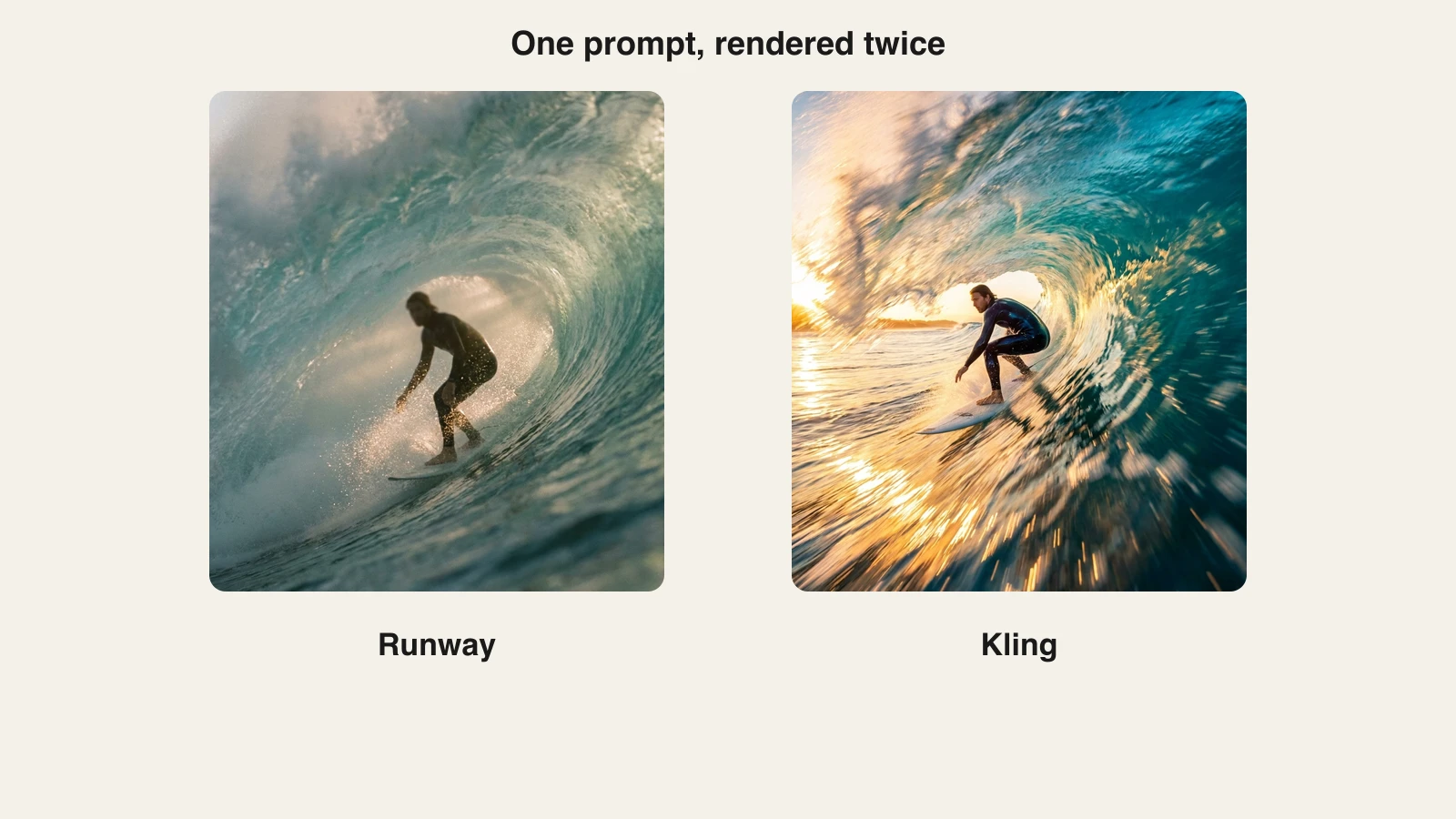
The pattern repeats across most prompts. The Runway-side frame reads like a shot a cinematographer planned: composed framing, restrained grade, the wave rendered as a location. The Kling-side frame reads like the moment itself: exaggerated spray, saturated water, motion you can almost feel. Neither is wrong. One is a director's camera, the other is an action camera, and the right pick depends on the brief in front of you.
How to use Kling inside ClipNova
Honesty first: ClipNova does not host Runway's models, so if you specifically need Gen-4.5 or Aleph, you need a Runway subscription. What ClipNova solves is the other half of the comparison. It hosts Kling 3.0 side by side with Veo 3.1 (plus its Fast and Lite variants), Flux-3, Seedance, and Pixverse in one models hub, on a single plan from $39 a month, so you can test Kling against several frontier rivals without stacking subscriptions or dealing with Kuaishou's billing. Here is the exact workflow:
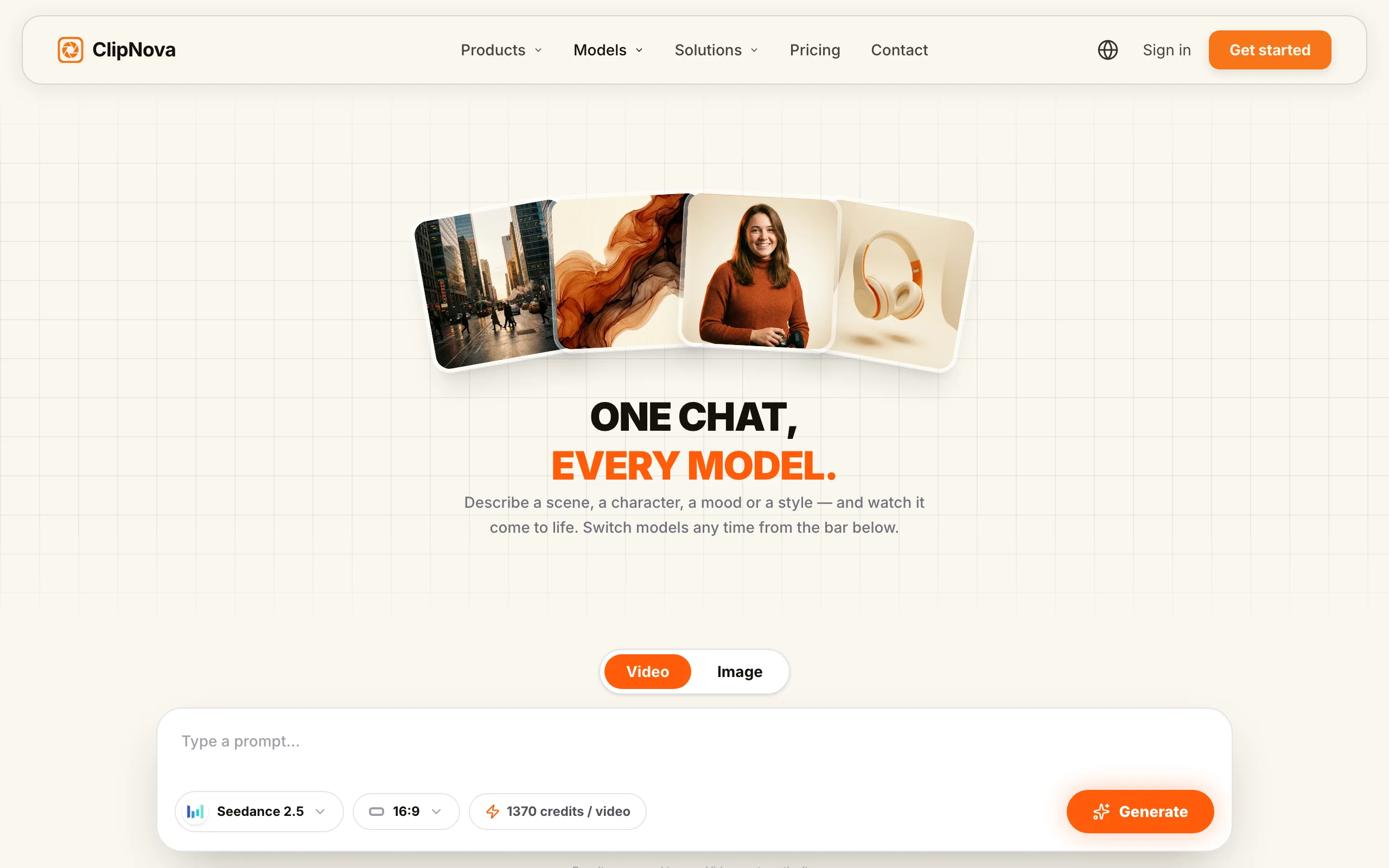
- Go to app.clipnova.io.
- Open the models chat and pick Kling 3.0 from the model bar.
- Paste your prompt. Ours was: "A surfer carving through the barrel of a huge turquoise wave at sunrise, spray glittering in the low golden light, shot from inside the tube."
- Generate. Kling rewards action verbs and physical detail, so describe what moves and how.
- Switch the model bar to Veo 3.1 or Seedance 2.5 and run the identical prompt in the same thread to compare takes side by side.
- Download the winner watermark-free and publish. Every export carries full commercial rights on every plan.
Because every render lives in one thread, A/B testing a prompt across models takes minutes instead of juggling accounts. The $39 a month Hobby plan includes 1,000 credits and the full feature set, which covers a lot of Kling experiments on one plan.
How to choose between Runway and Kling
1) Are you generating clips or finishing films?
- If your work ends at a great clip: Kling 3.0. You get more motion, more length, and more resolution per dollar.
- If your work involves editing real footage, performance transfer, or an Adobe pipeline: Runway. Aleph and Act-Two have no Kling equivalent.
2) How much does the shot need to move?
- If the subject is people, animals, water, or action: Kling 3.0. Its physics and motion realism lead the field in 2026.
- If the shot is about the camera rather than the subject, precise tracks, push-ins, and composed frames: Runway Gen-4.5 follows direction more faithfully.
3) What is your iteration budget?
- If you generate ten takes to keep one, Kling's $10 Standard plan makes that affordable. On Runway, ten 10-second Gen-4.5 takes cost 1,200 credits, nearly two months of the Standard allowance.
- If you write one careful, heavily specified prompt, Runway's first-pass adherence can justify its premium.
4) Do you need Runway itself, or just a frontier model?
- If what you actually want is high-quality clips from the best current models, run Kling 3.0, Veo 3.1, and Seedance side by side inside ClipNova from $39 a month and keep the best take per brief. Check current plans on the ClipNova pricing page.
- If you need Runway's editing stack, buy Runway for that stack and treat the generation model as a bonus.
Test both looks on three or four prompts from your actual content calendar before committing. The take you keep will tell you more than any benchmark.
Related reading: Veo 3 vs Kling: which AI video model wins? (2026).
Frequently asked
Is Runway better than Kling?
Neither wins outright in 2026. Runway Gen-4.5 leads on camera control, prompt precision, and its editing ecosystem (Aleph 2.0, Act-Two, Edit Studio), which makes it the stronger pro filmmaking platform. Kling 3.0 leads on motion realism, physics, clip length up to 15 seconds, native 4K output, and cost per clip. Pick Runway to direct and finish footage, pick Kling for believable movement and value.
What is the difference between Runway Gen-4 and Gen-4.5?
Gen-4.5 is Runway's March 2026 successor to Gen-4. It adds integrated audio, sharper prompt adherence for complex camera choreography, improved temporal consistency and physics, multi-motion brush controls, and the widest aspect ratio selection in the Runway lineup, including 21:9. Gen-4 and Gen-4 Turbo remain available at lower credit costs.
How much does Runway cost in 2026?
Runway's paid plans on annual billing run Standard at $12 per user per month for 625 monthly credits, Pro at $28 for 2,250, and Max at $76 for 9,500, with monthly billing roughly $15, $35, and $95. Gen-4.5 costs 12 credits per second, so a 10-second clip burns 120 credits, about five clips a month on Standard.
How much does Kling AI cost in 2026?
Kling's paid plans run Standard at $10 a month for 660 credits, Pro at $37 for 3,000, Premier at $92 for 8,000, and Ultra at $180 for 26,000, with discounted first months and roughly 34 percent off annual billing. Note that Kling's exact prices vary by region and promotion, so check the live page before subscribing.
Can Kling AI generate 4K video?
Yes. Kling 3.0 outputs native 4K at up to 60fps and generates clips up to 15 seconds in a single pass. Runway Gen-4.5 currently tops out at 1080p with fixed 5 or 10 second durations, so Kling holds a clear edge on resolution and single-shot length.
Does Runway Gen-4.5 generate audio?
Yes. Gen-4.5 ships with integrated audio generation through Runway's ElevenLabs integration, so clips come out with sound rather than silent footage. Kling 3.0 also generates native audio across multiple languages and accents, so neither model leaves you dubbing in silence anymore.
Can I use Kling AI without a Kling subscription?
Yes. ClipNova hosts Kling 3.0 in its models hub alongside Veo 3.1, Flux-3, Seedance, and Pixverse, all on one subscription starting at $39 a month. You avoid Kling's regional billing entirely and every export is watermark-free with full commercial rights. Runway is not hosted in ClipNova, so Gen-4.5 still requires Runway's own plan.
Which is better for TikTok and Reels, Runway or Kling?
Kling 3.0 usually fits short-form better. Its dynamic, physically believable motion reads well on a phone screen, 15-second clips match common TikTok and Reels lengths without stitching, and its credits cost far less per clip. Reach for Runway when a vertical clip needs precise camera moves or you plan to edit real footage with Aleph.