Pika vs Kling comes down to what you want a clip to do. Pika (current model: Pika 2.5, paid plans from $8/mo billed yearly) is built for playful, effect-driven social clips: Pikaffects, Pikaswaps, and Pikadditions turn ordinary footage into shareable, meme-able moments. Kling (current model: Kling 3.0, from $10/mo) wins on motion realism, generating up to 15 seconds of believable movement with native audio and lip-sync in a single pass. Pick Pika for fun and speed, Kling for realism and storytelling.
Both are clip generators, not full video pipelines, and both run on credits that behave very differently once you do the math. This comparison covers what each model is actually good at, verified pricing, a same-prompt visual test, and how to run Kling without a separate subscription.
| Pika | Kling | |
|---|---|---|
| Current model | Pika 2.5 | Kling 3.0 |
| Known for | Playful effects and object edits | Motion realism and native audio |
| Max single generation | 5-10 s clips, scenes extendable to 25 s | 15 s continuous with audio |
| Native audio | No | Yes, voices and sound effects in one pass |
| Paid from | $8/mo billed yearly ($10 monthly) | $10/mo Standard |
| Commercial use | On paid plans | On paid plans |
| Best for | Social effects, quick experiments | Cinematic shots, characters, dialogue |
Where Pika wins
Pika treats video generation like a toy box, and that is a compliment. The Pika 2.5 model, its flagship release from early 2026, is tuned for fast, fun, social-first output rather than film-grade fidelity.
Its real moat is the effects layer that sits on top of generation:
- Pikaffects: physics-bending effects (inflate, melt, explode, and more) you apply to images or footage. In the current release you can target a region, so "melt only the candle" works while the rest of the scene stays intact.
- Pikadditions: insert a new object or character into existing footage with matched lighting.
- Pikaswaps: replace one object in a video with another from a text or image reference.
- Pikaframes and Pikascenes: keyframe transitions and multi-element scene composition.
That toolkit explains who Pika is for. If you make TikToks, memes, or ads that need a "wait, what?" moment, Pika gets you there in minutes, and scene extension stretches a concept to around 25 seconds, longer than most rivals' single clips. For clips from other models, an AI video extender adds 5, 8 or 10 seconds from the last frame.
Price is the other win. The Standard plan costs $8/mo billed yearly ($10 monthly) with 700 credits, and paid plans include watermark-free downloads and commercial use. A 1080p five-second clip costs about 40 credits, so Standard buys roughly 17 polished clips a month, with cheaper drafts at lower resolutions.
The trade-off: no native audio, and realism is not the goal. Complex human motion and long coherent action are where the model shows its social-first priorities.
Where Kling wins
Kling, built by Kuaishou, has been the quality-per-dollar surprise of the AI video race, and Kling 3.0 (launched February 4, 2026) pushed it into genuinely cinematic territory.
What it does better than Pika:
- Motion realism. Weight, momentum, fabric, water, and human movement look physically grounded. This is the single biggest visible difference between the two models.
- Native audio. Kling 3.0 generates visuals, voices, and sound effects together in one pass, with lip-sync across five languages (Chinese, English, Japanese, Korean, Spanish).
- Longer coherent shots. Up to 15 seconds of continuous generation with character and prop consistency held across the clip.
- Multi-shot storytelling. The 3.0 release plans sequences with director-style camera logic and smoother transitions between beats, instead of one impressive but isolated shot.
Kling's credit math is heavier, though. Kling 3.0 runs from 6 credits per second (720p, no audio) to 12 credits per second (1080p with audio), so a five-second 1080p clip with audio costs about 60 credits. The $10/mo Standard plan's 660 monthly credits translate to roughly 11 of those clips. Pro at $37/mo (3,000 credits) is where regular creators usually land, with Premier at $92/mo and Ultra at $180/mo above it. Annual billing saves 34% on Standard, Pro, and Premier. Watermark-free output and commercial use come with paid plans.
The friction points are practical: queue times on the cheaper tiers, and billing and support that can feel rough for Western users. If that bothers you, the ClipNova Kling alternative page breaks down other ways to get Kling-class output.
Same prompt, two very different clips
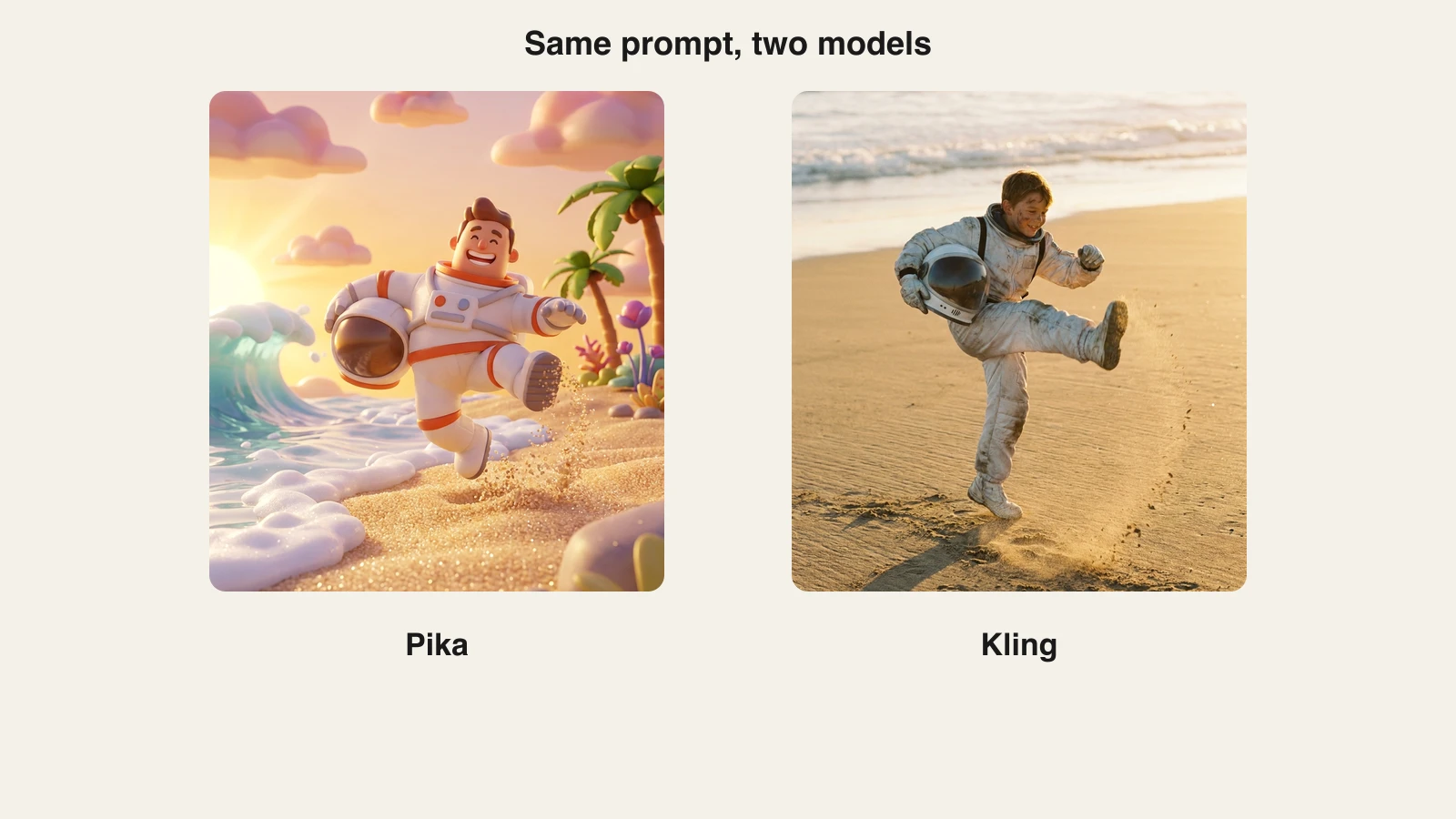
The fastest way to understand this matchup is to run one prompt through both models and compare. Take this one: "A red fox leaping across a mossy forest stream in early-morning mist, water droplets splashing, soft sunlight through the ferns." The frames below recreate each model's signature look for that prompt.
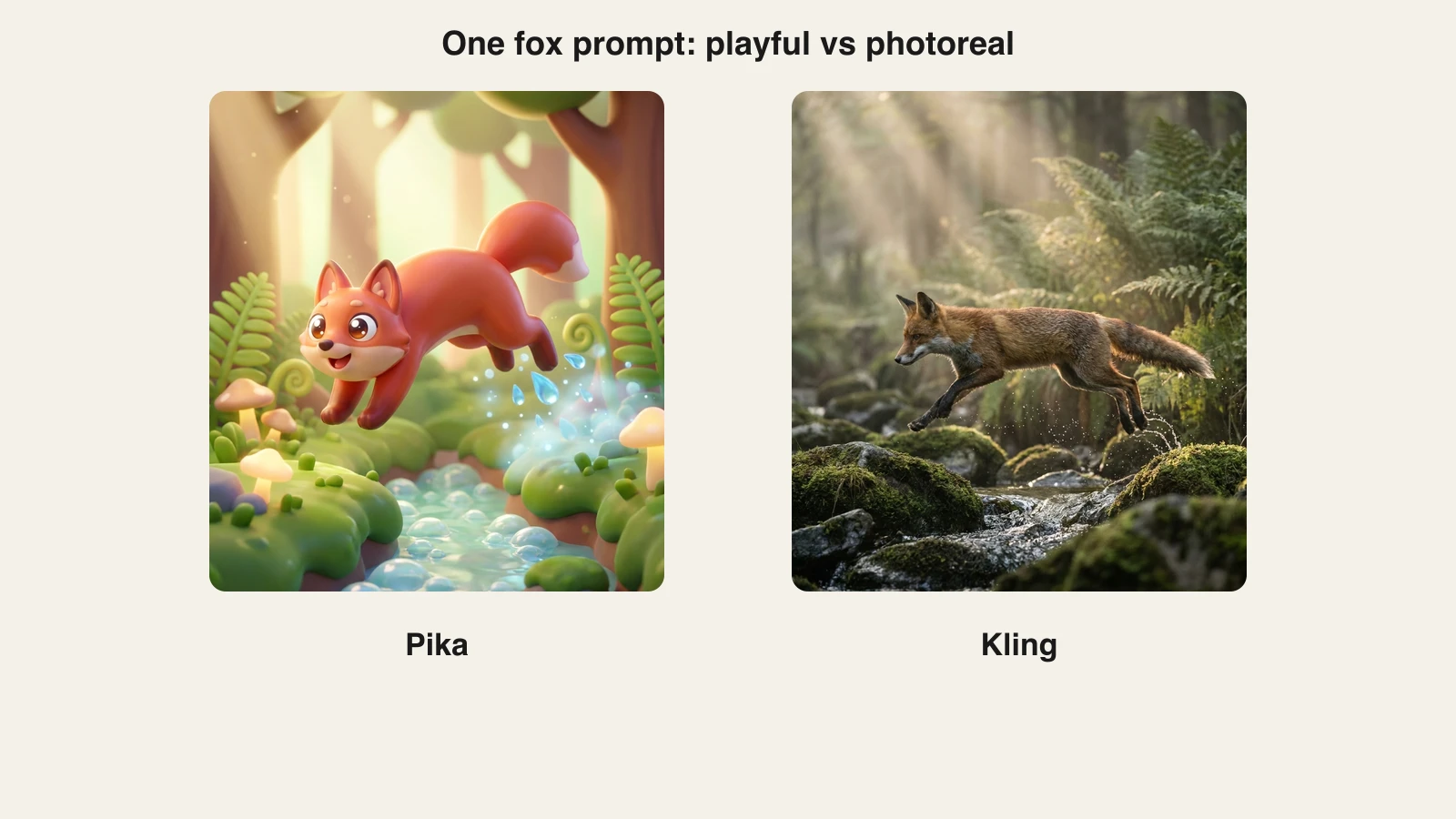
The frames above illustrate each model's default personality. Pika leans stylized: bouncy shapes, saturated color, a clip that reads as animation and is proud of it. Kling leans documentary: realistic fur, believable water physics, natural light. Neither is wrong. A pet-brand TikTok probably converts better with the left frame; a nature-channel intro needs the right one.
That personality gap holds across subjects. Prompt both models with a person dancing and Pika gives you an exaggerated, loopable character moment, while Kling gives you weight shifts and fabric movement that pass as footage. Write your prompts accordingly: lean into style words with Pika, and into camera and physics language with Kling.
How to try Kling inside ClipNova
Pika is its own subscription, but you do not need a separate Kling account to use Kling. ClipNova hosts Kling 3.0 alongside Veo 3.1, Seedance 2.5, Pixverse v6, and other top video models in one models hub, so a single plan from $39/mo covers every engine, and you can A/B the same prompt across models in one chat.
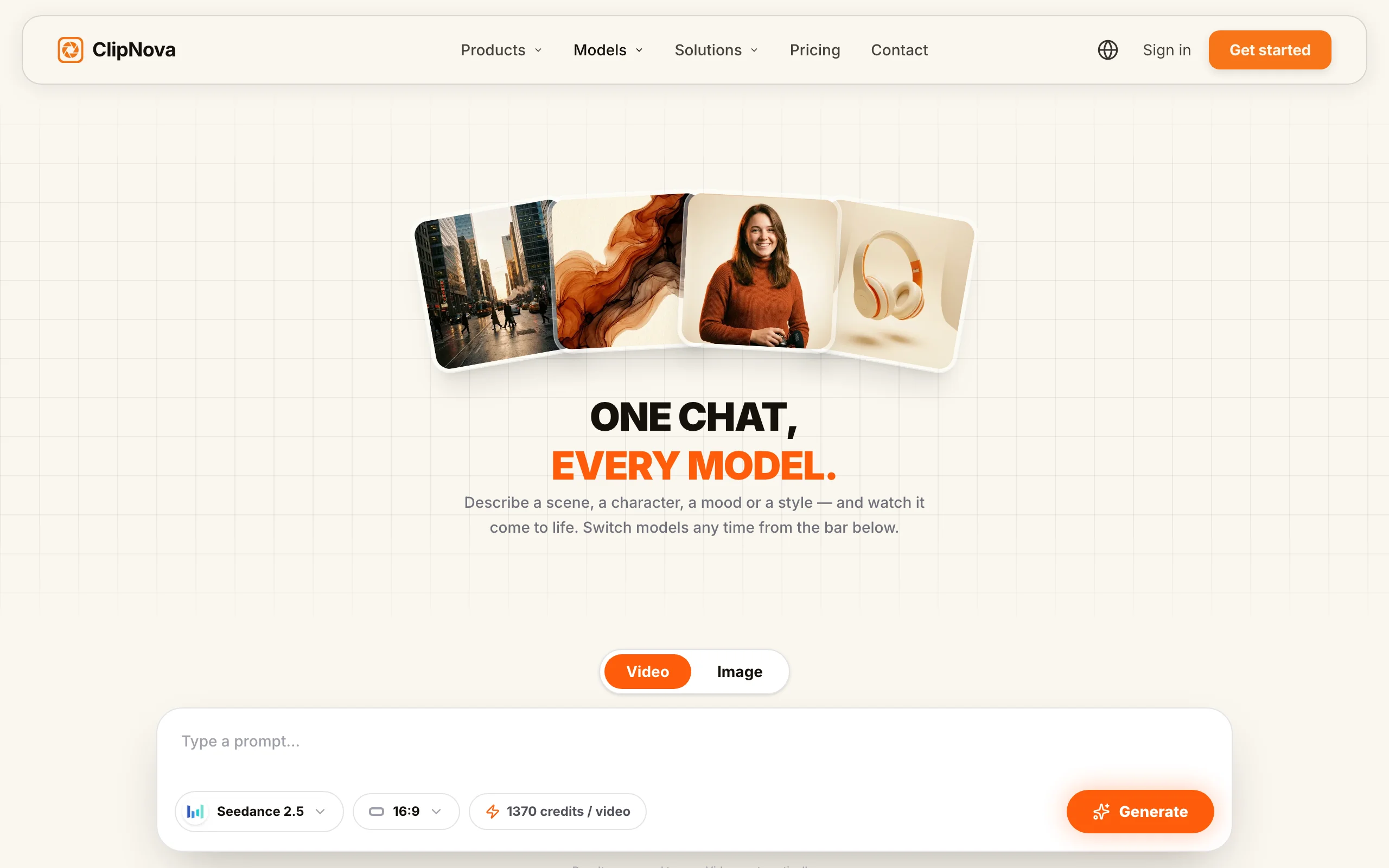
Here is the exact workflow we used for the fox example:
- Go to app.clipnova.io.
- Open the models chat and pick Kling 3.0 from the model bar (you can switch to Veo 3.1 or Seedance later without leaving the thread).
- Paste the prompt: "A red fox leaping across a mossy forest stream in early-morning mist, water droplets splashing, soft sunlight through the ferns, cinematic realism, natural motion."
- Set the aspect ratio (9:16 for TikTok and Reels, 16:9 for YouTube) and generate.
- Compare results across models in the same thread, keep the best, and download watermark-free with full commercial rights.
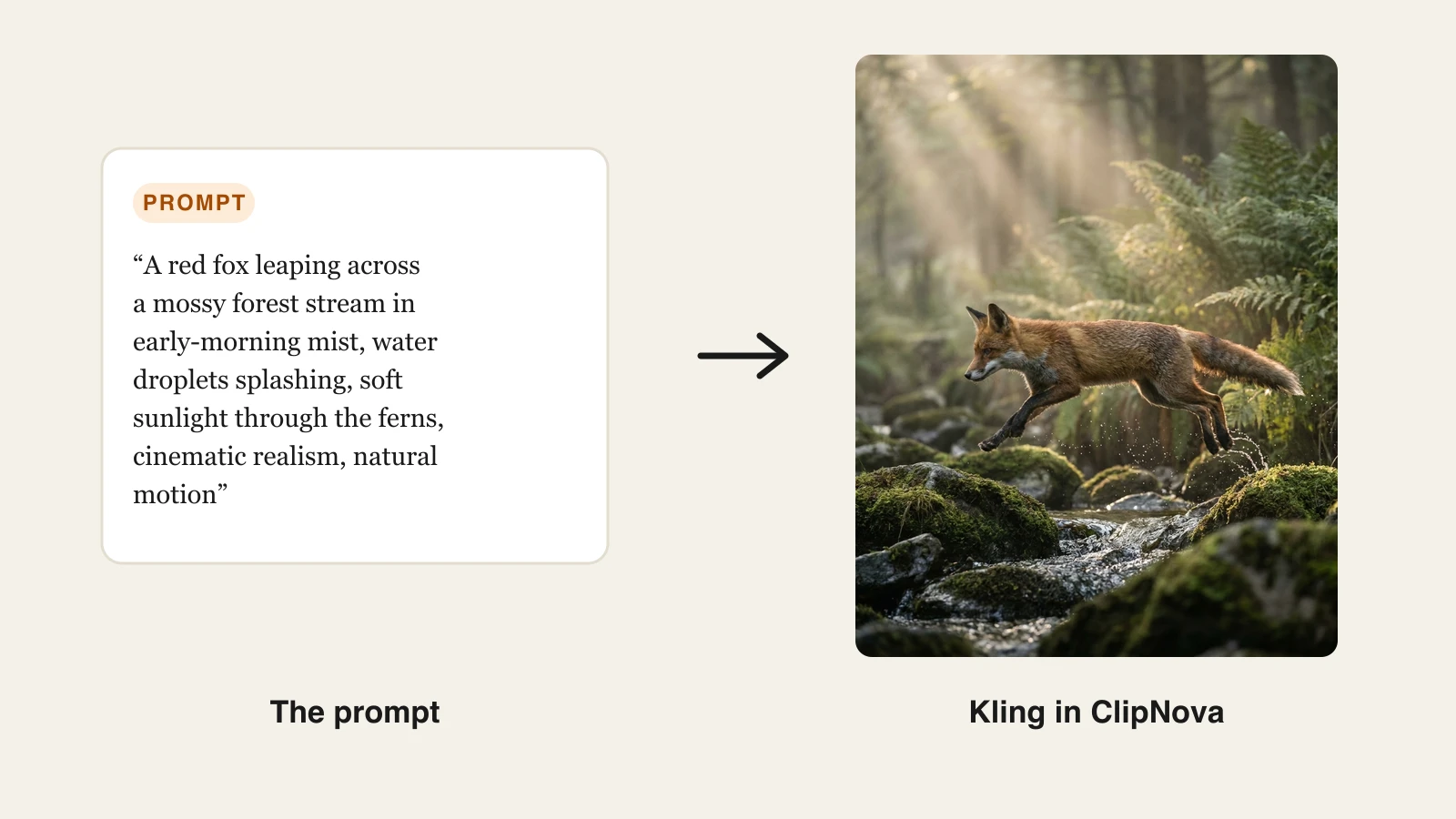
Every ClipNova plan includes the full feature set, watermark-free 1080p and 4K export, and full commercial rights, differing only in monthly credits, starting with the $39/mo Hobby plan. That makes it the cheap way to find out whether Kling-style realism actually lifts your numbers before committing to a dedicated Kling tier. And when a clip needs to become a finished video with script, voiceover, and captions, the text to video AI generator workflow handles the whole pipeline in the same subscription.
How to choose between Pika and Kling
1) What should the clip feel like?
- If you want playful, stylized, effect-driven moments (products inflating, objects morphing, meme energy): Pika, no contest. The Pikaffects toolkit has no real equivalent in Kling.
- If you want footage a viewer might mistake for camera work: Kling. Motion realism is its core strength, and native audio seals it.
2) Do you need sound in the generation?
- If dialogue, ambient sound, or lip-sync matter: Kling 3.0 generates them natively in the same pass.
- If you add trending audio in the editor anyway (most TikTok workflows): Pika's lack of native audio costs you nothing.
3) How does the budget math work for your volume?
- If you are experimenting casually: Pika Standard at $8/mo billed yearly is the cheapest meaningful tier, good for roughly 17 high-res clips a month.
- If you are producing realistic clips weekly: budget for Kling Pro at $37/mo, since 3.0 clips with audio burn about 60 credits per five seconds.
- If you want to test both styles of output, and Veo and Seedance too, before locking in: run them through ClipNova from $39/mo and let the same prompt pick the winner.
4) Is a raw clip actually your end product?
Both Pika and Kling output raw clips. If your deliverable is a publish-ready video with a script, voiceover, and captions, compare full pipelines instead in our guide to the best AI video generators.
The short version: Pika is the fun one, Kling is the real one, and you can audition Kling (plus its closest rivals) inside ClipNova on one plan.
Related reading: Runway vs Kling: cinematic control vs motion (2026).
Frequently asked
Is Pika better than Kling?
Neither is better across the board. Pika 2.5 is better for playful, effect-driven social clips thanks to Pikaffects, Pikaswaps, and Pikadditions, while Kling 3.0 is better for motion realism, longer coherent shots, and native audio with lip-sync. Choose based on whether your content should feel like animation or like footage.
Which is cheaper, Pika or Kling?
Pika has the cheaper entry: Standard costs $8/mo billed yearly ($10 monthly) with 700 credits, roughly 17 five-second 1080p clips. Kling Standard is $10/mo with 660 credits, but Kling 3.0 clips with audio burn about 60 credits per five seconds, so realistic-clip budgets usually land on Kling Pro at $37/mo. ClipNova sits between them at $39/mo with Kling 3.0 and other top models included.
Does Kling 3.0 generate audio?
Yes. Kling 3.0 generates visuals, voices, and sound effects together in a single pass, including lip-sync across five languages (Chinese, English, Japanese, Korean, and Spanish). Pika does not generate native audio, so any sound is added in your editor afterwards.
What are Pikaffects?
Pikaffects are Pika's signature physics-bending effects, such as inflate, melt, and explode, that you apply to an image or video. The current Pika 2.5 release supports region targeting, so you can apply an effect to one object, like melting only a candle, while the rest of the scene stays realistic.
How long can Pika and Kling videos be?
Kling 3.0 generates up to 15 seconds of continuous video with audio and consistent characters in one pass. Pika generates shorter base clips but its scene extension can stretch a sequence to around 25 seconds. For anything longer, both require stitching clips in an editor or using an end-to-end tool.
Can I use Pika and Kling videos commercially?
Yes, on paid plans. Pika includes watermark-free downloads and commercial use on its paid tiers, and Kling unlocks commercial usage rights with paid subscriptions.
Can I use Kling without a Kling subscription?
Yes. ClipNova hosts Kling 3.0 inside its models hub alongside Veo 3.1, Seedance 2.5, and Pixverse v6, so one plan from $39/mo covers every model. Every plan includes watermark-free 1080p and 4K export with full commercial rights, which makes it the cheapest way to run the same prompt through Kling and its rivals side by side.