


Story series
Short drama episodes
One lead character across every episode of a vertical drama or story channel, so viewers follow the same person from scene to scene.
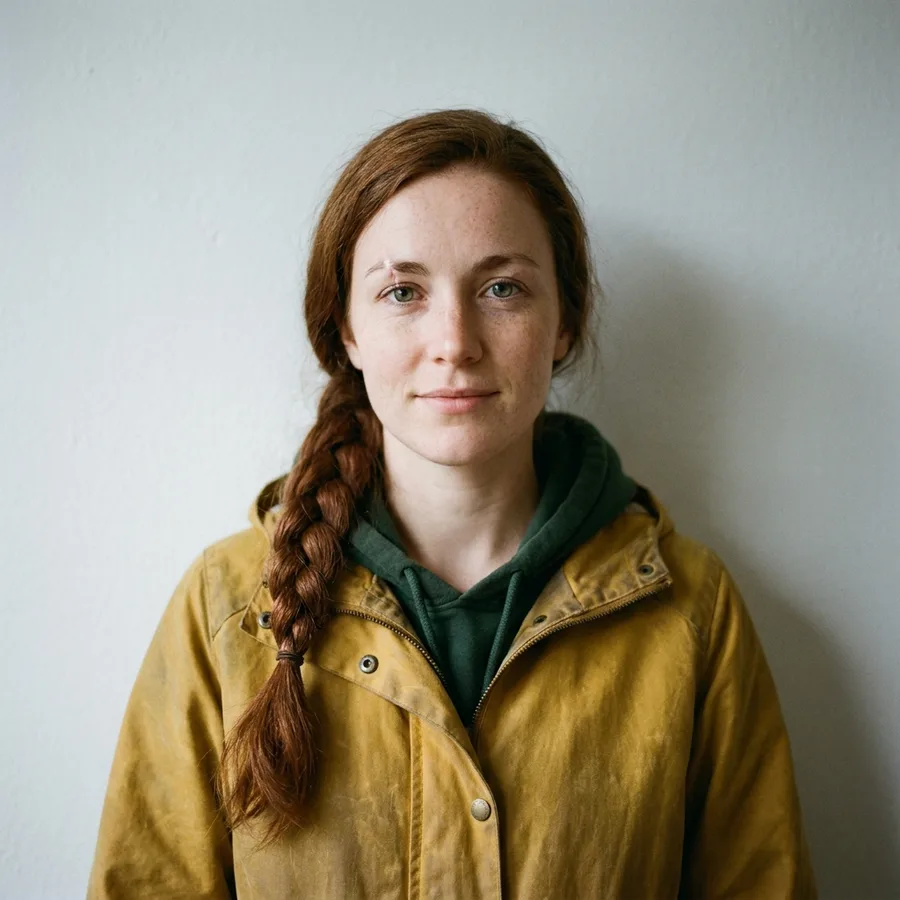
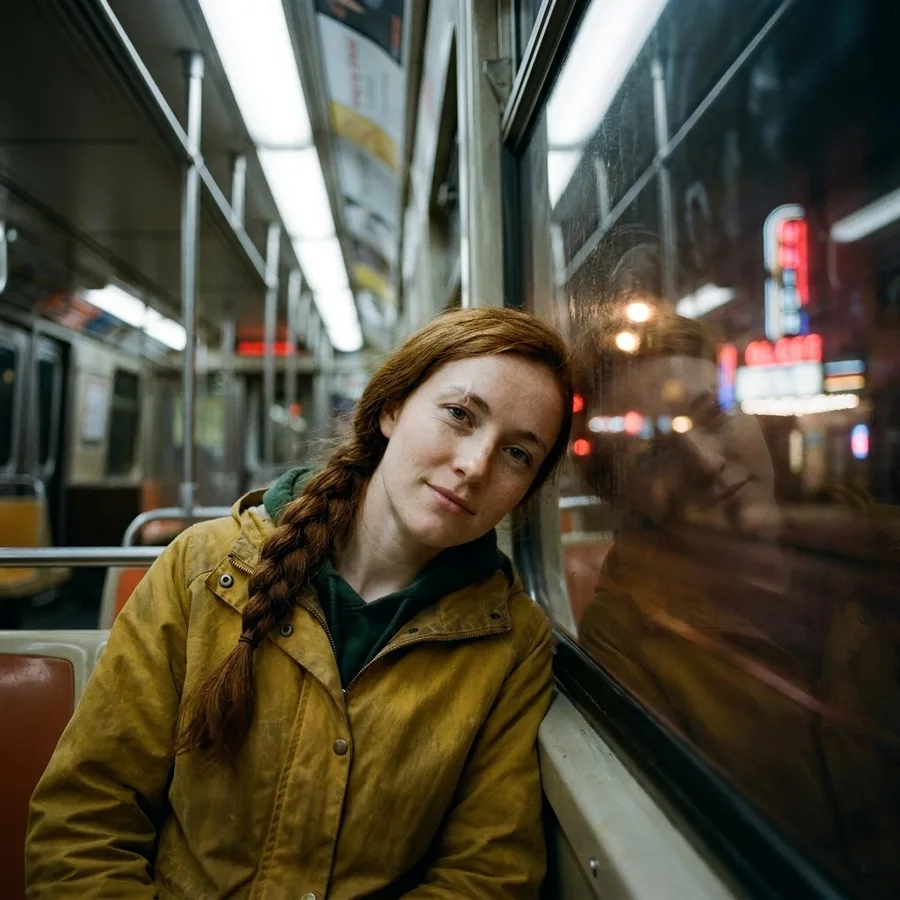
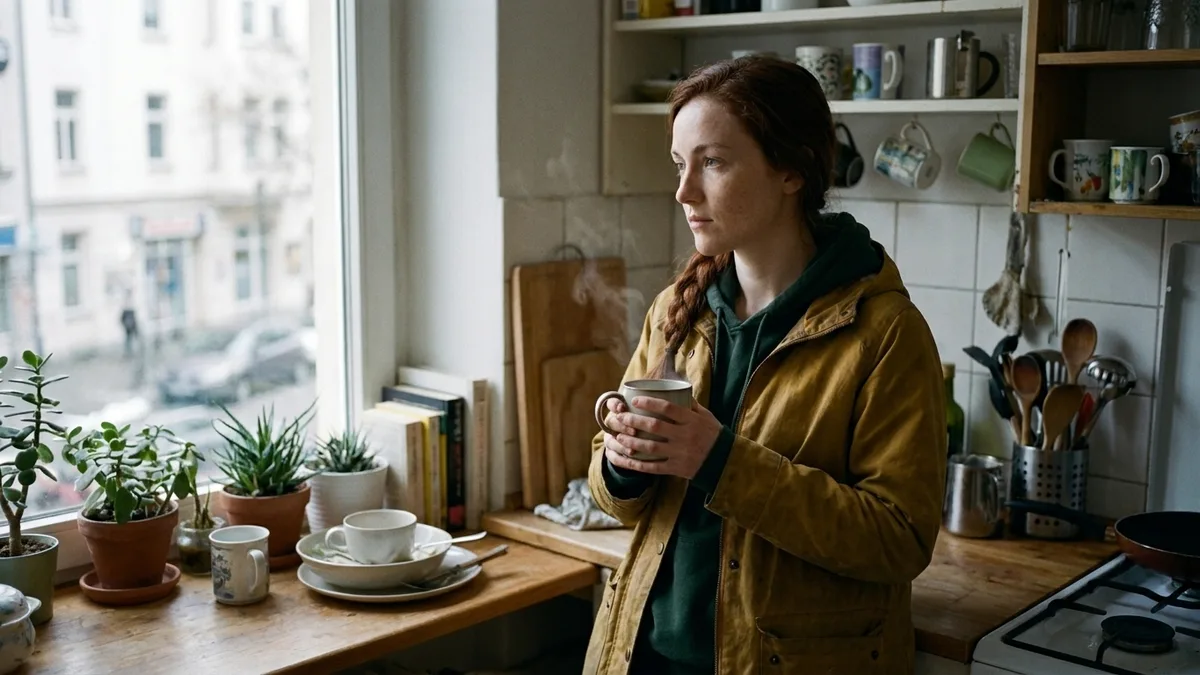
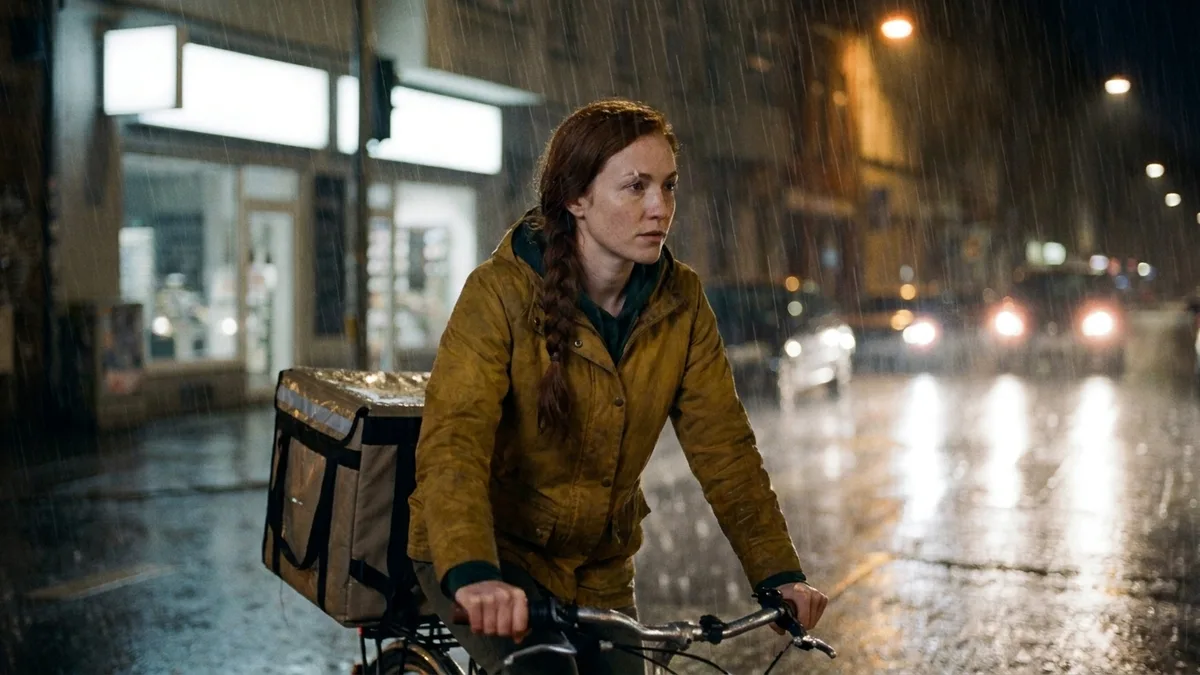
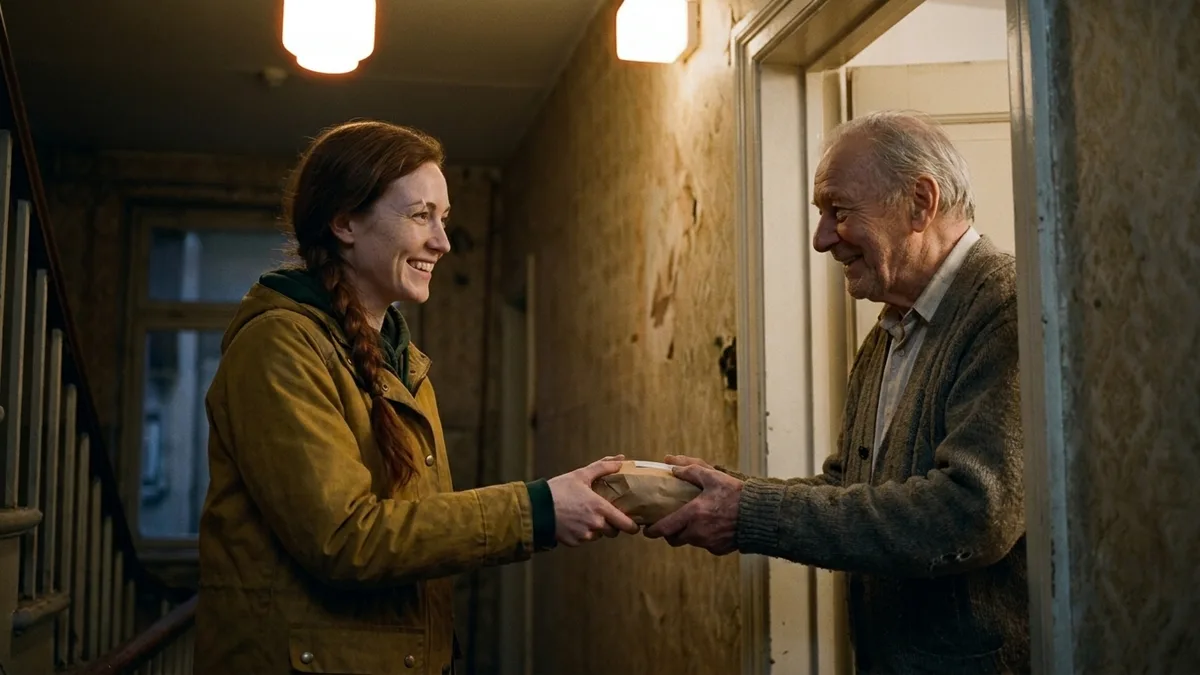
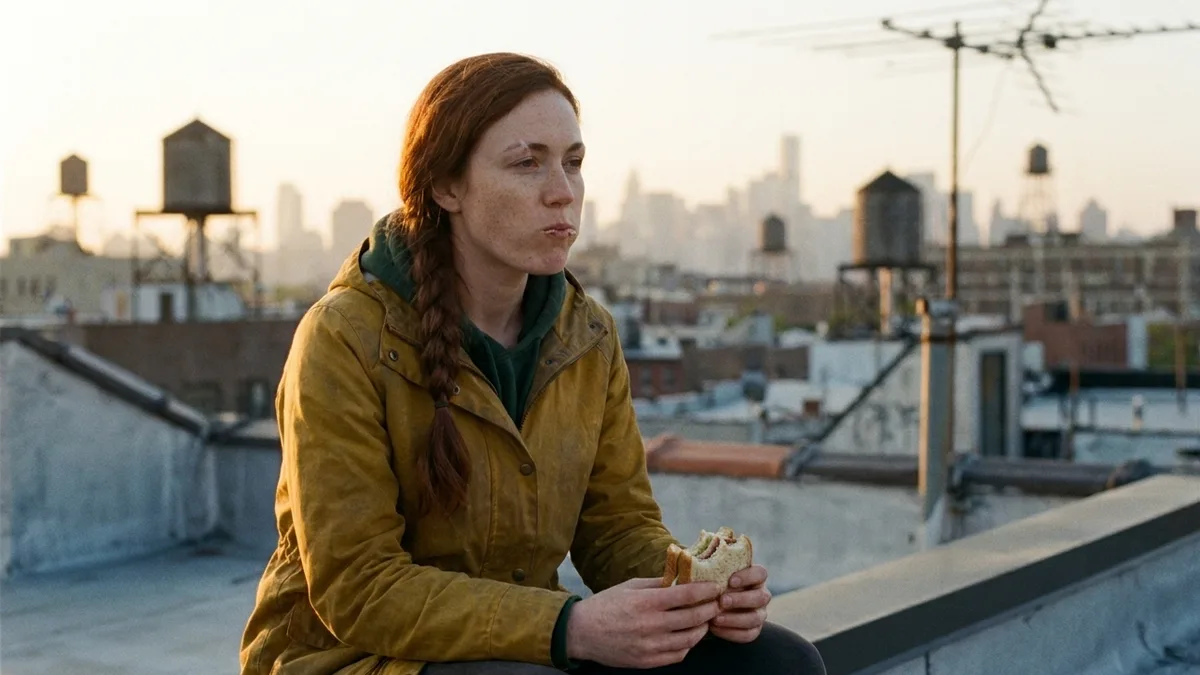
One reference photo of Nora, a fictional night courier from a short drama series, and four new scenes. Only the prompt changes: her face, braid, eyebrow scar and yellow jacket stay the same.
Pictures are stills from each scene. Generate every scene with the same reference, then join them into one episode with a voiceover, music and captions.
Add 1 to 9 clear photos of the same character: a portrait, a full body shot, other angles. No character yet? Create one in AI Characters inside ClipNova, then use it here.
Write what happens, where it happens and how the camera moves. Describe the action and the place, not the face: the reference already carries the look.
Choose 9:16, 16:9 or 1:1, a clip length, and Base, Pro or Ultra. The credit cost shows before you generate.
Add a voiceover, music and captions, then download. Keep the same reference photos for the next scene or the next episode and your character stays the same.
Choose what media will be used to illustrate the video.
Optional. Leave everything off for a silent clip.
A normal text to video model invents a new person every time you generate. Ask for the same woman in a yellow jacket twice and you get two different women. That is why most AI series fall apart after the first clip.
Consistent character AI fixes this by starting from pictures instead of words. In ClipNova's Images to Video mode you upload photos of your character, and each photo teaches the model what that person looks like. The order does not matter and they are not keyframes: they are the identity the video has to keep.
Then you only describe what is new: the action, the place, the light and the camera. ClipNova renders a fresh clip with your character in it. Keep the same reference photos for the next scene or the next episode, and the face, hair and outfit carry over. Ask for a longer video and ClipNova plans it shot by shot, with your photos fed into every shot.
The six uses we see most, from what ClipNova users create and what creators share online.
One lead character across every episode of a vertical drama or story channel, so viewers follow the same person from scene to scene.
The same little hero in every bedtime story or lesson video, in a 3D cartoon, Pixar style or anime look.
Your mascot opens the shop, celebrates the sale and waves goodbye, looking identical in every ad and post.
Post your AI persona at the market, at the gym or on a trip every day, with the same face in every video.
Upload a character and a product together and show them in a kitchen, a gym or on the street for UGC style ads.
Give a faceless channel a recurring host who introduces every facts, history or horror episode.
Every tier keeps your character consistent. They differ in how many references they take, clip length and sound.
| Base | Pro | Ultra | |
|---|---|---|---|
| Reference images | 1 to 7 | 2 to 4 | 1 to 9 |
| Clip length | 4, 6 or 8 s | 5 or 10 s | 4, 6 or 8 s |
| Strength | Lowest price, most references | Sharper subjects, composes references into one scene | Best quality |
| Native audio | No | No | Yes, synced to the clip |
| Credits per clip | 80 | 130 (5 s) or 250 (10 s) | 480 to 950 |
The exact cost shows before you generate. Voiceover, music and captions work on every tier. Plans from $19/mo.
A sharp, well lit photo with the face visible and a plain background gives the steadiest result.
Extra photos should show the same character from other sides or full body, in the same outfit.
Write the action, place, light and camera. Repeating the look in words can pull the model away from the photos.
Save the photos you used and reuse exactly the same set for every scene and every episode.
Pro composes several references into one scene, which suits two characters or a character holding your product.
Create one in AI Characters inside ClipNova, choose a look such as realist or Pixar, then upload it here.
What the Images to Video mode gives you that prompt only generation never will.
The face, hair and outfit in your reference photos carry into every new scene. No more generating ten times until the character happens to look right.
Upload up to nine photos of your character and ClipNova turns them into video. No training, no LoRA, no setup.
Ask for a longer video and ClipNova plans it shot by shot, feeding your reference photos into every shot, up to 5 minutes.
Tell us what you want to make and we'll point you to the ClipNova tool that fits your idea best.
Find your toolA text prompt invents a new person every time you click. Reference to video starts from photos you approve and keeps that person in every scene.
Consistent character AI keeps the same person, mascot or creature looking identical across different images or video clips. Instead of describing the character in words every time, you give the AI photos of it once, and every new scene keeps the same face, hair, outfit and proportions.
Open the Images to Video mode in ClipNova, upload 1 to 9 photos of your character, describe the new scene (what happens, where, how the camera moves), pick a format, length and quality tier, and generate. You can add a voiceover, music and captions before you download.
Yes, that is what this tool is for. Keep the reference photos you used and upload the same set for every new scene or episode. The character stays recognizable across the whole series without training a custom model.
Base takes 1 to 7 images, Pro takes 2 to 4 and Ultra takes 1 to 9. One clear photo is often enough; more angles of the same character help in complex scenes.
Yes. Upload photos of both subjects and describe how they appear together. The Pro tier is built to compose several references into one scene.
A single clip runs 4 to 10 seconds depending on the tier. Ask for a longer video and ClipNova plans it shot by shot with your references in every shot, up to 5 minutes.
A character generator creates the character image. This tool takes a character you already have and keeps it the same in new video scenes. In ClipNova you can do both: create a character in AI Characters, then upload it here.
Plans start at $19/mo. Each video uses credits, and the exact cost shows before you generate. A Base clip uses 80 credits; Pro and Ultra cost more and Ultra adds synced audio.
Yes. Videos you generate come with full commercial rights on every plan. Make sure you own or have permission for the photos you upload, and don't use pictures of real people without their consent.
Find detailed answers to 100+ questions about features, tools, and workflows
or check our markdown version optimized for LLMs →Choose your tool, add your content, and ship a video in seconds. Then customize it to your liking.
Type a sentence, ship a video.
Try it out →Upload a photo, get an animated video.
Try it out →AI hosts with realistic voices.
Try it out →Upload a track, get a beat-synced music video.
Try it out →Five anime styles, one prompt away.
Try it out →Hand-drawn shorts from one paragraph.
Try it out →Cinematic multi-scene shorts.
Try it out →Auto-generate synced subtitles for any video.
Try it out →Type a prompt, get a stunning image.
Try it out →Transform any image with a prompt.
Try it out →Edit photos with plain-language instructions.
Try it out →Join creators turning ideas into scroll-stopping videos, no crew, no software, no learning curve.