Video is the most expensive content type to produce, and it is also the one every platform now rewards most. That tension is why the search for the cheapest AI video generator has become one of the busiest questions in the creator economy. You want daily short-form output, clean 1080p exports, voiceover, and captions, but you do not want a $95 per month bill or a credit meter that runs dry after four clips.
This guide ranks the most affordable tools that actually hand you a finished, watermark-free video you can publish and monetize, not a raw five-second clip you still have to edit. Every option here starts at $19 per month or less-committing, and we lead with the pick that gives budget creators the most finished video per dollar, then work through the strongest low-cost alternatives with real prices and a price-per-video breakdown.
Cheapest AI video generators: a brief overview
- ClipNova best overall for creators on a budget: every top AI video model (Runway, Kling, Sora, Google Veo, and more) plus a full studio for any video type, in one subscription
- InVideo AI best cheap prompt-to-video for social, with stock footage and AI voiceover
- Fliki best budget script-to-video with a huge AI voice and language library
- HeyGen best affordable AI spokesperson avatars and video translation
- Pictory best low-cost route for faceless, script-narrated explainer video
- Creatify best budget UGC-style video ads generated from a product link
| Tool | Best for | Starting price | Max output |
|---|---|---|---|
| ClipNova | All top models (Runway, Kling, Sora…) + studio in one sub | From $19/mo | 1080p–4K, up to 5 min |
| InVideo AI | Prompt-to-video for social | From $20/mo | 1080p, full videos |
| Fliki | Script-to-video with 2,000+ voices | From $21/mo | 1080p, narrated video |
| HeyGen | AI spokesperson avatars + translation | From $24/mo | 1080p avatar video |
| Pictory | Faceless narrated explainer video | From $25/mo | 1080p, long-form narrated |
| Creatify | UGC-style video ads from a URL | From $27/mo | 1080p ad creatives |
1. ClipNova, best overall for creators on a budget
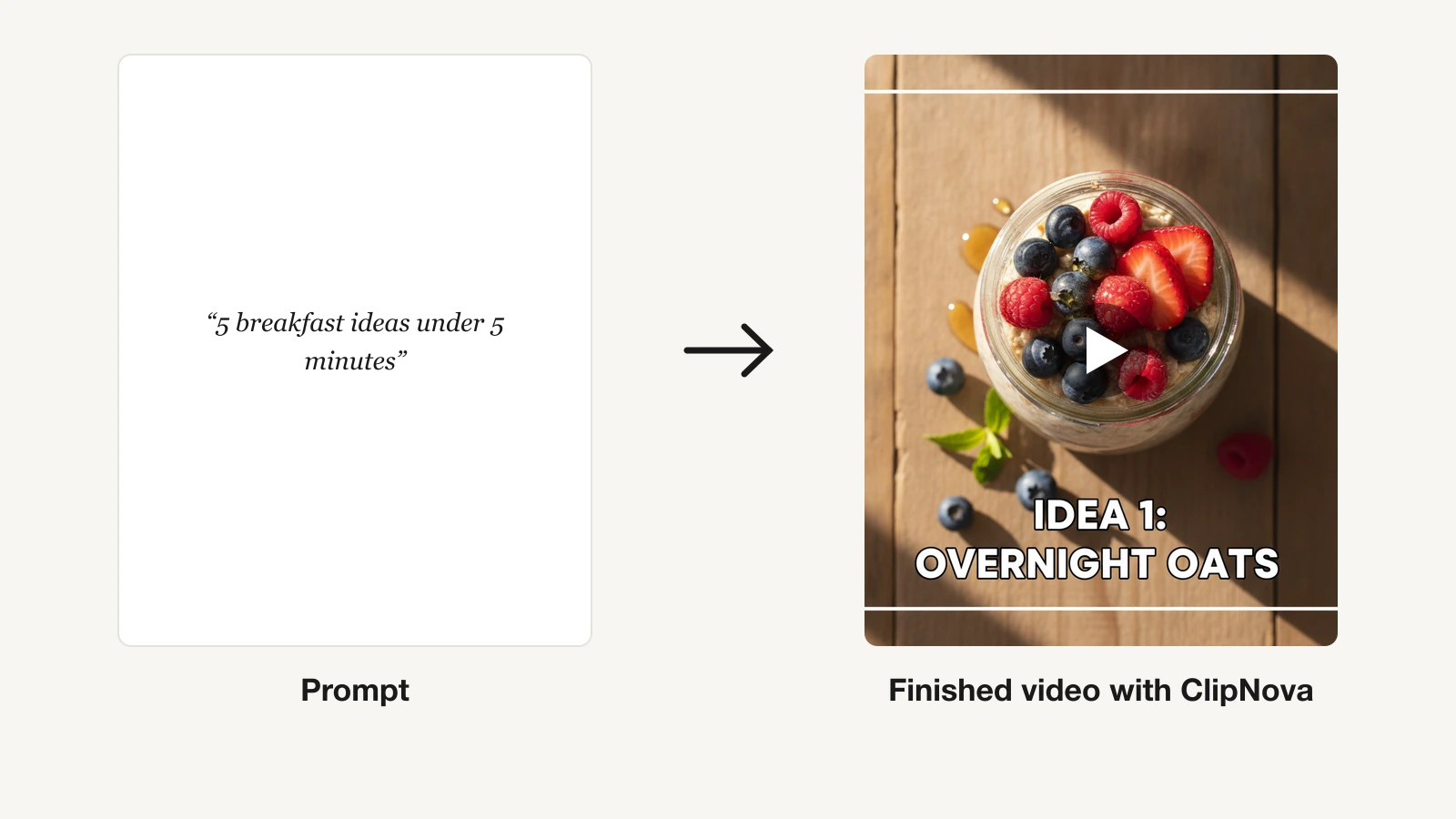
ClipNova is built for the person who needs to publish a real video today, not assemble one from parts. You type a prompt or paste a script, and it produces a complete short-form video in a single pass: script, AI voiceover, visuals, on-screen subtitles, and background music, all rendered vertical-first for TikTok, Reels, and Shorts. That end-to-end approach is what makes it the strongest value on this list for budget creators, because most cheap generators hand you a five-second clip and leave the editing, captioning, and voiceover to you.
ClipNova is also the only pick here that puts the other tools inside it. Its model hub lets you generate with the top AI video models directly, including Runway, Kling, OpenAI Sora, Google Veo, Seedance, PixVerse, and Vidu, so you are not locked into one engine, you get all of them on a single bill. Next to the models sits a full studio for any type of video: prompt-to-video, image-to-video, talking avatars, music videos, UGC, and ad creatives. For a budget buyer that is the whole argument, one $19 subscription replaces the separate model and clip-tool subscriptions you would otherwise stack.
Pricing starts at $19 per month on the Hobby plan, and every paid tier ships the full feature set. You are not paying more to unlock captions or commercial rights, you are only buying more monthly credits as you scale. For what each tool really charges per finished video, see our AI video generator pricing breakdown. The prompt-to-video engine covers the whole pipeline. If your daily job is publishing vertical content, the AI TikTok video generator turns a single idea into a ready-to-post clip.
Key features
- Built-in access to the top AI video models: Runway, Kling, OpenAI Sora, Google Veo, Seedance, PixVerse, and Vidu, all in one hub
- A studio for every type of video: prompt-to-video, image-to-video, talking avatars, music videos, UGC, and ads
- End-to-end generation: script, AI voiceover, visuals, subtitles, and music in one pass
- Vertical-first output for TikTok, Reels, and YouTube Shorts
- 32 narration languages with natural AI voices
- Watermark-free 1080p and 4K exports on every plan
- Music-to-video and AI UGC and ad tools for creators and marketers
- Full commercial rights included on every tier
Best for
- Solo creators and small teams shipping short-form daily
- Marketers who need UGC-style ads without a production crew
- Anyone who wants a finished video rather than raw clips to edit
Pricing
- Hobby $19/mo, Starter $49/mo, Growth $99/mo, Ultra $199/mo, each with the full feature set
- Around 20% off with annual billing (see the ClipNova pricing page)
Pros
- Lowest effective cost per finished video because voiceover, captions, and music are bundled
- Same features on the cheapest plan as the most expensive
- Watermark-free 4K and full commercial rights from day one
Cons
- Newer brand than the incumbents
- Short-form focused, not a long-form timeline editor
2. InVideo AI, best cheap prompt-to-video for social
InVideo AI is the closest budget rival to ClipNova on workflow: you describe the video you want in plain language, and it writes a script, pulls stock footage, adds an AI voiceover, and assembles a full video you can refine with follow-up text commands. It leans on a large stock library rather than fully generated visuals, which keeps costs down and output fast, and it is a mature, widely used product.
Because it draws heavily on stock, InVideo videos can look "stocky" next to fully generated footage, and the lower tiers cap generation minutes and add a watermark. For faceless social videos on a tight budget, though, it is a strong, affordable option.
Key features
- Prompt-to-video with automatic script, stock, and voiceover
- Text-command editing to revise the whole video
- Large stock media and template library
- Multi-language voiceovers and auto-subtitles
Best for
- Creators who want finished social videos from a prompt
- Marketers assembling explainer and promo videos from stock
Pricing
- Plus from about $20/mo billed annually (roughly $28 monthly)
- Max tier around $48/mo billed annually for more minutes
- Generation minutes reset weekly rather than monthly
Pros
- Full finished videos, not raw clips
- Genuinely affordable entry for prompt-to-video
Cons
- Stock-driven look is less distinctive than generated video
- Weekly minute caps can be tight for daily posting
3. Fliki, best budget script-to-video with a huge voice library
Fliki turns scripts, blog posts, and ideas into narrated videos, and its standout is audio: over 2,000 AI voices across 75-plus languages, including voice cloning. You paste or generate a script, Fliki builds a slideshow-style video with stock visuals and lifelike narration, and you export it for social or YouTube. For creators who care most about natural voiceover and localization on a budget, it is hard to beat.
The trade-off is that Fliki output is closer to narrated slideshow than fully generated video, so motion and visual originality are limited. If your priority is clear, multilingual narration over cinematic footage, that trade is easy to accept.
Key features
- Script-to-video and blog-to-video conversion
- 2,000-plus AI voices in 75-plus languages, plus voice cloning
- Stock media library with auto-scene matching
- Podcast and audio export in addition to video
Best for
- Faceless creators who need strong multilingual narration
- Repurposing written content into narrated video
Pricing
- Standard from about $21/mo billed annually (roughly $28 monthly)
- Premium around $66/mo billed annually for more minutes and cloning
- Credits are measured in export minutes per month
Pros
- Best-in-class voice and language coverage for the price
- Simple, fast script-to-video workflow
Cons
- Slideshow-style output rather than generated motion
- Limited creative control over visuals
4. HeyGen, best affordable AI spokesperson avatars and translation
HeyGen specializes in realistic avatar videos: pick or create a digital presenter, type a script, and it produces a lip-synced spokesperson video in minutes. It also has excellent video translation that re-voices and re-syncs existing footage into other languages. For marketing explainers, product walkthroughs, and localized content without filming a person, HeyGen is the affordable specialist.
It is avatar-centric, so general text-to-video B-roll is secondary, and lower tiers cap video minutes and add a watermark. If a talking presenter is the format you need, the entry price is reasonable for the quality.
Key features
- Realistic AI avatars with lip-sync from a typed script
- Custom avatar creation from your own footage
- Video translation with re-synced lip movement
- Brand kit and API on higher tiers
Best for
- Marketing spokesperson and explainer videos
- Translating existing videos into new languages
Pricing
- Creator from about $24/mo billed annually (roughly $29 monthly)
- Team and higher tiers for more minutes and seats
- Pricing is measured in video minutes per month
Pros
- Realistic avatars and standout translation
- Affordable entry for spokesperson-style video
Cons
- Built around avatars, not general generative B-roll
- Minute caps on lower tiers
5. Pictory, best low-cost route for faceless narrated video
Pictory turns scripts, blog posts, and long recordings into narrated videos with stock visuals and captions. It is aimed at faceless content: article-to-video, text-to-video summaries, and automated voiceover over b-roll. For marketers and educators who want narrated explainer videos without appearing on camera, it is a straightforward option.
The main budget drawback is that Pictory's entry price sits in the middle of this list. It suits occasional long-form narrated output more than daily short-form volume.
Key features
- Script-to-video and article-to-video
- AI voiceover with a stock media library
- Auto-captions and branding kit
- Long-form summarization of recordings
Best for
- Faceless, narrated explainer and summary videos
- Repurposing written content into video
Pricing
- Starter about $25/mo billed annually, or $29/mo monthly
- Higher Professional and Team tiers for more minutes
- Starter is capped at roughly 30 videos per month
Pros
- Purpose-built for faceless narrated content
- Large stock library included
Cons
- Stock-visual look is less distinctive than generated video
- Not designed for daily short-form volume
6. Creatify, best budget UGC-style video ads from a URL
Creatify is built for one job: turning a product link into UGC-style video ads at scale. Paste a product URL and it pulls the images and copy, then generates avatar-led ad variations you can test on TikTok and Meta. For e-commerce and performance marketers who need many ad angles cheaply, it removes the cost of briefing creators for every variation.
Its scope is deliberately narrow. Creatify is an ads tool, so organic content, music-driven video, and cinematic generation are out of scope, and pricing is credit-based per video. Within ads, though, the value per dollar is strong.
Key features
- URL-to-ad workflow that scrapes product images and copy
- AI UGC avatars and script generation for ads
- Batch ad variations for A/B testing
- Auto-captioning and aspect-ratio presets for TikTok and Meta
Best for
- E-commerce and DTC teams making UGC-style ads
- Performance marketers testing many ad angles
Pricing
- Starter from about $27/mo billed annually (roughly $33 monthly)
- Higher tiers add more video credits and team seats
- Cost is measured in generated video credits per month
Pros
- Fast, cheap ad variations from a single link
- Purpose-built for UGC-style performance creative
Cons
- Ads-only scope, not for organic or music video
- Credit-based pricing at volume
How to choose the cheapest AI video generator for your workflow
Cheapest on the sticker is not the same as cheapest per finished video. A tool that hands you a raw clip can cost more in your time than one that returns a posted-ready video. Use these criteria to match price to what you actually publish.
1) Match the tool to your output type
The biggest cost driver is the kind of video you need.
- If you publish complete short-form daily: ClipNova, because voiceover, captions, and music are bundled into one pass, and every model is included
- If you want prompt-to-video from stock for social: InVideo AI
- If your priority is multilingual narration: Fliki
- If you need a spokesperson or translated videos: HeyGen
- If you make faceless narrated explainers: Pictory
- If you produce UGC-style product ads: Creatify
2) Do the price-per-video math
Translate credits and minutes into videos per month before you subscribe.
- ClipNova Hobby at $19/mo gives 1,000 credits, enough for a steady run of finished short-form videos
- InVideo AI Plus at about $20/mo billed annually resets its generation minutes weekly, so heavy daily posting can hit the cap
- HeyGen Creator at about $24/mo is measured in video minutes, so long avatar videos consume the allowance quickly
- Pictory Starter at about $25/mo caps you near 30 videos a month, which suits occasional long-form more than daily volume
For most budget creators publishing every day, a bundled tool like ClipNova produces the lowest cost per finished, posted video because nothing else is billed on top.
3) Confirm resolution, watermark, and commercial rights
Cheap tools often hide the real cost in these three details.
- If you need watermark-free 1080p or 4K and commercial rights on the cheapest plan: ClipNova includes all three from $19/mo
- If you are monetizing: confirm commercial rights are included before you subscribe, since several budget tools restrict them on lower tiers
The cheapest AI video generator for you is the one that turns your idea into a publishable video for the least total cost, money and time combined. For daily short-form creators on a budget, that usually means a bundled tool that includes every model and format. For narration, avatars, or ads specifically, a focused tool can win. Match the price model to your output, run the per-video math, and the right pick becomes obvious.
Related reading: 7 best AI explainer video generators in 2026.
Frequently asked
What is the cheapest AI video generator?
Among tools that hand you a finished, publish-ready video rather than a raw clip, ClipNova is the best value from $19 per month. It bundles script, AI voiceover, subtitles, and music into one export and includes every top model, so your cost per posted video is the lowest even though a few tools have a smaller sticker price.
What is the cheapest AI video generator for TikTok?
ClipNova is the strongest budget pick for TikTok because it generates vertical-first 9:16 videos with voiceover and captions built in, so you get a ready-to-post clip rather than raw footage to edit. From $19 per month you get watermark-free 1080p and 4K exports with full commercial rights. InVideo AI is a reasonable cheaper-looking alternative, but it leans on stock footage and caps generation minutes weekly.
Do cheap AI video generators add watermarks?
Many do on their lowest tiers, so check what the entry plan exports before you subscribe. ClipNova is different: it delivers watermark-free 1080p and 4K on every plan, starting at the $19 Hobby tier, so you never pay extra just to remove branding.
Can I monetize videos made with cheap AI video tools?
Usually yes, but only if the plan includes commercial rights. Several budget tools restrict commercial use on entry tiers, so confirm before you publish paid or branded content. ClipNova includes full commercial rights on every plan, including the cheapest, so anything you make can be monetized from day one.
What is the cheapest AI video generator with no watermark?
ClipNova is the cheapest option that gives you watermark-free exports on its entry plan, at $19 per month, with 1080p and 4K included. Most rivals require a mid or higher tier to remove watermarks. If watermark-free output matters, factor that into the true price rather than the headline number.
How much does the cheapest ClipNova plan cost?
ClipNova's cheapest plan is Hobby at $19 per month with 1,000 monthly credits and the full feature set. Higher tiers are Starter at $49, Growth at $99, and Ultra at $199, which add more credits rather than more features. Annual billing takes about 20% off.
ClipNova vs InVideo AI on price, which is cheaper?
InVideo AI Plus is about $20 per month billed annually, but it leans on stock footage and resets its generation minutes weekly, so heavy posting can hit the cap. ClipNova starts at $19 per month, generates its own visuals, and bundles voiceover, captions, music, and every model in one pass, so the cost per finished video is usually lower. If you want a complete, distinctive short-form video rather than a stock-driven one, ClipNova is the better budget choice.