You can make a kids cartoon video with AI in an afternoon: pick one format, design one character, write a short script at a toddler's pace, and let the generator draw, voice, and score it. The part that decides whether the channel works is not the tool. It is the character, the pace, and the rules YouTube applies to children's content. This guide covers all three, then the exact steps in ClipNova.
If you are still choosing a tool, the AI cartoon video generators roundup compares the options. This post is the how-to.
Pick one format first
Kids channels that grow do one thing on repeat. Choose the lane before you make anything:
- Nursery rhymes and sing-alongs. Short, musical, endlessly rewatched. The easiest place to start and the most crowded.
- Bedtime and moral stories. Calm narration, soft colors, a small lesson at the end (sharing, being brave, saying sorry). Parents search for these every evening.
- Learning videos. ABCs, counting, colors, shapes, animal sounds. One idea per video, repeated three times.
- Mascot adventures. The same character visits a new place every episode. This is where a channel becomes a brand.
Mixing all four on day one confuses both the algorithm and the parents deciding whether to subscribe.
Design one mascot and never change it
A recurring character is the single biggest difference between a kids channel and a pile of videos. Kids ask for characters by name, not for channels.
Write the character down once, in one sentence, and paste that exact sentence into every prompt:
"Pip, a small round orange fox cub with big green eyes, a cream belly, and a tiny blue scarf."
Species, color, one body detail, one signature item. The signature item (the scarf here) is what keeps the character recognizable when the AI varies the pose or the lighting. If you have a drawing of your character, keep it: you can upload it as a reference later so every scene starts from the same design.
Two rules. Make the mascot your own, never a lookalike of a famous character; protected characters can get the video removed and the channel flagged. And keep it friendly: rounded shapes, big eyes, soft colors. Sharp edges and dark palettes read as scary at phone size.
Write for a three-year-old, not for yourself
Most AI kids videos fail on pace, not on pictures. Toddlers need:
- Short sentences. Five to eight words. One idea each.
- Repetition. Say the key word three times. Sing the chorus twice.
- Slow scenes. One action per shot, held long enough to follow. A 60 second rhyme needs five or six scenes, not twenty.
- A warm, clear voice. Slightly slower than normal speech, bright, never shouting.
- A tiny ending. A lesson, a goodnight, or the mascot waving goodbye, the same way every episode.
A script outline that works for almost any bedtime story: the mascot wants something, tries and fails, gets help from a friend, succeeds, says what it learned, says goodnight. Six beats, six scenes.
Make it with ClipNova
ClipNova turns that script into a finished cartoon in one project: scenes in a consistent cartoon style, a narrator voice, background music, and captions, exported for YouTube and Shorts. The AI kids video generator is built around exactly this workflow, and the AI cartoon video generator covers the broader cartoon styles. For the Pixar-style 3D look, the AI 3D Animation Generator keeps your mascot the same in every scene.
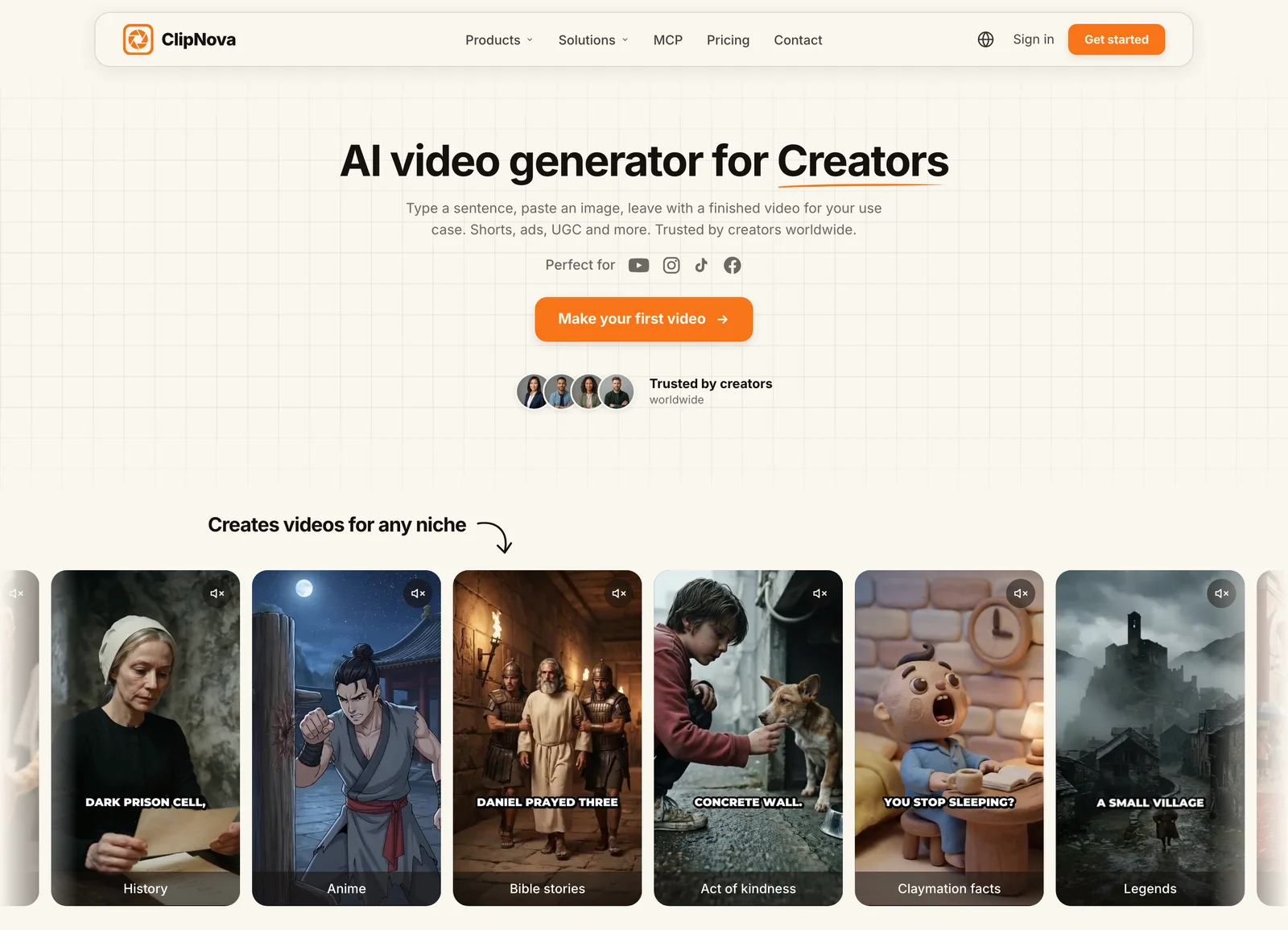
- Sign in at app.clipnova.io. Plans start at $19/mo with full commercial rights.
- Open AI Video Studio, then AI Cartoon Video for a quick cartoon clip, or Prompt to Video for a longer narrated episode.
- Paste your prompt with the mascot sentence in it. Pick the Disney / Pixar 3D style for the classic preschool look, Watercolor for gentle bedtime stories, or Claymation for a handmade feel.
- Choose 16:9 for main YouTube episodes or 9:16 for Shorts, set the length (up to 5 minutes), and turn on voiceover and subtitles.
- Generate, then watch it through once as a parent would. Regenerate any scene where the mascot changed or anything looks off.
- Export in 1080p and upload.
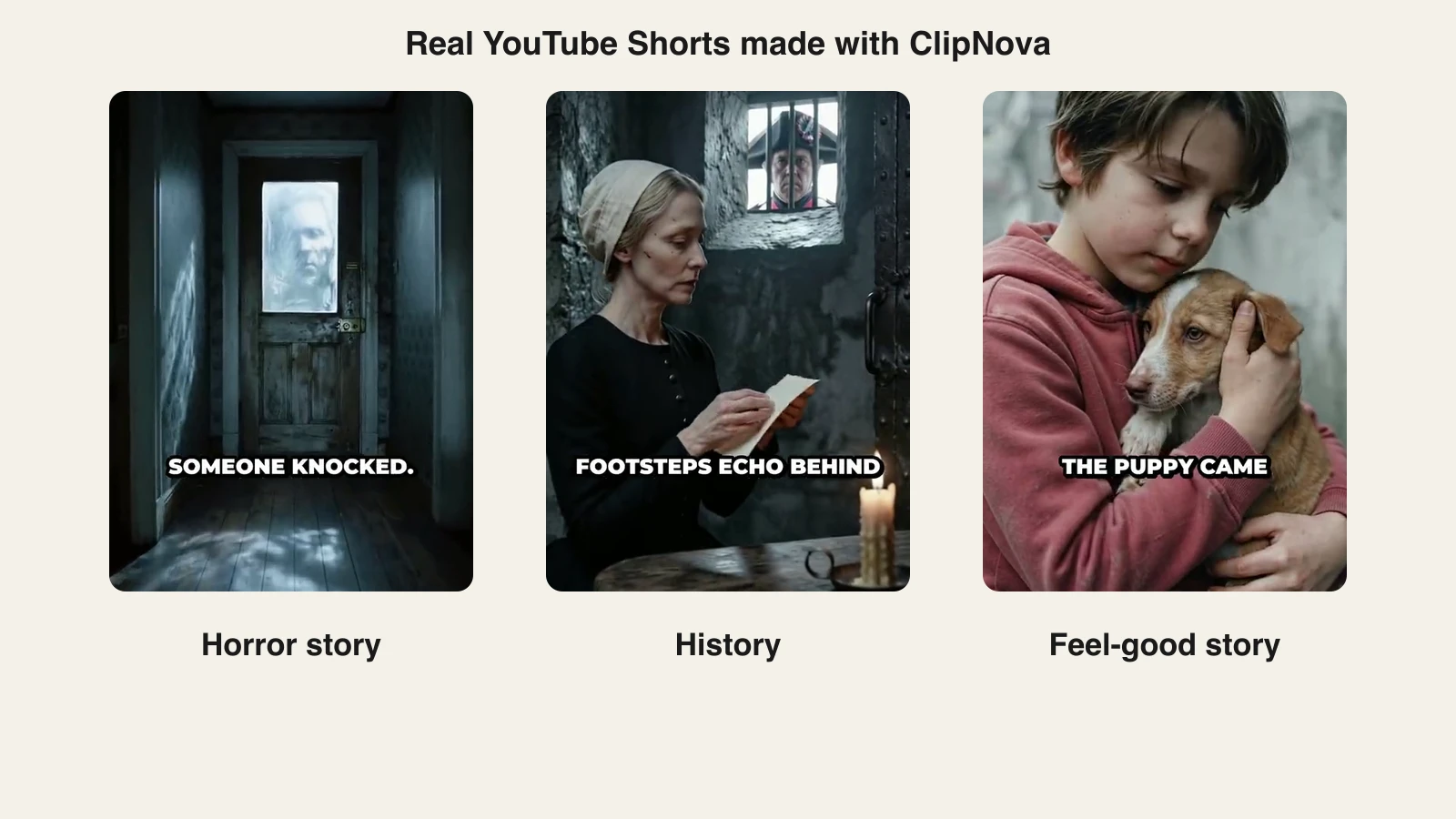
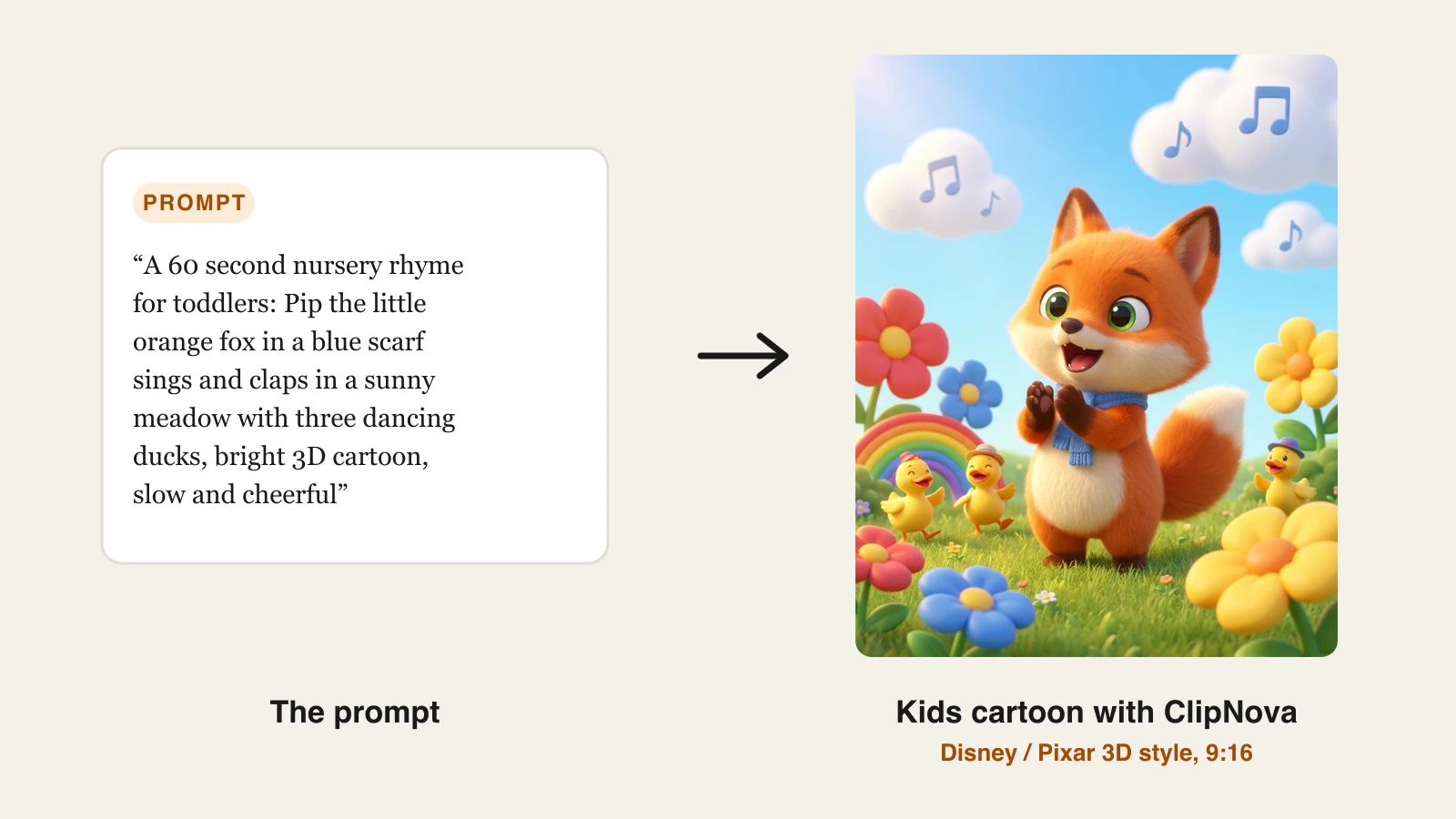
The prompt on the cover of this post produced this frame, and the same mascot sentence carried into two more formats:
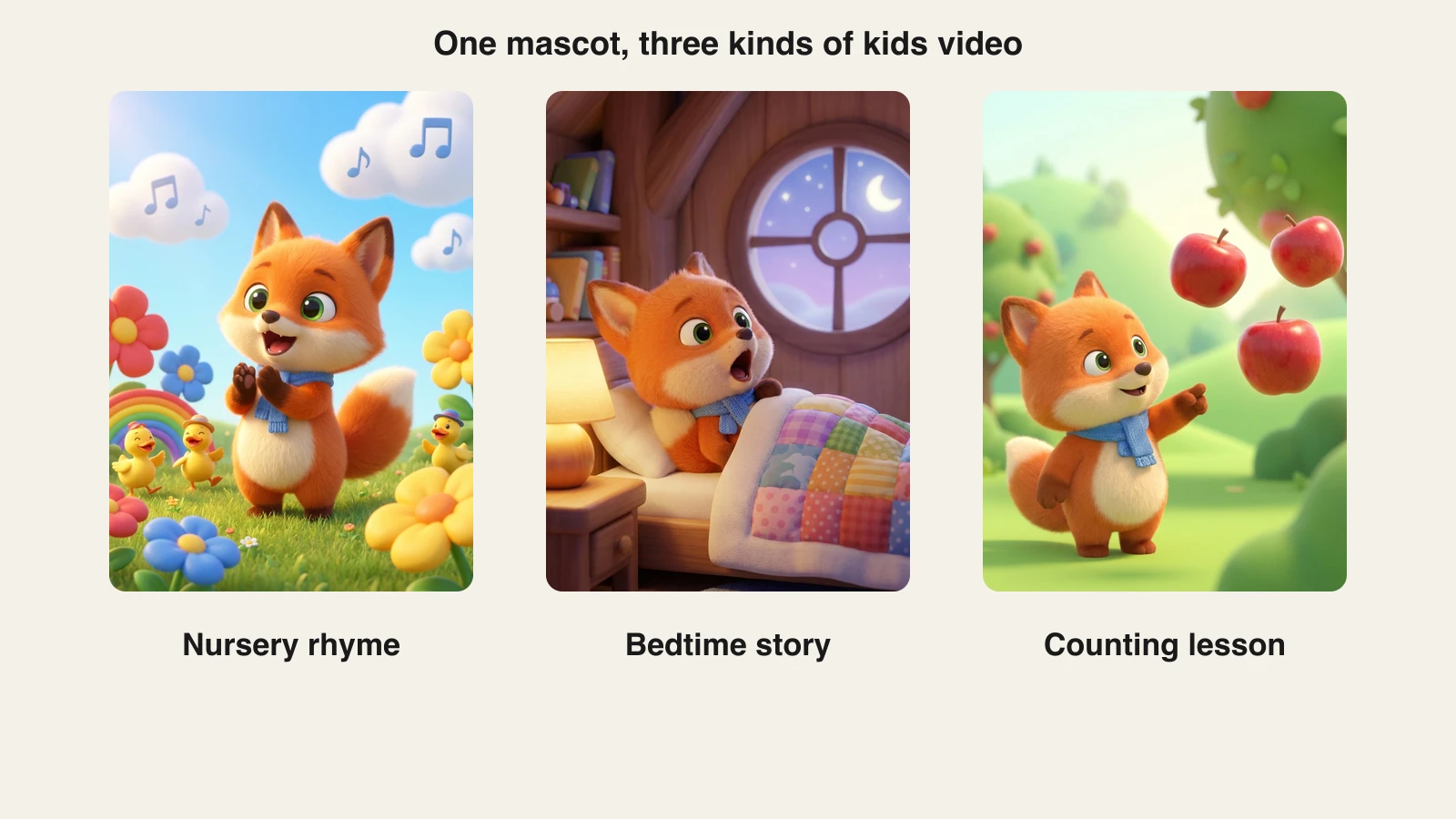
If the character drifts between scenes, upload one clean picture of the mascot and generate with Reference to Video, which builds each scene from that design. Plans start at $19 a month with the full feature set and full commercial rights on every tier; the pricing page has the credit breakdown.
Prompts you can copy
Swap the mascot sentence for yours and keep the shape.
- Nursery rhyme: "A 60 second nursery rhyme for toddlers: [mascot] sings and claps in a sunny meadow with three dancing ducks, bright 3D cartoon, slow and cheerful, simple repeating chorus."
- Bedtime story: "A 3 minute bedtime story: [mascot] cannot fall asleep, visits the moon, and learns that everyone feels a little scared of the dark. Soft pastel night colors, calm warm narrator, gentle music, ends with goodnight."
- Counting lesson: "A 90 second counting video from one to five: [mascot] finds apples in an orchard, one at a time, and counts each one out loud. Bright simple backgrounds, each number said three times."
- ABC video: "A 2 minute alphabet song: [mascot] meets an animal for each letter from A to F, one letter per scene, big friendly shapes, cheerful sing-along."
- Moral story: "A 2 minute story about sharing: [mascot] finds a big red ball, does not want to share it, then plays with friends and has more fun. Ends with the lesson said simply."
YouTube rules for kids content, briefly
This part is not optional, and most AI tutorials skip it.
- Mark it made for kids. YouTube requires every video to be labeled for audience. Animated characters, simple songs, and child-level language are all signals YouTube uses to decide, so a kids cartoon almost always is. Made-for-kids videos lose comments and personalized ads; that is the trade-off.
- Original, not mass-produced. Since July 2025 YouTube's inauthentic content policy excludes repetitive and mass-produced uploads from monetization, and a channel focused on low-quality made-for-kids content can be removed from the Partner Program. An original mascot, real scripts, and videos you have actually watched are what separate a channel from spam.
- Nothing a parent would object to. No scary imagery, no famous characters in odd situations, no misleading titles or thumbnails.
What goes wrong, and the fix
- The mascot looks different every scene. Paste the same character sentence each time, or switch to Reference to Video with one picture.
- Too fast. Cut the number of scenes in half and let each one breathe.
- Too many words on screen. Toddlers cannot read. Keep captions for parents and older kids; let the pictures carry it.
- Dark or busy frames. Ask for bright, simple backgrounds and soft light, and pick a gentle style.
- Every video is different. Keep one format, one mascot, one intro, one goodbye. Consistency is what kids rewatch.
Start with one episode in one format. Make five more with the same mascot before you judge the results. A small, consistent library of videos kids can recognize is worth more than fifty one-offs. When you are ready to turn that mascot into a weekly show, compare the best AI for kids cartoon series tools that save your cast and remember the story between episodes.
Frequently asked
How do I make kids cartoon videos with AI?
Pick one format (nursery rhyme, bedtime story, or learning video), design one original mascot, write a short slow script, and generate it in a cartoon style with a warm narrator voice, music, and captions. In ClipNova that is AI Video Studio, then AI Cartoon Video or Prompt to Video with the Disney / Pixar 3D style, 9:16 or 16:9.
Can I keep the same cartoon character across every video?
Yes, and you should. Describe the mascot with the same exact wording in every prompt (species, color, clothing, one signature item), and for extra consistency upload a picture of the character as a reference with Reference to Video. A recurring character is what turns single videos into a channel kids ask for by name.
Do I have to mark AI cartoons as made for kids on YouTube?
If the video is aimed at children, yes. YouTube requires every creator to say whether each video is made for kids, and animated characters, simple songs, and child-level language are all signals YouTube uses. Made-for-kids videos have comments and personalized ads turned off, so plan around that.
Can AI kids videos be monetized on YouTube?
They can, as long as they are original and made with care. Since July 2025 YouTube's inauthentic content policy excludes mass-produced and repetitive uploads, and channels focused on low-quality made-for-kids content can be removed from the Partner Program. Your own mascot, real scripts, and a consistent format keep you on the right side of that.
How long should a kids cartoon video be?
Nursery rhymes and learning clips work at 1 to 3 minutes; bedtime stories can run 3 to 5 minutes. Shorts versions for discovery stay under 60 seconds. ClipNova renders up to 5 minutes in one go.
Can I use Disney or Cocomelon characters in AI videos?
No. Protected characters belong to their owners and YouTube also removes content that puts characters kids know into inappropriate situations. Create your own mascot; it is the only character you can build a channel on.