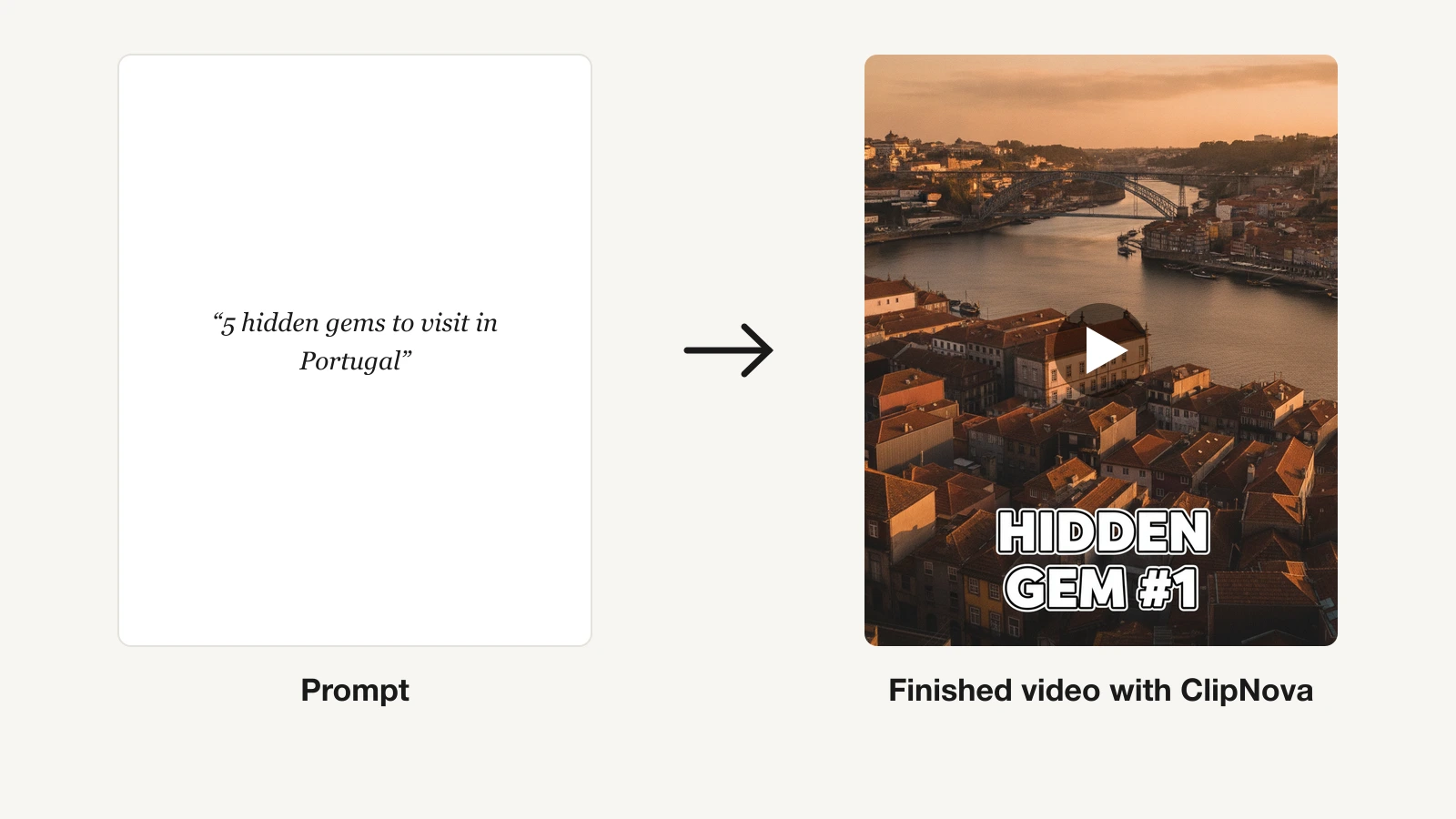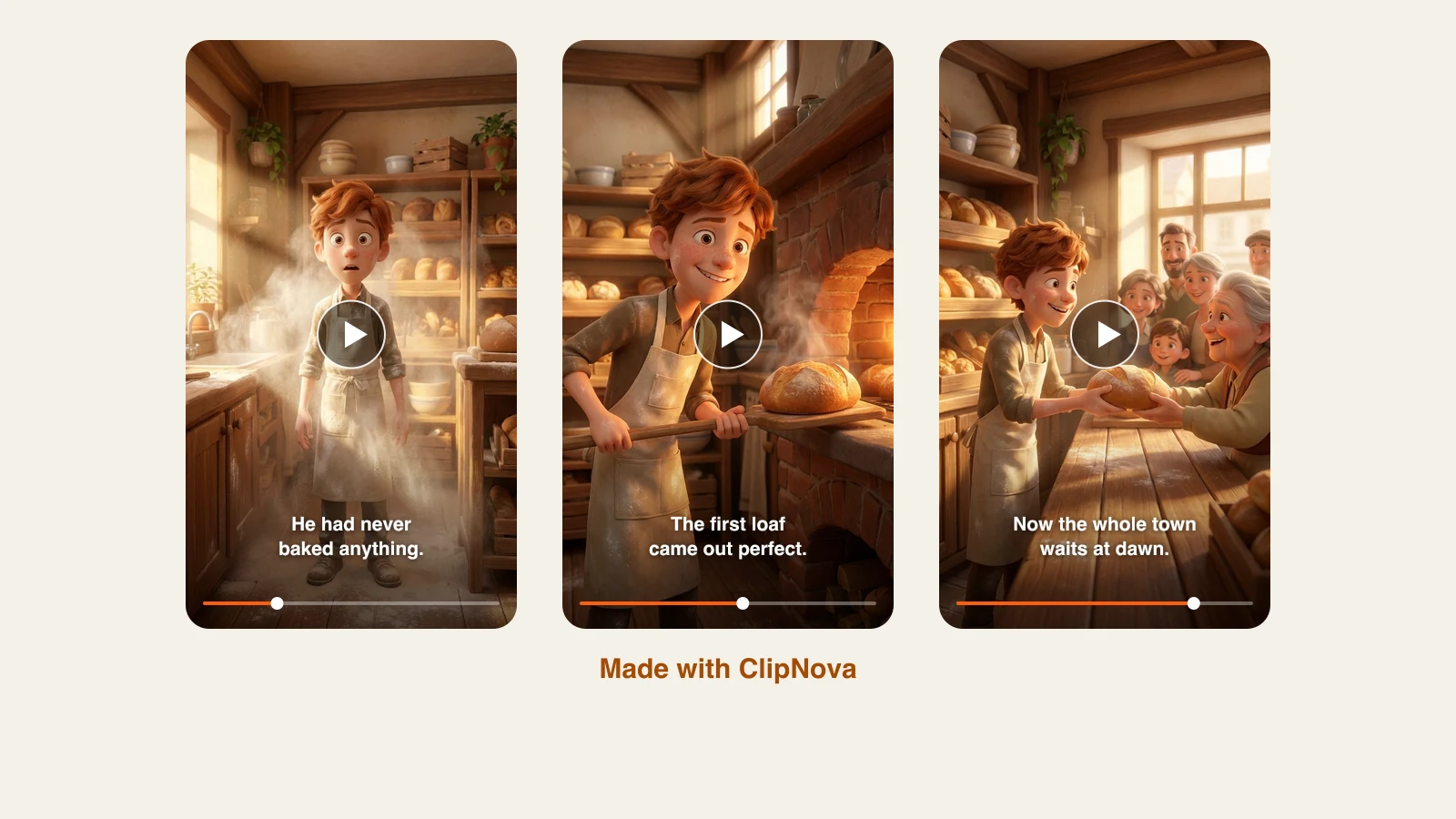
The Disney Pixar look — expressive 3D characters, soft cinematic lighting, big glossy eyes — went from trend to permanent fixture. This guide is about making it move: animated shorts, story episodes, and vertical clips, not portraits.
One clarification before the list, because it decides what you can publish: these tools generate video in a Pixar-inspired style. The 3D animated film aesthetic is not owned by anyone, but Disney's actual characters, names, and logos are protected, and no serious tool (or article) should promise you Mickey Mouse.
Here are the 7 best AI Disney Pixar video generators in 2026, ranked by how much of a finished video each one actually hands you, with verified pricing.
If you already know you want the ClipNova workflow, the Pixar style AI video generator page walks through it step by step, from saving your characters to finished episodes.
Best AI Disney Pixar video generators: a brief overview
A finished episode in one pass
- ClipNova: Best overall. A story prompt plus the Disney / Pixar 3D style setting returns a complete animated video — scenes, narration, music, and burned-in captions.
Prompt-to-shot models
- Runway: Best control over a stylized shot. Gen-4.5 plus camera and motion direction.
- Kling: Best character motion for the money, and clips you can extend to three minutes.
- Veo 3.1: Best when the shot needs its own sound. Google's model generates synced audio with the footage.
- Hailuo: Cheapest credible entry, with reference images to hold a character's look.
Animate a still you already have
- Pika: Cheapest way to make a Pixar-style character image move.
- Luma: The quality step up for the same job, with detail preserved.
| Tool | Best for | Starting price | What you get |
|---|---|---|---|
| ClipNova | Long finished Pixar-style episodes with consistent characters | From $39/mo | Complete video up to 5 min, voice, captions, music |
| Runway | Directing a stylized shot | $15/mo ($12 yearly) | Gen-4.5 clips, 4K upscale on paid |
| Kling | Character motion on a budget | $10/mo (yearly −34%) | 1080p/4K clips, extendable to 3 min |
| Veo 3.1 | Shots that need synced audio | From $7.99/mo via Google AI | Clips with generated audio |
| Hailuo | The cheapest credible clips | From $9.99/mo | ~5s clips up to 2K, reference images |
| Pika | Animating a still cheaply | $10/mo ($8 yearly) | Short clips; commercial use from Creator |
| Luma | Higher-fidelity motion | $30/mo ($25 yearly) | 1080p clips, commercial use on all paid |
Reading the table: rows two through seven return shots — seconds of footage with no script, no voice, and no captions. Only ClipNova returns something a viewer would sit through. Budget accordingly: five seconds of beautiful Pixar-style footage is not an episode, and the gap between them is the work.
1. ClipNova, best overall AI Disney Pixar video generator
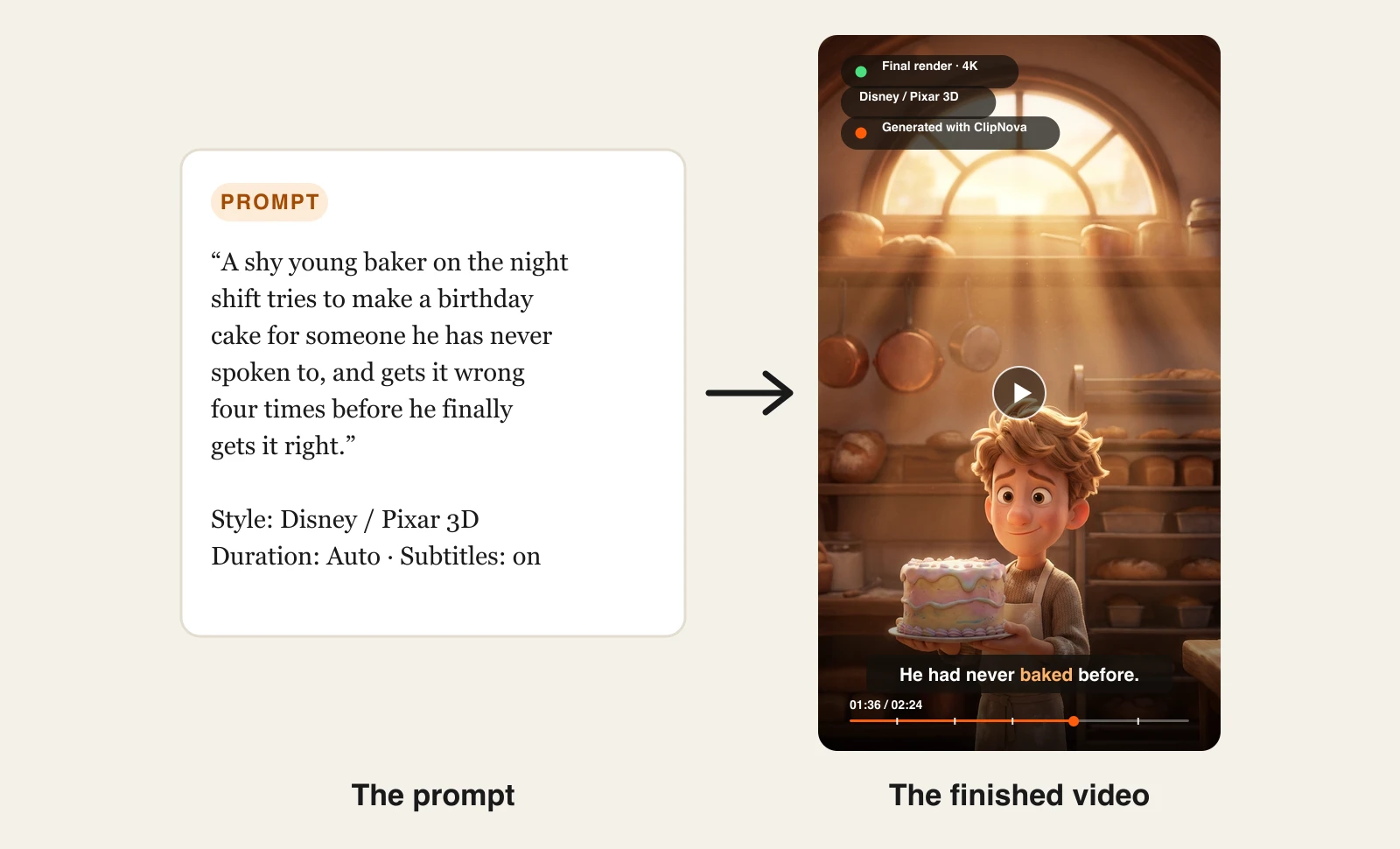
Most Pixar-style tools stop at a shot. ClipNova goes to the thing people actually want to post: a finished animated video. Describe a story ("a shy baker tries to make a birthday cake"), set the style to Disney / Pixar 3D, and it generates the stylized scenes with your saved character looking the same in each one, writes and voices the narration, adds music, and burns in captions.
Put simply, ClipNova makes finished long Pixar-style videos with characters who stay on model.
- Long: one story becomes a finished 3D episode of up to 5 minutes, not a 5 to 10 second shot.
- Consistent characters: save your lead once, picture plus locked look, and the same face and outfit hold in every scene; Series brings the cast back each episode and story memory carries the plot.
- Finished: scenes, narration, captions and music come back in one pass, and you can redo any single scene in Studio before posting.
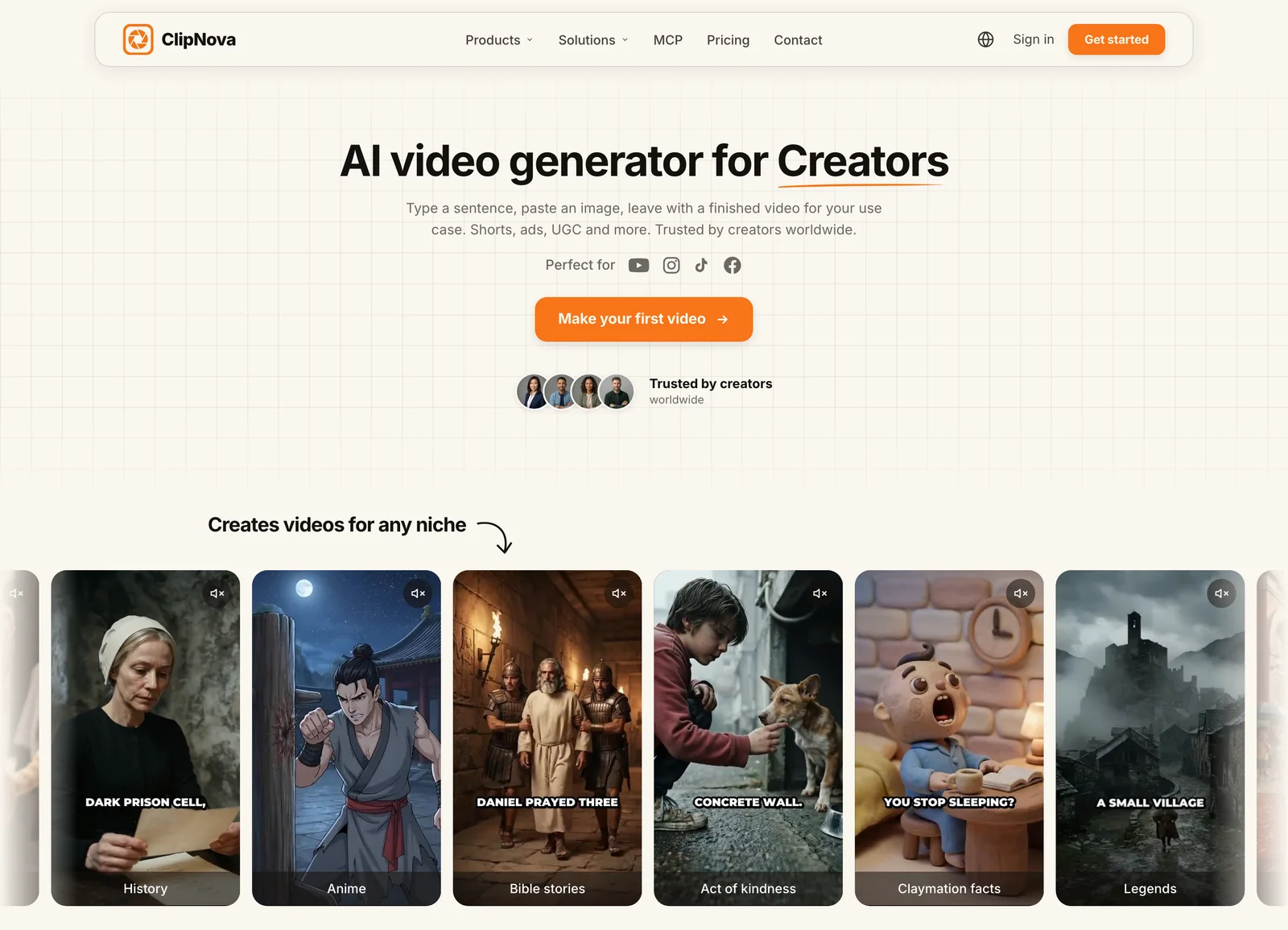
That makes it the pick for the audience driving this trend: creators running animated faceless channels who need episodes on a schedule, not a folder of clips to assemble. Output is vertical-first for TikTok, Reels, and Shorts, with narration available in 18 languages. The full 3D workflow, from a prompt or a photo to a consistent character across scenes, is on the AI 3D Animation Generator page. To design the recurring lead first, use the AI Character Generator with its Pixar look.
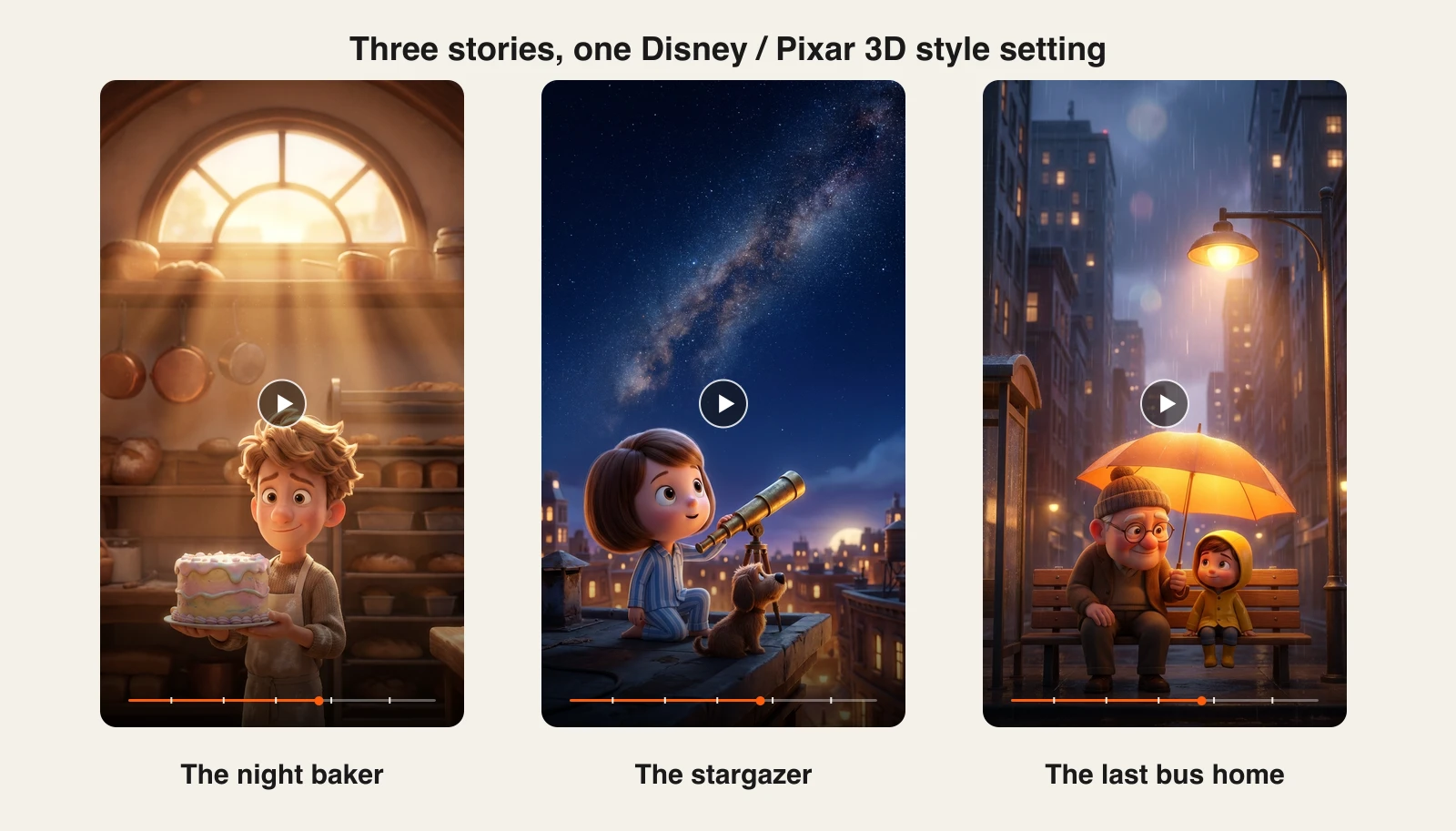
Here is one story prompt with the Disney / Pixar 3D style selected, and the episode that came back:
Keep the prompt and change nothing but that Style setting and the same engine renders a different world each time:
How to make a Disney-Pixar style video with ClipNova
- Log in to the ClipNova app.
- Open AI Video Studio and choose Prompt to Video.
- Write your story in a paragraph: the characters, the setting, and the beat you want. ClipNova breaks it into scenes and keeps the character design consistent across them.
- Under Style, pick Disney / Pixar 3D 🧸. That one setting is what turns the whole render Pixar-ish — you never have to name a studio or a protected character in the prompt.
- Set the target duration (Auto writes the voiceover first and sizes the video to the script), choose a quality tier, and leave Subtitles on so captions are burned in and synced to the voice.
- Generate. The finished episode comes back with stylized scenes, voiceover, music, and captions.
- Export vertical for TikTok, Reels, and Shorts, or 16:9 for YouTube.
Key features
- Story prompt to finished episode: scenes, voiceover, music, and captions in one generation
- Disney / Pixar 3D as a one-click style setting, alongside Ghibli, anime, cinematic, and more
- Vertical-first output for TikTok, Reels, and Shorts, up to 5 minutes
- Narration in 18 languages for localized versions of the same story
- Watermark-free 1080p with full commercial rights on every plan
Best for
- Animated faceless channels publishing story episodes on a schedule
- Anyone who wants a finished Pixar-style video rather than footage to edit
Pricing
- Hobby $39/mo (1,000 credits), Starter $49/mo (2,600), Growth $99/mo (5,750), Ultra $199/mo (12,000)
- Every plan includes the full feature set; only monthly credits differ, and yearly billing is 20% off
Pros
- The only tool here that outputs a complete animated video rather than shots
- Commercial rights on every tier keep monetized cartoon channels safe
Cons
- Shot-level art direction is coarser than directing a model like Runway frame by frame
- Lower tiers cap monthly credits, so heavy daily publishing may need a higher plan
2. Runway, best control over a stylized shot
Runway is the director's tool of this group. Gen-4.5 renders stylized 3D characters convincingly, and the surrounding controls — camera moves, motion brush, references — let you shape a shot rather than reroll the prompt and hope. It also hosts third-party models, so a Runway subscription is a way to try several engines on the same character.
It produces clips, not videos: narration, captions, and assembly are yours.
Key features
- Gen-4.5 flagship model with strong stylized character rendering
- Camera, motion, and reference controls for directing a specific shot
- Hosted third-party models, including Veo 3.1, on one subscription
- Watermark removal and 4K upscaling on paid plans
Best for
- Creators who want a specific shot rather than whatever the model returns
- Testing several models against the same Pixar-style character
Pricing
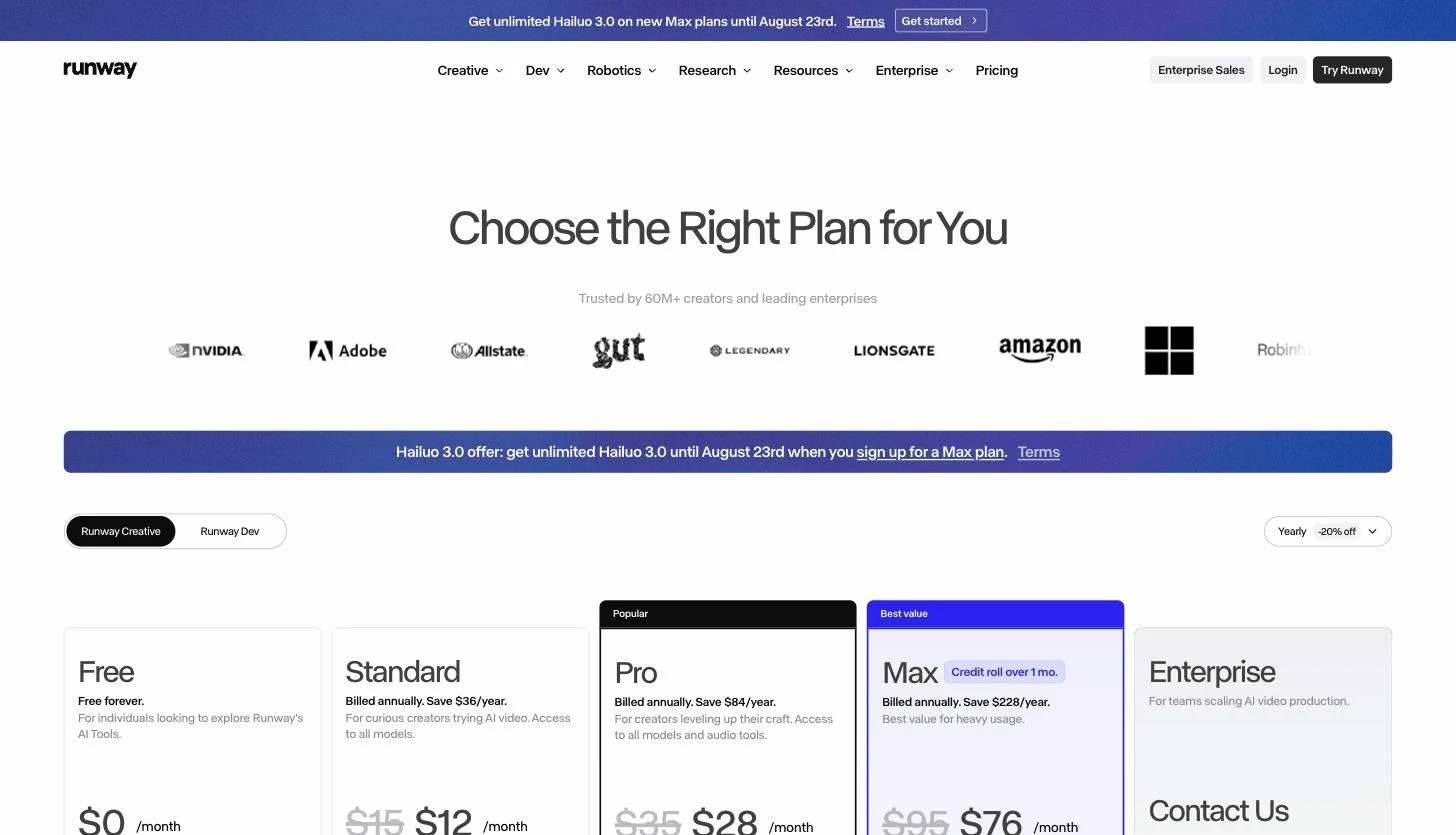
- Standard $15/mo, or $12/mo billed annually, 625 credits a month
- Pro $35/mo ($28 annual, 2,250 credits); Max $95/mo ($76 annual, 9,500 credits with one-month rollover)
Pros
- The most controllable output here, which matters when a character has to hit a mark
- Credits stretch across several hosted models instead of one
Cons
- Credits burn fast at flagship quality — Standard is a few dozen seconds a month
- Clips only, with no narration, captions, or assembly
3. Kling, best character motion for the money
Kling punches well above its price on exactly the thing Pixar-style video needs: believable character movement. Faces hold together, limbs behave, and the motion has weight. Clips can be extended up to three minutes, which is the longest continuous output of any model here, and paid plans unlock 1080p/4K and watermark removal.
Key features
- Strong character and physical motion, including faces
- Video extension up to three minutes from a starting clip
- 1080p and 4K output plus watermark removal on paid plans
Best for
- Animating a character convincingly without a Runway-sized budget
- Longer continuous shots than the five-second norm
Pricing
- Standard $10/mo list (660 credits, roughly 33 clips at 720p); Pro $37/mo (3,000 credits)
- Premier $92/mo and Ultra $180/mo; yearly billing saves about 34%
- First-subscription promos discount the opening month (Standard is often shown around $6.99); the renewal price is the one to plan around
Pros
- The best motion-per-dollar of any model in this list
- Three-minute extensions remove the hard five-second ceiling
Cons
- Promotional pricing makes the real monthly cost easy to misread
4. Veo 3.1, best when the shot needs its own sound
Google's Veo 3.1 is the one model here that generates audio with the footage — ambience, effects, and dialogue timed to what is on screen. For a Pixar-style scene that is a genuine shortcut: the clip arrives already sounding like something, instead of silent footage waiting for a sound pass.
Access comes through Google's AI subscriptions rather than a standalone product, and it is also available inside Runway and other hosts.
Key features
- Video generation with synced audio, including ambience and dialogue
- Strong prompt adherence for scene composition and character action
- Available through Google's AI plans and through third-party hosts
- High-quality rendering of stylized and photoreal looks alike
Best for
- Scenes where sound design would otherwise be a separate job
- Creators already inside Google's ecosystem
Pricing
- Reached through Google's AI subscriptions: the cheapest documented access is Google AI Plus at about $7.99/mo, with Pro around $19.99/mo
- Also bundled into third-party tools like Runway and InVideo on their own plans
Pros
- Generated audio is a real time-saver no other model on this list matches
- Bundled access means you may already be paying for it
Cons
- No standalone plan; pricing depends on which Google tier or host you go through
- Still shots, not episodes — no script, captions, or assembly
5. Hailuo, cheapest credible Pixar-style clips
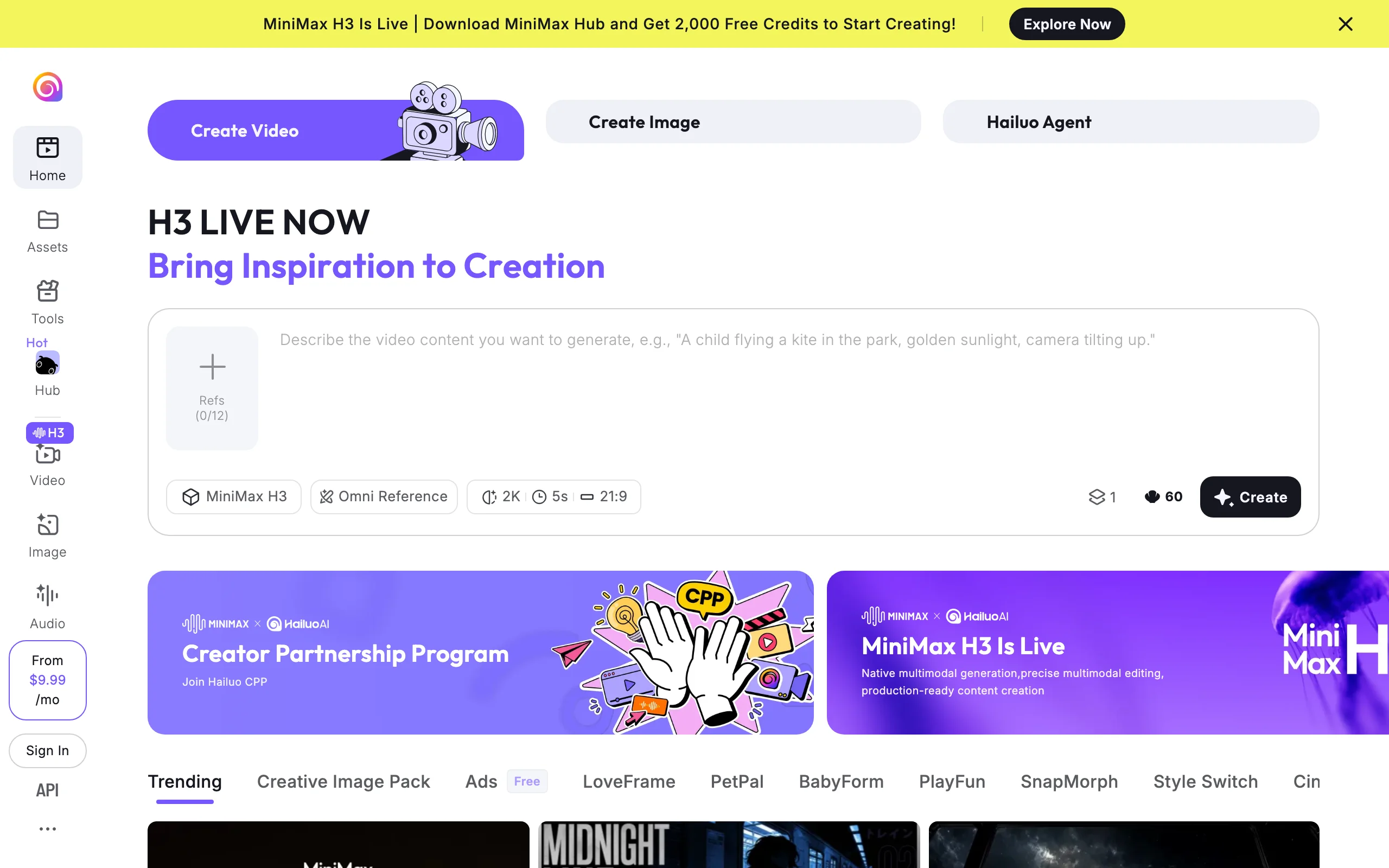
Hailuo (MiniMax) is the budget pick that does not feel like one. Its H3 model handles stylized characters well, and its reference-image system — up to a dozen references — is the cheapest way to keep a Pixar-style character recognizable from clip to clip, which is the hard part of running a series.
Clips are short, around five seconds, at up to 2K.
Key features
- MiniMax H3 model with Omni Reference, up to 12 reference images
- Around five-second clips at up to 2K
- Watermark removal and commercial rights from the entry paid tier
Best for
- Keeping one character consistent across many clips on a small budget
- High-volume experimentation before committing to a pricier model
Pricing
- Entry paid plan from about $9.99/mo, which adds roughly 1,000 credits, watermark removal, and commercial rights
- Higher tiers scale up to around $199.99/mo; the published ladder is login-gated, so treat mid-tier figures as approximate
Pros
- The cheapest paid entry with commercial rights on this list
- Reference images solve character consistency directly
Cons
- Short clips, and the plan ladder is not published openly
6. Pika, cheapest way to animate a Pixar-style still
Pika is the budget bridge from still to moving: feed it a Pixar-style character image and it animates the moment, with effect templates that suit cartoon physics. If you already have the art, this is the least expensive way to see it move.
Note the plan structure carefully — Pika renamed its tiers, and commercial use is not where most write-ups say it is.
Key features
- Image-to-video that handles stylized characters well
- Effect templates suited to cartoon-style motion
- No watermark on any tier
- Minimal learning curve
Best for
- Bringing an existing Pixar-style character image to life cheaply
- Short animated moments for social posts
Pricing
- Starter $10/mo ($8/mo billed annually), 900 credits — still no commercial use
- Creator $35/mo ($28/mo annually), 3,150 credits, commercial use included; Fancy $95/mo ($76 annually), 8,550 credits
Pros
- Watermark-free output on every plan
- Fast, forgiving, and fun for testing motion ideas
Cons
- Commercial rights start at $35 Creator, so the $10 plan is a testing tier
- Seconds-long clips, no narration or assembly
7. Luma, best for high-fidelity Pixar-style motion
Luma's image-to-video is the quality step up from Pika for the same job: it preserves character detail and produces natural, coherent motion from a single still. Its subscription bundles Luma's own models with third-party ones under a single credit pool, so it doubles as a testing ground.
Key features
- High-fidelity image-to-video that keeps stylized detail intact
- Luma plus third-party models on one plan
- Commercial use included on every paid tier
- Fast iteration for testing how a character moves
Best for
- Character animation where detail preservation matters more than price
- Testing which model animates your art style best
Pricing
- Plus $30/mo ($25/mo billed yearly), 10,000 credits
- Pro $90/mo ($75 yearly, 40,000 credits); Ultra $300/mo ($250 yearly, 150,000 credits)
- Output tops out at 1080p on every tier
Pros
- Better detail retention on stylized characters than budget rivals
- Commercial use from the entry paid plan
Cons
- Highest entry price of the clip generators here, and no 4K on any tier
- Raw clips only
How to choose the best AI Disney Pixar video generator for your project
Decide what you are actually publishing, then pick the shortest toolchain that gets there.
1) How much of the video does the tool actually make?
- The whole thing: ClipNova returns scenes, voiceover, music, and captions from one prompt with the Disney / Pixar 3D style selected
- A few seconds of it: Runway, Kling, Veo, and Hailuo generate shots from a prompt; Pika and Luma animate a still you supply
- Either way, everything after the shot — script, voice, captions, assembly — is yours unless the tool does it
That distinction is where most Pixar-style channels stall. A five-second clip of a character is not an episode, and the distance between the two is exactly the work a video generator is supposed to absorb.
2) How will you keep the character looking the same?
Character consistency is the hardest problem in stylized AI video, and the tools solve it differently. Hailuo's reference images are the cheapest direct answer. Runway's reference controls are the most precise. ClipNova holds the design across scenes within a generation, so a single episode stays coherent without any setup. For a series, decide this before you subscribe — re-rolling until a face matches is how credits disappear.
3) What does your budget per published video work out to?
Translate plans into output. ClipNova's $39 Hobby plan covers a daily short-form channel with 1,000 credits and full rights. Kling's $10 Standard is the cheapest real motion. Pika's advertised $10 is a testing tier — publishable, licensed output starts at $35. Runway's Standard buys a few dozen seconds a month at flagship quality.
4) Are you clear of Disney's actual IP?
The style is fair game; the characters are not. Do not generate or publish protected characters, names, or logos, especially commercially, and expect tools to block those prompts. The cleanest way to stay clear is to pick the aesthetic as a setting rather than describe it in words — ClipNova's Disney / Pixar 3D option does exactly that, leaving your prompt free to describe only characters you own.
Build your own cast in the aesthetic and it is yours to monetize. For stylized series in other directions, the AI anime video generator applies the same workflow to anime looks, and the AI cartoon video generator covers 2D cartoon styles. If the destination is TikTok or Shorts, generate vertical from the start rather than cropping, and study the pacing rules in our guide to going viral on short-form video before you script episode one.
Frequently asked
What is an AI Disney Pixar video generator?
It is an AI tool that produces video in the visual style of Pixar-era 3D animated films — expressive characters, soft cinematic lighting, and glossy rendering. The category splits by how much of the video you get: ClipNova returns a complete narrated episode from one prompt; Runway, Kling, Veo 3.1, and Hailuo generate a few seconds of footage from a prompt; and Pika and Luma animate a still you already have. Everything after the shot — script, voice, captions, assembly — is yours unless the tool does it for you.
How do I make a Disney Pixar style video in ClipNova?
Open AI Video Studio in the ClipNova app and choose Prompt to Video. Write your story in a paragraph, then under Style select Disney / Pixar 3D — that one setting is what makes the whole render Pixar-ish, so you never have to name a studio or a protected character. Set the duration to Auto, leave Subtitles on, and generate. The finished episode returns with stylized scenes, voiceover, music, and burned-in captions, ready to export vertical or 16:9.
Is it legal to make Disney Pixar style AI videos?
The style is legal, the characters are not. An animation aesthetic cannot be owned, so original characters rendered in a Pixar-inspired look are fine, including commercially on tiers that grant commercial rights. Reproducing protected characters, names, or logos is infringement, and most tools block those prompts. This is general guidance, not legal advice.
Why do AI tools block my Disney Pixar prompts?
Trademark and copyright guardrails. Naming a studio or a protected character in a prompt often triggers filters, and some tools over-block. The reliable workaround is choosing the aesthetic as a setting rather than describing it in words — in ClipNova the Disney / Pixar 3D style option does that for you, leaving your prompt free to describe only your own characters and story.
What is the cheapest AI Pixar style video generator?
Hailuo's entry plan is the cheapest paid tier with commercial rights, from about $9.99/mo, and Kling's Standard is $10/mo — but both return raw clips. Pika advertises $10/mo, yet commercial use only starts on its $35 Creator plan, so $35 is the real entry price there. ClipNova starts at $39/mo and returns a finished narrated video rather than footage. Match the lowest tier that actually produces your deliverable, not the cheapest headline price.
Can I monetize a Pixar style AI channel on YouTube or TikTok?
Yes, if the characters are original and your tool tier grants commercial rights. Rights vary sharply: ClipNova includes commercial use on every plan, Luma on every paid plan, and Pika reserves it for its $35 Creator tier. Label realistic synthetic media where platforms require it, and never build a monetized channel on protected characters.
What should I use for a daily Pixar style story channel?
ClipNova. Animated story channels need volume, and it turns each story prompt into a finished vertical episode with consistent narration in one generation. Plans differ only in monthly credits (1,000 to 12,000), so scaling from one episode a day upward is simply a tier change.