Generate one great character and the next prompt gives you her cousin: the glasses change shape, the hair gets longer, the outfit picks up a new color. That drift is the reason "consistent character AI" is one of the most searched problems in AI art and video. A storybook, a kids channel, a mascot, or an AI influencer only works if viewers recognize the same character in every frame.
The fix is the same in every serious tool: stop describing the character again and again, and give the model a reference instead. A character sheet, a handful of reference images, or a saved "element" that the tool reuses in every new image and video.
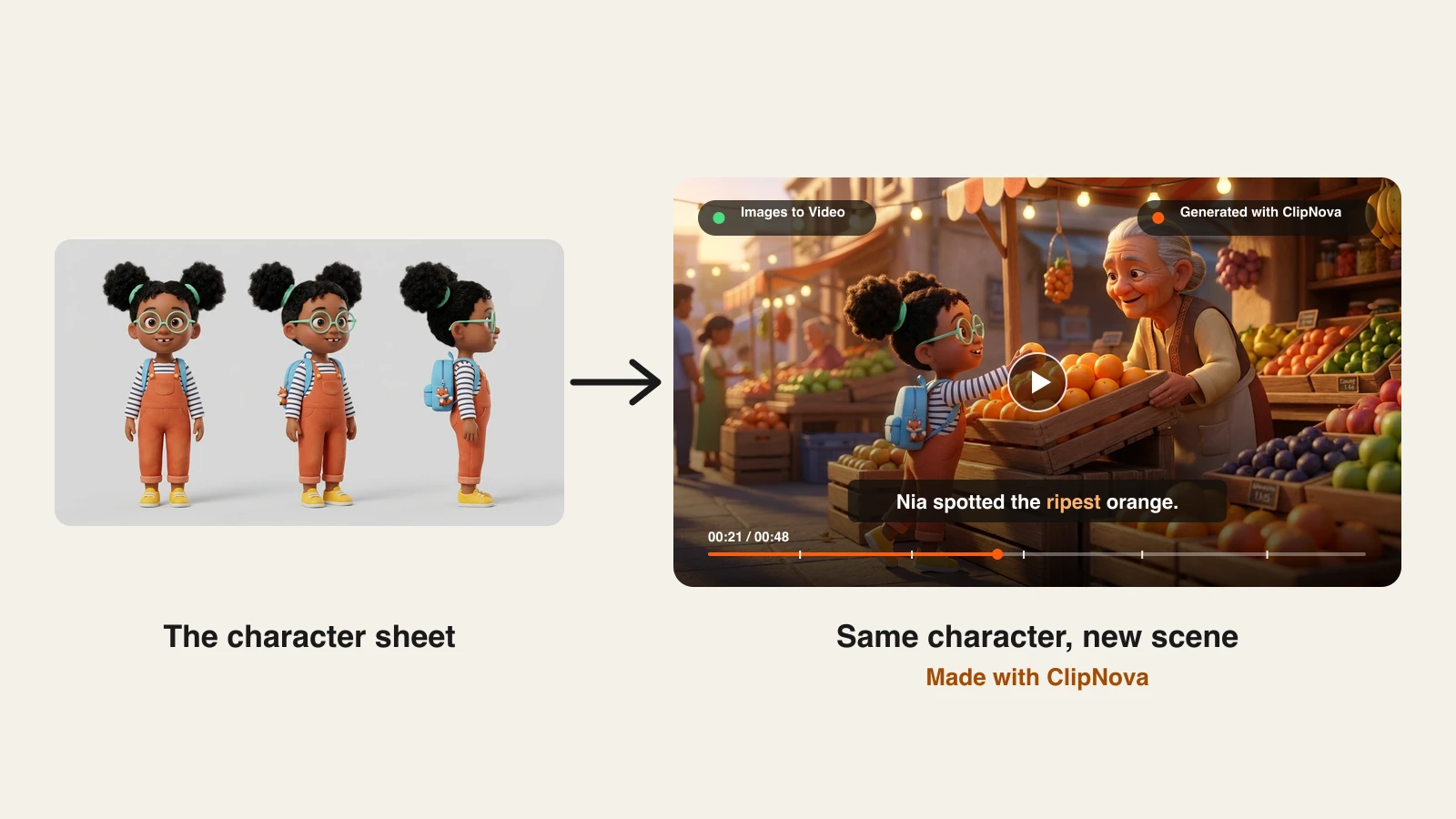
This guide compares the 6 best AI tools for consistent characters in 2026, with pricing checked on each vendor's pages in October 2026. To keep it concrete, every section uses the same example character: Nia, an original 3D animated seven-year-old with round mint glasses, two hair puffs, orange dungarees, and a blue backpack with a fox keychain.
Want the same character in every video? Save your cast once in a ClipNova Series and every new episode keeps the same faces, style, and voices. For a single shot, the Consistent Character AI Video Generator puts your character from a few reference images into a new scene. Plans from $19/mo.
The best AI tools for consistent characters at a glance
Same character across images and videos
- ClipNova: Best overall for keeping characters consistent across images and finished videos, with Series that saves your cast once and reuses it in every episode.
- Kling AI: Best for cinematic clips built from a saved character element, now with up to 10 image references per generation in Kling 4.0.
- Runway: Best for filmmakers who lock a character with Gen-4 References and then animate it shot by shot.
- OpenArt: Best for building a roster of saved characters and reusing them across many models.
Same character across still images
- Midjourney: Best for art-directed stills, now through an Edit model that takes up to 4 reference images.
- Neolemon: Best for children's book authors who need one cartoon character on every page of a print book.
| Tool | Best for | Starting price | How it keeps the character | Video |
|---|---|---|---|---|
| ClipNova | Images and finished videos | From $19/mo | Series (a saved cast reused in every episode), AI Characters, reference images | Yes, up to 5 min with voice and captions |
| Kling AI | Cinematic character clips | About $8.80/mo | Elements of 2 to 4 images, Omni Reference | Yes, clips up to 30 s on Kling 4.0 |
| Runway | Shot-by-shot filmmaking | $15/mo ($12/mo yearly) | Gen-4 References, up to 3 images | Yes, image to video clips |
| OpenArt | A library of reusable characters | $14/mo ($13/mo yearly) | Saved characters from a reference or prompt | Yes, through its video models |
| Midjourney | Art-directed stills | $10/mo ($8/mo yearly) | Edit model, up to 4 reference images | 5-second clips from a first frame |
| Neolemon | Children's picture books | $29/mo | Character editors for pose, outfit, expression | No, illustration and print export |
How to read the table: the first four keep the character from the image stage into video. Midjourney and Neolemon are strongest on stills, so a video project still needs a second tool.
1. ClipNova, best overall for consistent characters in images and videos
Most tools solve half of the problem. They either keep a face steady across still images or keep it steady inside one video clip. ClipNova covers the whole path: create the character, store it, put it in new scenes, and turn those scenes into a finished video with narration, music, and captions.
The lead feature for consistency is Series. You save a show once: a cast of up to 8 named characters, each with a picture (from your AI Characters, created in the show's style, or uploaded) and a locked description of their look, plus the style, narration language, format, and voices. Every episode then starts from a short idea where you @mention the characters, and their pictures go into the episode as references. After each episode, a short story memory is saved and fed into the next one, so the cast keeps both its look and its story from episode 1 to episode 20. Episodes run from 30 seconds to 5 minutes, as fully animated AI Video or as Moving AI Images at about a third of the price. On Base and Pro, one narrator tells the story; on Ultra with AI Video, the characters speak on screen with lip sync, each in their own voice.
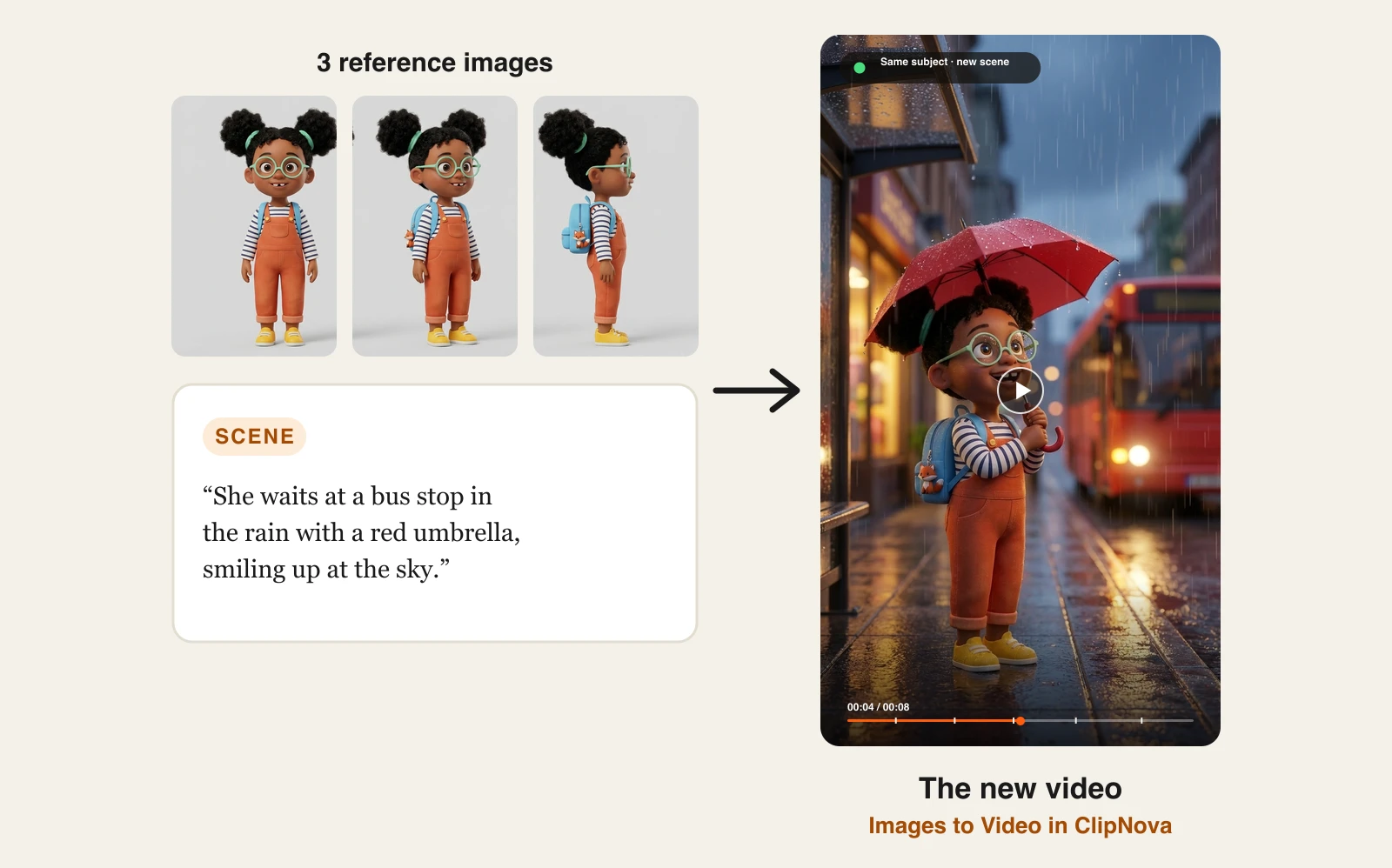
The characters themselves come from AI Characters, which generates a character in one of eight styles (Default, Ghibli Studio, Educational, Pixar, Anime, Realist, Ultra Realism, Flat Animation) or takes your own upload. For single shots, Images to Video is the part built for consistency: upload a few reference images of the same subject, describe a new scene, and the model renders a clip that keeps the face, wardrobe, colors, and proportions. And when you write a whole story in Prompt to Video with the Moving AI Images output on the Pro or Ultra tier, ClipNova draws a reference sheet for each recurring character first and redraws every scene over it, so the hero of scene one is still the hero of scene eight.
Here is the example character. Three views from one character sheet went in as reference images, with a one-line scene description:
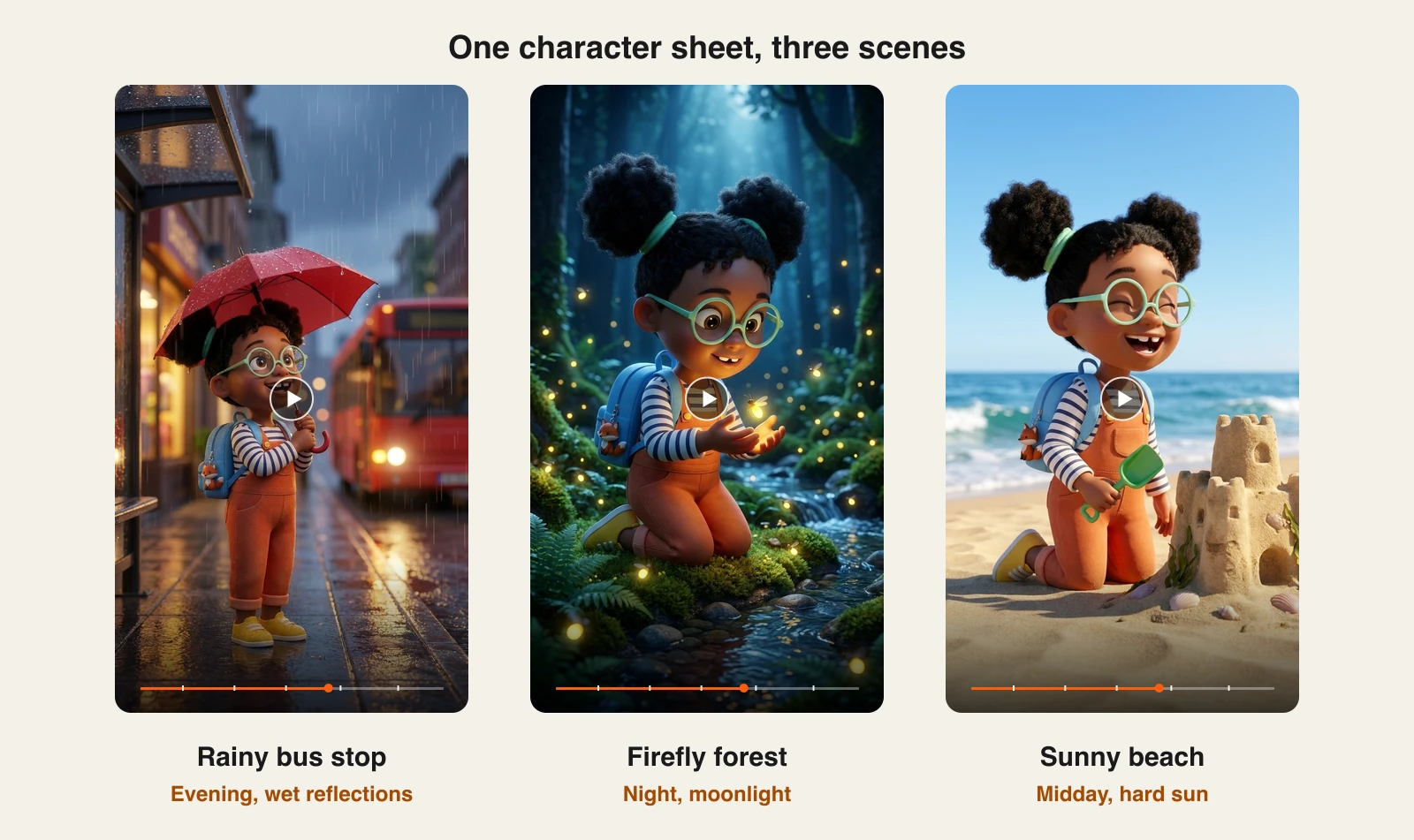
The same sheet carried into scenes with completely different light: a wet evening street, a moonlit forest, and a beach at midday. The glasses, hair puffs, dungarees, and fox keychain hold in all three:
How to keep a character consistent with ClipNova
- Sign up for the ClipNova app and choose a plan (from $19/mo).
- Open the AI Character Generator (AI Characters in the app), describe your character, pick a style, and save the best result. Or upload your own drawing or photo.
- Open Series, click New series, and set the kind of show, visual style, narration language, format, and episode length once.
- Add your character to the cast: a name, a short description of the look, and a picture picked from My characters.
- Write the first episode idea, mention the character with @ (for example, "@Nia loses her fox keychain at the bus stop"), and generate.
- Click Make episode 2 for the next one: same character, style, and voices, plus a memory of what happened before. For a single shot that must match your character sheet exactly, use Images to Video with two or three views as reference images.
Key features
- Series: a saved cast of up to 8 named characters reused in every episode, with @mentions and story memory
- AI Characters in eight styles, plus upload or webcam capture to bring your own character
- Images to Video: up to 7 reference images on Base, 2 to 4 on Pro, and up to 9 on Ultra with synchronized sound
- Story videos where Pro and Ultra lock recurring characters with a reference sheet per subject
- Hosts leading models such as Kling 3.0, Veo 3.1, Sora 2, Seedance, and Nano Banana Pro in one account
- Narration in 18 languages, captions, music, and videos up to 5 minutes
Best for
- Kids and storytelling channels that need the same hero in every episode
- Brands with a mascot or an AI influencer that has to look identical in every post
- Creators who want the character, the scenes, and the finished video in one place
Pricing
- Hobby $19/mo (1,000 credits), Starter $49/mo (2,600), Growth $99/mo (5,750)
- Ultra from $199/mo (12,000 credits), up to 145,000 credits for $1,999/mo
- Yearly billing saves 20%; every plan includes every feature, only credits differ
Pros
- The only tool here that saves a whole cast and reuses it across numbered episodes, with story memory, narration, and captions
- Reference images are uploaded untouched, so the model sees exactly the character you made
- Switching between three reference engines lets you trade cost for fidelity per shot
Cons
- Reference clips render at 720p, so they are sharp for social but not for a cinema screen
- Characters speaking on screen in their own voices with lip sync works with AI Video only; Moving AI Images episodes use one narrator
2. Kling AI, best for cinematic character clips
Kling AI treats consistency as a saved asset. In its Element Library you create a character element from 2 to 4 reference images (a front-facing main image plus up to 3 more angles), give it a name and a description, and optionally bind a voice. Every new video can then call that element instead of a text description, and Kling 3.0 Omni can even build a character element from a 3 to 8 second video clip, voice included.
Kling 4.0, rolling out since late September 2026, widens this into Omni Reference: up to 10 images per generation (subject images, character turnarounds, storyboards), up to 7 subjects, and clips up to 30 seconds. For Nia, you would upload her three sheet views as one element and reuse it for every shot. The trade-off is that Kling gives you clips, so narration, captions, and the edit happen elsewhere.
Key features
- Element Library: characters, objects, and scenes saved from 2 to 4 reference images
- Video character elements that keep both appearance and voice
- Kling 4.0 Omni Reference: up to 10 images and 7 subjects in one generation
- Clips up to 30 seconds with keyframes, stereo audio, and lip sync
Best for
- AI filmmakers cutting short films from many character shots
- Creators who want a voice and a face locked to the same character
Pricing
- Standard about $8.80/mo (660 credits), often discounted for the first month
- Pro about $32.56/mo (3,000 credits), Premier about $80.96/mo (8,000 credits), Ultra about $159.99/mo (26,000 credits)
- Commercial use on paid plans
Pros
- Among the strongest identity locks in video, with angles and voice in one asset
- Long native clips for a single model
Cons
- Clips only: no script, narration, captions, or edit around them
- Credit costs vary a lot by model, length, and resolution
3. Runway, best for shot-by-shot filmmaking
Runway made consistency the headline of Gen-4: keep the same character, object, or location across separate generations from reference images, with no training. In practice you use Gen-4 References in the image tool, upload up to 3 references of your character, prompt a new frame, then bring that frame into image to video and animate it. It is a director's workflow: one approved frame per shot, then motion.
For Nia, that means making each key frame first (bus stop, forest, beach) from her sheet, then animating each frame. The control is excellent, but it is more steps per shot than a reference-to-video tool, and story assembly, voice, and captions live in Runway's editor or yours.
Key features
- Gen-4 References: up to 3 images to keep a character, object, or location consistent
- Gen-4.5, Gen-4 Turbo, and Aleph 2.0 for video generation and editing
- Partner models such as Kling 3.0, Seedance 2.5, and Nano Banana Pro on paid plans
- A timeline editor for assembling shots
Best for
- Filmmakers and agencies who storyboard every shot
- Teams that already edit inside Runway
Pricing
- Standard $15/mo or $12/mo billed yearly, 625 credits a month
- Pro $35/mo or $28/mo yearly (2,250 credits), Max $95/mo or $76/mo yearly (9,500 credits)
Pros
- Precise control over each frame before you spend credits on motion
- Strong world consistency: places and props stay put, not just faces
Cons
- More steps per shot than tools that take references straight into video
- 625 credits on Standard go quickly on video
4. OpenArt, best for a library of reusable characters
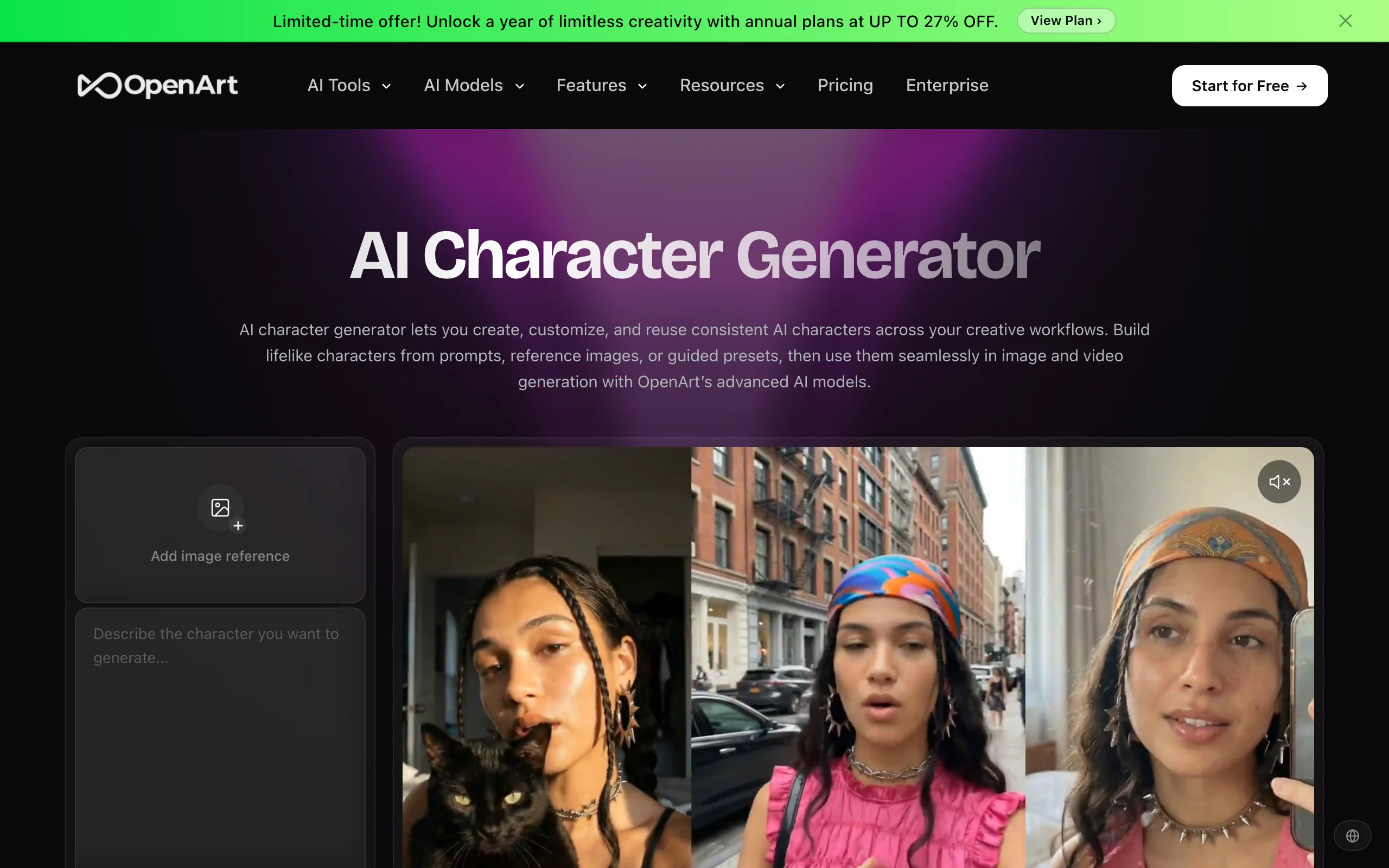
OpenArt organizes consistency around saved characters. You create one from a reference image, a text description, or a guided preset builder, and the character then becomes something you can pick inside OpenArt's image generator and video generator. Each plan includes a number of character slots, from about 13 on Starter to about 80 on Pro, which suits anyone juggling a cast rather than a single hero.
OpenArt also offers one-click stories and access to many third-party models, so Nia could be saved once and reused across different image and video models. OpenArt itself says small variations can still occur, so expect a few re-rolls on close-ups.
Key features
- Characters from a reference image, a prompt, or a preset builder
- Reuse saved characters in both image and video generation
- One-click stories and 100+ image, video, and audio models
- Character slots that scale with the plan
Best for
- Webcomic and story creators with several recurring characters
- Creators who like testing many models on the same character
Pricing
- Starter $14/mo or $13/mo yearly (4,000 credits, about 13 characters)
- Plus $27/mo and Pro $44/mo on yearly billing (12,000 and 24,000 credits)
- Wonder $175/mo on yearly billing with 106,000 credits
Pros
- A real character roster, not one reference at a time
- Many models in one account
Cons
- Consistency depends on the model you pick, so results vary
- Finished story videos still need narration and editing
5. Midjourney, best for art-directed stills
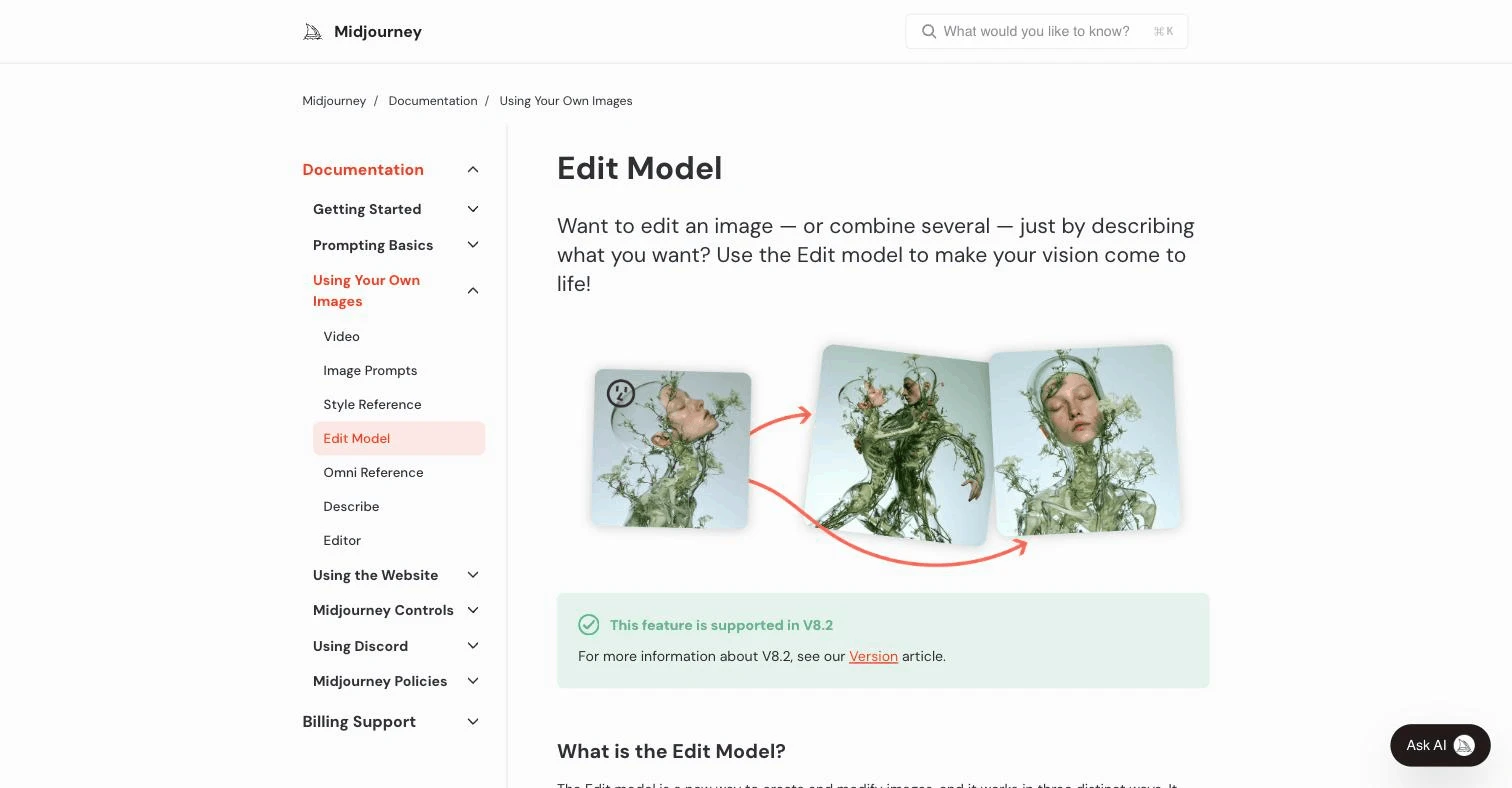
Midjourney has changed how it handles consistency. In versions 8.1 and 8.2, the Edit model replaces the older Omni Reference and Character Reference: you add up to 4 reference images in the Imagine bar and describe the new image, and the character carries over. Omni Reference (--oref) still works on V7 at twice the GPU time of a normal image.
The look is the reason to choose it. If Nia needs a painterly book cover or a gallery-grade key art, Midjourney is hard to beat. Video is limited to turning one image into a 5-second clip with the image as the first frame, so it keeps the character for a few seconds, not across a story.
Key features
- Edit model with up to 4 reference images (V8.1 and V8.2)
- Omni Reference for V7, with an adjustable weight
- Style References and Moodboards to hold the look as well as the character
- Image to video, 5-second clips from a first frame
Best for
- Illustrators and art directors who care most about the look
- Key art, covers, and posters for a recurring character
Pricing
- Basic $10/mo, Standard $30/mo, Pro $60/mo, Mega $120/mo
- 20% off on yearly billing ($8, $24, $48, $96 a month)
- Unlimited relaxed video only on Pro and Mega
Pros
- Best-in-class aesthetics for stills
- Reference method now accepts several images at once
Cons
- Short clips only, so a multi-scene video needs another tool
- Consistency features change between versions, so older guides are out of date
6. Neolemon, best for children's picture books
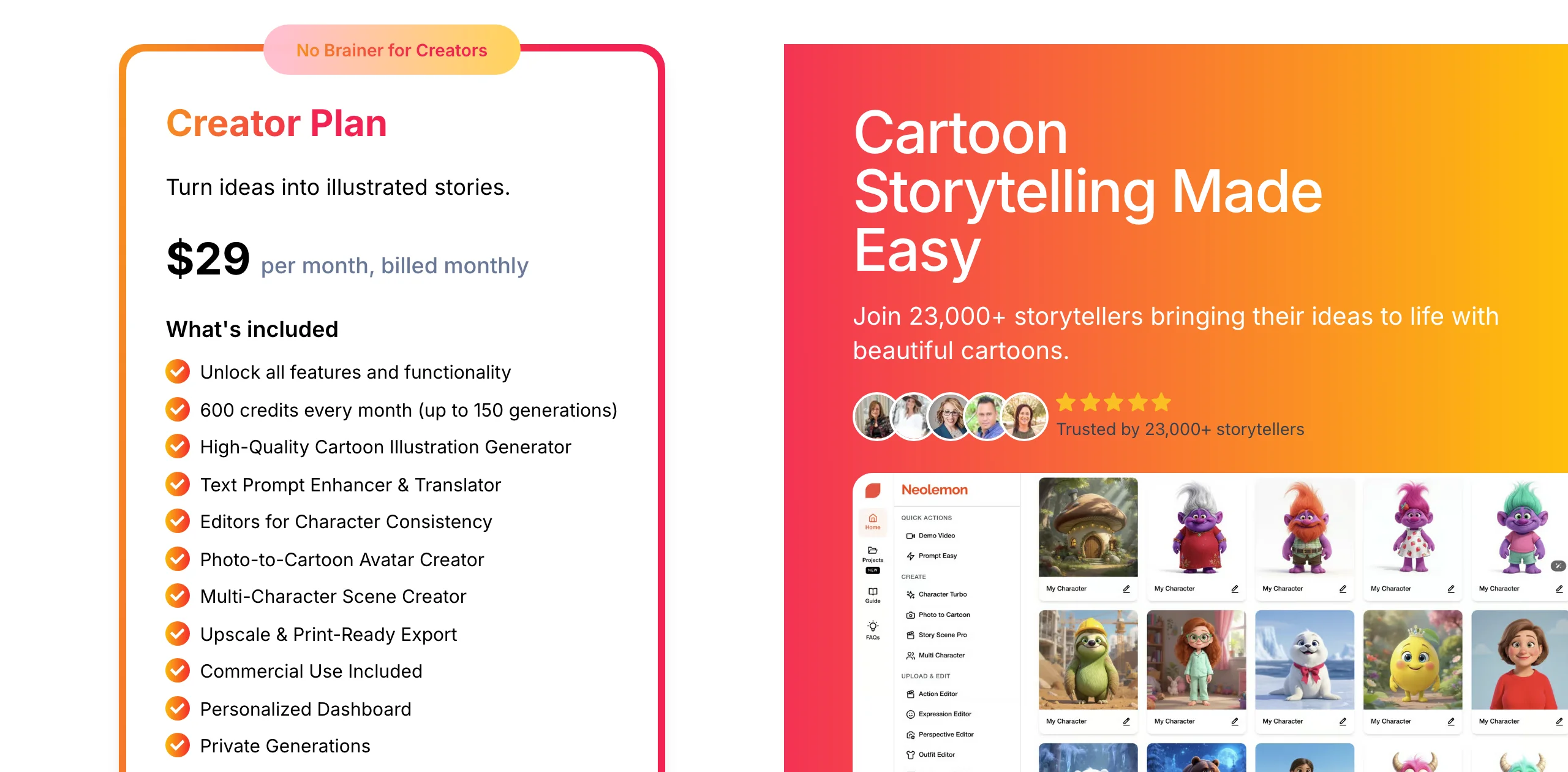
Neolemon is built for one job: keeping a cartoon character identical on every page of a children's book. You design the character, then use its editors to change the pose, outfit, expression, or background without losing who the character is. A multi-character scene creator puts two or more characters in the same spread, and a photo-to-cartoon avatar creator turns a real child into a book character.
For Nia, Neolemon would be the pick if the goal were a 32-page bedtime book instead of a channel. It is not a video tool, and its focus on illustration and print export is exactly why it ranks first for so many picture-book searches.
Key features
- Character consistency editors for pose, outfit, expression, and background
- Character Turbo for fast character variations
- Multi-character scene creator and photo-to-cartoon avatars
- Upscaling and print-ready export, including PDFs for Amazon KDP
Best for
- First-time children's book authors without illustration skills
- Teachers and parents making personalized storybooks
Pricing
- Creator plan $29/mo with 600 credits (up to about 150 generations) and commercial use
Pros
- Editors designed around one character, not around prompts
- Straight path from character to printed book
Cons
- Images only, no video generation
- One plan, so heavy users pay for top-ups
How to choose the best AI for consistent characters
1) Do you need the character in video, or only in images?
- If the character has to move, talk, and appear across a whole story or a series of episodes: ClipNova saves it once in a Series and keeps it consistent in every finished video. Kling AI and Runway are strong for individual cinematic clips you edit yourself.
- If you only need stills: Midjourney for art-directed images, Neolemon for picture books, OpenArt for a cast of characters.
2) How many characters do you need to manage?
- One hero (a mascot, an influencer, a kids channel lead): a set of three or four reference images is enough in ClipNova, Kling, or Runway.
- A whole cast: ClipNova's Series saves up to 8 named characters with their pictures and voices and reuses them in every episode, OpenArt stores characters as named slots, and Kling's Element Library saves each one as a reusable element. For an influencer-style character, our guide on how to make an AI influencer walks through building the look first.
3) Build a character sheet before anything else
Whatever tool you choose, consistency starts with good references. Make the character once, then create a front, three-quarter, and side view on a plain background, the way we did for Nia. Clear, evenly lit views of the same subject give every tool in this list more to hold on to than a single portrait.
4) What does a month of content cost?
- A story video with one recurring character uses many generations: every scene is a new render. Test three scenes of your real character before you choose a plan.
- On ClipNova, the $19 Hobby plan (1,000 credits) is enough to build a character sheet and test the three reference tiers side by side, or to make about five 1-minute series episodes a month in Moving AI Images. Kling's Standard plan is the cheapest way into its elements, Runway's Standard covers a few dozen short clips, and Midjourney's Basic plan suits a handful of stills a week.
- If your character lives in narrated stories, compare the tools in our roundup of AI video generators for storytelling too.
A simple rule: if your audience will watch the character for more than a few seconds, choose a tool that takes references all the way into video.
Frequently asked
What is the best AI for consistent characters?
For a character that has to stay the same across images and videos, ClipNova is the best overall pick: its Series saves a cast of named characters once and reuses them in every episode, all the way into finished, narrated videos. Kling AI is strongest for single cinematic clips built from a saved element, Midjourney for art-directed stills, and Neolemon for children's picture books.
How do AI tools keep a character consistent?
They condition each new image or video on reference images of the character instead of a text description alone. Depending on the tool this is called reference images, elements, character references, or an edit model. The more clear views of the same character you give it, the steadier the face, hair, and outfit stay.
What is a character sheet and why does it help?
A character sheet shows the same character from several angles, usually front, three-quarter, and side, on a plain background. Uploading those views as references tells the model what the character looks like from every side, so new scenes with different camera angles and lighting do not drift.
Can I keep the same character across several AI videos?
Yes. In ClipNova, save the character once in a Series: its picture and locked look go into every episode, the style and voices stay the same, and a story memory of earlier episodes feeds the next one. For single clips, reuse the same reference images every time; Images to Video takes up to 7 references on Base, 2 to 4 on Pro, and up to 9 on Ultra.
Can I use my own photo or drawing as the character?
Yes. ClipNova's AI Characters accepts an upload or a webcam capture as well as generated characters, and Kling, Runway, OpenArt, and Midjourney all accept uploaded reference images. Only use people and characters you have the right to use, and keep existing film or cartoon characters out of commercial work.
Does Midjourney still have character reference?
In Midjourney V8.1 and V8.2 the Edit model replaces Character Reference and Omni Reference, and it accepts up to 4 reference images. Omni Reference still works on V7 at twice the GPU time of a normal image.
Which consistent character AI is best for children's books?
Neolemon is built for picture books, with editors that change a cartoon character's pose, outfit, and expression while keeping identity, plus print-ready export. If the same character also needs to star in videos, make the character sheet in ClipNova and reuse it for both the book art and the animated version.
If I mainly need one recurring character for a video channel, what should I use?
ClipNova, because its Series keeps the character, the style, and the voices the same in every episode and remembers the story so far, with narration in 18 languages, music, and captions in episodes up to 5 minutes. Plans start at $19 a month and every plan includes every feature.