Every story starts as words on a page, and turning those words into video used to mean a camera, a crew, and an editing timeline. AI video generators now read a script, build the scenes, add a voice, and cut the whole thing together, so a one-person team can tell a story on screen.
The catch is that these tools are not interchangeable. Some hand you finished, narrated videos you can publish today; others give you raw cinematic shots you still have to assemble into a narrative. This guide compares the best AI video generators for storytelling, with pricing, real strengths, and a simple framework for picking the one that matches how you actually tell stories.
Best AI video generators for storytelling: a brief overview
- ClipNova: Best overall for storytelling: turns a script or story idea into a finished, narrated, captioned video end to end, no editor or camera required.
- LTX Studio: Best for storyboard-to-film pre-visualization: plan a whole multi-scene story with characters, shots, and camera moves before you render.
- Runway: Best for cinematic, director-level shots when you want to compose a narrative frame by frame.
- Google Flow (Veo 3.1): Best for realistic story scenes with synced native dialogue and sound.
- Pika: Best for fast, stylized story clips and effect-driven scene transitions.
- Luma Dream Machine: Best for smooth, character-consistent shots across a story sequence.
- Kling AI: Best for longer narrative clips that hold a character across the shot.
| Tool | Best for | Starting price | Story output |
|---|---|---|---|
| ClipNova | Long finished story videos with consistent characters | From $19/mo | 1080p, up to 5-min finished videos |
| LTX Studio | Storyboard-to-film pre-viz | $15/mo | Multi-scene projects, 1080p |
| Runway | Cinematic director shots | $15/mo | ~10s Gen-4.5 clips, 1080p+ |
| Google Flow | Realistic scenes with native audio | $19.99/mo (AI Pro) | 8s Veo 3.1 clips, 1080p |
| Pika | Stylized clips and effects | ~$10/mo | ~5–10s clips, up to 1080p |
| Luma Dream Machine | Character-consistent shots | $30/mo | ~5–10s Ray clips, 1080p |
| Kling AI | Longer character-driven clips | $10/mo | Up to ~2–3 min clips, 1080p |
1. ClipNova, best overall for storytelling
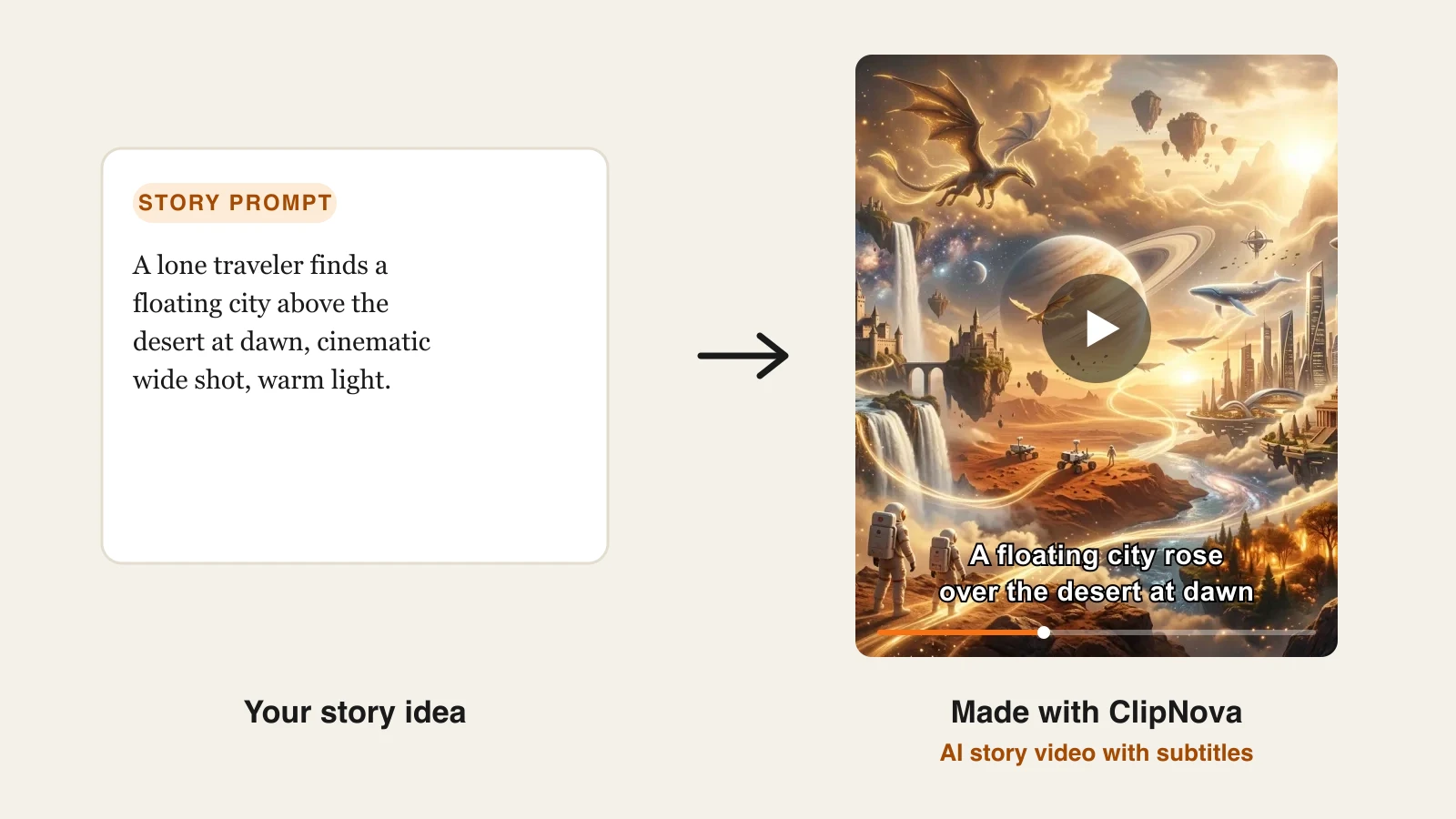
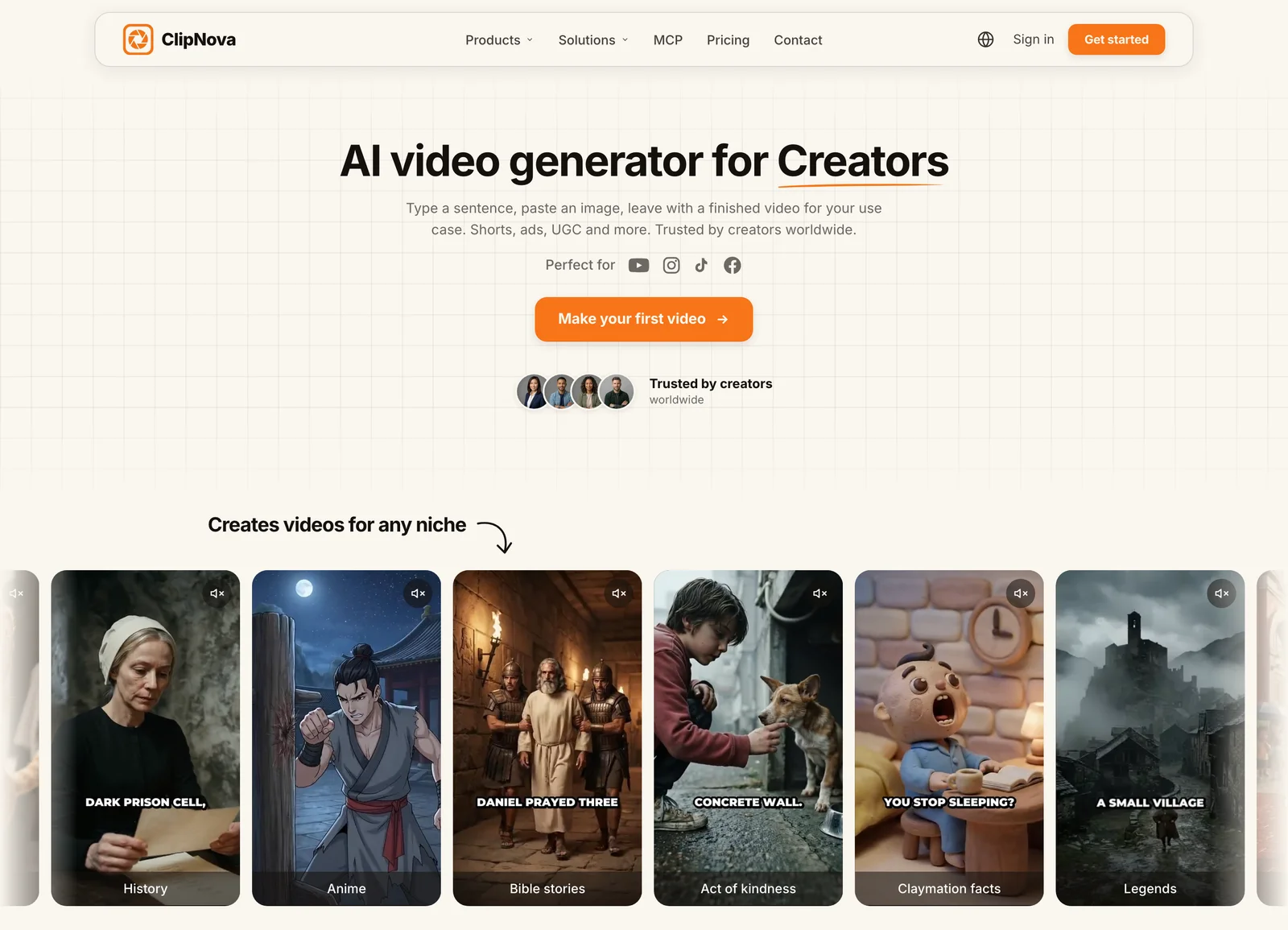
ClipNova is built around the part of storytelling everyone dreads: assembly. You give its AI story video generator a story idea or a full script, and it writes the narration, generates the visuals and B-roll with a saved protagonist looking the same in each scene, adds an AI voiceover, burns in captions, and scores the scene with music, then hands back a finished video up to five minutes long. Because the output is a publishable video and not a bundle of raw clips, a solo creator can go from a written story to a posted short in one sitting. It is vertical-first for TikTok, Reels, and Shorts, and it narrates in 18 languages, so the same story can ship in several markets without a re-edit. Two genres get their own pages: the AI Horror Story Video Generator for scary stories told by a hushed narrator, and the AI Bible Video Generator for Bible stories made for church, Sunday school and faith channels.
For storytellers, that comes down to one promise: ClipNova makes finished long videos with consistent characters.
- Long: A story idea or full script becomes a finished video of up to 5 minutes, long enough for a real beginning, middle and end.
- Consistent characters: Save your hero once, with a picture and a locked look, and they keep the same face and outfit in every scene; Series brings the same cast back for each episode, and story memory keeps the plot on track.
- Finished: Script, scenes, voiceover, captions and music come back together, and you can rework any single scene in Studio before you publish.
Key features:
- Prompt-to-video: a story idea or script becomes a narrated, captioned video up to 5 minutes
- AI voiceovers in 18 languages for localized versions of the same story
- Talking avatars and AI actors for character-driven, on-screen narration
- Auto captions and beat-matched music on every plan
- Multi-format export for TikTok, Reels, and Shorts
- Watermark-free 1080p, with full commercial rights on every plan
Best for:
- Creators and faceless channels turning scripts into daily story shorts
- Marketers telling brand or product stories across platforms
- Anyone localizing one story into several languages fast
Pricing:
- Hobby $19/mo (1,000 credits), Starter $49/mo (2,600), Growth $99/mo (5,750), Ultra $199/mo (12,000)
- Yearly billing saves 20%; every plan includes the full feature set and differs only in monthly credits
Pros:
- Delivers a finished, narrated, captioned story video, not raw footage to edit
- One entry price ($19/mo) unlocks every feature, including 1080p export and commercial rights
- 18-language narration makes localized storytelling cheap
Cons:
- Focused on short-form output (up to 5 minutes), not feature-length film projects
You can try the AI text to video generator or the talking avatar generator to see the storytelling workflow before you subscribe.
2. LTX Studio, best for storyboard-to-film pre-visualization
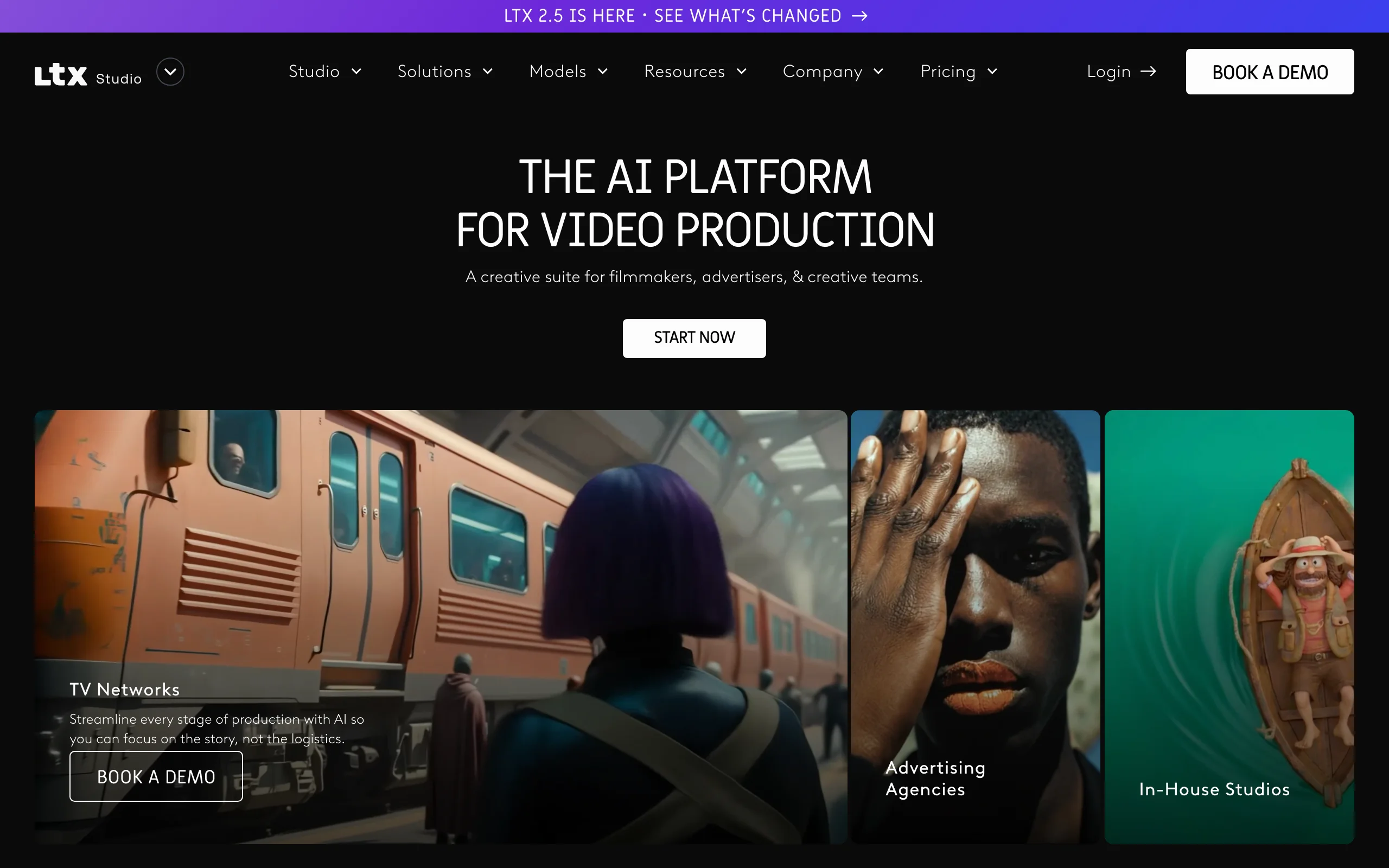
LTX Studio (by Lightricks) treats storytelling as a production, not a single clip. You start from a script or logline, and it breaks the story into scenes and shots, keeps characters consistent across them, and lets you direct camera angles and pacing on a storyboard before anything renders. That structure makes it the closest thing to a virtual film set, which is why filmmakers and ad teams use it for pre-visualization and animatics.
Key features:
- Script-to-storyboard: auto-breaks a story into scenes, shots, and characters
- Consistent characters and settings across a full sequence
- Shot-level control over camera, framing, and pacing
- Access to newer models (Veo 3.1, Kling) on higher tiers
Best for:
- Filmmakers and writers pre-visualizing a full narrative
- Agencies building animatics and pitch films before a real shoot
Pricing:
- Lite $15/mo (8,000 credits, personal use only)
- Standard $35/mo (28,000 credits, commercial use), Pro $125/mo (110,000 credits)
- Annual billing lowers Standard to $28/mo and Pro to $100/mo
Pros:
- Purpose-built for multi-scene stories, not one-off clips
- Strong character and scene continuity across a sequence
Cons:
- Commercial rights require the $35/mo Standard tier or higher
- The scene-by-scene workflow has a steeper learning curve than prompt-to-video tools
3. Runway, best for cinematic director-level shots
Runway is the tool of choice when the look of each shot carries the story. Its Gen-4.5 model produces high-fidelity, cinematic footage with strong control over motion and style, and its wider suite (video-to-video, motion brush, camera controls) lets you direct a shot the way an editor would. It is footage-first, so you compose the narrative by generating and assembling individual shots rather than getting a finished cut.
Key features:
- Gen-4.5 model for high-fidelity cinematic clips
- Fine motion, camera, and style controls per shot
- Image-to-video and video-to-video for art-directed sequences
- Deep editing toolkit around the generator
Best for:
- Directors and editors composing a story shot by shot
- Music videos, trailers, and stylized narrative pieces
Pricing:
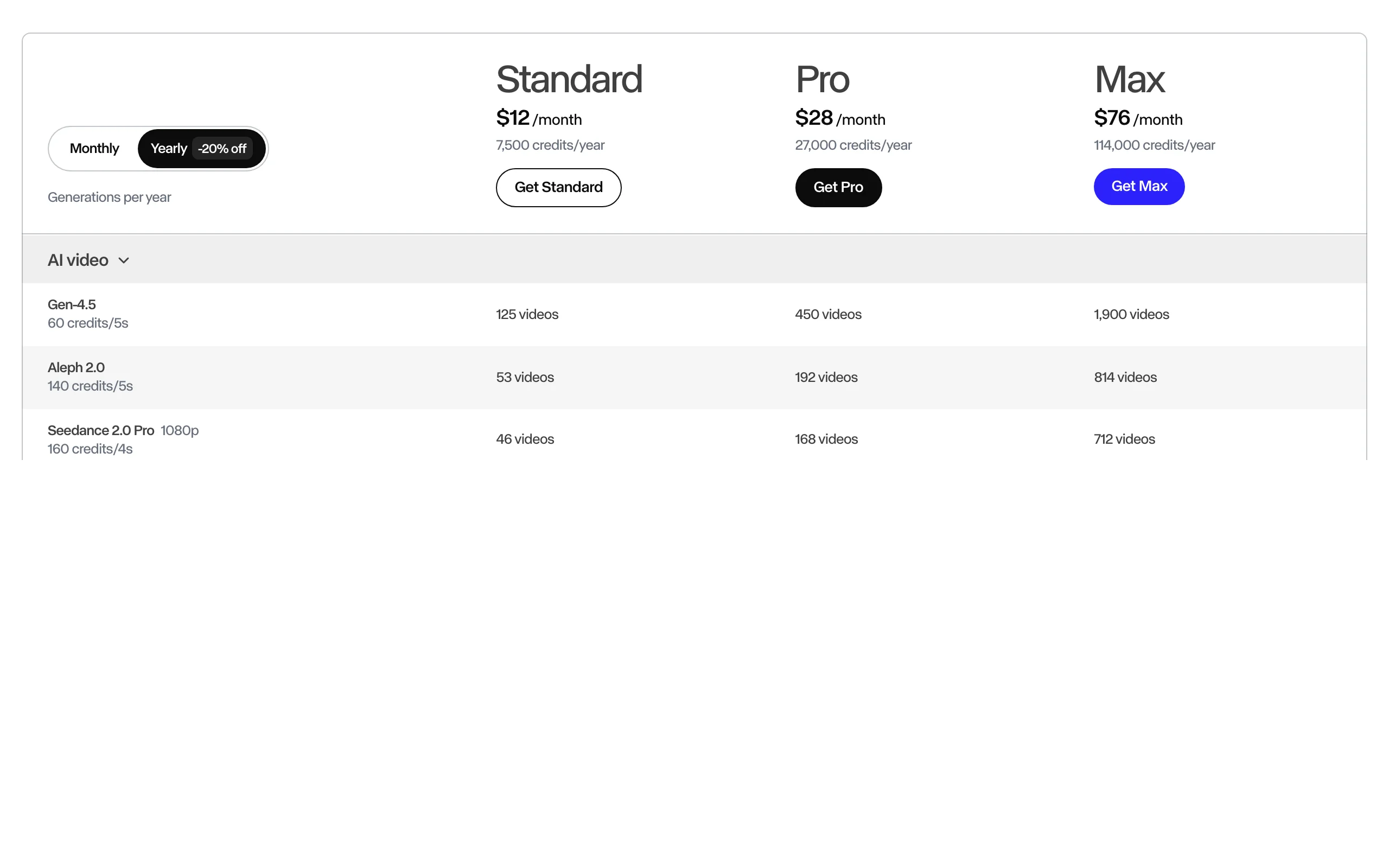
- Standard $15/mo ($12 annual) for 625 credits/month; Pro $35/mo ($28 annual) for 2,250 credits
- Max $95/mo ($76 annual) for 9,500 credits; a 5-second Gen-4.5 clip costs 60 credits
Pros:
- Best-in-class visual fidelity and shot control
- Deep toolkit for editors who want to art-direct every frame
Cons:
- Credits burn fast (a 5-second Gen-4.5 clip is 60 credits), so long sequences get expensive
- You assemble the story yourself; there is no voiceover, captions, or finished cut
4. Google Flow (Veo 3.1), best for realistic scenes with native audio
Google Flow is Google's filmmaking app built on the Veo 3.1 model, and its standout for storytelling is native audio: it can generate dialogue, ambient sound, and effects synced to the scene, which most rivals can't. That makes it strong for realistic, grounded story moments where a character actually speaks. Flow adds scene-building tools like camera controls and clip extension on top of Veo.
Key features:
- Veo 3.1 generation with synced native dialogue and sound
- Flow scene builder with camera controls and shot extension
- Ingredients-to-video for consistent characters and objects
- 1080p output on paid tiers
Best for:
- Story scenes that need realistic spoken dialogue and sound
- Creators already inside Google's ecosystem
Pricing:
- Google AI Pro $19.99/mo (1,000 credits, Veo 3.1 Fast, limited Flow)
- Google AI Ultra (top tier, around $249.99/mo) for the highest limits and full Veo 3.1
Pros:
- Native, synced audio is rare and powerful for dialogue-driven stories
- Realistic motion and physics from Veo 3.1
Cons:
- Clips cap around 8 seconds, so stories need many stitched generations
- Full quality sits behind the expensive Ultra tier
5. Pika, best for fast, stylized story clips and effects
Pika leans into speed and playful style. It is quick to generate, easy to use, and its signature "Pikaeffects" and scene-transition tricks make it a favorite for punchy, stylized story beats and social-native shorts. It is best for expressive, effect-driven storytelling rather than photoreal cinema.
Key features:
- Fast generation with a simple, approachable interface
- Pikaeffects and creative scene transitions
- Image-to-video and text-to-video for stylized clips
- Up to 1080p on paid plans
Best for:
- Creators who want quick, stylized story beats for social
- Meme-style and effect-driven narrative shorts
Pricing:
- Standard ~$10/mo ($8 annual) for 700 credits (still watermarked, no commercial use)
- Pro ~$35/mo ($28 annual) for 2,300 credits with commercial rights and watermark-free exports; Fancy ~$95/mo for 6,000 credits
Pros:
- Fast and fun for stylized, expressive clips
- Low entry price to start experimenting
Cons:
- Commercial rights and watermark removal require the ~$35/mo Pro tier
- Short clips and a stylized look make photoreal, long-form stories harder
6. Luma Dream Machine, best for character-consistent shots
Luma Dream Machine is known for fluid, natural motion and strong subject consistency, which matters when a character has to look the same from shot to shot in a story. Its Ray 3.14 model produces smooth 1080p clips, and its keyframe and extension features help you carry a scene forward without the subject drifting.
Key features:
- Ray 3.14 model with smooth, natural motion
- Strong character and subject consistency across shots
- Keyframes and clip extension for building sequences
- 1080p output with no watermark on paid tiers
Best for:
- Story sequences that need a consistent character across shots
- Creators who value fluid motion over heavy manual control
Pricing:
- Plus $30/mo, Pro $90/mo, Ultra $300/mo (annual billing saves ~17–20%)
- Paid tiers include commercial rights, 1080p, and no watermark
Pros:
- Excellent motion quality and subject consistency
- Simple, fast workflow
Cons:
- Paid plans start higher ($30/mo) than several rivals
- Short clip lengths mean you stitch many shots for a full story
7. Kling AI, best for longer character-driven clips
Kling AI stands out for clip length and character consistency, generating longer takes (up to a few minutes on higher tiers) that hold a character across the shot. Its motion realism and lip-sync features make it useful for narrative scenes where a subject needs to move and speak believably. It is a capable, lower-cost option for story clips.
Key features:
- Longer clip generation (up to ~2–3 minutes on higher tiers)
- Strong character consistency and motion realism
- Lip-sync and start/end frame control
- 1080p output on paid plans
Best for:
- Narrative clips that need a character to hold across a longer shot
- Budget-conscious creators who want length and consistency
Pricing:
- Standard $10/mo, Pro $37/mo, Premier $92/mo, Ultra $180/mo
- Annual billing cuts the first three tiers by roughly 34%; note first-month promo prices renew higher
Pros:
- Longer clips than most rivals, with good character continuity
- Competitive entry price for the quality
Cons:
- Promotional first-month prices renew at higher rates, so read the fine print
- Like other footage-first tools, it has no built-in voiceover, captions, or finished cut
How to choose the best AI video generator for storytelling
The right tool depends on how much of the story you want the tool to finish for you, and how much you want to direct by hand. Generate three to five test clips on your actual story before you commit to a plan.
1) Do you want a finished story video, or raw shots to assemble?
- If you want a narrated, captioned, publish-ready video from a script: use ClipNova. It handles script, voice, captions, and music end to end, which is the whole job for most creators and marketers.
- If you want to art-direct every shot and cut the story yourself: use Runway or Luma for the footage, then edit.
2) Are you pre-visualizing a whole film, or making a short?
- If you are planning a multi-scene film or ad with consistent characters: use LTX Studio, which is built for storyboards and animatics.
- If you are shipping short-form stories for TikTok, Reels, or Shorts: use ClipNova for finished shorts, or Pika for quick stylized beats.
3) Does your story need spoken dialogue and sound?
- If characters need realistic, synced dialogue in the scene: use Google Flow (Veo 3.1) for native audio, or ClipNova for narrated voiceover in 18 languages.
- If you need character-driven length: use Kling AI for longer clips that hold a subject.
4) What is the price-per-story math?
- Footage-first tools charge by the clip (a 5-second Runway Gen-4.5 clip is 60 credits), so long stories add up quickly.
- ClipNova's flat monthly credits translate into a predictable number of finished videos, and every plan includes 1080p export and commercial rights, which keeps localized, multi-language storytelling affordable. Compare tiers on the ClipNova pricing page, or read our guide on how to make a movie with AI for a full workflow. Creators can also see the platform in context on the content creators page.
Related reading: Best AI Video Generators UK in 2026.
Frequently asked
What is the best AI video generator for storytelling?
For most people, ClipNova is the best all-around choice because it turns a script or story idea into a finished, narrated, captioned video end to end, rather than handing you raw clips to edit. If you are pre-visualizing a full multi-scene film, LTX Studio is stronger, and if you want to art-direct cinematic shots by hand, Runway leads on visual control.
Can AI turn a written script into a video?
Yes. Tools like ClipNova read your script, write or refine the narration, generate matching visuals and B-roll, add an AI voiceover, and burn in captions, producing a publish-ready video. Footage-first tools like Runway, Luma, and Kling generate the visual clips, but you still add voice, captions, and the final edit yourself.
What is the cheapest AI video generator for storytelling?
Kling AI and Pika start around $10/mo, and Runway's Standard plan is $15/mo, though each charges by credits that run out quickly on longer stories. ClipNova starts at $19/mo with the full feature set (voice, captions, 1080p export, commercial rights) included, which usually makes the price-per-finished-video lower for storytellers who want a complete video, not raw clips.
Can I make long story videos, or only short clips?
It depends on the tool. Pure generation models like Runway, Luma, and Google Veo produce short clips (roughly 5 to 10 seconds), and Kling can reach a few minutes on higher tiers. ClipNova assembles a full narrated video up to five minutes, and LTX Studio is designed for multi-scene projects, so both are better suited to longer stories.
Do I own and can I monetize AI-generated story videos?
On ClipNova, every plan includes full commercial rights, so you can monetize your videos. Other tools vary: Pika and some tiers of LTX Studio require a higher plan for commercial use. Always confirm the commercial-rights terms on the specific plan you buy before you publish.
What happened to OpenAI Sora for storytelling?
OpenAI discontinued the consumer Sora app in April 2026, and Sora is no longer available through ChatGPT subscriptions. The Sora 2 API is scheduled to sunset in late September 2026. Because it is no longer a practical consumer storytelling tool, this guide focuses on options you can use today.
If I mainly need finished, narrated story videos, what should I use?
Use ClipNova. It is built to take a script or story idea and return a finished video with voiceover, captions, music, and B-roll in minutes, in 18 languages, with 1080p export and commercial rights on every plan. That end-to-end workflow is what most creators and marketers actually need for storytelling.