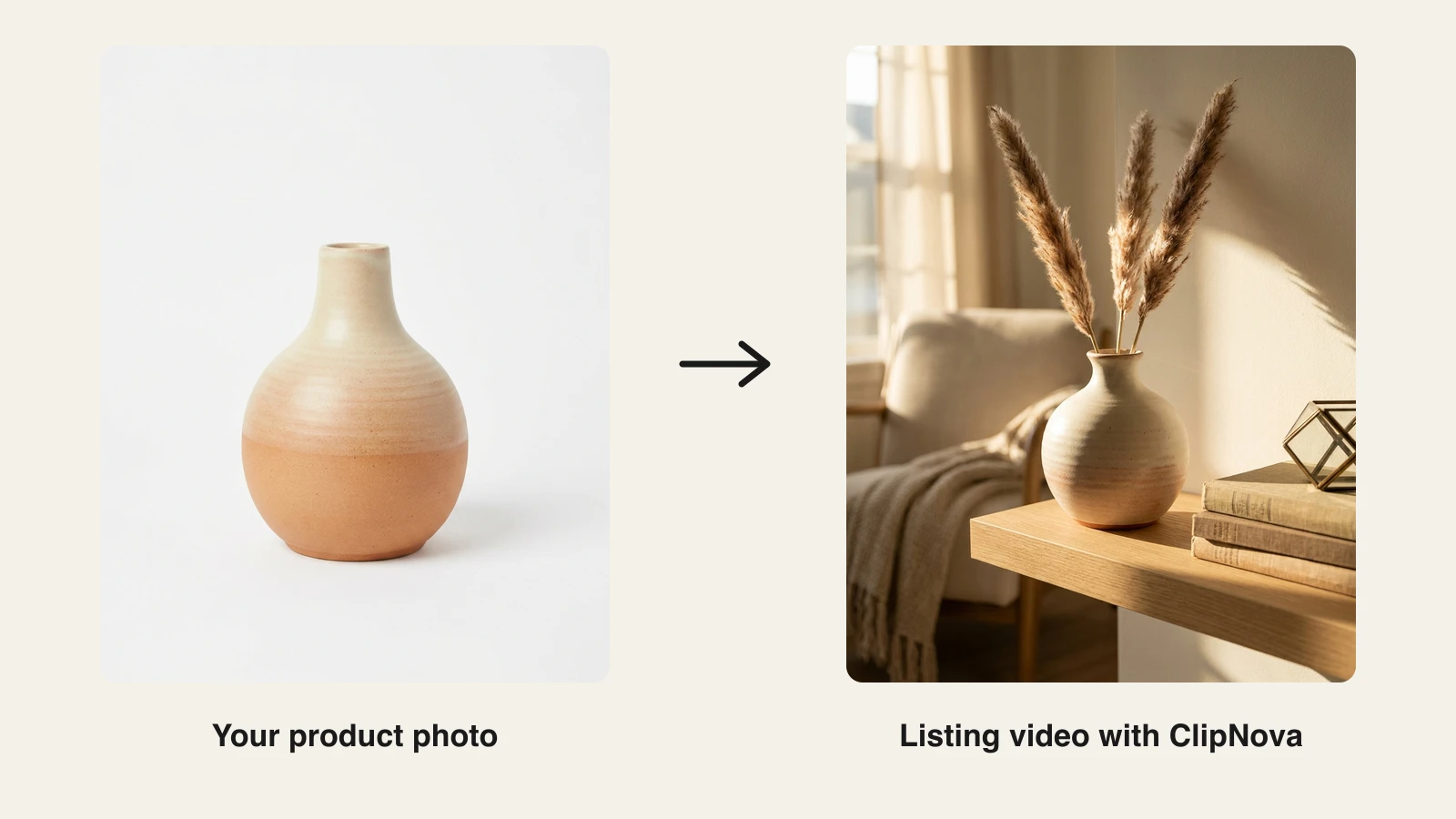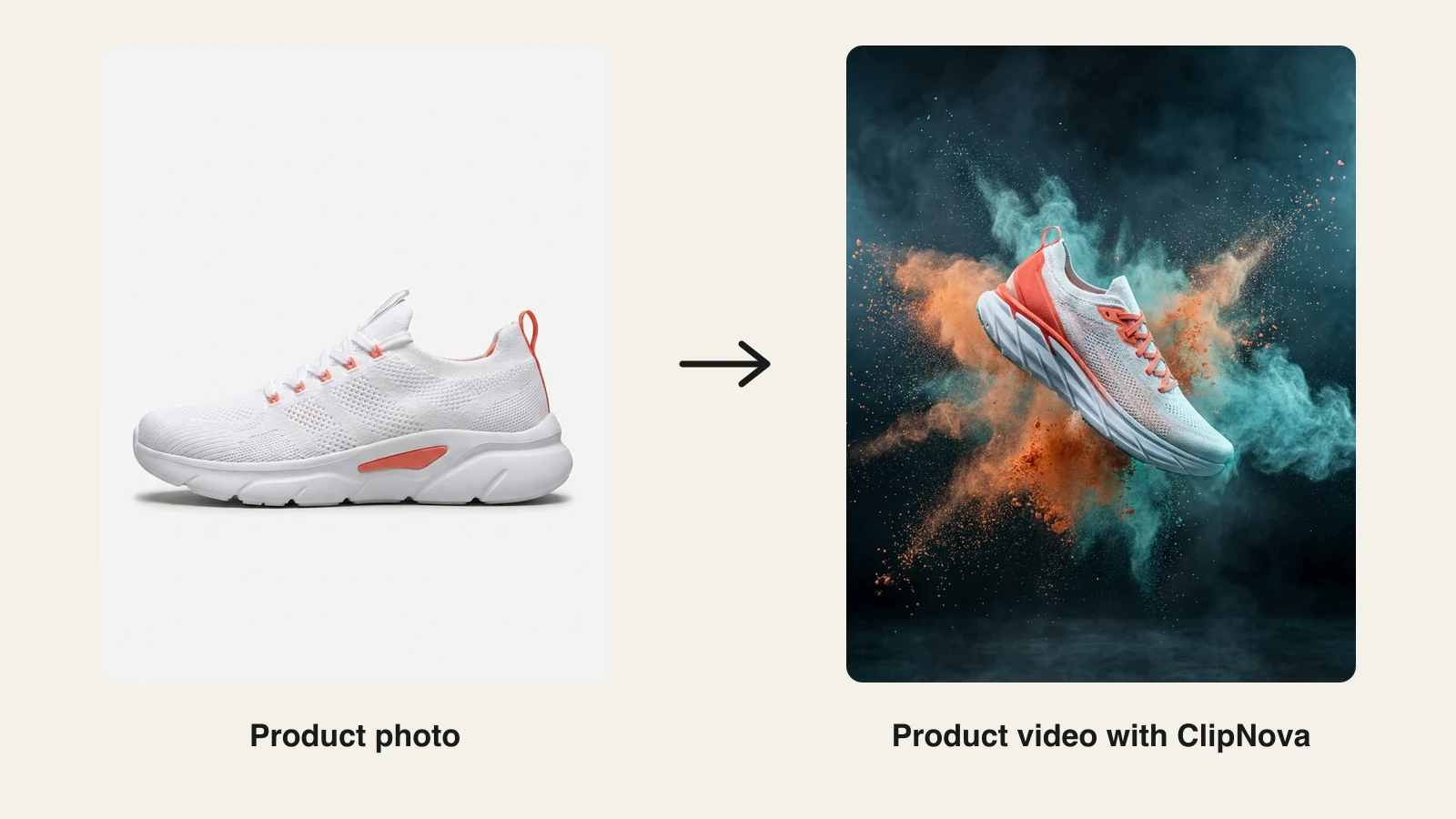
You can make an Etsy product video with AI from one photo of the item in about ten minutes. Upload the photo, describe three short silent shots, generate, check the frames against the real product, upload. This guide is that process, written for the way Etsy actually shows the video, which is the part most tutorials skip.
If you also sell on Amazon, the Amazon and Etsy listing videos guide covers both marketplaces. This one is Etsy only.
First, how Etsy shows your video
Your video sits in the listing gallery and autoplays there, muted, on a loop, in a frame the size of a phone screen or smaller. Nobody presses play. Nobody hears anything. It runs while the shopper decides whether to scroll on.
That shapes everything. The rules Etsy enforces in 2026:
- 5 to 15 seconds (longer files get trimmed in the listing editor)
- audio is removed on upload
- 1080 px recommended, 500 px minimum, any ratio between 2:1 and 1:2
- under 100 MB, MP4 with H.264 is the safe export
So the loop has to work small, silent, and repeating. Slow motion beats cuts. Square or 4:5 beats widescreen, because it fills the phone. And whatever you would normally say in a voiceover has to be visible instead.
The three shots that do the job
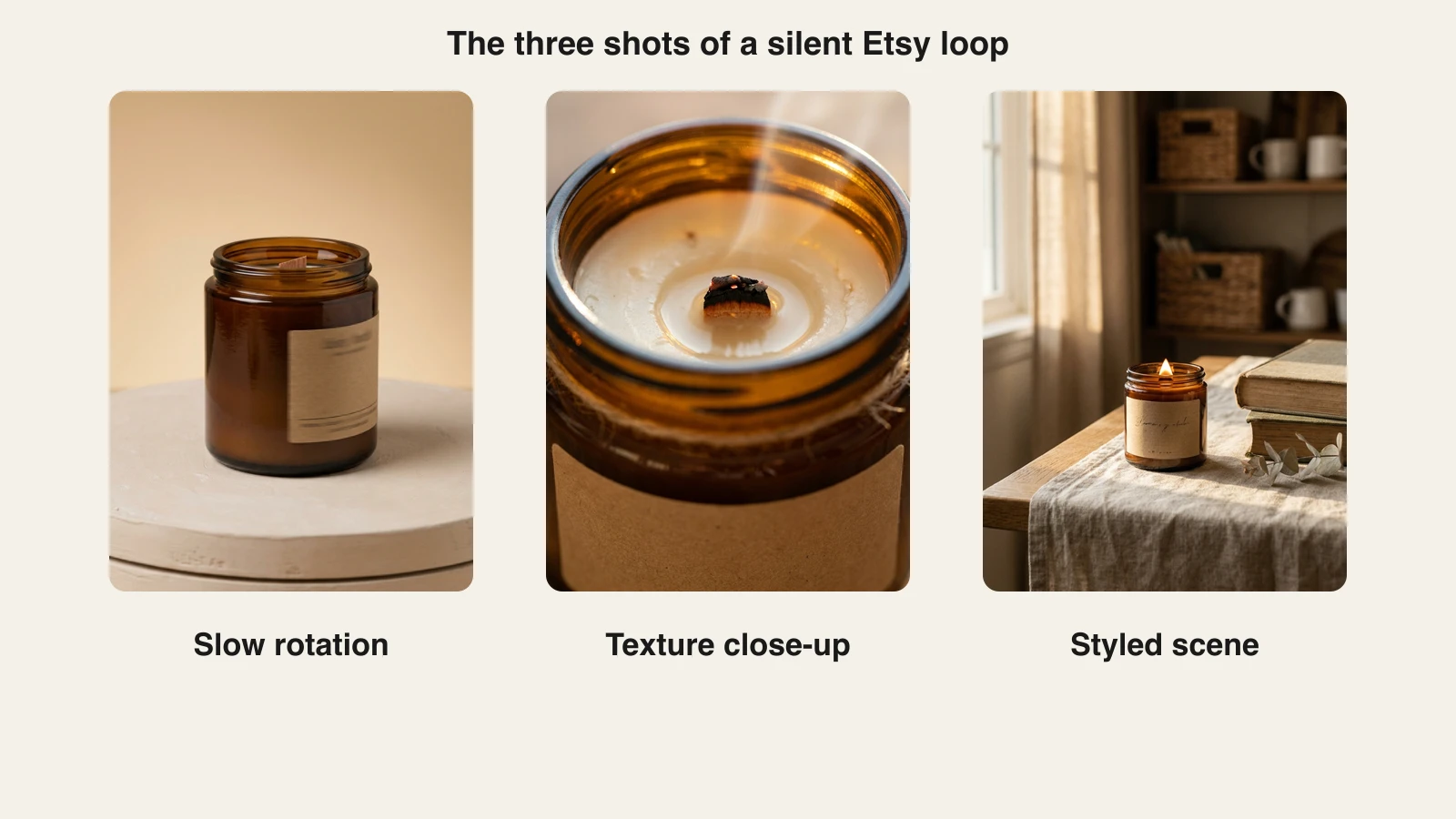
Every good listing loop I have seen is some version of the same three shots. Write your brief as these three and nothing else:
- The reveal. The product on a clean backdrop, turning slowly or with a gentle push-in. This is the first frame shoppers see, so it should look like your main listing photo come to life.
- The proof. A macro on the one detail that shows it is handmade. Glaze speckles, stitching, the grain in a wooden wick, the deckled edge of a print. This is the shot a photo cannot fully deliver, and it is why the video slot exists.
- The scene. The item where a buyer would actually use it: bedside table, kitchen shelf, above a sofa. This is the shot that sells the feeling, and the one that sends a buyer back to the price with a reason.
Twelve seconds is enough. Four seconds each, ending close to where you started so the loop does not jump.
Step 1: one honest photo
The generator builds every frame from the photo you give it, so give it a good one. Plain background, even daylight, the whole product in frame, full-resolution file. Not a screenshot, not a compressed copy from a message thread. If your existing photos have busy backgrounds, a background removal pass first gives the generator a clean cut-out to work from.
Then the rule that matters more on Etsy than anywhere else: the video must show the item you ship. Buyers of handmade goods are unforgiving about that, and Etsy's seller policies require it. After every generation, hold the physical product next to the frames and check shape, color, label, finish. If the AI added a charm, changed a lid, or shifted the glaze, regenerate. Do not keep a pretty frame that is not your product.
Step 2: write the brief
Say what the product is, where it lives, what the camera does, and what must not change. Skip music, narration, and on-screen text; Etsy deletes the audio, and text near the top or bottom of the frame ends up under the favorite button and gallery controls.
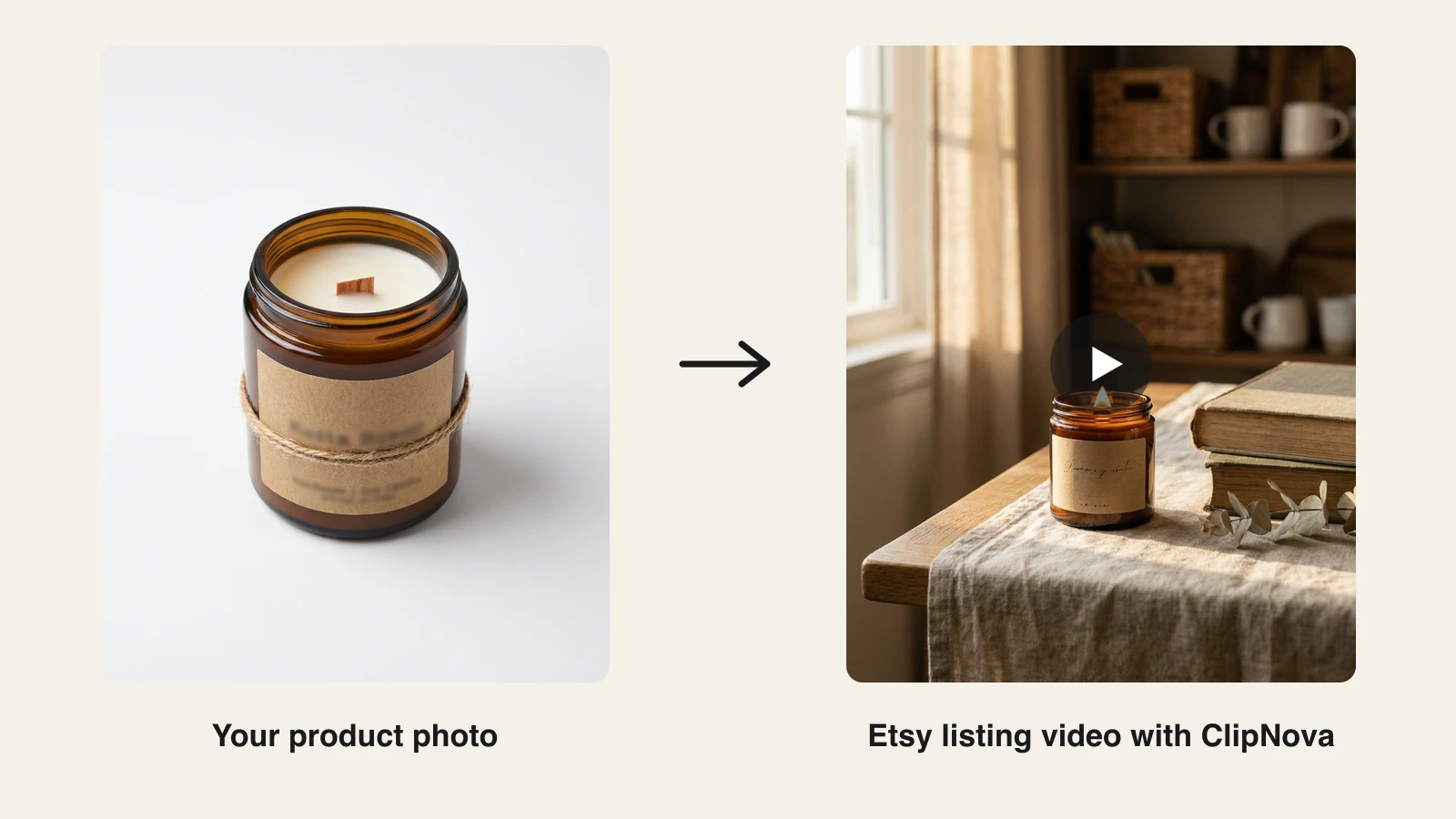
The brief used for the candle example below:
"A cozy 12 second loop of a handmade amber-jar soy candle on a linen-draped oak table: slow push-in, golden window light, dried eucalyptus, ending on the flame and the wax texture."
Four things to notice. It names the product plainly. It picks one setting. It states one camera move. It says where to end. That is the whole art of it.
Step 3: generate it with ClipNova
ClipNova does the photo-to-loop work in one place. The AI product video generator strips the background, relights the item, builds the motion, and exports 1:1, 9:16, and 16:9 from the same project, so the listing loop and a social cut come out of one generation.
- Sign in at app.clipnova.io.
- Open AI Product Video Generator and upload the photo from Step 1.
- Paste the brief. Pick the Lifestyle style for most handmade shops, Studio for jewelry and minimal pieces. Leave UGC and TikTok styles alone here; they are built around a presenter and a hook, which is wrong for a muted gallery.
- Set 1:1 or 4:5, length under 15 seconds, voiceover off.
- Generate, then do the honesty check on every frame. Regenerate what drifted.
- Export 1080p and upload through the listing editor's video slot.
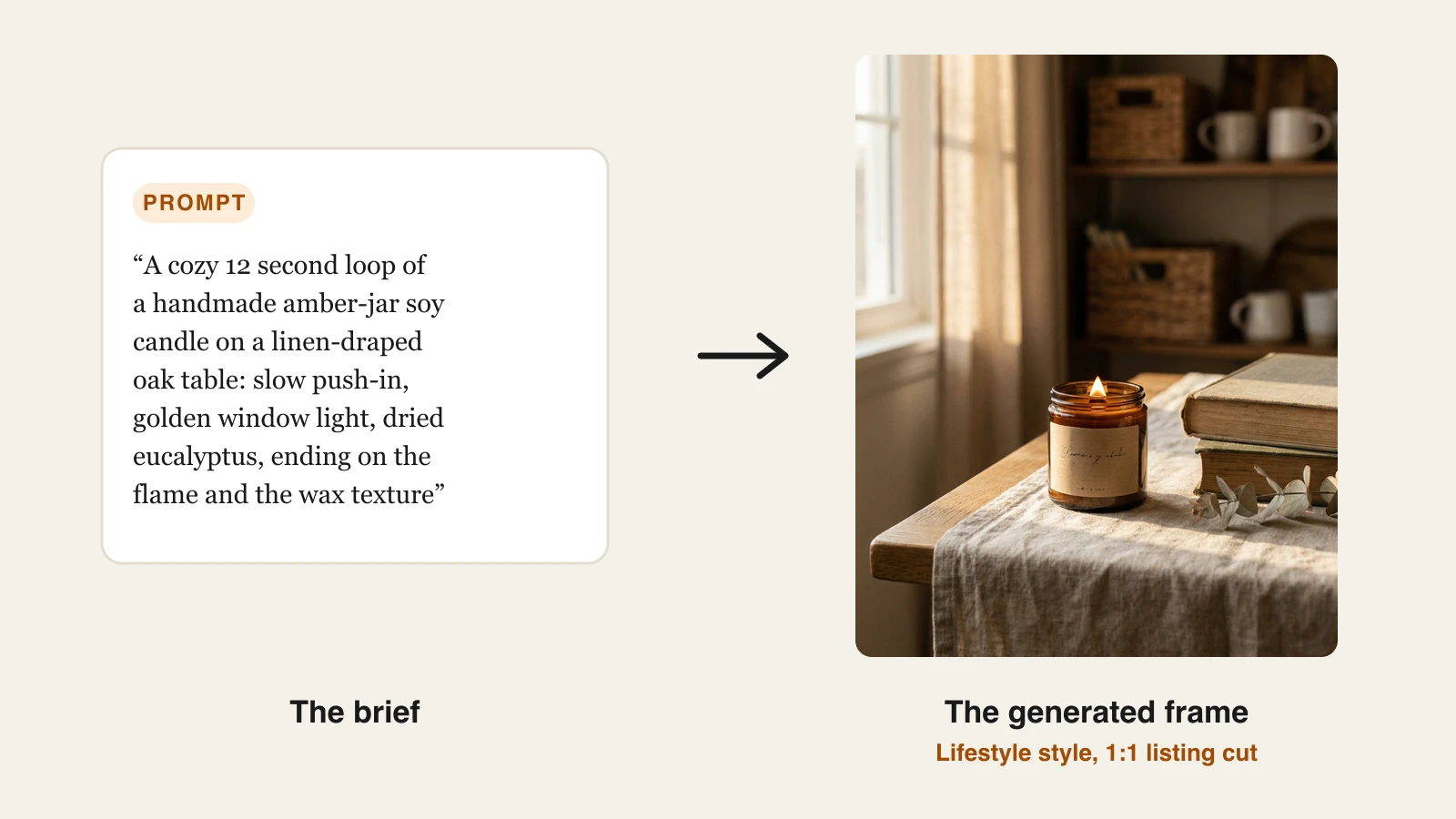
The brief above produced exactly the three shots the loop needs, and they can be reordered or trimmed inside the tool before export:
For products where any drift is a deal-breaker, like patterned fabric, lettered signs, or art prints, use the image to video AI tool instead. It animates your real photo with camera motion only and invents nothing, which is exactly what you want when the pattern is the product.
Plans start at $19 a month with the full feature set and full commercial rights on every tier; the pricing page has the credit breakdown.
Step 4: the second cut that brings people in
The listing loop converts people who already found you. From the same project, export a 9:16 version, 15 to 30 seconds, with a short voiceover and captions on, ending on the shop name. Post it to Reels and TikTok and pin it on Pinterest, where home and handmade searches are strong and video pins keep surfacing long after you post them.
One rule for both cuts: the candle in the Reel must be the candle in the listing. Same jar, same label, same color. A shopper who saves the Reel and then opens the shop should recognize it instantly.
Briefs you can copy
Change the nouns, keep the shape.
- Jewelry: slow rotation of the pendant on a linen swatch, macro on the hammered texture, then resting on a wooden stand. Keep the metal color exactly as in the photo.
- Ceramics: slow orbit of the mug on a pale plaster surface, macro on the glaze drips, then filled with coffee on a breakfast table in morning light.
- Prints: slow pan across the print in a thin oak frame, macro on the paper texture, then hung above a sofa. The artwork stays exactly as in the photo.
- Textiles: the apron on a hook with a gentle sway, macro on the weave and stitching, then worn in a kitchen. Pattern and color stay exactly as in the photo.
- Printables: the printed page on a desk beside a pen and a cup of tea, slow push-in, macro on the layout. Text stays exactly as in the photo.
What goes wrong, and the fix
- Text gets covered. Keep any text in the middle third, or off the listing loop entirely.
- It only makes sense with sound. Rebuild it from the three shots. If a viewer cannot follow it muted, it is not an Etsy video.
- Six cuts in ten seconds. Feels frantic at phone size. Two or three slow shots.
- The product changed. Compare and regenerate, or switch to image to video.
- Soft, wobbly output. The input was low resolution. Re-upload the original file.
- Widescreen export. Shows up small with bars. Use 1:1 or 4:5.
- Over 15 seconds. Etsy trims it, usually mid-shot. Set the length before you generate.
Start with your best seller. Upload the loop, leave it a week, then compare views and favorites against the week before. If it moves the needle, work down the list, one brief per product category, run every new listing through it the day it goes live. A shop with a video in every listing reads as a brand, and on Etsy that is most of the battle.
Frequently asked
How do I make an Etsy product video with AI?
Upload one accurate photo of the item to an AI product video generator, describe three silent shots (a slow reveal, a close-up on the handmade detail, the product in the room where it is used), generate at 1:1 or 4:5 under 15 seconds, check every frame against the real product, and upload the 1080p file in the listing editor. In ClipNova that is the AI Product Video Generator with the Lifestyle or Studio style and voiceover off.
How long can an Etsy listing video be?
5 to 15 seconds. Etsy trims anything longer in the listing editor, usually mid-shot, so set the length before you generate. Around 12 seconds fits three slow shots and loops cleanly.
Does Etsy play sound on listing videos?
No. Etsy removes the audio on upload and autoplays the video muted on a loop in the gallery. Build the listing loop from the shots alone, and save narration and captions for the Reels, TikTok, and Pinterest cut.
What size should an Etsy product video be?
1080 px is recommended (500 px minimum), any ratio between 2:1 and 1:2, under 100 MB. Square 1080x1080 or 4:5 at 1080x1350 fills the most phone screen. Export MP4 with H.264.
Are AI-generated videos allowed on Etsy?
Yes, provided the video shows the item you actually ship. Etsy's seller policies require listing media to represent the real product, so generate from your own photo, compare each frame to the physical item, and regenerate anything where the AI changed a shape, color, label, or detail.