The best AI video generator for TikTok in 2026 is ClipNova: one prompt returns a finished 9:16 video with the script written, the voiceover recorded, captions burned in, and music added, watermark-free, from $39/mo. The other tools in this guide win narrower jobs, from clipping podcasts into TikToks to generating AI creators for TikTok Shop ads.
TikTok is a volume game with a brutal first second. The For You page decides on watch-through, not on follower count, so the account that posts eight times a week and lets the algorithm pick the winners beats the account that polishes one video a week. That changes what "best tool" means. Cost per finished video and time per finished video matter more than any single feature on a spec sheet.
This guide compares the 8 best AI video generators for TikTok on vertical output, captions, price per video, and commercial rights, and closes with the 2026 TikTok rules on AI content and monetization you should know before scaling an AI-assisted account.
Best AI video generators for TikTok: a brief overview
- ClipNova: Best overall. One prompt returns a publish-ready vertical TikTok, script, voiceover, captions, and music included, with every major video model on one subscription.
- CapCut: Best editor for TikTok natives. ByteDance's own editor, where TikTok templates and trending sounds land first.
- InVideo AI: Best prompt-to-video with a stock library. Generates and assembles, then lets you rearrange every scene.
- OpusClip: Best for turning long videos into TikToks. Feeds on podcasts and streams and returns reframed, captioned clips.
- Creatify: Best for TikTok ads. AI UGC creators, ad templates, and a competitor ad tracker built for paid social.
- HeyGen: Best talking-avatar TikToks. A realistic AI presenter delivers your script without you filming anything.
- Submagic: Best captioning and finishing for clips you already have. Trend-styled captions, auto b-roll, and zooms in one pass.
- Pika: Best budget generative clips. The cheapest way to add real AI footage as b-roll inside someone else's edit.
| Tool | Best for | Starting price | Output |
|---|---|---|---|
| ClipNova | Long finished TikTok stories with consistent characters | From $39/mo | 9:16 1080p, no watermark |
| CapCut | Editing your own footage, TikTok-native | Pro $19.99/mo | Clean export on manual edits |
| InVideo AI | Prompt-to-video with stock and templates | From $9/seat/mo (annual) | Watermark-free on paid plans |
| OpusClip | Clipping long videos into TikToks | From $15/mo | 9:16 reframed, captioned clips |
| Creatify | TikTok ads with AI creators | From $39/mo | Ad-format 9:16 |
| HeyGen | Talking-avatar TikToks | From $29/mo | 1080p; 4K from $49 Pro |
| Submagic | Captions and b-roll on clips you have | From $19/mo ($12 yearly) | 1080p; 4K on Business |
| Pika | Budget generative b-roll | From $10/mo ($8 yearly) | Raw clips; commercial use from $35 |
Reading the table: most rows hand you one piece of a TikTok, a raw clip, a captioned cut, an avatar take, that you still have to script, voice, or assemble. ClipNova's price covers the whole video, idea to export.
1. ClipNova, best overall AI video generator for TikTok
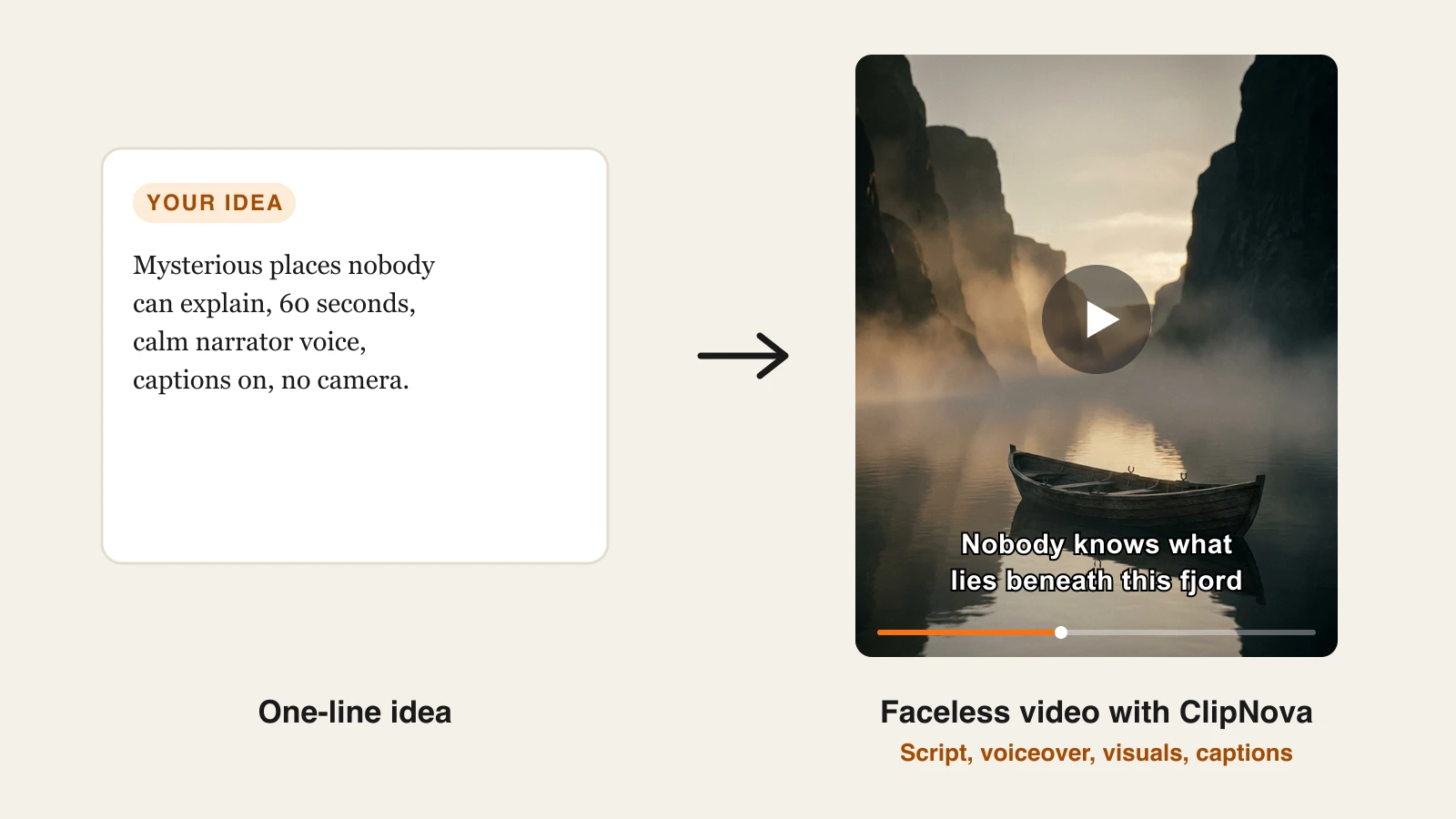
A TikTok is not one asset, it is five: a hook that survives the first second, a script, visuals, a voice, and captions, all cut vertically. ClipNova produces all five in a single pass. Type the idea into its AI TikTok video generator, paste a product link, or drop a script, and it returns a publish-ready 9:16 video with the captions already burned in and synced to the narration, and a saved recurring character looks the same in every clip.
Behind the one-pass workflow is a bigger idea: ClipNova makes finished long videos with consistent characters, which matters the moment a TikTok format turns into a running story.
- Long: Most TikToks stay short, but when a 30-second idea grows into a full story or a multi-part saga, the same project goes up to 5 minutes.
- Consistent characters: Save a recurring character once, a picture plus a locked look, and the same face and outfit show up in every scene; with Series, that cast and the plot carry into every new part.
- Finished: Script, scenes, voiceover, captions and music come back in one pass, and Studio lets you fix a single scene before it goes live.
What makes it the best AI video generator for TikTok specifically is that it never asks you to assemble anything. There is no timeline, no stock search, no separate captioning step. The gap between "I have an idea" and "it is posted" is one generation, which is the only way a daily cadence survives contact with a real schedule.
It is also the only tool in this comparison where the frontier video models live behind one subscription. Sora 2, Veo 3.1, Kling 3.0, Seedance 2.5, Flux-3, Vidu, and Pixverse are all available on the same plan, so you can send a talking-head hook to one model and a cinematic product shot to another without paying seven separate bills.
How to make a TikTok with ClipNova
- Log in to the ClipNova app.
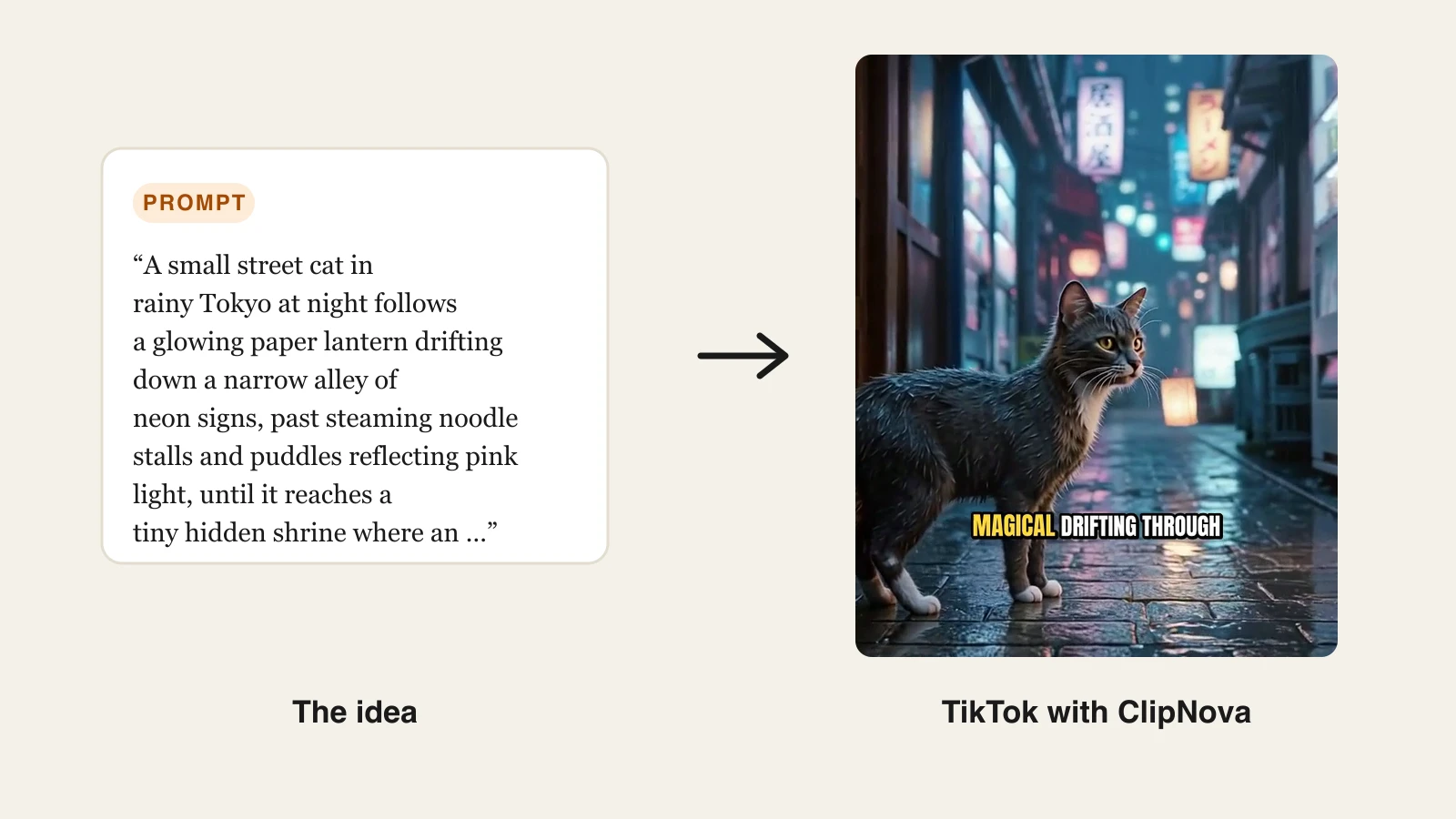
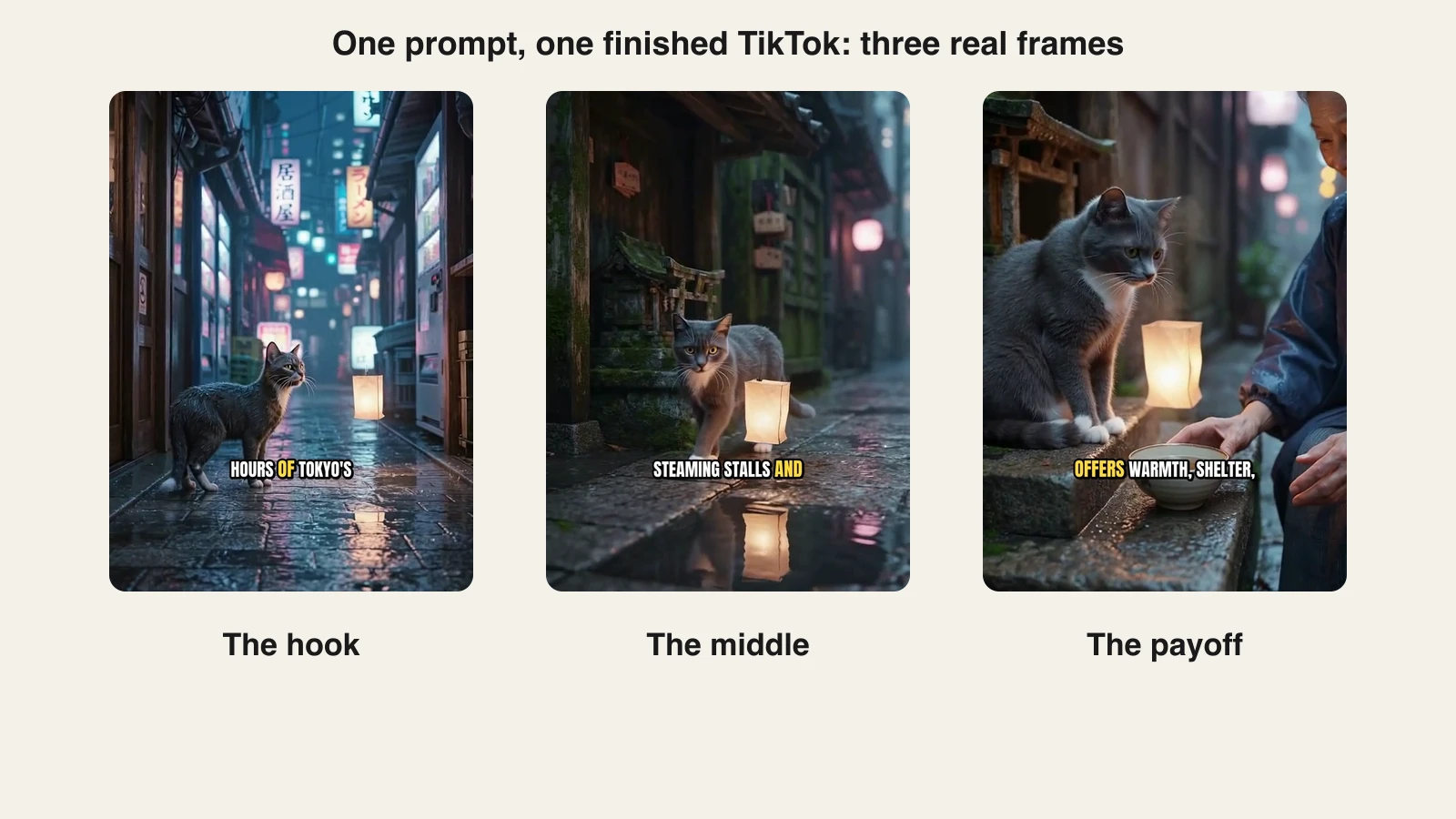
- Open the text-to-video generator and paste your idea. The exact prompt behind the real TikTok below: "A small street cat in rainy Tokyo at night follows a glowing paper lantern drifting down a narrow alley of neon signs, past steaming noodle stalls and puddles reflecting pink light, until it reaches a tiny hidden shrine where an old woman smiles and sets down a bowl of warm milk."
- Pick a visual style, a narrator voice, and a model.
- Generate. The video comes back scripted, voiced, captioned, and scored.
- Export vertical and watermark-free, then reuse the same file for Reels and YouTube Shorts.
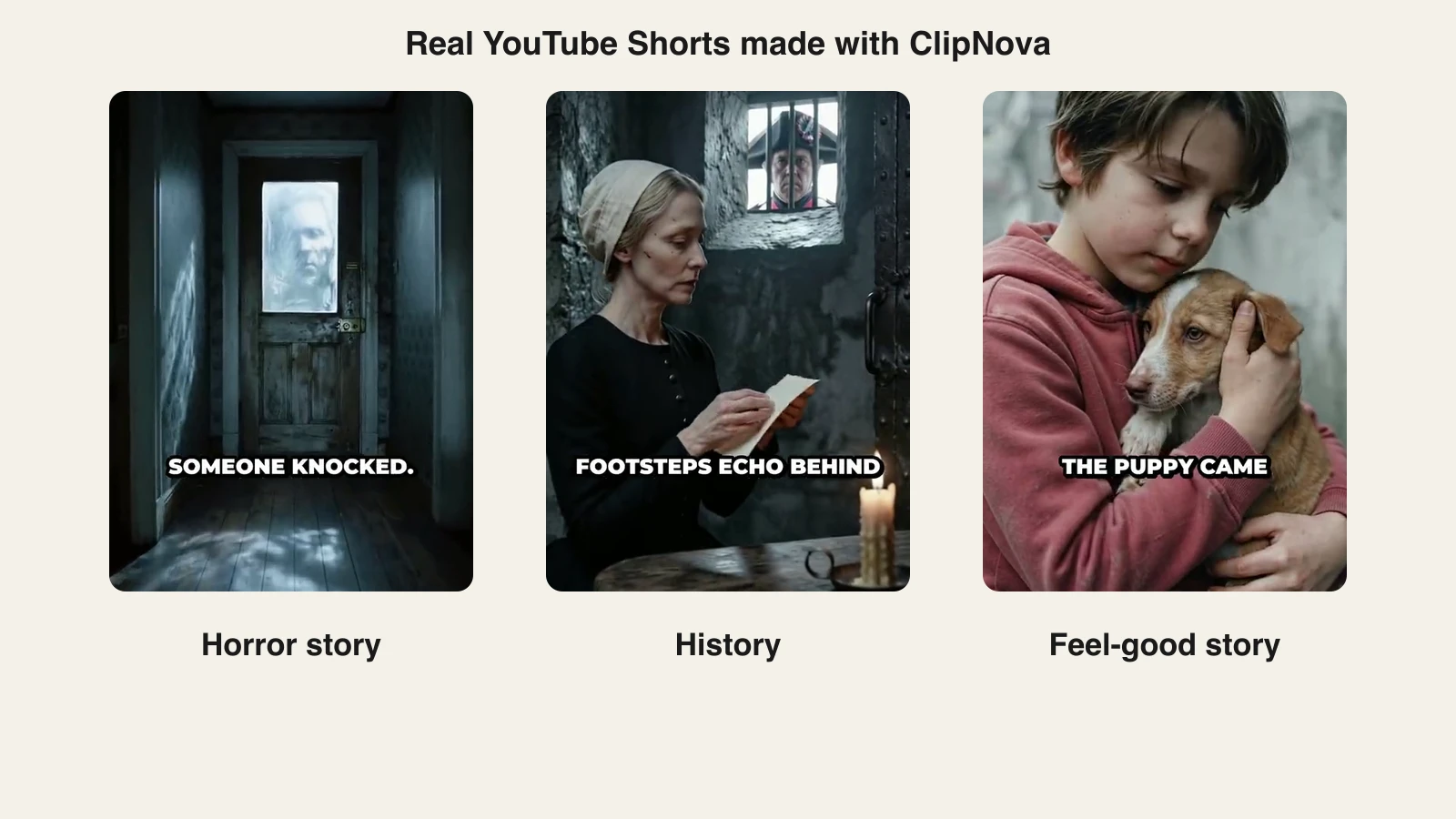
Here are three frames from the TikTok that prompt produced, the hook, the middle, and the payoff:
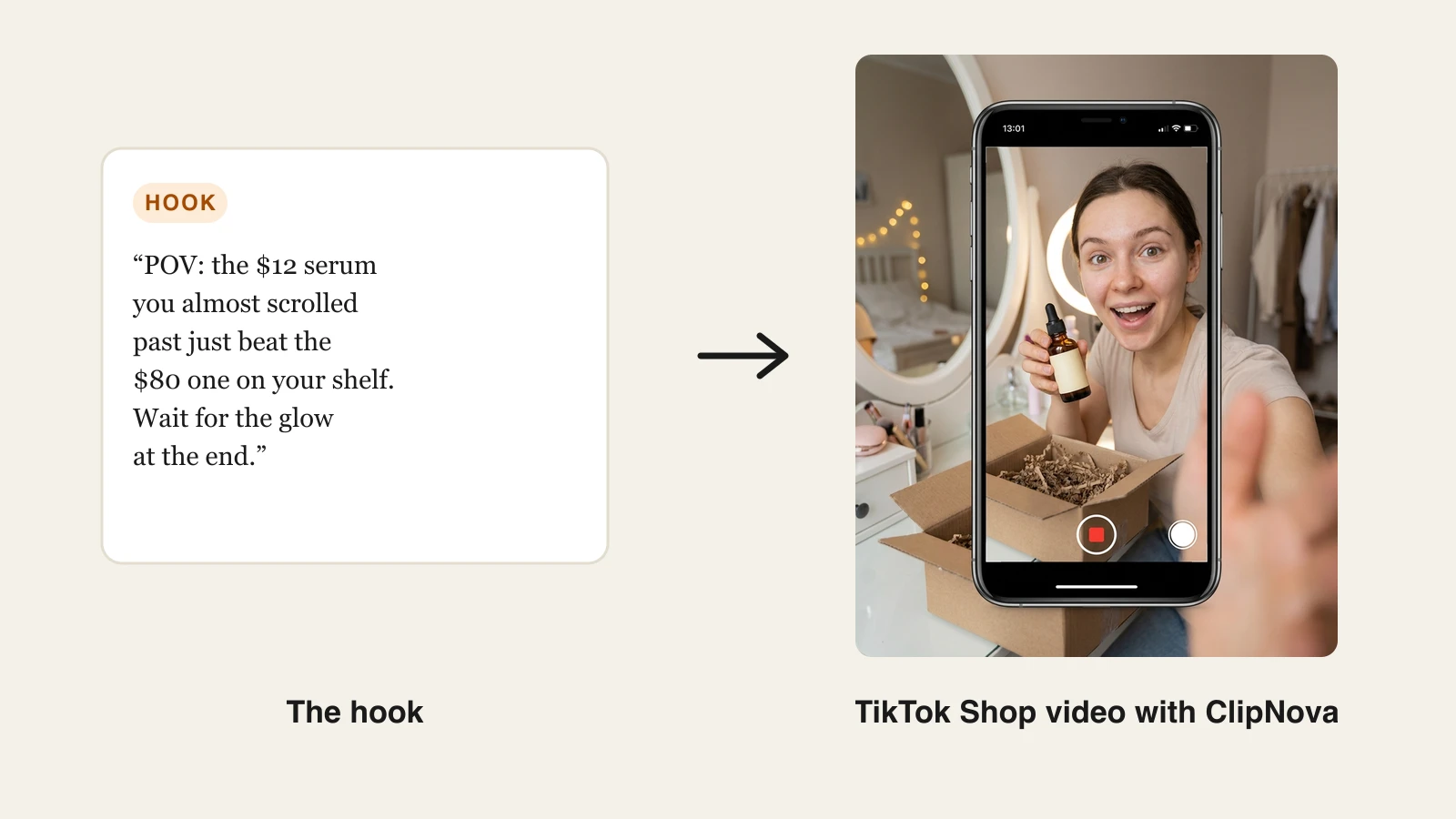
For TikTok Shop sellers the same engine runs the other direction. Give it a product photo and its AI UGC video generator produces the creator-review format the shop feed actually rewards: a person holding your product and talking to camera, not a catalogue still on a turntable. Our guide to TikTok Shop UGC with AI covers the hook scripts and disclosure rules for that workflow in detail. Musicians promoting a release can start from audio instead: upload the song and the AI Music Video Generator cuts vertical visuals to its beat, ready for a TikTok sound launch.
Key features
- One prompt, link, or script to a finished 9:16 TikTok: script, voiceover, captions, and music in one generation
- Sora 2, Veo 3.1, Kling 3.0, Seedance 2.5, Flux-3, Vidu, and Pixverse on a single subscription
- Auto captions on every plan, burned in and synced to the voiceover
- AI UGC video from a product photo or link for TikTok Shop and affiliate content
- Narration in 18 languages for localized accounts
- Watermark-free 1080p with full commercial rights on every plan
Best for
- Accounts posting daily or near-daily without a camera, a studio, or an editor
- Faceless niches (facts, stories, finance, travel, history) built on narrated visuals
- TikTok Shop sellers and affiliates who need a volume of product videos, not one hero film
- Creators repurposing one idea across TikTok, Reels, and Shorts
Pricing
- Hobby $39/mo (1,000 credits); Starter $49/mo (2,600), Growth $99/mo (5,750), and Ultra $199/mo (12,000) add volume
- Every plan carries the identical feature set and differs only in monthly credits; yearly billing is about 20% off (see ClipNova's plans)
Pros
- The only tool here that returns a complete, publishable TikTok rather than a piece of one
- Watermark-free export and full commercial rights start on the $39 entry plan, not a top tier
- Every major video model on one bill, so you are not stuck with a single model's weaknesses
Cons
- Credits are spent per generation, so a true daily cadence points at Starter or Growth rather than Hobby
- Built for generating short-form video, not for editing hours of footage you already filmed
2. CapCut, best editor for TikTok natives
CapCut is made by ByteDance, TikTok's parent, and it shows: trending sounds, trending templates, and auto captions land there first. For a huge number of creators it is simply the default. An AI video generator is built in too, running Seedance models from a text prompt.
Two things are worth knowing before you build a business on it. First, CapCut does not publish a real pricing page. Its own comparison article lists Pro at $19.99/mo or $179.99/year and warns that prices vary by region, device, and promotion. Second, and more important, CapCut's standard material licence covers "personal and non-commercial purposes" only, and its sound library is explicitly non-commercial unless you have cleared the rights separately. For a brand account or a TikTok Shop seller, that is a real limitation rather than a technicality.
Key features
- Mobile, desktop, and browser editor with auto captions
- TikTok templates and trending sounds surfaced before anywhere else
- Built-in AI video generator running Seedance models from a text prompt
- Background remover, motion tracking, and noise reduction on Pro
- Direct export to TikTok at the right aspect ratio
Best for
- Creators editing their own footage who want the TikTok-native toolset
- Jumping on template and sound trends the day they break
Pricing
- Exports on manual edits are clean unless you use a template or asset that carries a watermark
- Pro $19.99/mo or $179.99/year per CapCut's own comparison page, which warns that prices vary by region, device, and promotion
- A cheaper Standard tier around $9.99/mo is widely reported but is not published by CapCut anywhere
- Team plans start around $24.99/mo
Pros
- The fastest route onto a TikTok trend
- Familiar to every editor you would ever hire
Cons
- Commercial use is not covered by the standard material licence, and library sounds are non-commercial by default
- No published pricing page, so what you actually pay depends on region and promotion
- It is an editor first: it assembles what you feed it rather than making a video from an idea
3. InVideo AI, best prompt-to-video with a stock library
InVideo AI is the closest competitor to prompt-to-video for TikTok. Describe the video and it drafts a script, assembles scenes from its template and stock library, and adds a voiceover you can edit scene by scene. Its 2026 pitch is model access: paid plans bundle Veo 3.1, Sora 2, Kling, Wan, Pixverse, Hailuo, and Seedance inside the same editor. If the stock-first look is the sticking point, our InVideo alternative breakdown walks through the differences.
Key features
- Prompt-to-video with editable script, scenes, and voiceover
- Bundled generative models including Veo 3.1, Sora 2, Kling, and Seedance
- Large template library plus stock footage for scenes the models do not need to make
- Per-seat plans with credits that reset monthly and do not roll over
- Watermark-free export on paid plans
Best for
- Creators who want prompt-to-video but also want to rearrange the scenes afterwards
- Niches that suit stock footage: news recaps, business explainers, listicles
Pricing
- Basic $9 per seat/mo billed annually, with 190 credits a month
- Pro $30/mo, or $25 per seat/mo billed annually, with 1,000 credits
- Ultra $80/mo, or $60 per seat/mo billed annually, with 3,000 credits
Pros
- Real editing control after generation, which prompt-only tools do not give you
- Genuine generative footage from named frontier models, not just stock
Cons
- Undirected output leans on stock and templates, and generic is exactly what the For You page filters out
- Credit math takes work, and unused monthly credits expire
- InVideo restructured its plans in 2026, so most comparison articles you will find quote obsolete tiers
4. OpusClip, best for turning long videos into TikToks
OpusClip starts from footage you already have. Give it a podcast, a stream, or a YouTube link and it finds the strongest moments, reframes them to 9:16 with the speaker kept centred, adds animated captions, and scores each clip's viral potential. For anyone already recording long-form, it is the cheapest TikTok pipeline that exists, because the content is already paid for. We cover the category in our guide to the best AI clip generators.
Key features
- AI clipping that detects hooks and highlights inside long video
- Automatic 9:16 reframing with speaker tracking
- Animated caption templates with keyword highlighting
- Virality scoring to rank which clips to post first
- Scheduling and direct publishing to TikTok
Best for
- Podcasters, streamers, and interview channels feeding a TikTok account from long-form
- Anyone with a back catalogue of recordings sitting unused
Pricing
- Starter $15/mo with 150 processing minutes and watermark-free export
- Pro $29/mo with 300 processing minutes a month, or 3,600 granted upfront on annual billing
- Business is custom-priced; one processing minute equals one minute of uploaded source video
Pros
- The most accurate auto-clipping for spoken content in this list
- One recording session becomes a fortnight of TikToks
Cons
- It generates nothing: no source footage, no clips
- Minutes are metered against your uploads, so long raw recordings burn the allowance fast
- Annual pricing is not published on the pricing page
5. Creatify, best for TikTok ads and AI creators
Creatify is built for paid social rather than organic posting. It generates ad creative with AI UGC actors, 300 of them on the entry plan and 1,500 plus three custom avatars on Pro, and wraps that in an ad-specific workflow: templates, a competitor ad tracker, ad cloning, and brand spaces for teams running several accounts. If your videos end up in TikTok Ads Manager, it is built for your job in a way general video tools are not. For the wider category, see our roundup of the best AI UGC ad generators.
Key features
- AI UGC actors delivering your script to camera in ad format
- 200 to 500+ ad templates across 75+ languages
- Competitor ad tracker and ad clone for iterating on creative that already works
- Parallel generation (up to five at once) and brand spaces on Pro
- White label and API on Enterprise
Best for
- Performance marketers testing many creative variants against TikTok Ads
- Agencies producing ad creative for several brands at once
Pricing
- Starter $39/mo with 100 credits and watermark removal
- Pro $99/mo with 300 credits, custom avatars, parallel generation, and the ad tools
- Enterprise is custom; annual billing is advertised at up to 50% off, but Creatify does not publish the annual figures
Pros
- The ad-specific tooling, competitor tracking and ad cloning, has no equivalent in general video tools
- The avatar library is deep enough to keep testing fresh faces for months
Cons
- Watermark removal starts at $39/mo, twice ClipNova's entry price, and only for ad-shaped output
- Credits go fast: a high-quality avatar ad can cost around 20 of them
- Not built for organic, story-driven TikToks
6. HeyGen, best talking-avatar TikToks
HeyGen puts a presenter in your TikToks without a camera. Pick or build a realistic avatar, paste the script, and it delivers a lip-synced talking video. Its translation tools then re-voice the same video into dozens of languages with matched lip movement, which is the cleanest way to run one spokesperson account in several markets. For explainer, finance, or product niches where a face builds trust, it is the strongest avatar option here.
Key features
- Realistic AI avatars, including a custom avatar of yourself
- Script-to-video with lip-synced speech
- Video translation that preserves voice and lip sync
- 9:16 output sized for TikTok and Reels
- 4K export from the Pro tier
Best for
- Faceless creators who still want a person on screen
- Localizing one spokesperson video into many languages
Pricing
- Creator $29/mo, or $24/mo billed annually ($288/year), with 600 credits, watermark removal, and 1080p export
- Pro $49/mo, or $41/mo billed annually ($488/year), with 1,000 credits and 4K export
- Business $149/mo with 1,500 credits plus $20 per seat; Enterprise is custom
Pros
- The most natural avatar quality and lip sync in this lineup
- Translation with lip sync is genuinely unique for scaling one video globally
Cons
- Avatar generation is credit-metered, so monthly output on Creator is limited
- Avatar-first by design: b-roll, caption styling, and non-presenter formats are secondary
- 4K needs the $49 Pro tier
7. Submagic, best captions and finishing for clips you have
Submagic does the last mile that makes a raw clip look like a TikTok: trend-styled animated captions, auto zooms on emphasis, cleaned-up audio, and b-roll dropped in where the script calls for it. Upload a talking clip and it comes back looking like it was cut by someone who posts for a living. It does not generate the video, but for creators who film themselves it removes the most tedious hour of the process. Our AI caption generator roundup compares it against the rest of that category, and ClipNova's own subtitle generator covers the same job on videos you generated there.
Key features
- Trend-styled animated captions with keyword emphasis
- Auto zooms, clean audio, and automatic b-roll insertion
- Stock b-roll and audio (Storyblocks from the Pro tier)
- No watermark on any paid plan
- 4K and 60 FPS export on Business
Best for
- Creators who film talking-head clips and want them styled fast
- Editors standardizing caption looks across a posting schedule
Pricing
- Starter $19/mo, or $12/mo billed yearly: 45 credits (about 15 videos), 2-minute maximum, 1080p
- Pro $39/mo, or $23/mo billed yearly: 120 credits (about 40 videos), 5-minute maximum
- Business $69/mo, or $41/mo billed yearly: 300 credits (about 100 videos), 30-minute maximum, 4K and 60 FPS
Pros
- Caption styling is the closest to what actually trends on TikTok right now
- Clear, honest per-video pricing: credits map to a stated number of videos
Cons
- Finishing tool only: bring your own footage and script
- The 2-minute cap on Starter rules out longer formats
- Stacking it on a generator means paying two subscriptions for one video
8. Pika, best budget generative clips for b-roll
Pika is the cheapest way to put genuine generative footage into a TikTok. It turns prompts and images into short stylized clips and effect shots, and its effect templates are built for exactly the surreal transformations that get shared. Treat it as a clip generator rather than a TikTok maker: you bring the script, the voice, and the captions, or you drop Pika clips into a tool that supplies them.
Key features
- Text-to-video and image-to-video clip generation
- Effect templates for viral-style transformations
- Credit-based generation across all its models
- No watermark on any tier
- Fast iteration for testing visual hooks cheaply
Best for
- Creators adding a few seconds of generative spectacle to an otherwise ordinary edit
- Meme and effect-driven clips where speed beats polish
Pricing
- Starter $10/mo, or $8/mo billed annually, with 900 credits, still without commercial rights
- Creator $35/mo, or $28/mo billed annually, with 3,150 credits and commercial use included
- Fancy $95/mo, or $76/mo billed annually, with 8,550 credits
Pros
- The lowest paid entry price of any tool here, with no watermark on any tier
- Effects produce shots no stock library has
Cons
- Commercial use requires the $35 Creator tier, which matters the moment you sell anything
- Raw clips only: no script, voiceover, captions, or assembly
- Credits disappear quickly at higher resolutions
TikTok's rules for AI videos in 2026
Before you scale any tiktok ai video generator workflow, know the rules you are scaling into.
You must label realistic AI content. TikTok's policy requires creators to label AI-generated content that contains realistic images, audio, or video, using the AI-generated label in the post flow or an equivalent disclosure such as a sticker or caption. TikTok also automatically labels AI content that arrives carrying C2PA Content Credentials, so material generated on another platform can be labelled whether or not you flag it. Obviously stylized or animated content does not need the label; realism that a viewer could mistake for a recording does.
Monetization is possible, and the bar is specific. The Creator Rewards Program requires at least 10,000 authentic followers and at least 100,000 authentic video views in the 30 days before you apply, plus a Personal account in good standing and a creator aged 18 or over. It runs in eight countries, and the follower bar is higher in Japan and South Korea, where it is 50,000. Per video, only original content of at least one minute that clears 1,000 For You views can earn. That is worth planning for: if monetization is the goal, your AI workflow needs to produce a minute of watchable content, not fifteen seconds of it.
Originality is the line that gets accounts hurt. TikTok's Originality Policy is explicit about the consequences: unoriginal content "may be removed from the For You feed, making it harder to discover", and it is "ineligible for TikTok's monetization programs like the Creator Rewards Program", which uses originality as a metric in its rewards formula. The policy names content repurposed with only subtitles or basic text added, and clips merely spliced together, as examples. Note what is not on that list: making a video with AI. The gates are originality and quality, never the tool. AI-assisted videos are fine; two hundred near-identical videos from one template with the words swapped are the thing that gets throttled, on TikTok exactly as on YouTube. TikTok said in July 2026 that it is testing better detection of accounts dedicated to posting AI-generated spam, specifically in politics and current events, financial advice, and medical content. The practical test is whether a viewer would notice your videos are the same video.
Length is not the constraint people think it is. TikTok's own help centre puts the ceiling at 10 minutes for video recorded in the app and 60 minutes for video uploaded to it, so nothing about the format forces you into fifteen-second clips any more. What shapes length in practice is watch-through rate at the short end and the one-minute earning floor at the long end.
TikTok Shop is stricter than the main feed. If you sell, TikTok Shop's AI content policy requires disclosure of significant AI use and bans exaggerated product effects, fabricated professional personas, and misleading product representation, with penalties running from warnings to disabled withdrawals. Generating a creator who says true things about your product is allowed; generating a "dermatologist" who endorses it is not.
What this means for tool choice. Use AI to remove production labour, not authorship. Write or heavily edit your own hooks, vary formats between videos, and label realistic synthetic media. A tool like ClipNova removes the editing, voicing, and captioning work while leaving the angle and the script to you, which is the side of the line healthy accounts sit on.
How to choose the best AI video generator for TikTok
1) Do you start from an idea, from footage, or from a product?
- From an idea: ClipNova generates the whole video from a prompt; InVideo AI does the same with a stock-and-template look.
- From long footage: OpusClip exists for exactly this, and it is the fastest way to turn one recording into a week of posts.
- From a product: Creatify and ClipNova both build UGC-style videos from a product link or photo. ClipNova keeps that on the same subscription as the rest of your content.
- From your own phone clips: CapCut and Submagic do the cutting, captioning, and cleanup.
2) Faceless, AI presenter, or on camera?
- Fully faceless: ClipNova narrates over generated visuals with no face needed. Our roundup of the best faceless AI video generators goes deeper on that workflow.
- AI presenter: HeyGen for polished spokesperson delivery, Creatify for scrappier ad-style creators, or ClipNova's talking avatars if you want it in the same tool as everything else.
- On camera: film yourself, then let CapCut or Submagic handle captions and cuts.
3) What does a month of daily TikToks actually cost?
Do the per-video maths before you subscribe, because entry prices and finished-video prices are different numbers. Pika's $10 entry looks cheapest until commercial use pushes you to $35, and it still only makes clips. Submagic's $19 Starter covers about 15 videos, which is half a month. CapCut only edits what you already have, and its standard licence does not cover commercial use. ClipNova's $39 Hobby plan carries watermark-free export and full commercial rights from the first dollar, and $49 Starter covers a genuine daily cadence, whole videos rather than pieces of them.
4) Who owns the output, and will the account survive it?
- Rights: check whether commercial use and watermark removal sit on your tier or two tiers up. ClipNova includes both on every plan; Pika gates commercial use to $35, Creatify gates watermark removal to $39, and CapCut's standard licence does not cover commercial use at all.
- Account safety: label realistic AI content, keep a human writing the hooks, and vary your formats. Every tool in this list can produce something that gets deprioritized if you run it on autopilot.
Whichever way you lean, run the same three ideas through two finalists and post them as real TikToks for a week. Watch-through rate from your own account, in your own niche, beats any comparison table, this one included.
Frequently asked
What is the best AI video generator for TikTok?
ClipNova. It is the only tool in this comparison that turns a one-line idea into a publish-ready 9:16 TikTok with the script, voiceover, burned-in captions, and music done in one generation, watermark-free and with full commercial rights from the $39/mo plan.
Can you use AI-generated videos on TikTok?
Yes. TikTok allows AI-generated and AI-assisted content, and it has built its own AI tools into the platform. The conditions are that you label AI content containing realistic images, audio, or video, that the content is original rather than mass-produced from a template, and that anything tied to a product follows TikTok Shop's stricter rules on truthful claims and disclosure.
Do I have to label AI content on TikTok?
You have to label AI-generated content that contains realistic images, audio, or video, using the AI-generated label in the post flow or an equivalent disclosure such as a sticker or on-screen caption. TikTok also auto-labels content that arrives carrying C2PA Content Credentials, so videos made elsewhere can be labelled whether or not you flag them. Obviously stylized or animated content does not need the label.
Can AI-generated TikToks be monetized?
Yes. No TikTok policy bars AI-generated content from monetization; the Creator Rewards Program keys on originality and quality, not on whether AI was involved. The account bar is at least 10,000 authentic followers, at least 100,000 authentic video views in the 30 days before you apply, a Personal account in good standing, and a creator aged 18 or over. Per video, only original content of at least one minute that reaches 1,000 For You views can earn, so plan your AI workflow around minute-plus videos rather than fifteen-second clips.
What is the cheapest AI video generator for TikTok?
Pika's $10/mo Starter plan is the cheapest paid entry, but it produces raw clips only and commercial use requires its $35 Creator tier. CapCut's editor is licensed for personal, non-commercial use only under its standard terms. For complete TikToks with script, voiceover, captions, and commercial rights included, ClipNova's $39/mo Hobby plan is the pick, and Submagic's $12/mo annual Starter is cheapest if you only need captions on footage you already have.
How long should a TikTok be in 2026?
TikTok's own limits are generous: up to 10 minutes for video recorded in the app and up to 60 minutes for video uploaded to it. In practice most high-performing TikToks still run between 20 and 40 seconds, because watch-through rate is what the For You page optimizes for. The exception is monetization: only videos of at least one minute can earn in the Creator Rewards Program, so accounts chasing payouts deliberately build minute-plus formats such as stories, explainers, and multi-part lists.
How many TikToks should I post per week?
Most growing accounts post between five and fourteen times a week, and the algorithm's willingness to test every new video on a fresh audience is exactly why volume compounds. That cadence is the real argument for end-to-end generation: when a finished video takes minutes instead of an evening, posting daily stops depending on willpower and starts depending on your idea list.