Image generation used to be a single subscription. Now it is a stack. You pay one tool for clean typography, another for photoreal portraits, a third for vector logos, and a fourth to upscale any of it for print. Add commercial rights and watermark removal, and a "cheap" hobby suddenly costs $60 or more every month. That is why the search for the most affordable AI image generator keeps climbing: budget buyers do not just want a low sticker price, they want the lowest true cost per usable, sellable image.
This guide ranks eight of the most affordable AI image generators for 2026. For each one you get the real entry price, the plan limits that matter, and a clear "best for" so you can match a tool to your work. We flag the watermark and commercial-rights gotchas that quietly inflate the true price. We lead with the option that saves budget creators the most money by covering many premium models in one subscription, then work through the strongest cheap alternatives.
Most affordable AI image generators: a brief overview
- ClipNova best overall for affordable all-in-one image generation: every top image model (Nano Banana Pro, FLUX, Seedream, Ideogram, GPT Image) plus an image studio, in one subscription
- Design.com best budget option for branded marketing visuals, with an AI Design Plan from $3/mo
- Ideogram best cheap generator for text and typography inside images
- Leonardo AI best for high-volume game art and concept assets
- Adobe Firefly best low-cost pick for commercially safe, indemnified images
- Recraft best affordable choice for vectors, icons, and brand-consistent design
- Canva best budget all-in-one for images inside a full design workflow
- Midjourney best value on pure image quality
The prices below are the commercial-ready plan for each tool, the cheapest tier that gives you full commercial rights, watermark-free output, and usable resolution, not a limited personal-use tier. Compared that way, ClipNova is the lowest-cost route to multi-model, commercial-ready images, and the single-purpose tools that look cheaper only cover one style of output.
| Tool | Best for | Commercial-ready plan | Full commercial rights |
|---|---|---|---|
| ClipNova | All top image models (FLUX, Seedream…) + studio + video | From $19/mo | Yes, from $19, watermark-free |
| Design.com | Branded marketing visuals in one workflow | AI Design Plan $3/mo | Yes |
| Ideogram | Text and typography in images | From $8/mo | Paid plans only |
| Leonardo AI | Game art and concept assets | From $12/mo | Paid plans only |
| Adobe Firefly | Commercially safe images | From $9.99/mo | Yes, indemnified |
| Recraft | Vectors, icons, brand design | From $10/mo | Paid plans only |
| Canva | Images in a design workflow | ~$15/mo (Pro) | Pro plan only |
| Midjourney | Highest image quality | From $10/mo | Yes on all plans |
1. ClipNova, best overall for affordable all-in-one image generation
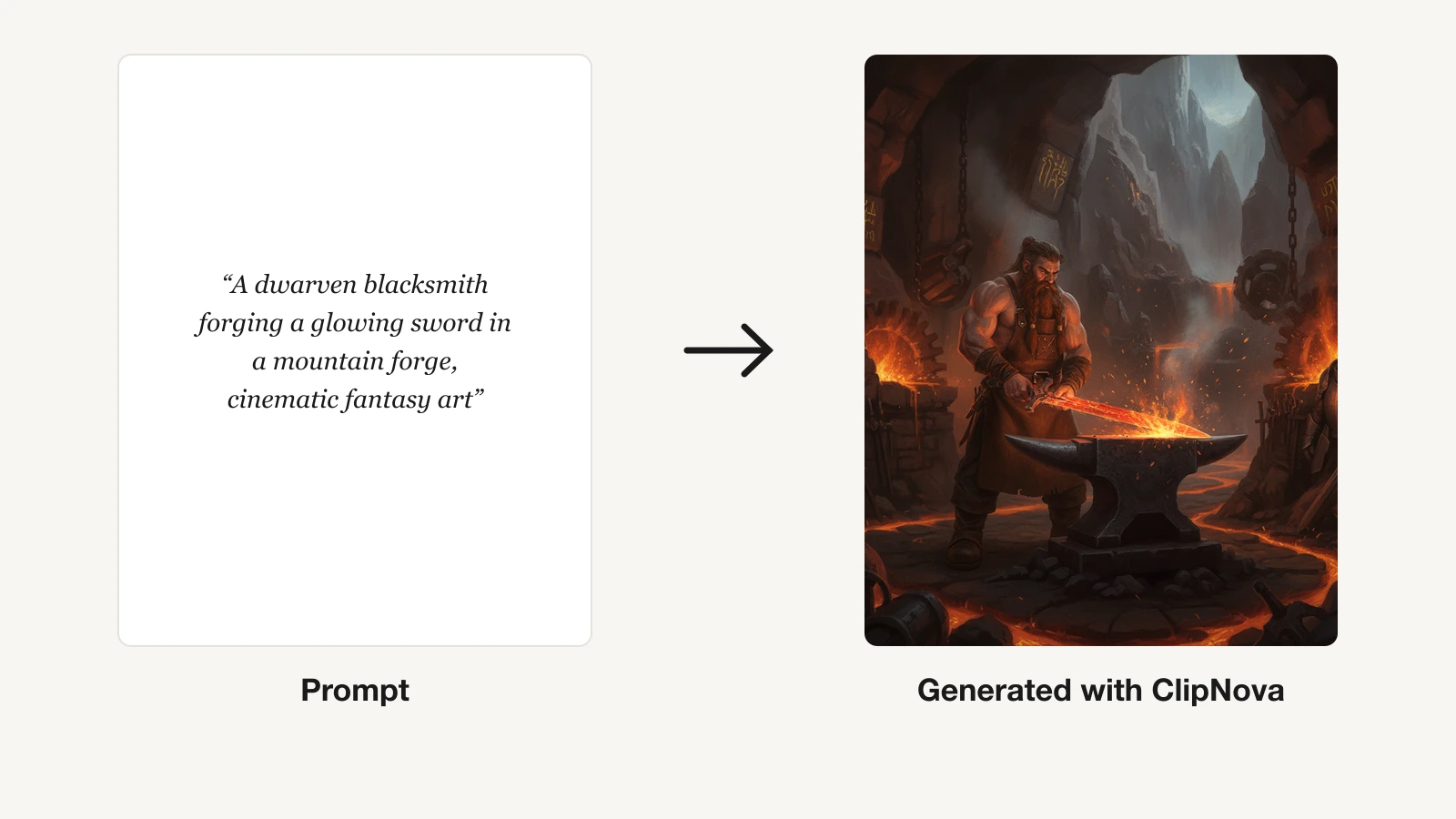
ClipNova solves the stacking problem that makes AI images expensive. Instead of paying separate subscriptions for a typography tool, a photoreal tool, and a design tool, you get one credit-based subscription that routes to many premium image models from a single hub. Through the AI image generator at its model hub, you can generate with Nano Banana Pro, FLUX, Seedream, GPT Image, and Ideogram, then run practical image tools like upscale, background removal, and cartoonize in the same place. For a budget buyer that consolidation is the whole point: you are buying access to several top models for the price of one plan.
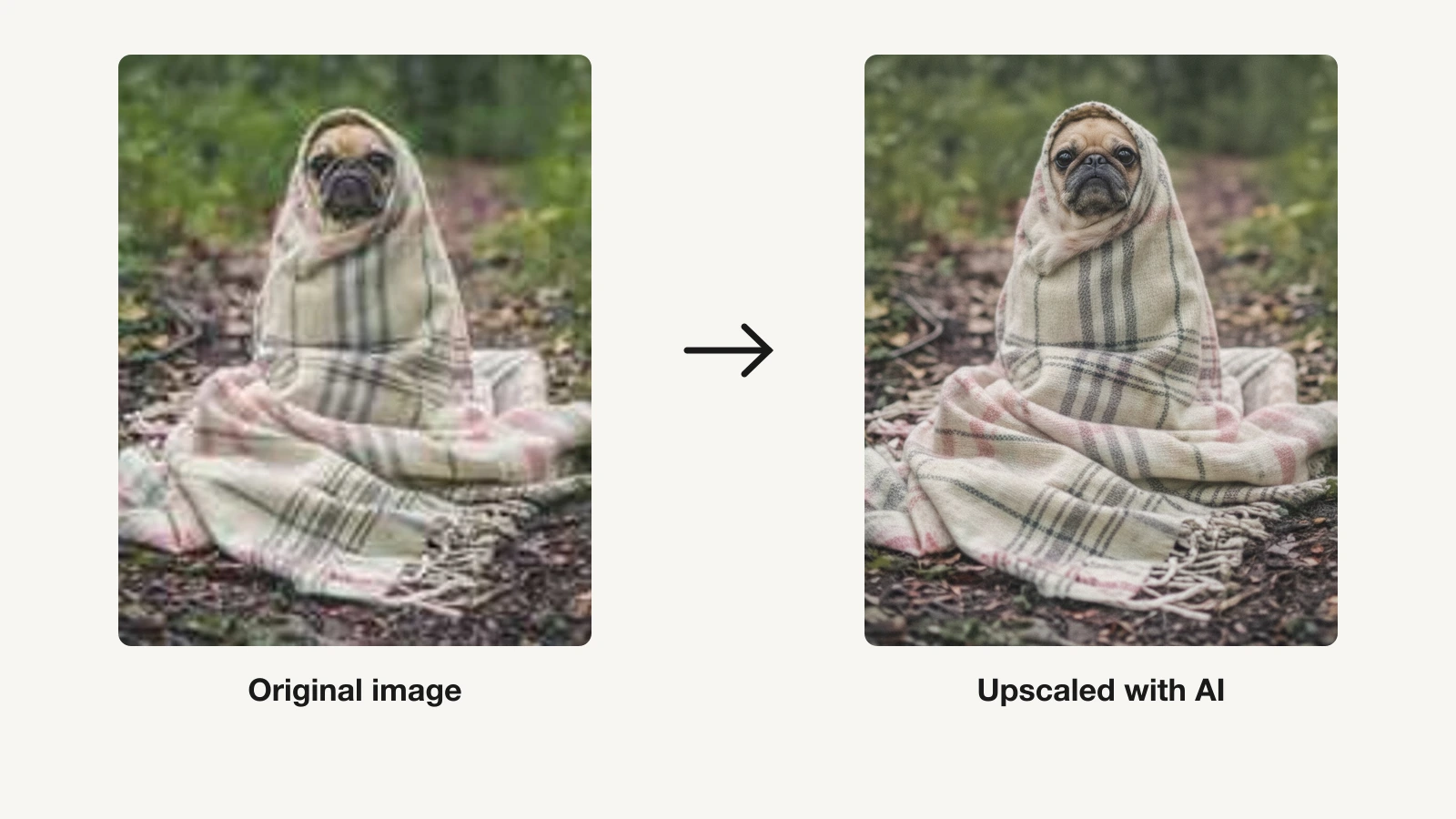
Pricing starts at $19 per month on the Hobby plan, and one Hobby month is enough to test the models before you commit. Every paid tier ships the full feature set. You are not paying more to unlock commercial rights or watermark-free output, you are only buying more monthly credits as you scale. The same subscription also covers AI video, so a creator who needs both stills and clips does not run two bills. When you need a print-ready result, the built-in AI image upscaler sharpens and enlarges without a separate tool.
Key features
- One hub for multiple premium models: Nano Banana Pro, FLUX, Seedream, GPT Image, and Ideogram
- Image tools built in: upscale, background removal, and cartoonize
- Credit-based, so credits flow to whichever model fits the job
- Watermark-free exports on every plan
- Full commercial rights included on every tier
- AI video generation in the same subscription
Best for
- Creators and marketers who want many premium models without stacking subscriptions
- Anyone who needs both AI images and AI video in one place
- Budget buyers who want full commercial rights on the cheapest plan
Pricing
- Hobby $19/mo, Starter $49/mo, Growth $99/mo, Ultra $199/mo, each with the full feature set
- Higher tiers add monthly credits rather than features, with about 20% off annual billing on the ClipNova pricing page
Pros
- Access to several premium models for the price of one subscription
- Same features on the cheapest plan as the most expensive
- Watermark-free output and full commercial rights from the $19 tier
Cons
- Image generation sits inside a broader video-first platform, not a dedicated image-only studio like Midjourney
- Credit-based, so very high image volume will consume credits faster
2. Design.com, best budget option for branded marketing visuals
Design.com occupies a lane no other tool on this list fills: a low-cost AI image generator that connects directly to a complete branded marketing workflow. You describe your visual in plain language, the generator returns multiple polished options in seconds, and your image drops straight into Design.com's template library with your brand colors, fonts, and logo already applied.
Where every other tool on this list hands you a file and steps back, Design.com takes you from prompt to finished flyer, social media post, or website banner, all within one platform. For a small business owner or marketer who needs visuals that are ready to publish rather than ready to lay out, that connected workflow removes a step that no other generator here addresses. The platform supports realistic scenes, product concepts, illustrations, backgrounds, and editorial visuals, covering most marketing use cases for a few dollars a month.
Key features
- Generated images connect directly to 650,000+ branded templates
- Brand colors, fonts, and logo apply automatically across every asset
- Supports social media, flyers, banners, presentations, and more
- Part of a broader suite of 50+ design tools in one platform
Best for
- Small business owners who need visuals ready to publish, not just to download
- Marketers who want image generation and design layout in one place
- Budget users who want a low-cost plan with real marketing utility
Pricing
- AI Design Plan at $3/month billed annually, includes 50 AI-generated images per month, AI image editor, 50+ design tools, and 651,000+ templates
- AI Design Plan + Website at $5/month billed annually adds a full website builder
Pros
- The lowest entry price on this list, at $3/month billed annually
- The only tool on this list that connects image generation to a full branded marketing workflow
- Brand syncing means every generated image is instantly on-brand across all assets
Cons
- Browser-based only, with no desktop or mobile app
3. Ideogram, best cheap generator for text in images
Ideogram earns its place on any budget list because it does the one thing most cheap generators fail at: legible text inside the image. If you make posters, logos, memes, quote cards, or thumbnails where the words have to be spelled correctly, Ideogram is the affordable specialist.
Paid plans start low, around $8 per month for the Basic tier with priority credits and private generation, with a Plus tier commonly listed near $15 per month billed annually. Watch the credit math: a single high-quality generation on the newest model can cost several credits, while faster turbo modes stretch the same credits across more images.
Key features
- Best-in-class text rendering inside images
- Styles, remix, and character reference
- Turbo and quality modes to trade speed against credits
- Private generation on paid plans
- Prompt magic to expand short prompts
Best for
- Designers making posters, logos, and typographic graphics
- Social creators who need accurate on-image text
Pricing
- Basic around $8/mo, Plus around $15/mo billed annually
- Priority credits expire monthly, so unused credits are lost
Pros
- Unmatched text accuracy at a low price
- Full commercial rights on paid plans
Cons
- Credits reset monthly with no rollover
- Less photoreal than some rivals on portraits
4. Leonardo AI, best for high-volume game art and concept assets
Leonardo AI is the pick for people who generate a lot. Its fine-tuned models and large monthly credit allowance make Leonardo a favorite for game artists, illustrators, and concept designers iterating on many variations.
The Apprentice plan is about $12 per month, or roughly $10 billed annually, and includes around 8,500 monthly credits plus faster queues. A standard image on the default XL model costs a handful of credits, so the paid tier translates to well over a thousand images a month.
Key features
- Fine-tuned models for game art, illustration, and concept work
- Image guidance, canvas editing, and upscaling
- Custom model training on paid tiers
- Around 8,500 monthly credits on Apprentice
Best for
- Game artists and illustrators iterating on many variations
- High-volume hobbyists who need over a thousand images a month
- Concept designers who need style control
Pricing
- Apprentice around $12/mo, or about $10/mo billed annually
- Higher tiers add credits and concurrency
Pros
- Well over a thousand images a month on the entry paid plan
- Strong style and model control for the price
- Full commercial rights on paid plans
Cons
- Token math takes time to learn
- Credits still run out fast at high resolution
- Interface is busier than beginner tools
5. Adobe Firefly, best low-cost pick for commercially safe images
Adobe Firefly matters to budget buyers for one specific reason: legal peace of mind. Firefly is trained on Adobe Stock and licensed or public-domain content, and Adobe offers enterprise indemnification, which means its output is designed to be commercially safe. For a freelancer or small business that cannot risk a rights dispute, that safety can be worth more than a slightly lower sticker price.
The entry plan is Firefly Standard at $9.99 per month with 2,000 monthly credits, and Pro sits at $19.99 with 4,000 credits. Because Firefly integrates with Photoshop and Express, the same credits power generative fill and expand, so the subscription stretches across editing tasks too.
Key features
- Trained on licensed and public-domain content for commercial safety
- Generative fill and expand across Adobe apps
- Text effects and template-driven design in Express
- Structure and style reference controls
Best for
- Freelancers and small businesses that need rights certainty
- Existing Adobe users who want AI inside Photoshop
- Marketers producing client-facing assets
Pricing
- Standard $9.99/mo with 2,000 credits, Pro $19.99/mo with 4,000 credits
- Credits are shared with Adobe generative features in other apps
Pros
- Commercially safe design with indemnification on business plans
- Deep integration with Photoshop and Express
- Low $9.99 entry point
Cons
- Aesthetic is more conservative than Midjourney
- Best value assumes you already use Adobe apps
6. Recraft, best affordable choice for vectors and brand design
Recraft is the budget answer to a problem raster generators cannot solve: true vector output. It generates scalable SVG icons, logos, and illustrations, and it keeps a consistent style across a set, which is exactly what a small brand needs. If your work is design systems, app icons, or printable graphics rather than photoreal scenes, Recraft delivers more usable output per dollar than a general image model.
Read the commercial terms carefully, because they are the real cost here. To sell your work you need the Basic plan at about $10 per month, which unlocks 1,000 credits, private generation, and full commercial rights.
Key features
- True vector, SVG output that scales cleanly
- Style consistency across icon and illustration sets
- Private generation and commercial rights on paid plans
- Raster and vector modes in one tool
Best for
- Designers building icon sets and logos
- Small brands that need a consistent visual style
- Anyone who needs scalable vector art on a budget
Pricing
- Basic around $10/mo with 1,000 credits and full commercial rights
- Advanced and Pro tiers add credits and vector export
Pros
- Rare affordable source of true vector output
- Strong style consistency for brand work
- Low $10 entry for commercial rights
Cons
- Less suited to photoreal generation
- Vector export volume is gated to higher tiers
7. Canva, best budget all-in-one for images in a workflow
Canva is the value pick when the image is only half the job and you also need to place it into a post, slide, or ad. Its Magic Media generator sits inside the full Canva design suite, so you can generate an image and drop it straight into a template without exporting to another app. For social managers and small teams, that saved step is the affordability story: one tool covers generation plus layout, text, and resizing.
Canva Pro runs about $15 to $18 per month depending on region, includes around 500 Magic Media generations a month alongside the template library, and adds background remover, brand kits, and 1 TB of storage. Commercial use is covered on Pro.
Key features
- Magic Media AI images inside the Canva editor
- Full design suite: templates, resizing, and brand kits
- Background remover and Magic tools on Pro
- Team collaboration and shared brand assets
Best for
- Social media managers who design and generate in one place
- Small teams that want images plus layout in a single tool
- Non-designers who want templates around their images
Pricing
- Pro around $15 to $18/mo with about 500 monthly generations
- Annual billing lowers the effective monthly cost
Pros
- Image generation plus a complete design workflow
- Commercial use covered on Pro
Cons
- AI image quality trails dedicated generators
- Best value only if you also use the design suite
8. Midjourney, best value on pure image quality
Midjourney remains the benchmark for aesthetic quality, and it belongs on a value list because the output can be so strong that one tool replaces several. If your priority is the most beautiful, stylistically coherent images per dollar, Midjourney at $10 per month delivers a level of polish that cheaper generators struggle to match. For artists and premium brands, that quality is the value.
The tradeoff is the credit model. The Basic plan is $10 per month, or about $8 per month billed annually, and provides roughly 3.3 hours of fast GPU time, which is a couple of hundred images before you slow down or buy more. Standard at $30 per month adds relaxed, effectively unlimited slow generations, which is where high-volume users find the real savings. Commercial rights are included on every paid plan.
Key features
- Leading aesthetic quality and style coherence
- Web app and Discord generation
- Style reference and character reference tools
- Relaxed unlimited mode on Standard and above
- Commercial rights on all paid plans
Best for
- Artists and brands that prioritize visual polish
- Users who want one high-quality tool over several cheap ones
- Higher-volume creators who value relaxed mode
Pricing
- Basic $10/mo, or about $8/mo billed annually
- Standard $30/mo adds relaxed unlimited generations
Pros
- Best-in-class image quality at a modest entry price
- Commercial rights on every plan
- Relaxed mode makes high volume affordable
Cons
- Fast GPU hours run out quickly on Basic
- Weaker at accurate in-image text than Ideogram
How to choose the most affordable AI image generator for your work
The cheapest tool on paper is rarely the cheapest tool in practice. Watermarks, missing commercial rights, and credit meters that empty fast can double your real cost. Use these three lenses to find the lowest true cost per usable image for your specific work.
1) Start with your budget: lowest entry price or one consolidated plan
If your budget is tight, start with the lowest entry price that still fits your output.
- If you want low-cost, on-brand marketing visuals: Design.com, with an AI Design Plan from $3/mo
- If you generate high volume: Leonardo AI, with around 8,500 monthly credits on the roughly $12 Apprentice plan
- If you need a design suite around your images: Canva Pro, with about 500 AI generations per month
- If you are ready for one paid plan but hate stacking tools: ClipNova from $19/mo gives you several premium models plus video in a single subscription
The math matters here. Stacking Ideogram at $8, Firefly at $9.99, and Recraft at $10 costs roughly $28 per month for three narrow tools. One ClipNova plan at $19 covers multiple premium models plus image tools and video, the cheaper route once you need more than one style of output.
2) Check commercial rights before the price, not after
A low price means nothing if you cannot legally sell the result. This is the most common budget trap.
- If you need rights certainty and indemnification: Adobe Firefly, trained on licensed content
- If you want full commercial rights on the cheapest paid plan: ClipNova includes them from the $19 tier
- If you generate vectors for clients: Recraft Basic at $10/mo, which unlocks full commercial rights and private generation
- If you need on-brand marketing assets for commercial use: Design.com, which allows commercial use on its AI Design Plan
3) Match the tool to the output, then count credits
The cheapest usable image comes from the tool built for your job, so pay for the right specialty rather than forcing a general model.
- If you need accurate text in images: Ideogram, where a turbo generation costs a fraction of a quality generation
- If you need scalable logos and icons: Recraft for true vector output
- If you need the highest aesthetic quality per dollar: Midjourney, using relaxed mode on Standard for high volume
- If you need many different looks without buying many tools: ClipNova, where credits flow to Nano Banana Pro, FLUX, Seedream, GPT Image, or Ideogram as the job demands
If your work spans several of these needs, a single consolidated subscription almost always beats a stack of narrow ones. If you specialize in one output type, the dedicated budget tool for that job wins. And if you produce stylized character art, our guide to the best AI art generators for fantasy characters goes deeper on the tools built for that niche.
Frequently asked
What is the most affordable AI image generator?
For a budget buyer, ClipNova is the most affordable because one subscription from $19 per month gives you many premium image models like Nano Banana Pro, FLUX, Seedream, GPT Image, and Ideogram, plus image tools and video, instead of paying for several tools separately. If you only ever need one narrow output type, a dedicated cheap tool like Ideogram at $8 or Adobe Firefly at $9.99 can be lower on sticker price. The cheapest tool overall depends on whether you need one style of image or many.
What is the cheapest AI image generator with commercial rights?
Adobe Firefly is the cheapest option built around commercial safety, at $9.99 per month with indemnification on business plans and training on licensed content. ClipNova includes full commercial rights on every plan starting at $19 per month. Ideogram and Recraft grant commercial rights on their paid tiers from around $8 to $10 per month. Check each plan's license before you sell images.
What is the cheapest AI image generator without a watermark?
ClipNova delivers watermark-free exports on its entry plan at $19 per month, and Midjourney, Ideogram, Adobe Firefly, and Recraft produce watermark-free output on their paid tiers from about $8 to $10 per month. Some lower-priced tiers add watermarks or restrict commercial use, so factor watermark removal into the true price rather than the headline number.
Is Midjourney worth it over cheaper options?
Midjourney has the strongest aesthetic quality, and at $10 per month it is not expensive. If you need the most polished art and one high-quality tool can replace several, Midjourney is worth it. If you need accurate in-image text, vectors, or many styles at once, cheaper specialists like Ideogram and Recraft, or a consolidated platform like ClipNova, deliver more usable output per dollar.
Can I sell AI images made with cheap tools?
Usually yes, but only if the plan includes commercial rights, and this is the most common budget trap. Paid tiers of ClipNova, Ideogram, Leonardo AI, Adobe Firefly, Recraft, Canva, and Midjourney allow commercial use. Design.com also allows commercial use on its AI Design Plan. Confirm the license before you publish paid or branded work.
How does ClipNova's price compare to other AI image tools?
ClipNova starts at $19 per month, which is higher than single-purpose tools like Ideogram at $8, Adobe Firefly at $9.99, or Midjourney at $10, but ClipNova is not a single model. That one plan covers several premium image models plus image tools and AI video, so it replaces a stack of narrow subscriptions that would together cost more. One Hobby month at $19 is enough to compare the value against your current tools.