Most AI video tools give you five to fifteen seconds of footage per prompt. That is one shot, not a YouTube video. To make long AI videos, you stop thinking in clips and start thinking in chapters: a plan for the whole runtime, a narration that carries it, scenes generated against that plan, and a final join into one file. This guide shows the whole process with one example, a 10-minute deep-sea documentary, and is honest about where one generation ends and assembly begins.
If you want the shortcut first: ClipNova's Long Form AI Video Generator builds up to 5 minutes of finished video (storyboard, scenes, voiceover, music, and captions) in a single render. Anything longer is made in chapters and joined, which is exactly what the steps below cover.
Why AI videos are short, and how long ones get made
Video models like Veo, Kling, and Seedance render one continuous shot at a time, usually 5 to 12 seconds. Asking one prompt for ten minutes does not work: the model has no story to follow and the picture drifts.
A long AI video is made the way a documentary is: a script first, cut into shots, each shot generated on its own and joined back in order, with one narrator voice and one caption style running across all of them. The work you used to do in an editor (planning shots, recording the voice, timing the captions) is what a long-form tool automates. Your job is the plan.
What "long" usually means on YouTube:
- 5 minutes: one render in ClipNova, enough for a focused explainer or a single story.
- 8 to 12 minutes: the most common length for documentaries, top-10 lists, and explainers. YouTube allows mid-roll ads on videos of 8 minutes or more.
- 20 minutes and up: deep dives and compilations. Same method, more chapters.
Step 1: pick a format that can hold ten minutes
Not every idea stretches. A 10-minute video needs a structure that gives the viewer a reason to stay for the next part. Formats that work well with AI visuals and narration:
- Documentary: a topic with natural sections, such as the deep ocean, a historical event, or how something is made.
- Explainer: a question with a layered answer ("why is the sky dark at night?"), told in three or four steps.
- Countdown list: top 10 mysteries, places, inventions. Every item is its own mini chapter.
- Story: a narrated fiction or true story in acts.
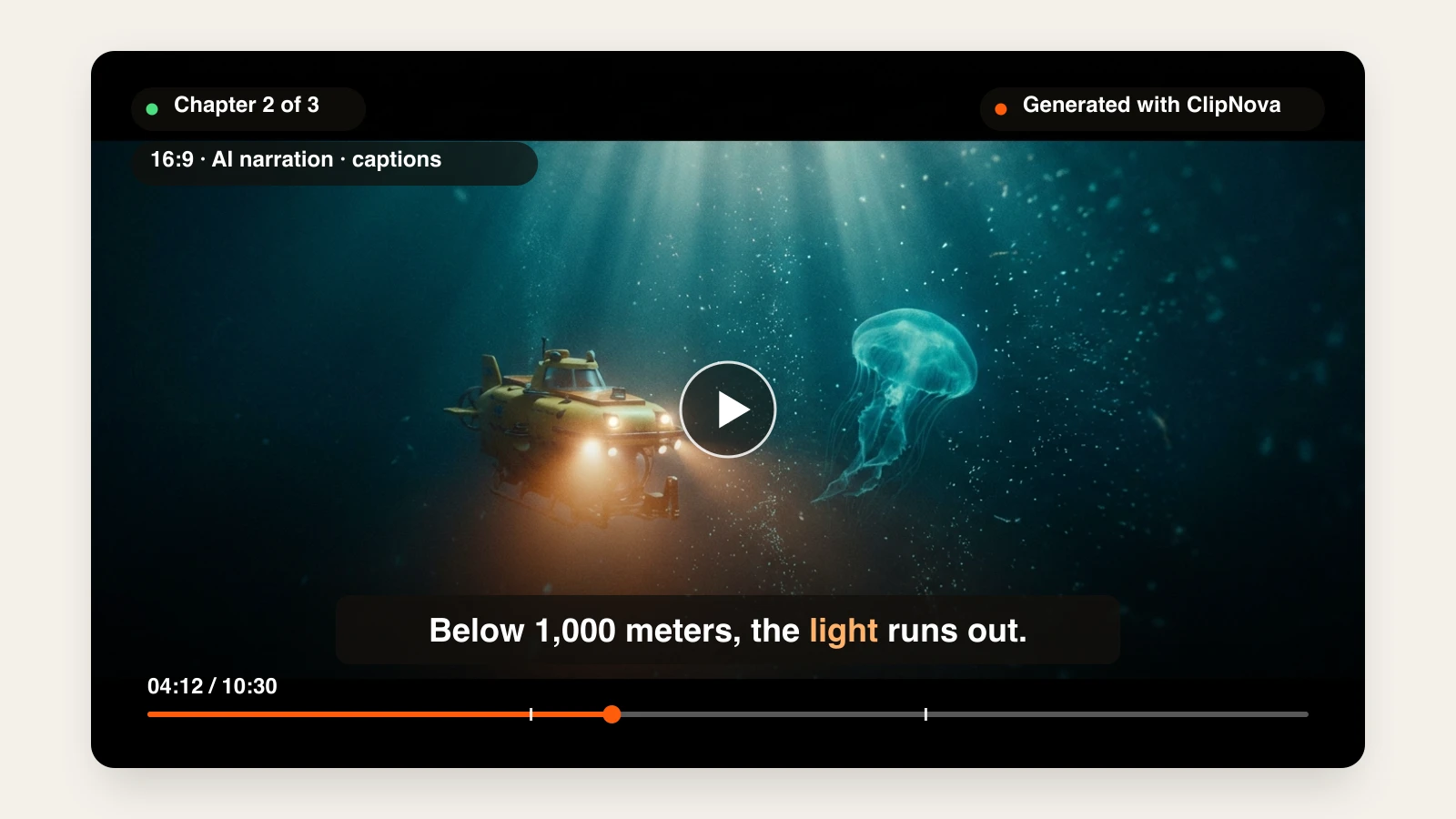
Our example is a documentary: what lives below the reach of sunlight in the ocean, in three chapters.
Step 2: write a chapter outline, not a full script
Narration runs at roughly 140 to 160 words a minute, so a 10-minute video is around 1,500 words of voiceover. You do not need to write those words. You need an outline that splits the runtime into chapters of 3 to 4 minutes, because each chapter will be one render (a render goes up to 5 minutes, and a little headroom keeps chapters easy to edit and upload):
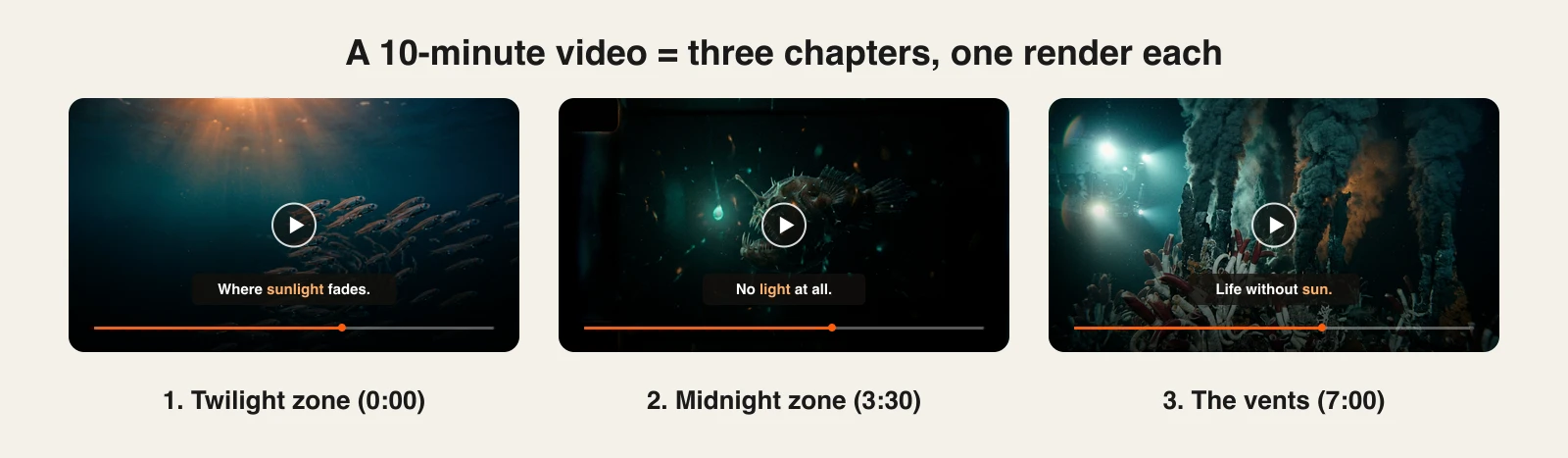
- The twilight zone (0:00 to 3:30): where sunlight fades, lanternfish, daily migration.
- The midnight zone (3:30 to 7:00): no light at all, anglerfish, bioluminescence.
- The vents (7:00 to 10:30): hydrothermal vents and life that runs without the sun.
For each chapter, write three or four bullet points: what it is about, the key facts, and how it ends. End every chapter on a line that pulls into the next one ("And below that, the light runs out completely"). Those lines are what keep viewers past the 3 and 7 minute marks.
Step 3: generate each chapter with ClipNova
ClipNova turns a chapter outline into a finished, narrated, captioned video of up to 5 minutes: it writes the storyboard, generates every scene with a consistent look, records the voiceover, adds music, and burns in word-synced captions.
- Sign in at app.clipnova.io. Plans start at $19/mo.
- Open AI Video Studio and choose Prompt to Video.
- Paste the outline of chapter 1. Add a line for tone and audience ("calm nature documentary, for curious adults").
- Choose the format Landscape (16:9 for YouTube), a style preset such as Cinematic, a narrator voice, and a caption style.
- Pick the media type. AI Video animates every shot; Moving AI Images turns AI images into slow camera moves and is priced per image instead of per second, which usually costs less for long chapters.
- Switch duration to Manual and set the chapter length, up to 300 seconds (5 minutes).
- Generate, watch it once, and repeat for chapters 2 and 3 with the same style, voice, and caption settings.
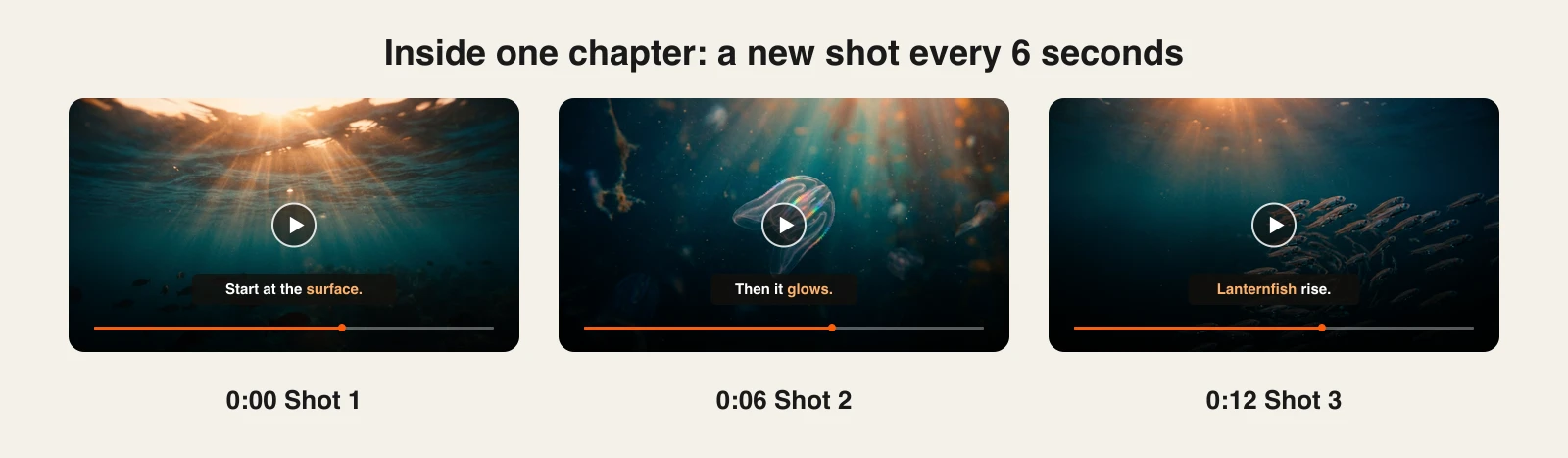
Behind the scenes, a long AI Video render plans the chapter as a storyboard and draws one start image per shot, then animates each shot for about 6 seconds. That is why a 3.5-minute chapter has dozens of shots instead of one stretched clip, and why every shot follows a line of the narration.
Keep chapters consistent. Same style preset, same voice, same caption style, every time. If the video has a recurring subject (a submersible, a narrator character, a place), describe it with the same words in every chapter outline, for example "a small yellow two person submersible with round portholes", so the storyboard draws it the same way each time. The Visual context card, which sets an opening frame, only appears for a single short AI Video shot; it is hidden for long builds and for Moving AI Images, so it is not part of a chapter render.
Step 4: fix scenes in the AI Editor before you join
Watch each chapter with the outline next to you. When one shot is wrong, you do not need to regenerate the whole chapter. Open the video in ClipNova's AI Editor (the Edit button on the video in your library) and:
- Trim, split, reorder, duplicate, or delete scenes on the timeline.
- Rewrite a narration line: the line is re-voiced and its scene resizes to fit the new length.
- Replace a shot with a new AI image or clip, or one you upload.
- Change the caption style, voice, or music for the whole chapter.
Each export is saved as a new version, so the original stays in your library.
Step 5: join the chapters into one 10-minute video
This is the step a single render does not do, so be clear about it: a 10-minute video is three or four ClipNova chapters played back to back in one file.
- In ClipNova's AI Editor: start a new project, upload each chapter (MP4, MOV, or WebM, up to 5 minutes and 50 MB per file), and place them in order on the timeline. A project holds up to 40 scenes, so a handful of chapters fits easily. Export one file.
- In your usual editor: if your chapter files are larger than 50 MB, put them on one timeline in the desktop editor you already use and export. No transitions needed: each chapter already ends on a line that leads into the next.
Either way, keep the audio levels the same across chapters (same voice and music settings in Step 3 takes care of this) and add a few seconds of a title card or a quiet shot between chapters if the jump feels abrupt.
Step 6: upload it like a long video, not a Short
A 10-minute video lives or dies on the first 30 seconds and on navigation:
- Chapters in the description: list timestamps starting at 00:00, with at least three chapters of 10 seconds or more. YouTube turns them into chapter markers on the progress bar, which is exactly how the outline from Step 2 was built.
- Hook in the first sentence: open with the most surprising fact of the whole video, not an introduction.
- Thumbnail: one subject, high contrast, three words or fewer. A frame from your strongest chapter works.
- Disclosure: YouTube asks creators to label realistic altered or synthetic content. If your AI visuals could be mistaken for real footage, tick the box.
- Sources: for documentaries and explainers, put sources in the description. It builds trust and keeps the channel clear of low-effort content.
For channels that plan to publish long videos every week, a dedicated AI YouTube Video Generator workflow and a batching routine like the one in our faceless YouTube automation guide save the most time.
How long does it take?
For a 10-minute documentary like the example:
- Outline: 20 to 30 minutes, the part that decides whether people watch to the end.
- Generation: three chapter renders, done in parallel with other work. AI Video renders take longer than Moving AI Images because every shot is animated.
- Review and fixes: 15 to 30 minutes in the AI Editor.
- Joining and upload: 15 minutes.
That is an afternoon for a video that would take a week to film and edit. Plans start at $19/mo, every feature and commercial rights included; only the monthly credits change between plans.
What goes wrong, and the fix
- One giant prompt for the whole video. You get a vague five minutes that repeats itself. Outline chapters and give each render its own focused brief.
- Chapters that look like different channels. Changing the style preset or voice between renders is the most common mistake. Write your settings down and reuse them.
- No pull between chapters. If chapter 1 ends flat, viewers leave at 3:30. End each chapter on a question or a cliffhanger line.
- Padding to hit 8 minutes. Viewers skip and YouTube notices. If the story is five minutes, publish five minutes.
- Facts the narrator made up. AI narration is fluent, not always correct. Check names, dates, and numbers in every chapter before you join them.
- Repetitive uploads. YouTube limits monetization for mass-produced, repetitive content. Original outlines, varied topics, and a consistent voice keep a long-form AI channel on the right side of that line. Our list of the best AI tools for faceless YouTube channels covers the rest of the stack.
Ready to make the first chapter? Start with the Long Form AI Video Generator: one outline in, up to 5 minutes of finished video out.
Frequently asked
How do I make long AI videos?
Write a chapter outline first, then generate each chapter as its own render with the same style, voice, and caption settings, and join the chapters into one file. ClipNova's Prompt to Video makes up to 5 minutes per render with the storyboard, scenes, voiceover, music, and captions included, so a 10-minute video is two to four chapters joined together.
Can AI make a 10 minute YouTube video?
Yes, but not in one prompt. Video models render shots of 5 to 12 seconds, and long-form tools like ClipNova assemble those shots into finished videos of up to 5 minutes. For 10 minutes or more, you generate the video in chapters and join them in ClipNova's AI Editor or your usual editor.
How long can a ClipNova video be?
Up to 5 minutes (300 seconds) per render, in 16:9, 9:16, or square. Longer videos are made in chapters with the same settings and joined into one file.
How do I keep long AI videos consistent?
Use the same style preset, narrator voice, and caption style for every chapter, and add the same opening image under Visual context when the video has a recurring subject. Most inconsistency comes from changing settings between renders.
Why do my AI videos stop after a few seconds?
Most AI video models generate a single shot of 5 to 15 seconds. A longer video needs a tool that plans a storyboard and generates many shots in sequence, which is what a long-form generator does, or you join several clips yourself in an editor.
How many words is a 10 minute narration?
Around 1,400 to 1,600 words, since narration runs at roughly 140 to 160 words a minute. You do not have to write them: an outline with three or four bullet points per chapter is enough for the tool to write the narration.
Can I monetize long AI videos on YouTube?
AI-made videos can join the YouTube Partner Program like any other channel, and videos of 8 minutes or more can carry mid-roll ads. YouTube limits monetization for mass-produced, repetitive content and asks you to disclose realistic synthetic visuals, so original outlines, fact-checked narration, and varied topics matter.