A movie trailer used to need a finished film, an editor, and a music license. Now you can make one from a logline. Whether you are pitching a script, teasing a short film you have not shot yet, promoting a book, or making a fake trailer for fun, an AI trailer maker generates the shots, the voice, and the score from text.
What makes a trailer work has not changed, though: structure, pacing, and one line that sticks. This guide covers how to make a movie trailer step by step, with the exact ClipNova workflow at the end.
How long should a trailer be?
- Teaser: 15 to 60 seconds. One mood, one question, the title. Perfect for Shorts, Reels, and TikTok.
- Full trailer: about 2 minutes. US theater owners have asked for trailers of no more than 2 minutes since 2014, and the Motion Picture Association's limit is 2 minutes 30 seconds.
- Social cut: 30 to 45 seconds, vertical, with captions, because most people watch without sound.
If this is your first trailer, make a 45 to 60 second teaser. It is easier to pace, cheaper to generate, and it is the version people actually finish.
The three-act trailer structure
Almost every trailer follows three acts, even the short ones.
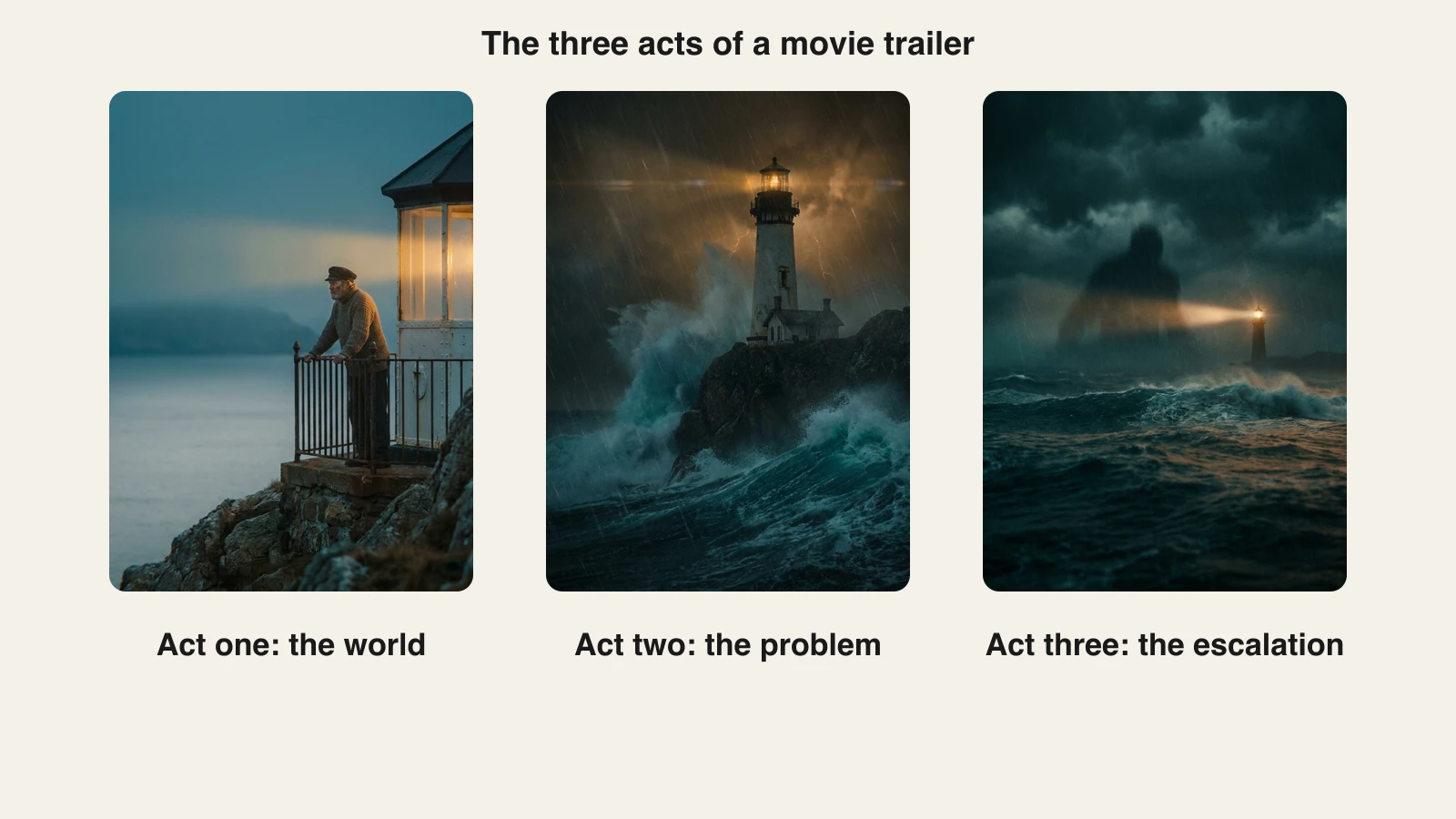
- Act one, the world (first quarter). Who the hero is and what normal looks like. Calm music, wide shots. "In a town where nothing ever happens..."
- Act two, the problem (the middle). Something breaks normal. The music changes, shots get shorter, the stakes rise with every cut.
- Act three, the escalation (the last quarter). The fastest cuts, the loudest music, then a hard stop.
Then the button: a beat of silence, one last shot or line (often funny or chilling), and the title card. The button is what people remember and quote.
Step 1: Write a logline
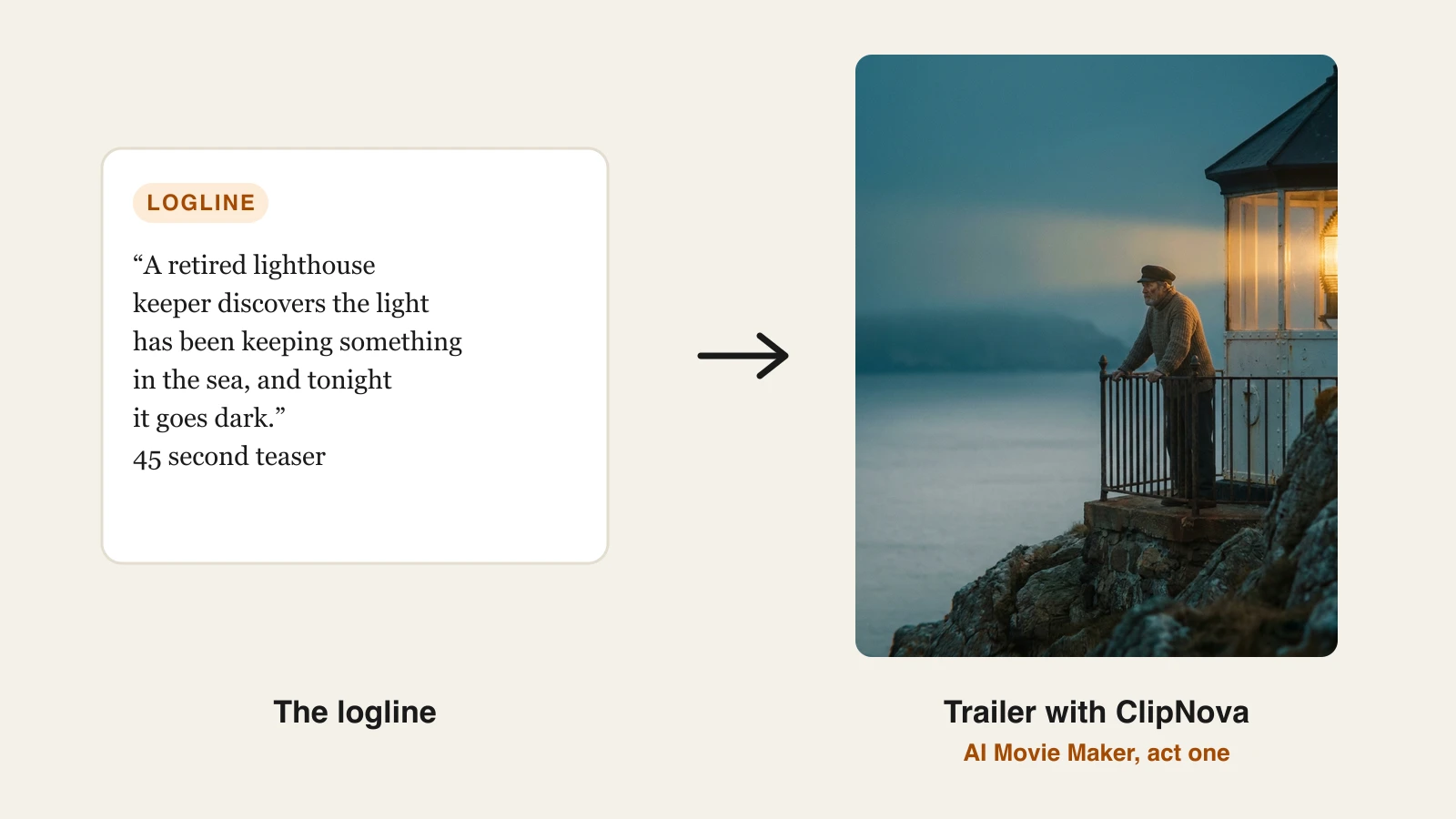
One sentence: a hero, a goal, and what stands in the way. "A retired lighthouse keeper discovers the light has been keeping something in the sea, and tonight it goes dark."
If you cannot say it in one sentence, the trailer will feel confused, no matter how good the shots look.
Step 2: Write the trailer script
A trailer script is a shot list plus a few lines of voiceover or dialogue.
- 8 to 12 shots for a 60-second teaser, each 3 to 6 seconds.
- 3 to 5 spoken lines, never more. Trailers show, they do not explain.
- Save your best line for the button.
- Do not reveal the ending. Tease the question, not the answer.
The classic "In a world..." narrator still works for parody. For a serious trailer, a single character's voice usually lands better.
Step 3: Pick a genre look
Genre is mostly color, light, and pace.
- Thriller and horror: cold blue light, heavy shadows, slow push-ins, silence before the cut.
- Action and sci-fi: high contrast, orange and teal grade, fast cuts, big camera moves.
- Drama: natural light, close-ups, longer holds, piano or strings.
- Comedy: bright and even light, a quick rhythm, and the joke saved for the button.
Step 4: Generate the trailer with ClipNova
ClipNova turns the trailer script into a cinematic multi-scene video in one project: graded shots for each beat, a narrator or character voice, a score, and captions. The AI movie maker is the tool built for this, and the movie trailer maker page shows how it turns a logline into a trailer with a consistent hero.
- Sign in at app.clipnova.io.
- Open AI Video Studio, then AI Movie Maker.
- Paste the trailer script: the logline, then the shots in order, with the act changes marked.
- Choose AI Video as the media type and a quality tier. Ultra is the top tier, at 1080p.
- Pick the format: 16:9 for YouTube and pitch decks, 9:16 for Shorts, Reels, and TikTok.
- Under voice, music and captions, switch on Narrate the story, add Background music (upload a track you have the rights to, and it is lowered under the voice automatically), and switch on Captions.
- Generate, watch it with the sound on, and regenerate any shot that breaks the look.
The three acts of the lighthouse trailer came out like this:
AI Video is included on every plan. Plans start at $39 a month with full commercial rights on every tier, and the pricing page has the credit breakdown. For a longer project, our guide on how to make a movie with AI covers the full film.
Step 5: Edit the pacing
The generated cut is a first draft. Watch it three times.
- Cut on the beat. Every act change should land on a music change.
- Shorten act three. If it does not feel faster than act one, trim each shot by a second.
- Add one second of silence before the button. It is the cheapest trick in trailer editing, and it always works.
- End on the title. Hold the title card for 2 to 3 seconds, then a release line ("Coming soon", "Read it now", "Link in bio").
Trailer prompts you can copy
- Horror teaser: "A 45 second horror teaser: a retired lighthouse keeper, a light that has kept something in the sea for a hundred years, and the night it goes dark. Cold moonlight, slow push-ins, one whispered line, silence before the final shot."
- Sci-fi trailer: "A 60 second sci-fi trailer: the last cargo pilot between Earth and Mars receives a distress call from a ship that disappeared 40 years ago. High contrast, orange and teal grade, fast cuts in act three."
- Book trailer: "A 45 second trailer for a cozy mystery novel: a village bakery, a missing recipe book, and a cat that knows more than it shows. Warm light, gentle score, ends on a joke."
- Fake trailer for fun: "A 60 second epic movie trailer about a house cat who believes he is the chosen one, told with a deep serious narrator and dramatic music."
What goes wrong, and the fix
- Too many lines. Cut the voiceover in half. Let the shots carry it.
- Every shot is the same size. Mix wide, medium, and close-up shots in each act.
- The ending is in the trailer. Cut any shot that answers the main question.
- Unlicensed music. Do not upload a soundtrack you do not own the rights to. Use a track you licensed or made.
- Real actors' faces. Do not generate real actors or use them to imply they are in your film. Invent your cast.
Make the teaser first, post it, and watch where people drop off. That point tells you which act to tighten before you make the full trailer.
Frequently asked
How do I make a movie trailer with AI?
Write a one-sentence logline, turn it into a shot list of 8 to 12 shots across three acts, and add 3 to 5 lines of voiceover. Paste it into an AI trailer maker, pick a genre look, switch on narration, music, and captions, and generate. In ClipNova that is AI Video Studio, then AI Movie Maker.
How long should a movie trailer be?
A teaser runs 15 to 60 seconds and a full trailer about 2 minutes. US theater owners have asked for trailers of no more than 2 minutes since 2014, and the Motion Picture Association's limit is 2 minutes 30 seconds. For social media, a 30 to 45 second vertical cut works best.
What is the structure of a movie trailer?
Three acts. Act one sets up the hero and their world, act two introduces the problem and raises the stakes, and act three escalates with the fastest cuts and loudest music. It ends on a button, one last shot or line after a beat of silence, followed by the title card.
Can I make a trailer for a movie that does not exist yet?
Yes. Writers and filmmakers use AI trailers to pitch scripts, test a concept, or crowdfund a short film before shooting. Authors use them as book trailers. Because the shots are generated from text, you only need a logline and a script.
What music can I use in an AI movie trailer?
Only music you have the rights to. Upload a track you licensed or made yourself rather than a film soundtrack or a popular song, which can get the video muted or blocked. Keep the music under the voice and cut on its beats.