A face swap on a still photo is a solved problem. A face swap on a moving video is not. The face has to hold up through head turns, blinks, speech, changing light, and camera cuts, and the soundtrack has to survive the round trip. That is where most AI face swap tools separate, and it is what we compared them on. For a step-by-step walkthrough, see how to make an AI face swap video.
We compared 7 of the best AI face swap tools on what matters for video: how realistic the result looks in motion, the maximum output resolution, whether one pass can swap several people, and what a month of swaps actually costs. Pricing and limits were checked on each vendor's live pages in October 2026. If you mostly need a recurring on-screen persona rather than a swap, our guide to how to make an AI influencer covers that workflow.
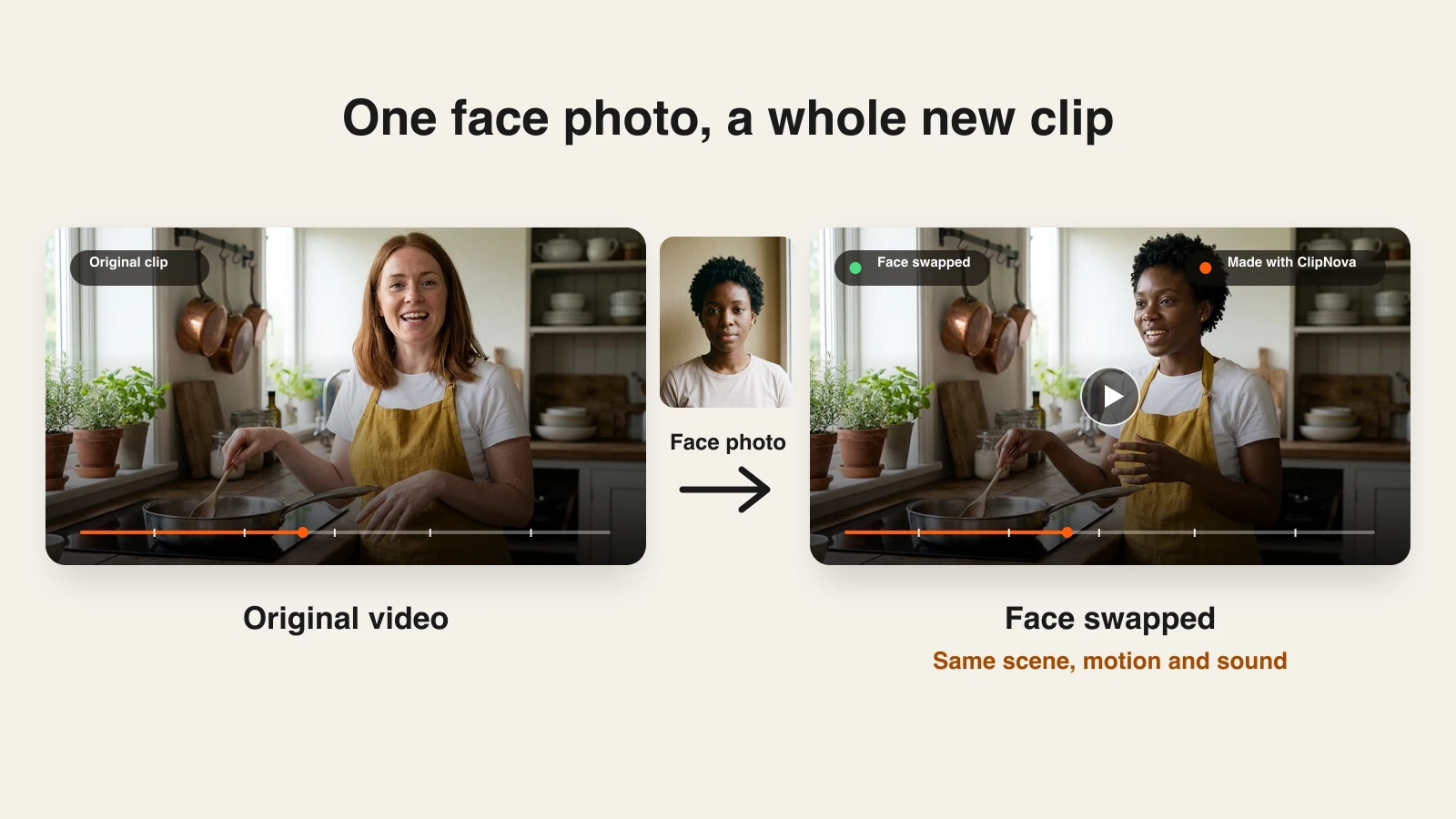
Want to put a different face on a clip you already have? Try ClipNova's AI Face Swap Video tool: upload the video and one face photo, and get back the same scene, motion, and sound with the new person in it. Plans from $39/mo.
Best AI face swap tools: a brief overview
- ClipNova: Best overall for realistic video face swaps. Pro mode outputs 1080p, swaps up to three people in one pass, and keeps the original motion, camera cuts, and audio.
- Akool: Best for high-resolution business work, with output up to 16K on top plans and a live face swap for streams and meetings.
- Magic Hour: Best for long videos and GIFs, with face-to-face mapping for group clips and hours of video face swap per year.
- Higgsfield: Best for creators who already work in a multi-model VFX suite and want face swap next to their other effects.
- Vidnoz: Best for teams that make avatar videos and want face swap in the same workspace.
- Remaker AI: Best for occasional swaps on one-time credit packs, with no subscription.
- A2E: Best for per-second budgeting, with video swaps at one credit per second and 4K on its top plan.
| Tool | Best for | Video swap | Max resolution | Multi-face | Starting price |
|---|---|---|---|---|---|
| ClipNova | Realistic video swaps that keep cuts and audio | Yes, clips up to 2 min | 1080p (Pro) | Up to 3 people in one pass (Pro) | From $39/mo |
| Akool | High-res business swaps and live face swap | Yes, up to 5 min uploads on Starter | 1080p on Starter, up to 16K on Business | Multi-face detection (plan-dependent) | $12/seat/mo, billed yearly |
| Magic Hour | Long videos and GIFs | Yes, plus GIFs | 1024px on Creator, 4K on Business | Yes, face-to-face mapping | $19/mo ($12/mo yearly) |
| Higgsfield | Face swap inside a VFX suite | Yes, 25 credits per video swap | Not stated | One face per swap | $9/mo, billed yearly |
| Vidnoz | Face swap next to avatar videos | Yes, uploads up to 100 MB | 1080p | Yes, Multiple Face Swap mode | $19.99/mo yearly ($26.99 monthly) |
| Remaker AI | Pay-as-you-go swaps | Yes, up to 30 min, 1 credit per second | Not stated (HD toggle) | Yes, separate Video Multi-Face Swap | $5.99 for 200 credits, one-time |
| A2E | Per-second budgeting | Yes, 1 credit per second | 2K on Pro, 4K on Ultra | Not stated | $14.90/mo |
1. ClipNova, best overall for realistic video face swaps
Most AI face swap tools paste a face onto each frame. ClipNova replaces the whole person: the face, the hair, and, if you want, the outfit from the photo, while keeping everything else from the source clip. The motion, expressions, timing, camera moves, scene, lighting, and soundtrack all stay. That is why the results hold up when the person talks, turns, or walks through a cut, which is exactly where frame-by-frame swaps tend to flicker.
Recasting a clip is one job. The bigger one is what ClipNova is known for: finished long videos with consistent characters.
- Long: swap clips of up to 2 minutes, or make a whole new video of up to 5 minutes.
- Consistent characters: save a face once and it stays the same across scenes; with Series, the same cast returns every episode.
- Finished: a swap keeps your sound and cuts, and a new video comes back with script, voice, captions and music.
The tool lives in the app's AI Video Studio as AI Face Swap, next to the other editing tools. You pick between two modes. Standard outputs 720p, takes clips from 1 second to 2 minutes, swaps the main person, and keeps the original sound. Pro is the realistic mode: 1080p, more natural skin and blending, clips from 5 seconds to 1 minute, and up to three people in one pass, with one face photo per person matched left to right in the video. You can add an optional note on who becomes whom when the order is not obvious.
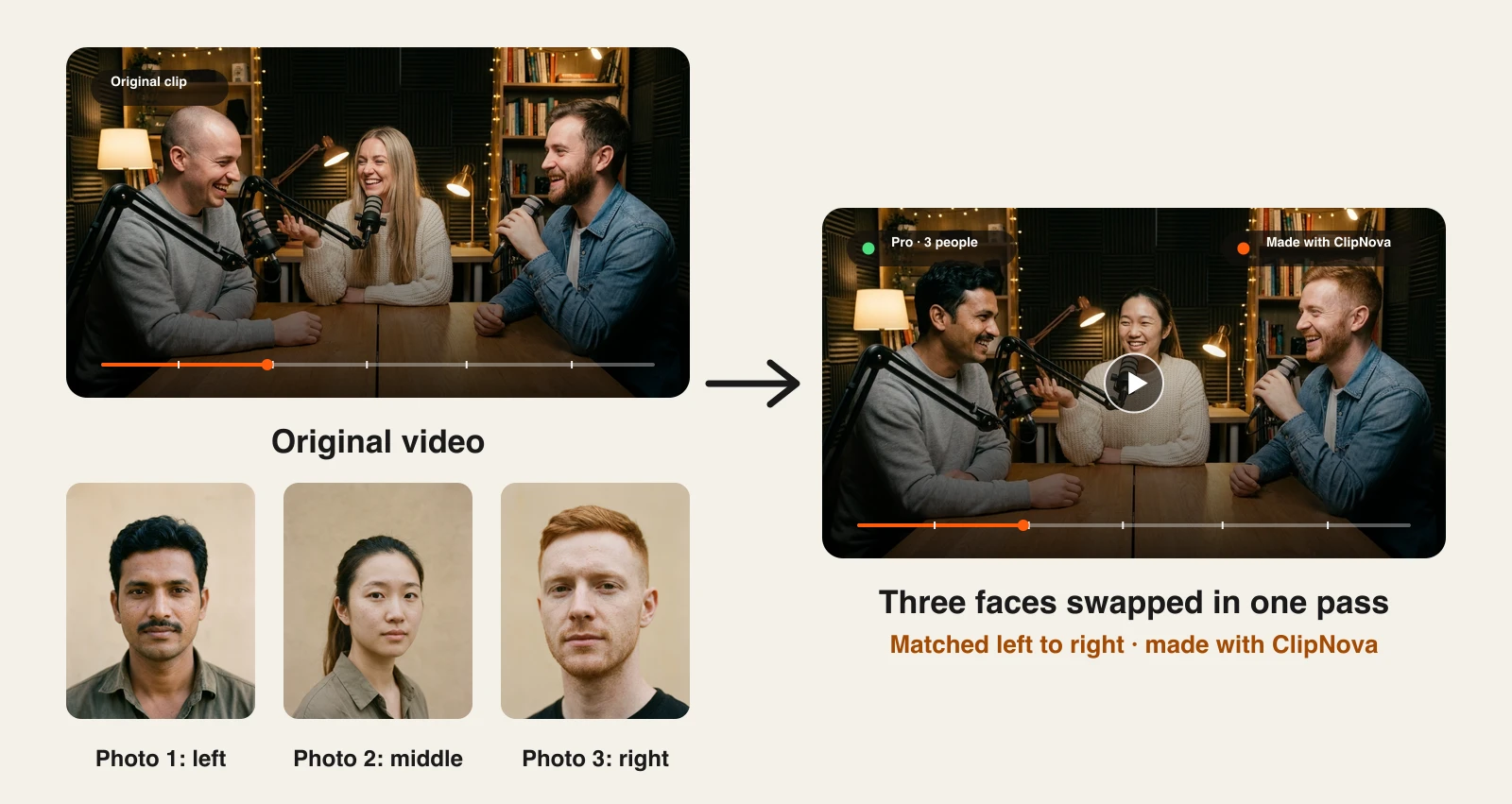
The example above is a three-person podcast clip. Each new face came from a single front-facing photo, and the studio, microphones, clothing, and laughter all carried over from the original. The same approach works for a cooking video, a product demo, or a short film scene where you want to recast a role.
How to face swap a video with ClipNova
- Log in to the ClipNova app (plans from $39/mo).
- Open AI Video Studio and choose AI Face Swap.
- Upload your video (.mp4, .mov, or .webm, up to 200 MB), or click Pick from my videos to use one you made in ClipNova.
- Add the face photo: upload one, or click Pick from my images. For Pro with several people, add one photo per person, in left-to-right order.
- Choose Standard or Pro. In Pro, add a short "who becomes whom" note if needed.
- Click Swap face. The finished video lands in your Library like any other ClipNova video.
For the cleanest result, use a sharp, front-facing face photo with the whole face visible and good light, and pick a source clip where the person faces the camera and stays in frame.
Key features
- Replaces the whole person's look, not just a face patch, while keeping motion, expressions, and timing
- Keeps the original camera cuts, scene lighting, and soundtrack
- Pro mode: 1080p, most realistic blending, up to three people in one pass
- Standard mode for quick 720p swaps on clips up to 2 minutes
- Works on videos you upload or ones you already made in ClipNova, so a swap can be one step in a larger edit
Best for
- Creators recasting a character in a short film, skit, or story video
- Marketers localizing one product video with presenters who match each market
- Teams who want a swap that survives speech and cuts without manual cleanup
Pricing
- Starter $49/mo (2,600 credits, $39 the first month), Growth $99/mo (5,750), Ultra from $199/mo (12,000)
- Standard costs about 50 credits per started 5 seconds, so a 15-second clip uses about 150 credits; Pro costs about 113 credits per second
- Yearly billing saves 20%
Pros
- Built for realism on clips with speech and movement: it replaces the whole person instead of pasting a face patch
- Multi-person swaps in one pass, which most tools handle one face at a time
- One subscription also covers ClipNova's video generation, characters, and editing tools
Cons
- Clips cap at 2 minutes on Standard and 1 minute on Pro, so longer videos need to be cut into scenes
- Pro is credit-heavy; budget for it if you plan many 1080p swaps
- No photo-to-photo swap in this tool and no real-time mode
2. Akool, best for high-resolution business work and live face swap
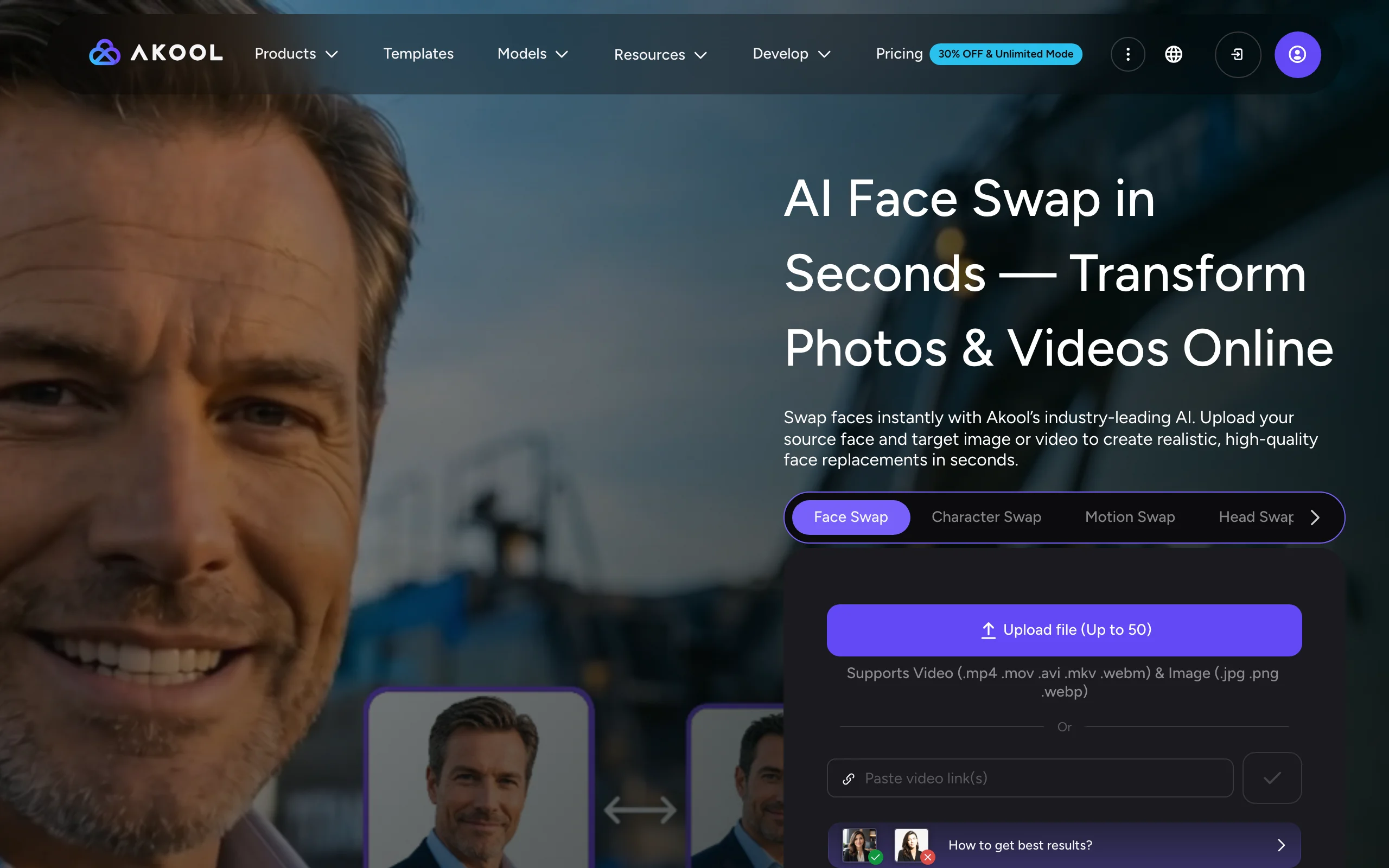
Akool is an AI video platform built for marketing teams, and face swap is one of its oldest products. Upload a target image or video (or paste a video link), add the source face, and choose from several face swap models. Its app page highlights natural expressions, matched scene lighting, and multi-face support for group photos.
What sets Akool apart is scale and range. Output resolution climbs with the plan, from 1080p on Starter to 4K on Pro, 8K on Pro Max, and 16K on Business, and upload limits grow from 5-minute clips to 15-minute clips. It also offers Live Face Swap for livestreams, meetings, and events, which is unusual in this category. The trade-off is complexity: seats, credits, and plan tiers all affect what you can do.
Key features
- Image and video face swap, plus character, motion, and head swap modes
- Several face swap models, with six on the Pro plan
- Output from 1080p up to 16K depending on plan
- Live Face Swap for streams and calls
Best for
- Marketing and creative teams who need high-resolution deliverables
- Live events or streams that want a real-time swap
Pricing
- Starter $12/seat/mo billed yearly ($144/yr, 200 credits/mo), with face swap uploads up to 1080p and 5 minutes
- Pro $21/seat/mo billed yearly (600 credits/mo), Pro Max $41.30, Business $174.30
- Added workspace members are charged at the owner's plan rate
Pros
- Highest resolution ceiling in this list
- Live face swap alongside file-based swaps
Cons
- Per-seat pricing gets expensive for teams
- Credit costs and features vary across many tiers, so planning takes reading
3. Magic Hour, best for long videos and GIFs
Magic Hour puts photo, video, and GIF face swap in one hub, and its plans are generous on video length. The Creator plan includes about 1.7 hours of video per year, Pro about 3.5 hours, and Business about 9.7 hours, which matters if you swap full scenes rather than short clips.
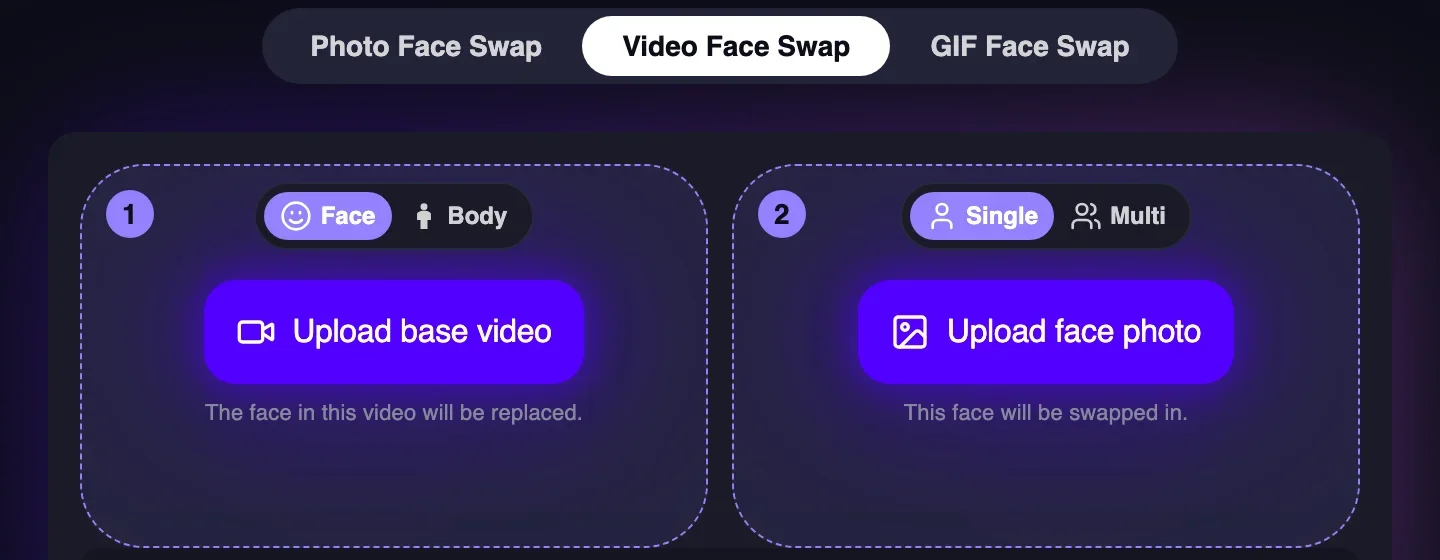
The video mode lets you swap just the face or the whole body, and switch from a single swap to Multi, with face-to-face mapping so you decide which face replaces which in a group clip. Higher tiers raise the resolution, from 1024px on Creator to 1472px on Pro and 4K on Business. Paid plans export without a watermark and include commercial use rights.
Key features
- Photo, video, and GIF face swap from one hub
- Face or body swap, single or multi with face-to-face mapping
- Long yearly video allowances on every paid plan
- API access for developers
Best for
- Creators swapping longer scenes or many clips per month
- Meme and GIF makers who also need video
Pricing
- Creator $19/mo, or $12/mo billed yearly ($144/yr), 1024px
- Pro $39/mo or $25/mo yearly, 1472px; Business $99/mo or $66/mo yearly, 4K
Pros
- Large video allowances for the price
- Group swaps with explicit face mapping
Cons
- Lower tiers cap resolution below 1080p-class output
- Credits are one yearly pool shared with Magic Hour's other tools, so heavy image or video generation eats into swap time
4. Higgsfield, best for face swap inside a VFX suite
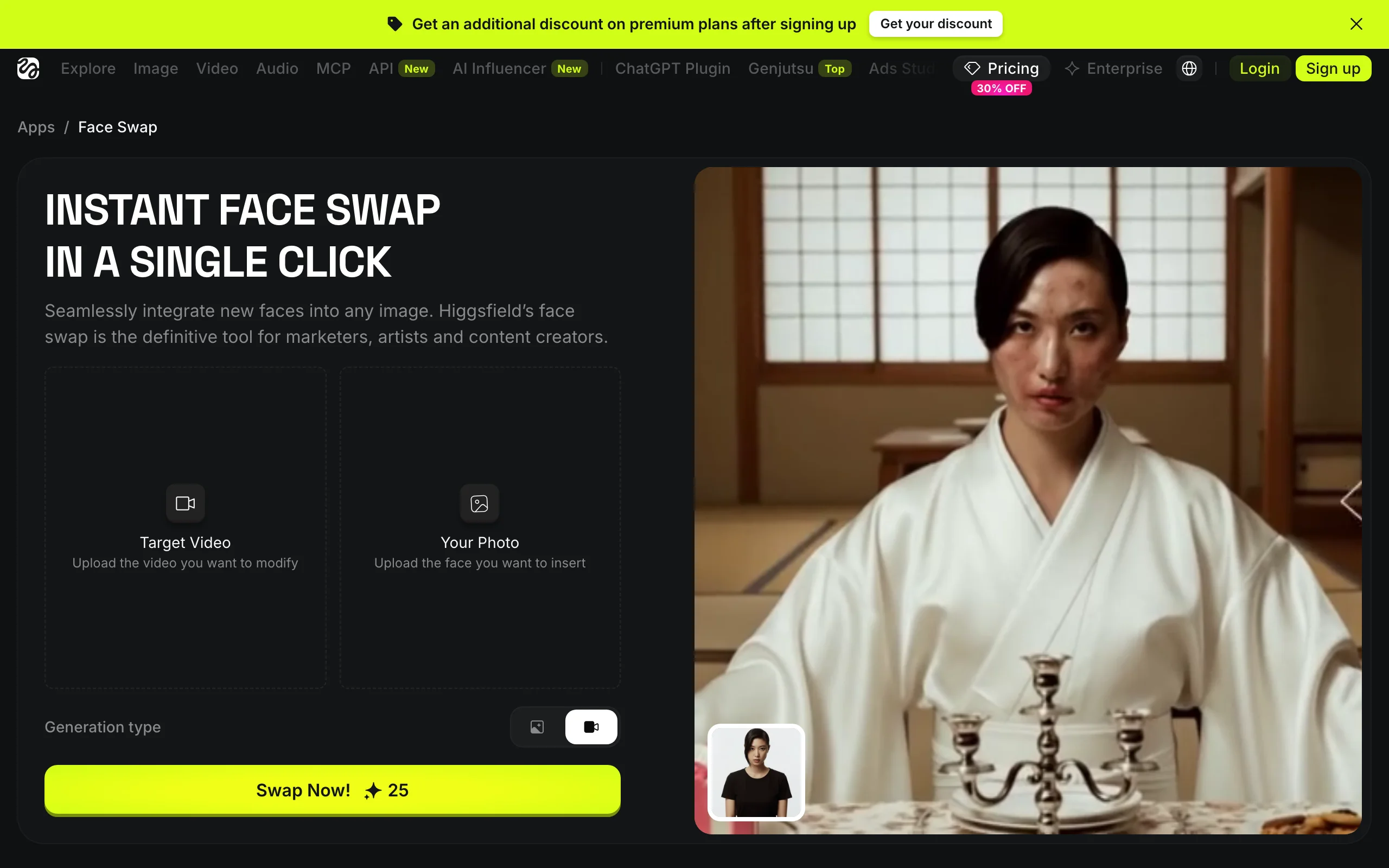
Higgsfield is a large creative platform with dozens of video and image models, and Face Swap is one of its apps. You upload a target photo or video and a face photo, switch the generation type to video, and run the swap. Higgsfield says its swap tracks facial geometry, skin tone, and lighting across frames so the face stays locked through fast motion and angle changes.
The appeal is the neighborhood: the same account gives you character swap, motion transfer, an AI influencer studio, and many generation models. If you already use Higgsfield for effects, a face swap is one more tool in the same credit balance. If face swap is all you need, the rest of the suite is overhead.
Key features
- Photo and video face swap from one app
- Frame-by-frame tracking of face geometry, skin tone, and lighting
- Sits next to character swap, motion transfer, and many video models
Best for
- Creators already using Higgsfield for VFX and AI video
- Trend content that combines a swap with other effects
Pricing
- Basic $9/mo billed yearly (120 credits/mo), so roughly four video swaps a month at 25 credits each
- Pro $29/mo or $23/mo yearly (600 credits), Max $79/mo or $59/mo yearly (1,800 credits)
Pros
- Many other creative tools under one subscription
- Simple per-swap credit cost for video
Cons
- One face per swap in the Face Swap app
- Output resolution and clip length limits are not clearly stated
5. Vidnoz, best for face swap next to avatar videos
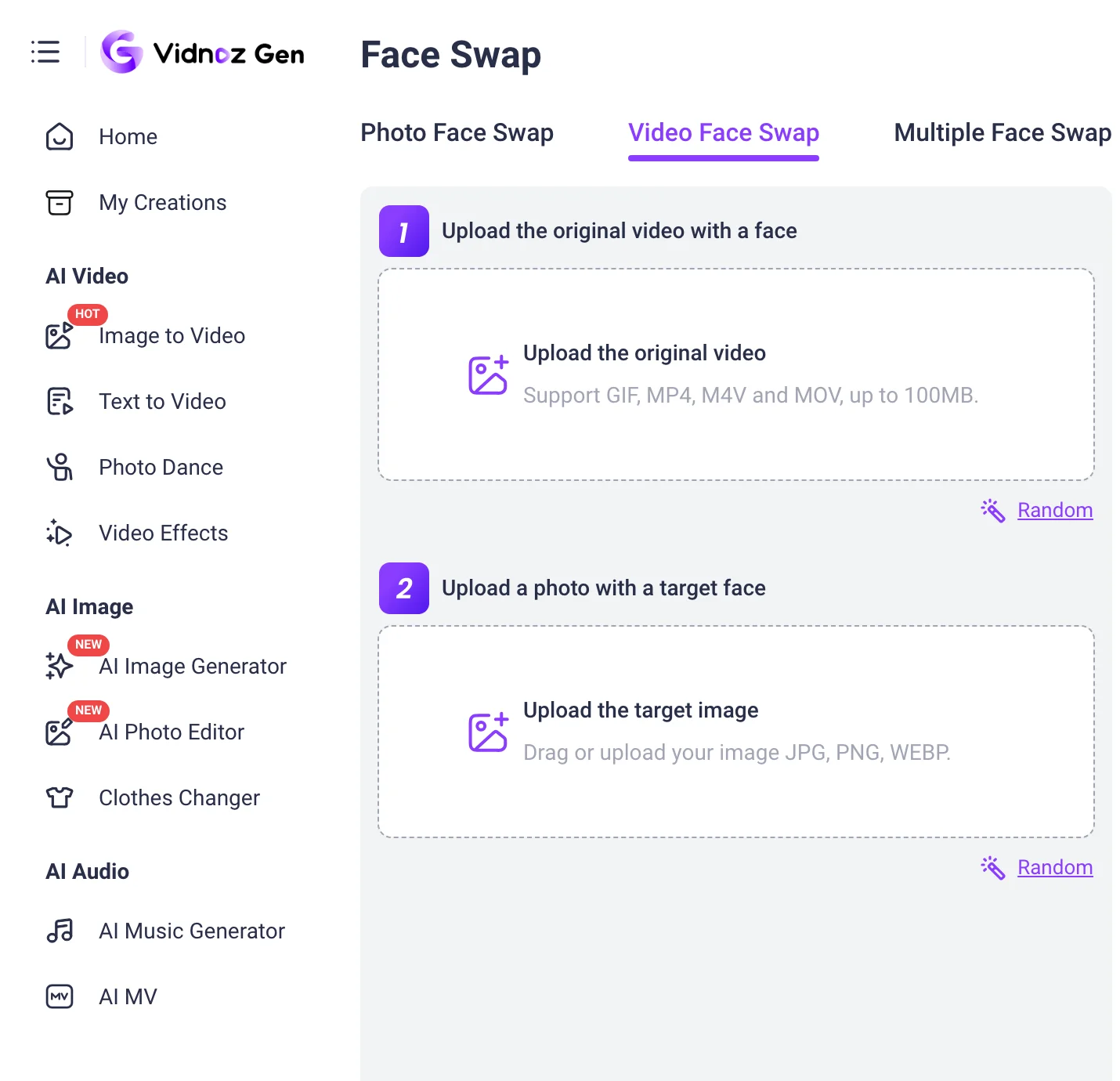
Vidnoz is best known for AI avatar videos, and its face swap sits in the same workspace with Photo Face Swap, Video Face Swap, and Multiple Face Swap tabs. Video swaps accept GIF, MP4, M4V, and MOV files up to 100 MB, and the multiple face mode lets you change any one face or all of them in a group.
For teams that already produce talking-avatar videos, training content, or translated clips in Vidnoz, having face swap in the same place keeps assets together. Output is 1080p on paid plans, and Vidnoz offers an HD enhancement option for higher-quality results.
Key features
- Photo, video, and multiple face swap modes
- Video uploads in GIF, MP4, M4V, and MOV up to 100 MB
- Lives alongside avatars, voices, and video translation
Best for
- Training and marketing teams already making avatar videos in Vidnoz
- Group clips where you want to change one face or all of them
Pricing
- Starter $19.99/mo billed yearly or $26.99 monthly (450 credits/mo), 1080p
- Business $56.99/mo billed yearly or $74.99 monthly (900 credits/mo)
Pros
- Multi-face swap built in
- Useful if you already work in the Vidnoz avatar suite
Cons
- The 100 MB upload cap limits long or high-bitrate clips
- Plans are built around avatar video credits, so face swap is one feature among many
6. Remaker AI, best for occasional swaps on one-time credits
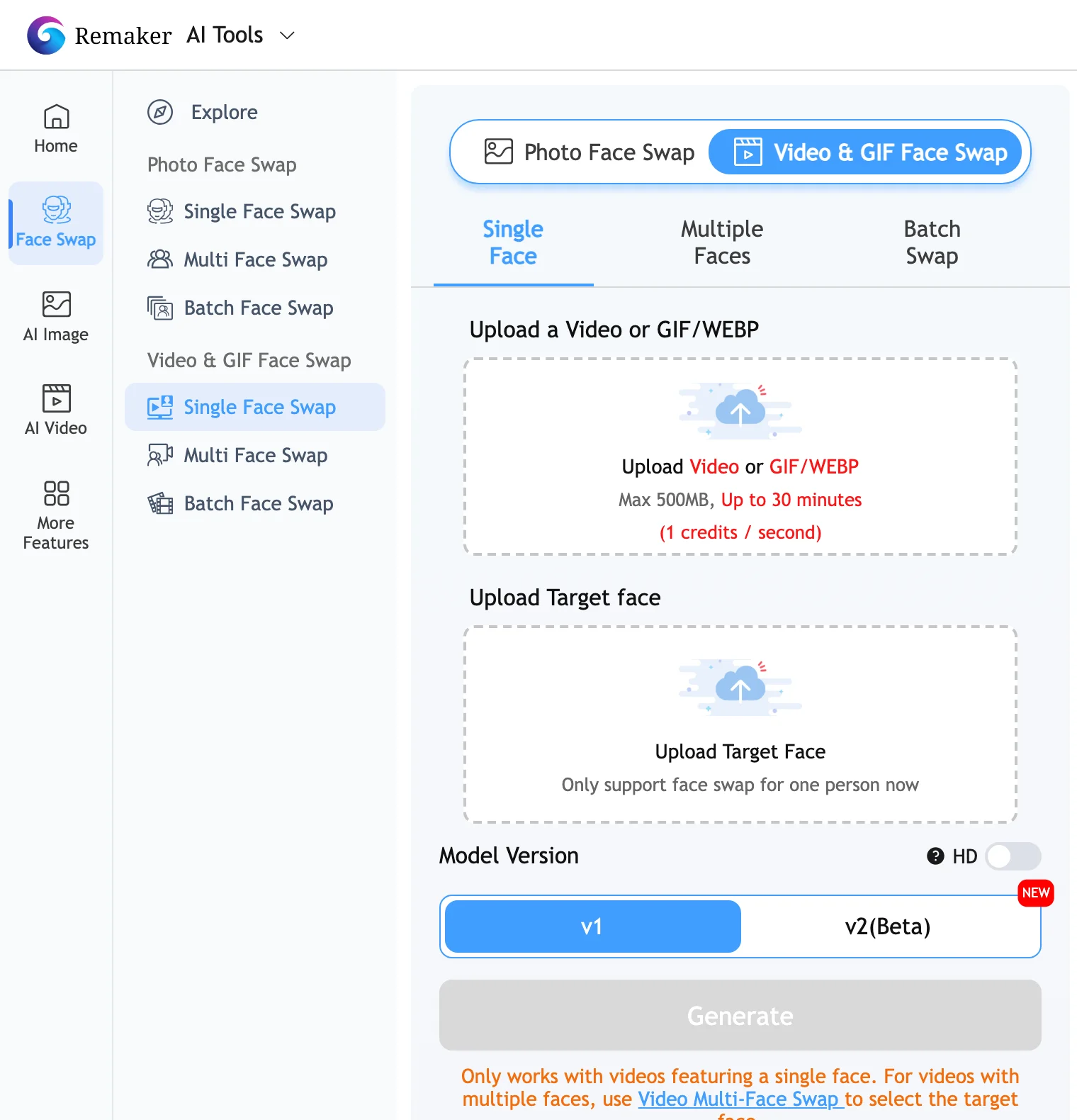
Remaker AI is a toolbox of image and video utilities with a face swap at its core. It covers single, multiple, and batch swaps for photos, and a Video & GIF Face Swap for clips up to 30 minutes and 500 MB. Video swaps cost one credit per second, and for clips with several people there is a separate Video Multi-Face Swap tool that lets you pick which face to replace.
The main draw is the pricing model. There is no subscription: you buy a credit pack once, and credits stay in your account. That suits people who need a handful of swaps a month rather than a steady volume.
Key features
- Video and GIF face swap up to 30 minutes and 500 MB
- Separate multi-face video swap for group clips
- Batch photo swaps
- v1 and v2 model versions, plus an HD toggle
Best for
- Occasional users who do not want a monthly plan
- Quick tests before committing to a subscription tool
Pricing
- One-time credit packs: 200 credits for $5.99, 530 for $9.99, 1,100 for $19.99, 3,000 for $49.99, 20,000 for $299
- Video swaps at 1 credit per second, so a 30-second clip uses 30 credits
Pros
- One-time payment with no monthly subscription
- Long clip limits for the price
Cons
- The standard video swap handles one face; group clips need the separate tool
- Output resolution is not clearly stated
7. A2E, best for per-second budgeting
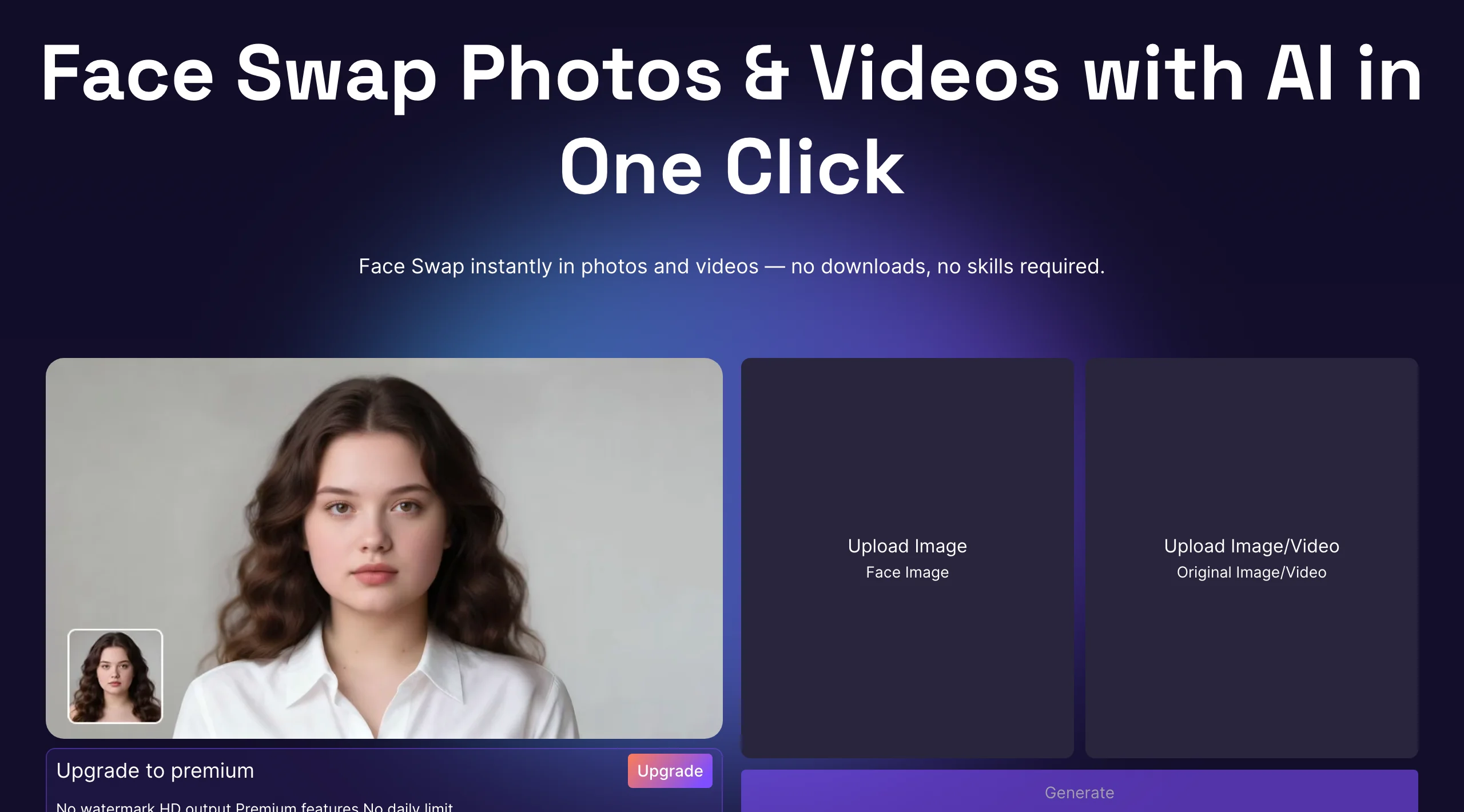
A2E is an AI avatar and video platform with a straightforward face swap: upload a face image and an original image or video, then generate. Its pricing makes video face swap easy to budget, since swaps cost one credit per second, and the plan you pick sets the resolution ceiling: up to 2K on Pro and up to 4K on Ultra.
Plans combine an upfront monthly credit grant with a daily bonus, and A2E also sells credit top-ups that do not expire. It is a sensible pick if you want higher resolution than most budget tools at a predictable per-second cost.
Key features
- Photo and video face swap from one screen
- Video swap at 1 credit per second
- Up to 2K (Pro) or 4K (Ultra) output
- Credit top-ups that do not expire
Best for
- Users who want 2K or 4K swaps at a predictable cost
- Mixed avatar and face swap work on one account
Pricing
- Pro $14.90/mo (1,500 upfront credits plus a daily bonus, about 3,300 a month), or $89.90/yr
- Ultra $59.90/mo (about 11,700 credits a month), or $365/yr
Pros
- Clear per-second cost for video swaps
- High resolution ceiling for the price
Cons
- Multi-face support is not documented
- Fewer controls over the swap than the tools above
How we chose the best AI face swap tools
We started from the tools that come up most for "AI face swap" and "best AI face swap tool" searches, then kept the ones that swap faces in video, not only photos. That ruled out several photo-only editors. We also left out apps that are primarily built around adult content.
For each tool we checked, on the vendor's own pages:
- Video support and limits: clip length, file size, and formats
- Output resolution by plan
- Multi-face swaps: whether one pass can change several people, and how faces are matched
- Pricing: the lowest paid plan and how credits translate into swaps
ClipNova ranks first because it is built for the hard part of video face swap: it replaces the whole person while keeping motion, camera cuts, and the original audio, and its Pro mode can swap up to three people in one pass.
Use AI face swap responsibly
Face swap is a creative tool, and the same rules apply no matter which app you use:
- Get consent. Only swap in a face you own or have clear permission to use, and only edit videos you have the rights to.
- Do not impersonate. Never use a swap to pass yourself off as someone else, to deceive, or to put words in a real person's mouth.
- Label realistic AI content. YouTube asks creators to disclose realistic altered or synthetic content, TikTok asks you to label AI-generated content showing realistic people, and Meta adds "AI info" labels. Use each platform's built-in label.
- Check the terms. Every tool in this list has an acceptable use policy; read it before publishing commercial work.
How to choose the best AI face swap tool for your workflow
1) Short clips or long videos?
- If you swap short clips, ads, skits, or scenes of up to 2 minutes: ClipNova gives the most realistic result and keeps cuts and audio.
- If you need minutes or hours of footage: Magic Hour's yearly video allowances, Remaker's 30-minute limit, or Akool's 5 to 15-minute uploads fit better.
- Long videos can also be split into scenes and swapped scene by scene in ClipNova, which often looks better than one long pass.
2) One person or several?
- One person per clip: every tool here works.
- Two or three people in one shot: ClipNova Pro swaps up to three in one pass, matched left to right. Magic Hour and Vidnoz have multi-face modes, and Remaker has a separate multi-face video tool.
3) What resolution do you deliver?
- Social video at 720p or 1080p: ClipNova, Vidnoz, or Akool Starter.
- 2K to 4K: A2E Ultra, Magic Hour Business, or Akool Pro and up.
- Whatever you pick, test with your real footage. Faces that turn away, glasses, and fast motion are where tools differ most.
4) How will you use the swap?
- Recasting a character in a story or ad: ClipNova, then keep that new character consistent across scenes with our consistent character video generator.
- Building a recurring persona from scratch rather than swapping onto existing footage: start from an AI influencer generator instead.
- A swap as one effect among many: Higgsfield or Akool.
5) What does a month of swaps cost?
- Count seconds, not plans. Ten 15-second swaps a month is 150 seconds of video.
- On per-second tools (A2E, Remaker) that is 150 credits. On Higgsfield it is ten swaps at 25 credits each.
- On ClipNova, ten 15-second Standard swaps use about 1,500 credits, which fits the Starter plan; check ClipNova pricing for the tier that matches your volume.
If you want a face swap that is built to hold up when the person talks, moves, and cuts to a new angle, start with ClipNova.
Frequently asked
What is the best AI face swap tool in 2026?
For video, ClipNova is the best overall pick. It replaces the whole person while keeping the original motion, camera cuts and audio, and its Pro mode outputs 1080p and swaps up to three people in one pass. Akool is strongest for very high resolution and live swaps, Magic Hour for long videos and GIFs, and Remaker AI for occasional swaps on one-time credits.
How does AI face swap work on video?
The tool detects the face in every frame of your clip, then rebuilds it with the identity from your face photo while matching the original head movement, expression, and lighting. Better tools, like ClipNova's Pro mode, rebuild the whole person, including hair, so the result holds up through speech, head turns, and camera cuts instead of flickering.
Can I swap more than one face in a video?
Yes, with the right tool. ClipNova Pro swaps up to three people in one pass, using one face photo per person matched left to right. Magic Hour and Vidnoz have multi-face modes, and Remaker AI has a separate Video Multi-Face Swap tool. Single-face tools need one pass per person.
What makes a face swap look realistic?
Start with a sharp, front-facing face photo in good light with the whole face visible, and a source clip where the person faces the camera and stays in frame. Similar head shape and hair length between the two people also help. Then choose a tool built for video, which keeps motion and lighting consistent from frame to frame.
Does AI face swap keep the original audio?
Some tools do and some do not, so check before you buy. ClipNova keeps the original soundtrack in both Standard and Pro modes, so dialogue, music, and effects stay in sync with the swapped video. If a tool drops the audio, you will need to re-attach it in an editor.
Is AI face swap legal?
Face swapping is legal for many creative uses, but how you use it matters. Only use faces and videos you have permission to use, never impersonate a real person or use a swap to deceive, and label realistic AI content on platforms that require it, such as YouTube, TikTok, and Meta. Read each tool's acceptable use policy before commercial work.
How much does an AI face swap tool cost?
Entry prices in this list range from one-time credit packs (Remaker AI, $5.99 for 200 credits) to monthly plans around $9 to $27. ClipNova plans start at $39 a month. Compare by cost per second of video rather than plan price, since tools charge per second, per swap, or by plan allowance.
If I want to recast the person in a short video, what should I use?
Use ClipNova's AI Face Swap. Upload the clip, add a face photo, choose Standard for a quick 720p swap or Pro for the most realistic 1080p result, and click Swap face. The finished video keeps the original scene, motion, and sound, and lands in your Library ready to post.