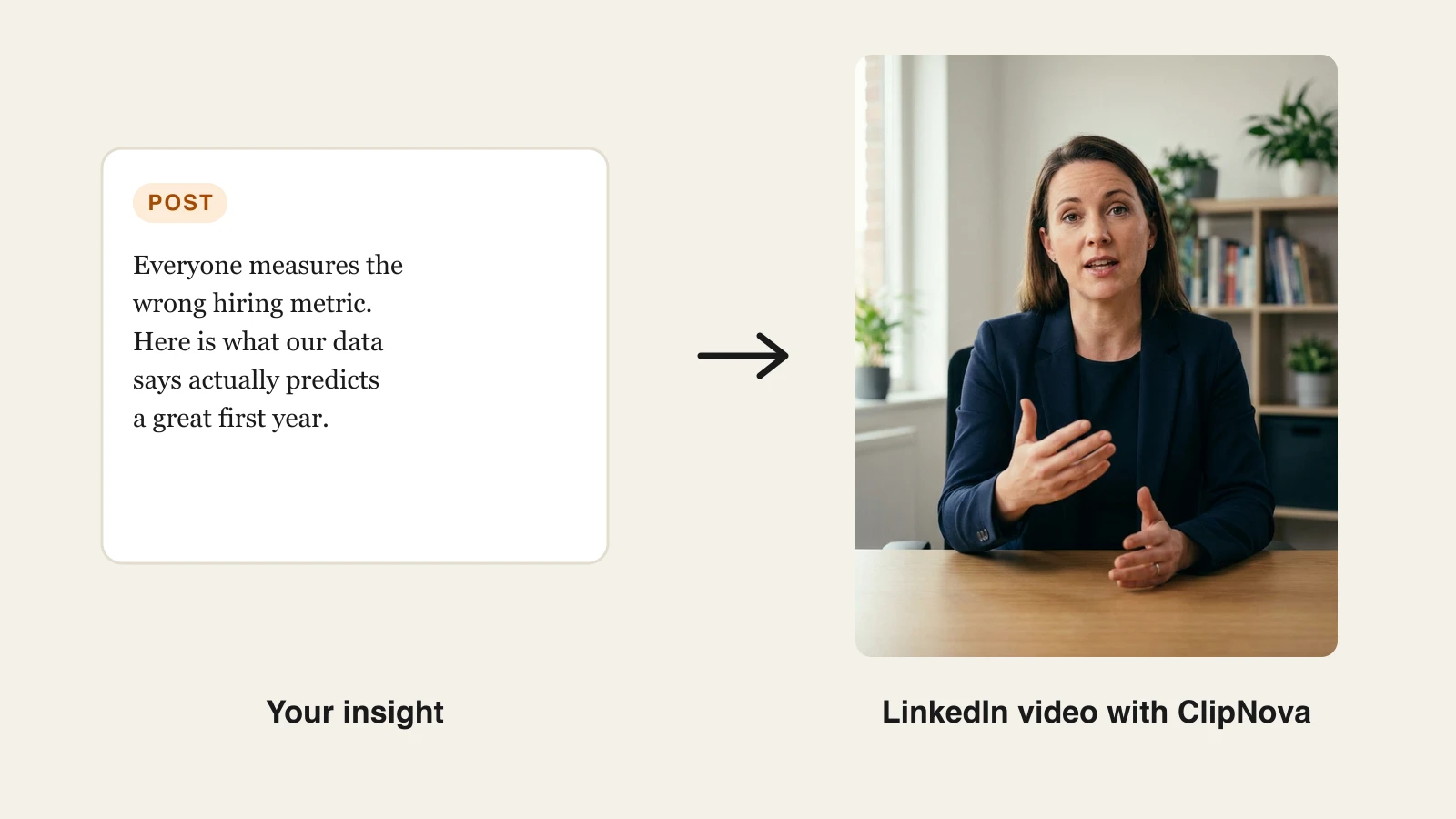
LinkedIn video AI tools turn a written insight into a captioned, professional video post without a camera, a studio, or an editor. The fastest workflow is a talking avatar generator like ClipNova: paste a short script, add a presenter photo and a voice, and export a subtitled vertical clip sized for the LinkedIn feed. This guide walks through that exact process, the LinkedIn video specs that matter in 2026, and the posting cadence that turns individual clips into durable authority.
The reason to bother is simple: LinkedIn is pushing video hard, and most professionals still refuse to film themselves. That gap is your opening. If you have real insights but no appetite for cameras, ring lights, and re-takes, AI closes the production gap in minutes.
Why video is the fastest authority play on LinkedIn
LinkedIn has reported that video watch time on the platform grew 36 percent year over year, and that video creation is growing at twice the rate of other post formats. The feed itself changed to match: LinkedIn added a vertical video feed on mobile, and short vertical clips now surface in a swipeable stream the way Reels and TikTok do.
At the same time, the supply of good video from credible professionals is still thin. Text posts are easy, so everyone writes them. Video demands either on-camera confidence or production time, so most experts skip it. When you show up in the feed as a face and a voice delivering a sharp idea, you compete with far fewer people than you do in text.
Three practical implications follow:
- Video earns dwell time, and dwell time earns reach. LinkedIn's distribution rewards content people actually stop and consume. A 45-second clip that holds viewers signals more than a skimmed text post.
- A face builds trust faster than a paragraph. Authority on LinkedIn is a recognition game. People who have watched you explain something feel like they know you, and that carries into DMs, sales calls, and hiring conversations.
- Sound-off is the default. LinkedIn feed video is mostly watched muted, commonly estimated at around 80 percent, so captions are not an accessibility extra, they are the primary channel. Every clip needs burned-in subtitles.
None of this requires you to become a videographer. It requires a repeatable way to turn your ideas into watchable clips, which is exactly what AI now does.
What you need before you generate anything
The AI handles production. You still supply the three things production cannot fake.
One real insight per video. A LinkedIn video that builds authority makes a single specific claim drawn from your work: a mistake you see clients repeat, a number that surprised you, a process change that produced a result. "5 tips for better marketing" is wallpaper. "Most founders track the wrong pipeline metric, here is the one that predicts revenue" is a post.
A hook in the first line. Most viewers decide within the first 3 seconds. Open with the tension, not with "Hi, I'm Sarah and today I want to talk about...". Write the hook as the first sentence of your script and let the captions carry it, since most people are watching muted.
A script sized for 30 to 90 seconds. That is roughly 80 to 220 words. Insight-driven clips in this range hold retention while still delivering a complete idea. Write it the way you talk: short sentences, first person, one idea per sentence. Read it out loud once; anything you stumble over, the avatar will make sound stiff too.
If you want a deeper primer on avatar-led video before you start, our guide to making a talking avatar video covers scripting, voices, and lip-sync in more depth. The rest of this article stays focused on the LinkedIn-specific workflow.
How to make a LinkedIn video with AI in ClipNova
Here is the full build with ClipNova's talking avatar generator. Each clip takes a few minutes end to end.
-
Go to app.clipnova.io and open the Talking Avatar tool. Every plan includes the full feature set, and the $19 Hobby tier covers your ongoing clips.
-
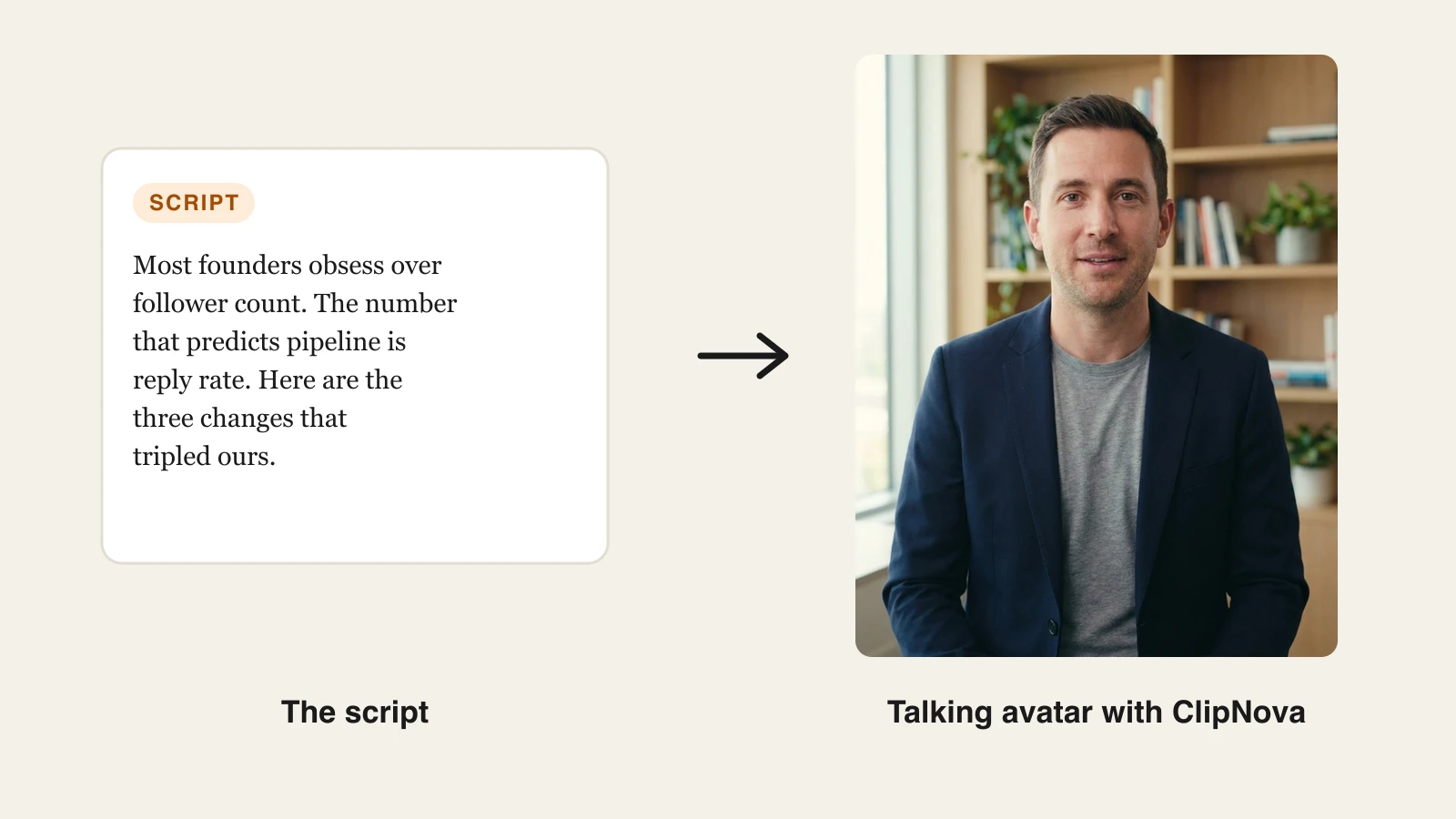
Paste your insight as the script. Here is the exact script we used for the example below, sized to about 40 seconds:
"Most founders obsess over follower count. The number that actually predicts pipeline is reply rate. Here are the three changes that tripled ours. First, we stopped posting links and started posting opinions. Second, every post ends with a question a buyer would actually answer. Third, we reply to every comment within an hour. Followers make you look good. Replies make you money."
-
Pick a presenter and a voice. Upload a presenter photo (your own headshot works well) or reuse one from your saved avatar library; a clean office or studio look reads best for B2B. Then pick a voice with natural pacing; listen to a preview before committing. Want the clip in your own voice? Clone your voice with AI from a 5 to 60 second sample.
-
Keep captions on. Auto subtitles are included on every plan. Sound-off viewers are the majority on LinkedIn, so treat the captions as the main event and the audio as the bonus.
-
Set the format. Choose 9:16 vertical for LinkedIn's video feed and maximum mobile screen space, or 1:1 square if your audience skews desktop. Both outperform 16:9 landscape in the feed.
-
Export watermark-free and upload natively. Every ClipNova plan exports clean 1080p with full commercial rights. Upload the file directly to LinkedIn rather than linking YouTube: native video autoplays in the feed, external links do not.
-
Write the text post around the video. Restate the hook in the first line of the post text, add two or three lines of context, and end with a question that invites replies. The post text and the video should work independently.
Repeating steps 2 through 7 for the next insight costs minutes, not another production session. That is the entire strategic point: the cadence that builds authority becomes cheap enough to sustain.
If you produce clips outside ClipNova, or want styled captions on recorded footage, run the file through the subtitle generator before uploading so the captions are burned in and stay inside the safe zone.
LinkedIn video specs in 2026
LinkedIn is forgiving about what it accepts and picky about what it rewards. The table separates the two.
| Spec | What LinkedIn accepts | What performs |
|---|---|---|
| Aspect ratio | 1:2.4 to 2.4:1 | 9:16 vertical or 1:1 square |
| Length | 3 seconds to 15 minutes (desktop upload; about 10 minutes from mobile) | 30 to 90 seconds per insight |
| Resolution | 256x144 up to 4096x2304 | 1080p (1080x1920 vertical) |
| File | Up to 5 GB, multiple formats | MP4 with H.264 video and AAC audio |
| Frame rate | 10 to 60 fps | 24 to 30 fps |
| Captions | Optional SRT upload | Burned-in subtitles, styled and readable on a phone |
| Hook | No requirement | Payoff promised in the first 3 seconds, stated as on-screen text |
Two spec-adjacent rules matter more than any number in that table. First, upload natively: LinkedIn autoplays uploaded video in the feed and does not extend that treatment to external links. Second, respect the safe zone on vertical clips: LinkedIn overlays profile info and action buttons near the edges, so keep captions and any on-screen text centered.
A posting cadence that compounds
One good video does nothing. Authority is a frequency effect: the same face, delivering sharp ideas, showing up reliably in the same feeds. Here is a cadence that works and survives contact with a real calendar.
- Ship 2 to 3 videos per week, inside an overall rhythm of 3 to 5 posts per week. More than one post per day makes your own content compete with itself for distribution.
- Batch your production. Write three scripts in one sitting, generate all three clips in one session, and schedule them across the week. With AI generation the whole batch is an hour of work.
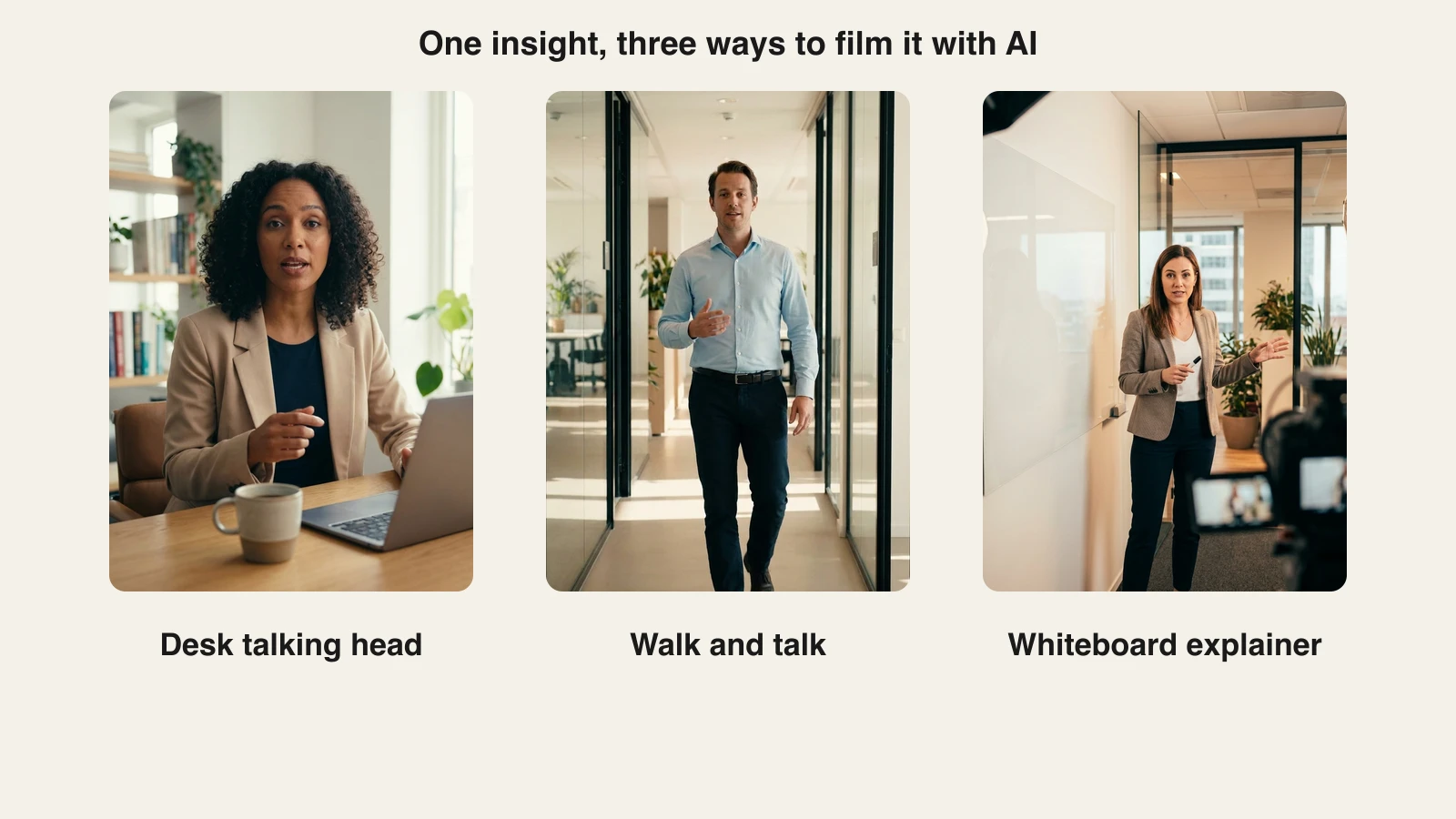
- Rotate the format so the feed does not glaze over. The same insight can be a desk talking head, a walk-and-talk, or a whiteboard-style explainer. Varying the visual keeps a weekly cadence from feeling like a rerun.
- Spend 30 minutes in the comments after posting. Early replies drive distribution, and the conversations under your videos are where authority converts into relationships. Reply to every comment on the day you post.
- Recycle what worked. A video insight that landed becomes next month's text post, carousel, or longer video. Track which hooks earned comments and write more scripts in that vein.
Consistency beats intensity. Two videos a week for six months outperforms a heroic daily sprint that collapses in week three, both with the algorithm and with the humans deciding whether you are worth following.
Other AI tools that help with LinkedIn video
ClipNova covers the write-script-get-clip pipeline end to end, but a few adjacent tools are worth knowing depending on your workflow.
- HeyGen specializes in custom avatars cloned from your own footage: record a few minutes of yourself once, then generate videos where the presenter is you. Paid plans start at $29/mo (about $24/mo billed annually), with premium avatar minutes metered by credits. If you are comparing it against ClipNova directly, see our HeyGen alternative breakdown.
- Synthesia is the enterprise pick for corporate avatar video, with strong governance and collaboration features. The Starter plan is $29/mo (about $18/mo billed annually) and includes roughly 10 minutes of video per month, which suits occasional internal comms better than a multi-clip weekly cadence.
- OpusClip solves a different problem: it clips existing long recordings (webinars, podcasts, talks) into captioned shorts. Paid plans start at $15/mo. Useful if you already sit on hours of footage; it generates nothing from scratch.
The honest framing: if you already have long-form recordings, start with an AI clip generator. If you want to be on camera as yourself with zero filming after a one-time setup, HeyGen's custom avatars are compelling. If you want the shortest path from a written insight to a finished, captioned, post-ready clip at a weekly cadence, ClipNova is built for exactly that, and one subscription from $19/mo covers avatars, voiceovers, captions, and every other tool in the platform. Because a saved avatar keeps the same face in every clip, your weekly series reads as one recognisable person, and each insight can go out as a finished 9:16 version for the mobile feed and a 1:1 version for desktop so you can test which lands.
Final advice: pick one format and ship weekly
Do not overbuild this. Pick one video format (the desk talking head is the proven default), write five scripts from insights you already repeat in sales calls or client work, and generate the first batch this week. Post two of them, spend real time in the comments, and look at what earned replies rather than what earned passive likes.
Give the experiment eight weeks. Authority on LinkedIn is slow, then sudden: weeks of modest numbers, then recognition starts compounding, inbound DMs reference "that video you made", and your name comes attached to a topic. The creators who get there are almost never the best on camera. They are the ones who kept showing up, and AI has made showing up the easy part.
Frequently asked
Can AI generate LinkedIn videos for me?
Yes. AI LinkedIn video generators turn a short written script into a finished video with a presenter, voiceover, and captions, no camera or editing required. Tools like ClipNova handle the full pipeline: you paste your insight as a script, add a presenter photo or a saved avatar and a voice, and export a captioned vertical or square clip sized for the LinkedIn feed.
What is the best AI LinkedIn video generator?
ClipNova is the strongest fit for LinkedIn thought leadership because one pass produces the complete post-ready clip: a talking avatar delivering your script, a natural AI voiceover, auto captions for sound-off viewing, and watermark-free 1080p export, from $19/mo. HeyGen is a good pick if you want a custom avatar cloned from your own footage, and OpusClip if you mainly repurpose long recordings into clips.
What are the LinkedIn video specs in 2026?
LinkedIn feed video accepts aspect ratios from 1:2.4 to 2.4:1, files up to 5 GB, resolutions up to 4096x2304, and lengths from 3 seconds to 15 minutes when uploaded from desktop (about 10 minutes from mobile). The practical recipe is a 1080p MP4 (H.264 video, AAC audio) in 9:16 vertical or 1:1 square, since taller formats fill more of the mobile feed.
How long should a LinkedIn video be?
For insight-driven posts, 30 to 90 seconds is the reliable range: long enough to deliver one real idea, short enough to hold retention. Whatever the length, the hook has to land in the first 3 seconds, because that is where most viewers decide to keep watching or scroll. Save longer videos for deep dives once an audience already knows you.
Are AI avatar videos allowed on LinkedIn?
Yes. LinkedIn does not prohibit AI-generated or avatar video; its policies target misleading and inauthentic content, not production methods. Post AI video from your real profile, keep the insights genuinely yours, and do not use an avatar to impersonate someone else. Many creators note the video is AI-assisted, which audiences on LinkedIn broadly accept.
Do LinkedIn videos need captions?
Effectively yes. A large majority of LinkedIn feed video is watched with the sound off, commonly estimated at around 80 percent, so a clip without captions loses most of its audience in the first seconds. Burn captions into the video file rather than relying on platform toggles, and keep them inside the safe zone so LinkedIn's UI does not cover them.
How often should I post video on LinkedIn?
Two to three videos per week is a sustainable authority-building cadence, slotted into an overall rhythm of three to five posts per week. Consistency beats bursts: posting daily for a week and then going silent hurts both audience habit and distribution. AI generation makes the cadence cheap to keep, since each clip takes minutes instead of a filming session.
If I mainly want to turn written insights into LinkedIn videos, what should I use?
Use ClipNova's talking avatar generator. Paste the insight as a short script, upload a professional presenter photo (or reuse a saved one) and pick a voice, and it returns a captioned, watermark-free clip in vertical or square format that is ready to upload natively to LinkedIn. Plans from $19/mo include every feature with full commercial rights.