Real stop motion is slow on purpose. A single minute of claymation can take an animator a week of moving a puppet a millimetre at a time. An AI stop motion video generator skips the armature and the turntable: you describe the scene, pick the look, and get footage with the clay fingerprints, felt textures, and slightly stepped motion that make the style feel handmade.
The catch is that "AI stop motion" covers very different products. Some return a finished, narrated video. Some return five to fifteen seconds of beautiful footage you still have to script, voice, and edit. And a few pages that rank for the term are ordinary editors that just lower the frame rate of a video you already shot.
This guide ranks the 7 best AI stop motion video generators in 2026, claymation included, with verified pricing and the limits that matter before you pay.
Best AI stop motion video generators: a brief overview
Finished stop motion videos from one prompt
- ClipNova: Best overall. Write a story, choose the Claymation style, and get a complete video with scenes, voiceover, music, and captions.
- OpusClip (Agent Opus): Best for turning a script or blog link into a voiced stop motion promo.
Clip generators you direct shot by shot
- Kling: Best for expressive clay characters and comic timing.
- Morphic: Best for building multi-shot puppet scenes across several models on one canvas.
- Hailuo: Best for longer clay clips with native audio on a budget.
- Runway: Best for keeping a stop motion look consistent across professional shots.
- ZSky: Best for quickly testing stop motion styles.
| Tool | Best for | Starting price | Output |
|---|---|---|---|
| ClipNova | Finished claymation videos | From $19/mo | Full video up to 5 min, voice, captions, music |
| OpusClip (Agent Opus) | Script or link to stop motion promo | $29/mo | Voiced social video, 9:16 |
| Kling | Expressive clay characters | $10/mo | 5-10s clips, 1080p |
| Morphic | Multi-shot puppet scenes | $19/mo | Clips from several models, stitched on a canvas |
| Hailuo | Longer clay clips with audio | $14.99/mo (promos lower) | Up to 15s clips, up to 2K |
| Runway | Consistent professional shots | $15/mo ($12 yearly) | Gen-4.5 clips, 4K upscale |
| ZSky | Quick style testing | Pro $19/mo | ~30s clips, HD with audio |
Reading the table: the top two rows return something a viewer would watch start to finish. The other five return shots: seconds of clay or puppet footage with no script, narration, or captions. That is fine if you enjoy editing, and a lot of extra work if you wanted a video.
1. ClipNova, best overall AI stop motion video generator
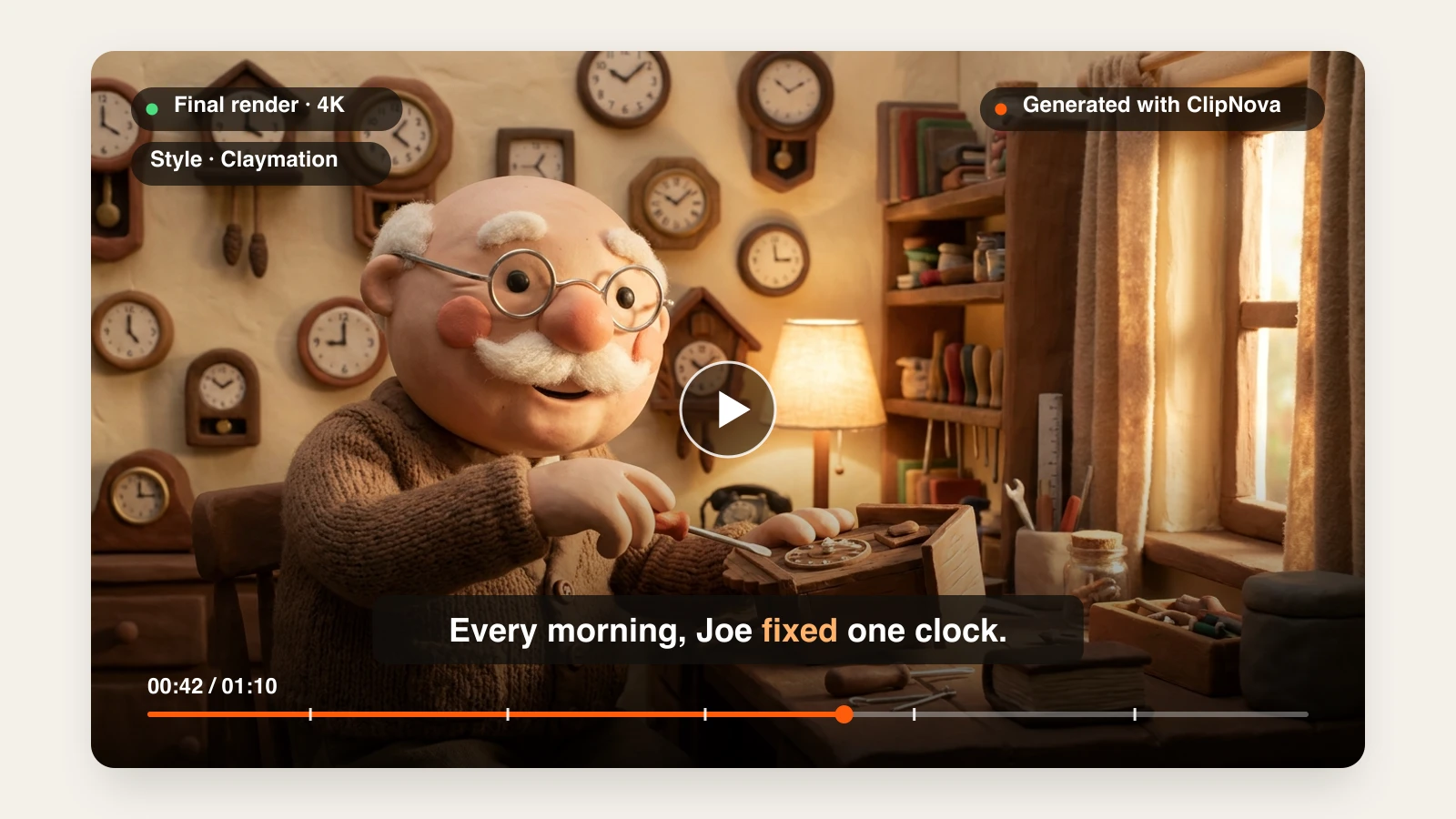
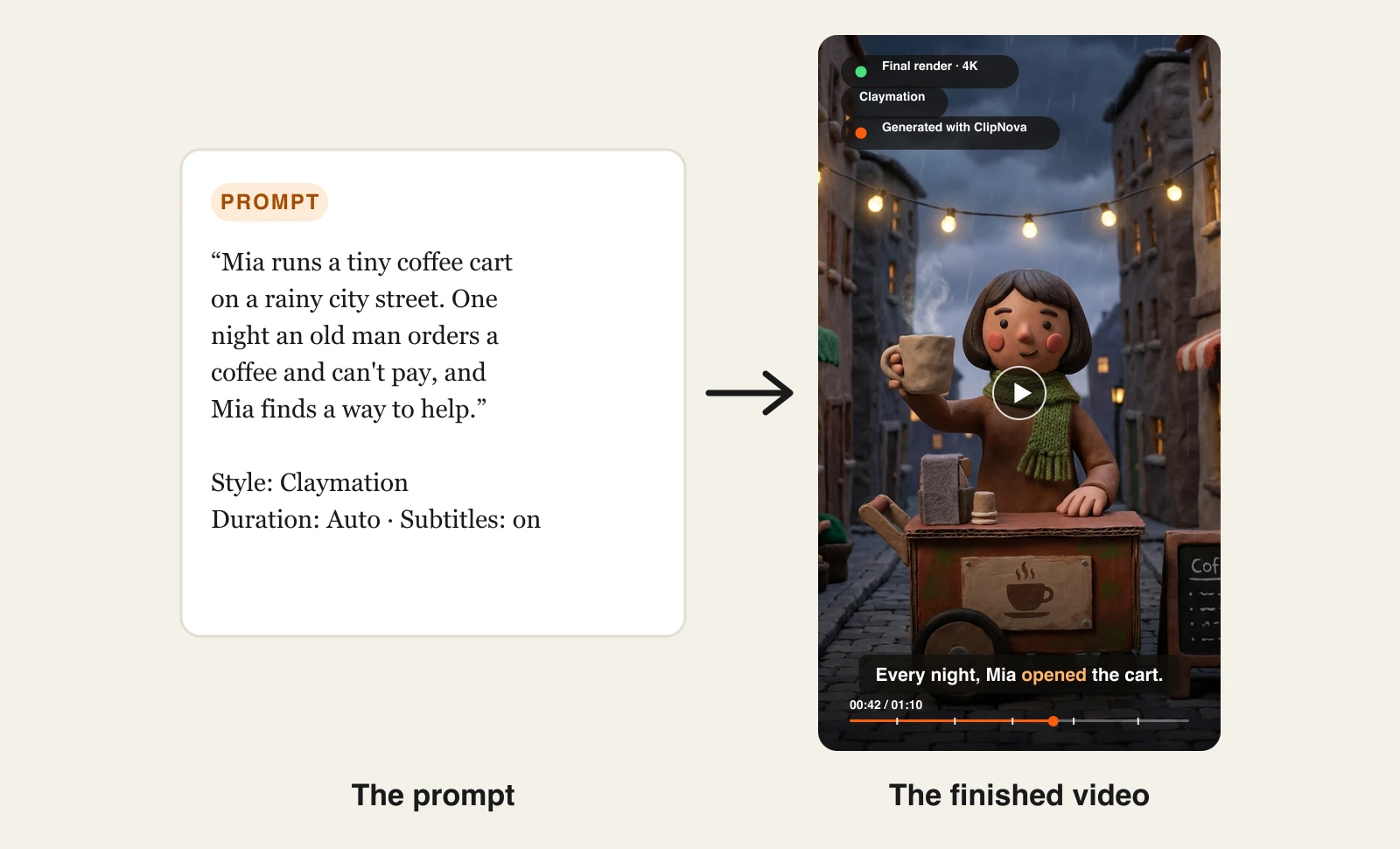
Most AI stop motion tools hand you a clip. ClipNova hands you the episode. You describe a story, set the Style to Claymation, and it writes the script, generates the clay scenes with a consistent character, voices the narration, adds music, and burns in captions, up to 5 minutes long.
The Claymation preset is built into the video tools, so you never have to learn the prompt vocabulary ("visible fingerprints", "miniature set", "soft studio lighting") that clip generators need. The same prompt with a different Style setting renders a different look, which makes it easy to test whether your niche wants clay or something else.
Here is one story prompt with the Claymation style selected, and the video that came back:
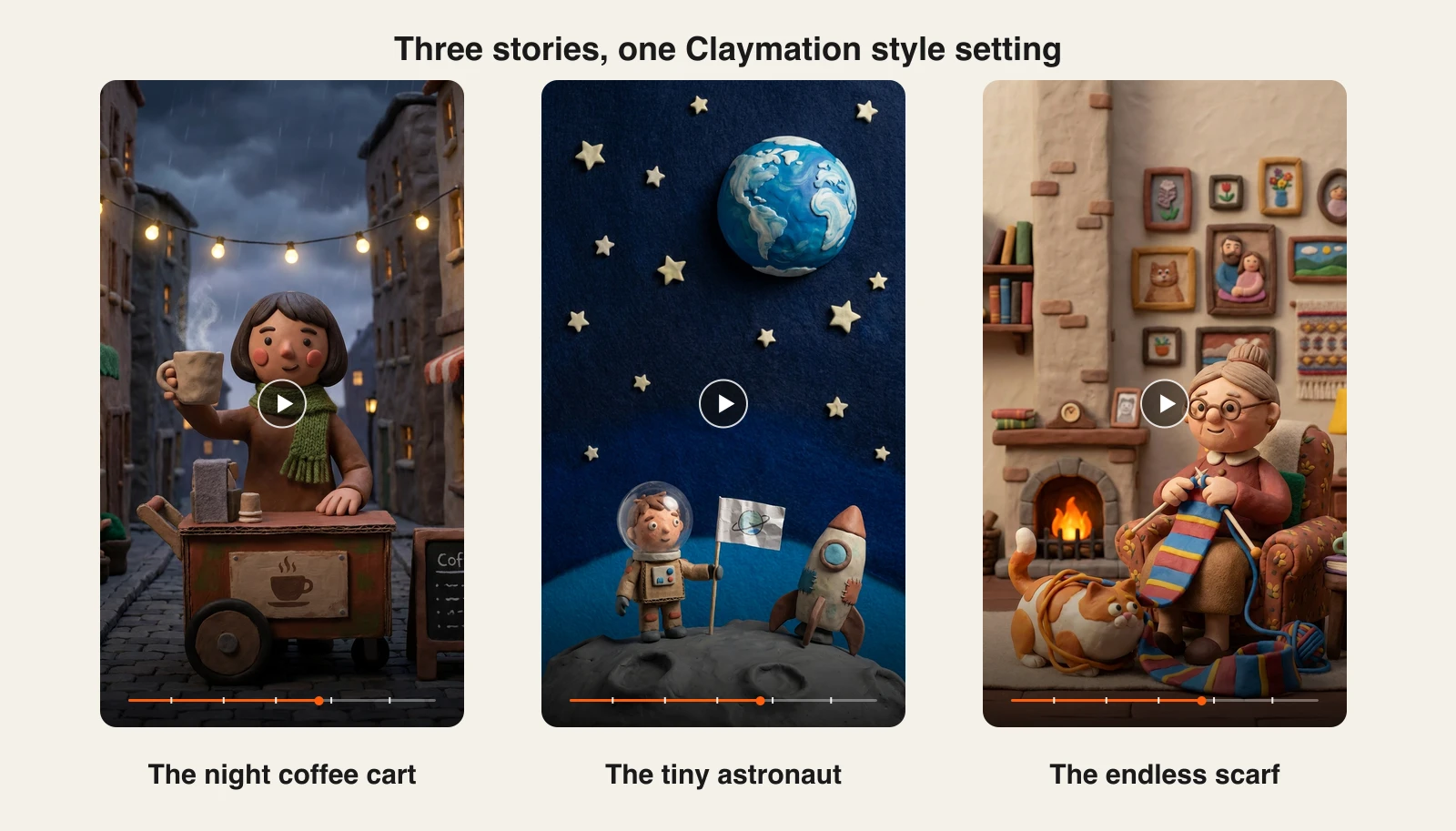
Change the story, keep the setting, and every episode shares the same handmade clay look:
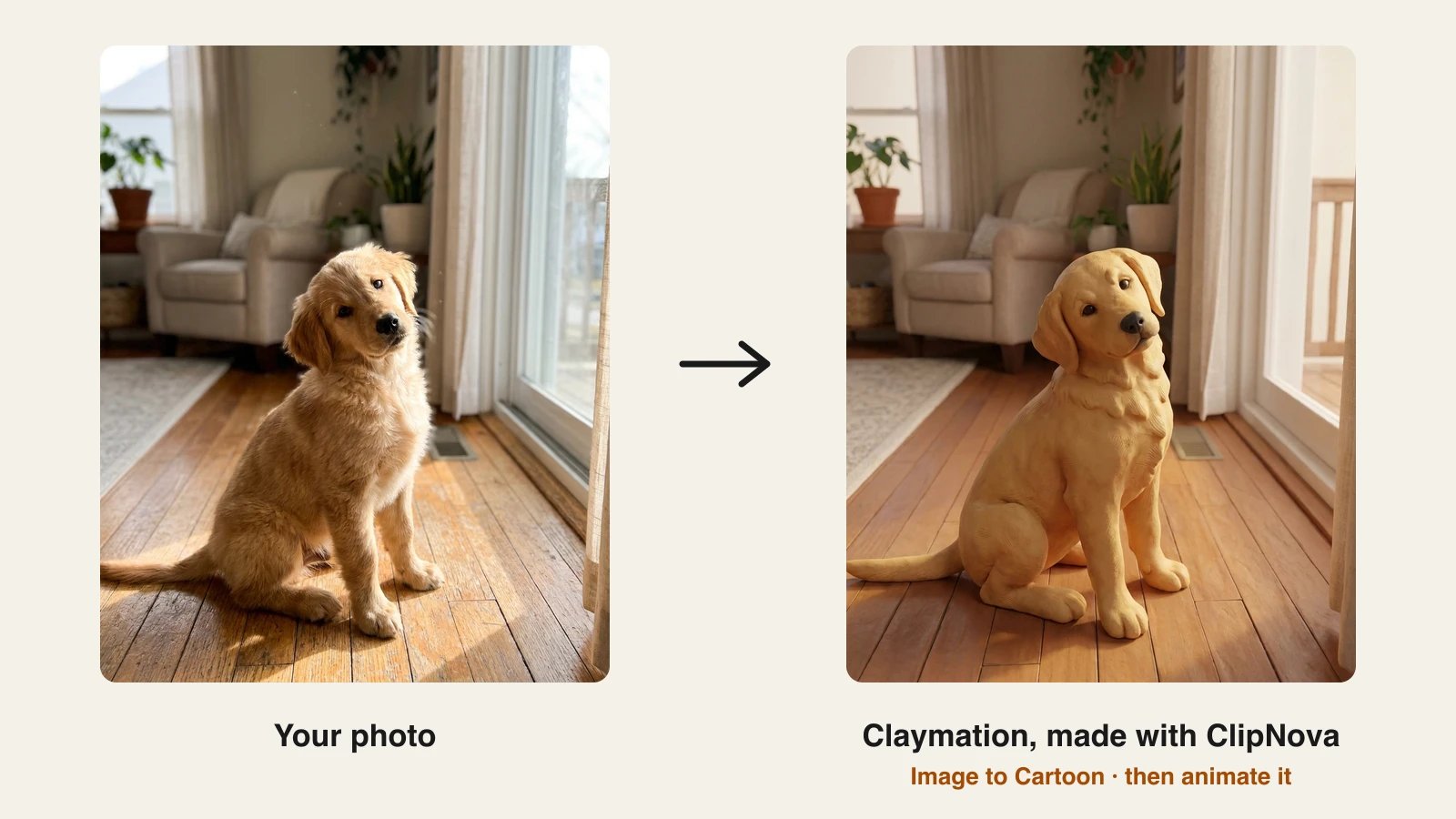
Starting from a photo instead? Image to Cartoon has its own Claymation style, which turns a pet, a person, or a product into a clay figure you can then animate:
How to make a claymation video with ClipNova
- Sign up for the ClipNova app and choose a plan (from $19/mo).
- Open AI Video Studio and choose Prompt to Video.
- Write your story in a short paragraph: who the character is, where they are, and what happens.
- Under Style preset, pick Claymation.
- Set the duration (Auto sizes the video to the script), choose a quality tier, and leave Subtitles on.
- Generate, then export vertical for TikTok, Reels, and Shorts, or 16:9 for YouTube.
To animate a photo, run it through Image to Cartoon with the Claymation style first, then open Image to Video, upload the clay still, and pick Claymation again so the motion keeps the look.
Key features
- Story prompt to finished claymation video: scenes, voiceover, music, and captions in one generation
- Claymation as a one-click style preset in Prompt to Video and Image to Video
- Photo to clay figure with Image to Cartoon, then animate it
- Vertical-first output up to 5 minutes, narration in 18 languages
- 1080p and 4K exports with no watermark and full commercial rights on every plan
Best for
- Faceless channels publishing claymation story episodes on a schedule
- Brands that want a handmade-looking explainer or product story without a studio
Pricing
- Hobby $19/mo (1,000 credits), Starter $49/mo (2,600), Growth $99/mo (5,750), Ultra $199/mo (12,000)
- Every plan includes every feature; yearly billing is 20% off
Pros
- The only generator here that returns a complete, narrated video in a clay style
- Commercial rights on every plan, so monetized channels are covered
Cons
- It imitates the stop motion look; it does not replace frame-by-frame capture of real puppets
- Shot-by-shot art direction is coarser than directing a model like Runway clip by clip
2. OpusClip (Agent Opus), best for turning a script into a stop motion promo
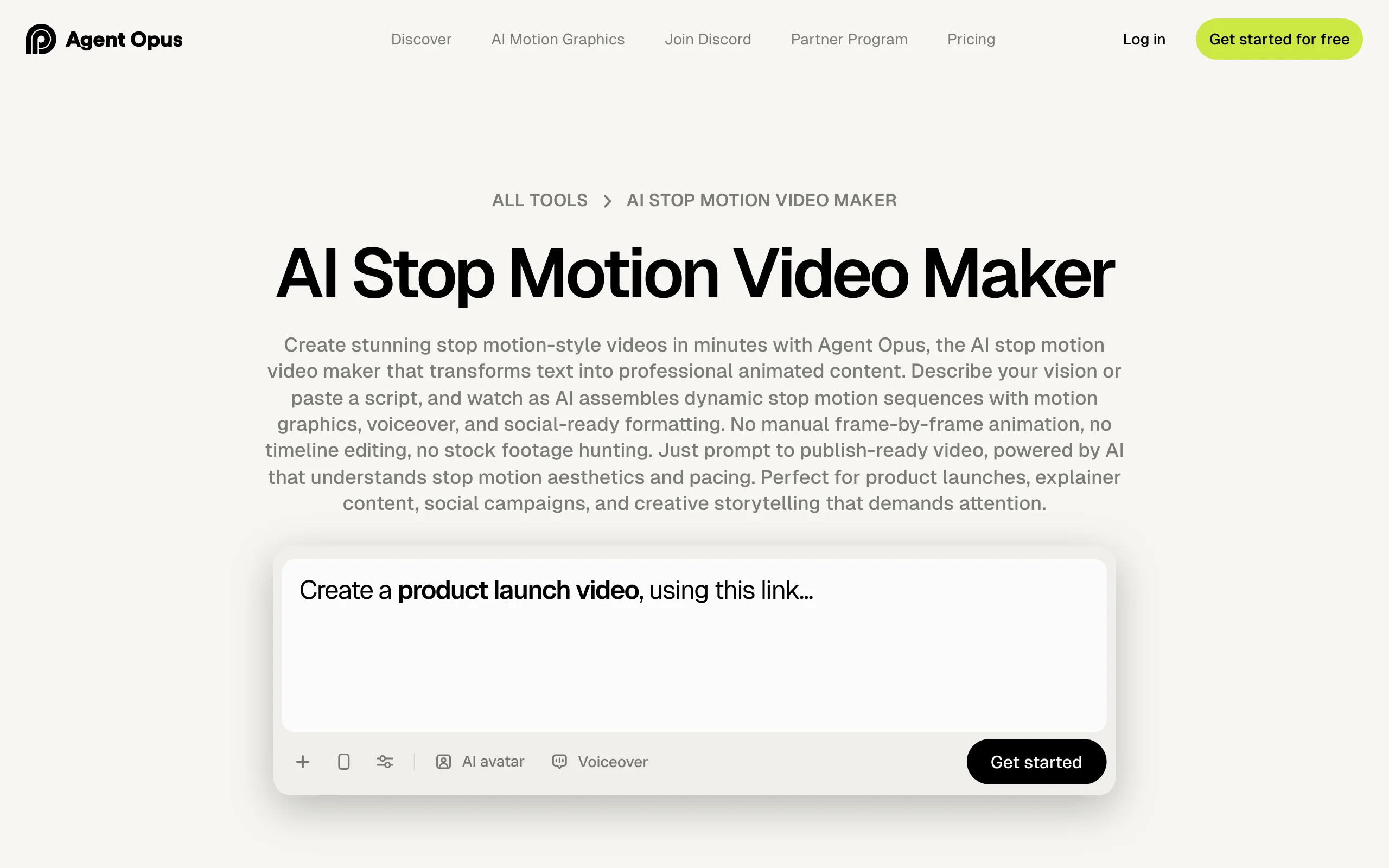
Agent Opus, the generation side of OpusClip, has a dedicated AI stop motion video maker workflow. You paste a prompt, a script, an outline, or a blog URL, add a logo or product images, and it assembles a voiced, social-ready video in a stop motion style, with claymation textures, film-grain "vintage" effects, and clay, paper, fabric, or wood materials.
It is closest to ClipNova in spirit, aimed more at marketing: product launches, explainers, and campaigns.
Key features
- Prompt, script, outline, or blog URL in; voiced stop motion video out
- Claymation, vintage stop motion, and multi-material looks
- Brand assets (logo, product shots) woven into the video
- Scheduling and posting to social accounts
Best for
- Marketers turning a blog post or launch brief into a stylized promo
- Teams already using OpusClip for clipping
Pricing
- Pro: $29/mo, about 120 thirty-second videos a year, no watermark
- Max: $129/mo, about 600 thirty-second videos a year, priority processing
Pros
- Accepts a link or script, so there is no prompt writing
- Output is already voiced and formatted for social
Cons
- The model is chosen for you on this workflow
- OpusClip itself warns that videos over about 90 seconds can lose narrative cohesion
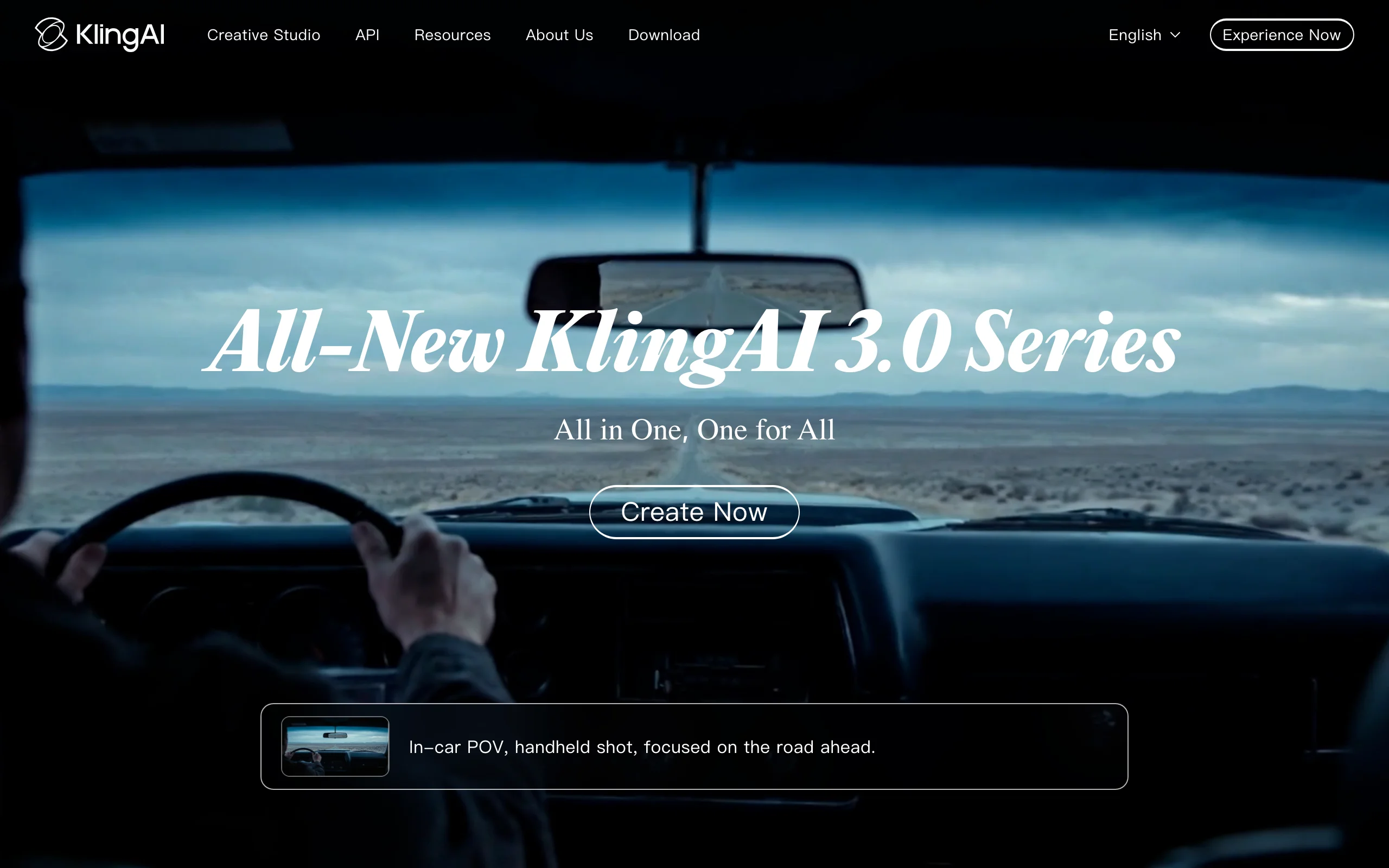
3. Kling, best for expressive clay characters
Kling has no claymation button, but prompt it for clay and it delivers some of the best character performance in this list: squashy faces, exaggerated reactions, and timing that sells a joke. Adding cues like "stepped 12 fps motion" or "slight frame boil" pushes the clip from smooth CGI toward the jittery rhythm of real stop motion.
Key features
- Strong facial expression and physical comedy on stylized characters
- Image-to-video, so you can animate a clay still you already have
- 1080p output and watermark removal on paid plans
- Native audio on newer models
Best for
- Character-driven clay sketches and reaction clips
- Animating a claymation still made in another tool
Pricing
- Standard from $10/mo (660 credits), Pro $37/mo (3,000), Premier $92/mo (8,000), Ultra $180/mo (26,000)
- A 5-second 1080p clip costs roughly 40 credits; first-month promos are common, so plan around the renewal price
Pros
- The best motion-per-dollar here for expressive clay characters
- Large community of shared claymation prompts to learn from
Cons
- Style comes from prompting alone, so results vary between runs
- Credits do not roll over, and failed generations still use them
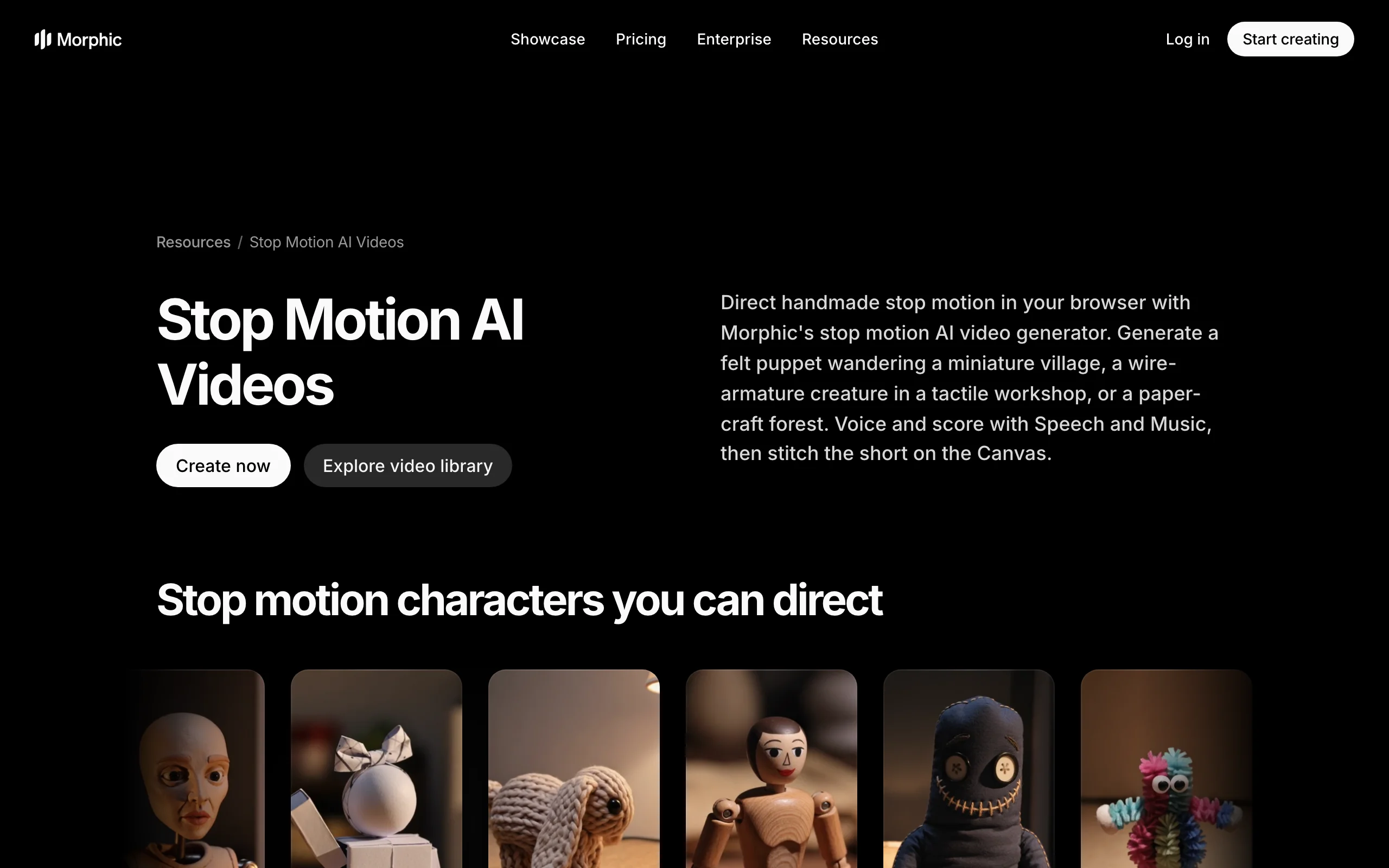
4. Morphic, best for multi-shot puppet scenes
Morphic treats stop motion as a directing job. Its stop motion guide walks you through felt puppets, wire-armature creatures, paper-craft forests, and miniature villages, and its canvas lets you generate each shot with a different model, then add voice and music and stitch the short together.
Key features
- Several models on one plan, including MiniMax H3 and Seedance 2.5
- Canvas for arranging and stitching shots into a sequence
- Built-in speech and music generation
- Reference inputs to keep a puppet consistent across shots
Best for
- Creators who want to direct each shot of a stop motion short
- Comparing how different models render the same puppet
Pricing
- Basic $19/mo (2,400 credits), Standard $24/mo (3,625), Pro $45/mo (6,350, extra seats), Max $170/mo (24,650)
- Every paid plan includes all models, no watermark, and commercial use
Pros
- The most flexible workflow for puppet and paper-craft looks, not just clay
- Commercial use from the entry plan
Cons
- You assemble the story yourself; there is no one-prompt episode
- More setup than a style preset, which takes practice
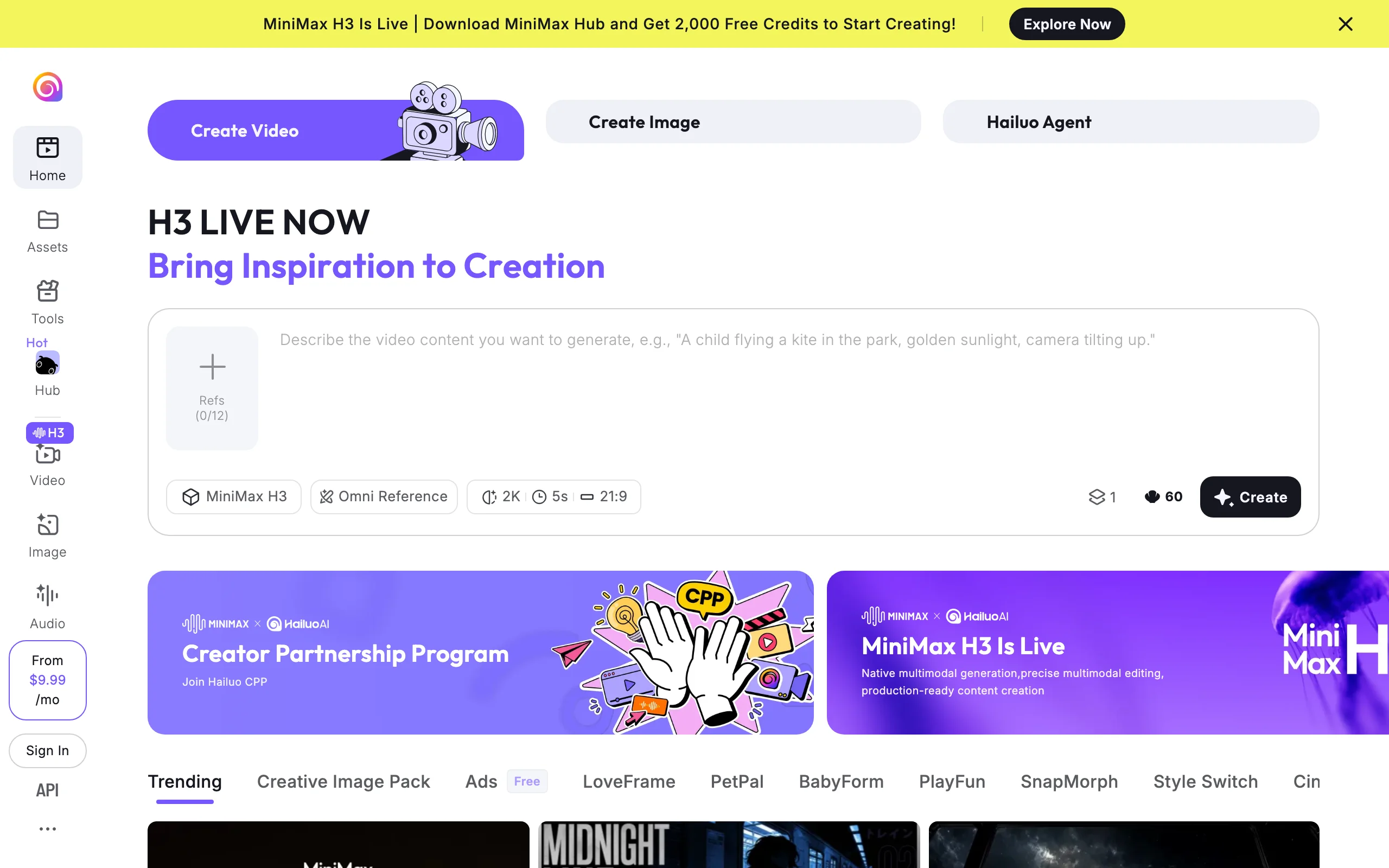
5. Hailuo, best for longer clay clips with audio on a budget
Hailuo (MiniMax) runs the H3 model, which handles claymation and paper-cut styles well from a prompt and produces clips of up to 15 seconds, longer than most rivals, with native audio. Up to 12 reference images help keep a clay character recognizable from clip to clip.
Key features
- H3 clips of 5 to 15 seconds, up to 2K, with native audio
- Up to 12 reference images for character consistency
- No watermark on paid plans
Best for
- Longer single clay shots without stitching
- Budget-conscious creators running a recurring clay character
Pricing
- Standard $14.99/mo (1,000 credits), often discounted to $7.99 for the first period
- Pro $54.99/mo (4,500 credits), Master $94.99/mo (10,000); Ultra and Max tiers above
Pros
- Long clips with sound at a low entry price
- Reference images solve the "same character" problem directly
Cons
- Hailuo's own pages do not advertise a stop motion style, so it all rides on your prompt
- Promotional pricing makes the real monthly cost easy to misread
6. Runway, best for consistent professional shots
Runway is the pick when a stop motion look has to hold across a whole sequence. Gen-4.5 was launched with a stop-motion-inspired example, and Runway's references, camera controls, and 4K upscaling give you the most control over each shot here. It also hosts other models, including Kling, on the same credits.
Key features
- Gen-4.5 with reference images for a consistent look across shots
- Camera and motion controls for directing specific moments
- 4K upscaling and no watermark on paid plans
- Hosted third-party models on one subscription
Best for
- Agencies and filmmakers producing stop-motion-styled ads or shorts
- Projects where every shot must match a style frame
Pricing
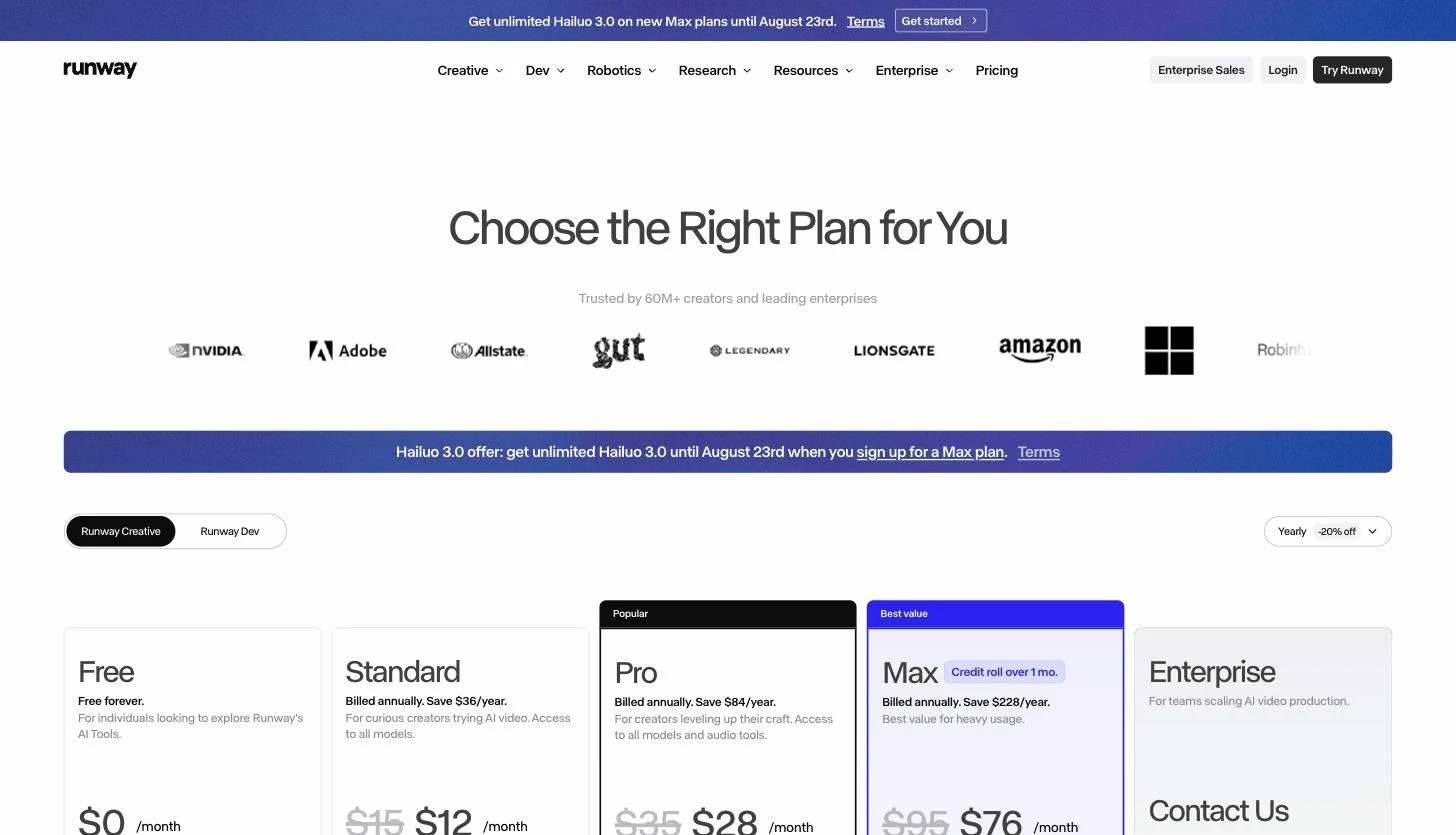
- Standard $15/mo ($12 yearly, 625 credits, about 52 seconds of Gen-4.5)
- Pro $35/mo ($28 yearly, 2,250 credits); Max $95/mo ($76 yearly, 9,500 credits)
Pros
- The most controllable output in the list
- One subscription to test several models on the same scene
Cons
- Credits disappear quickly at flagship quality
- Clips only: narration, captions, and assembly are on you
7. ZSky, best for testing stop motion styles
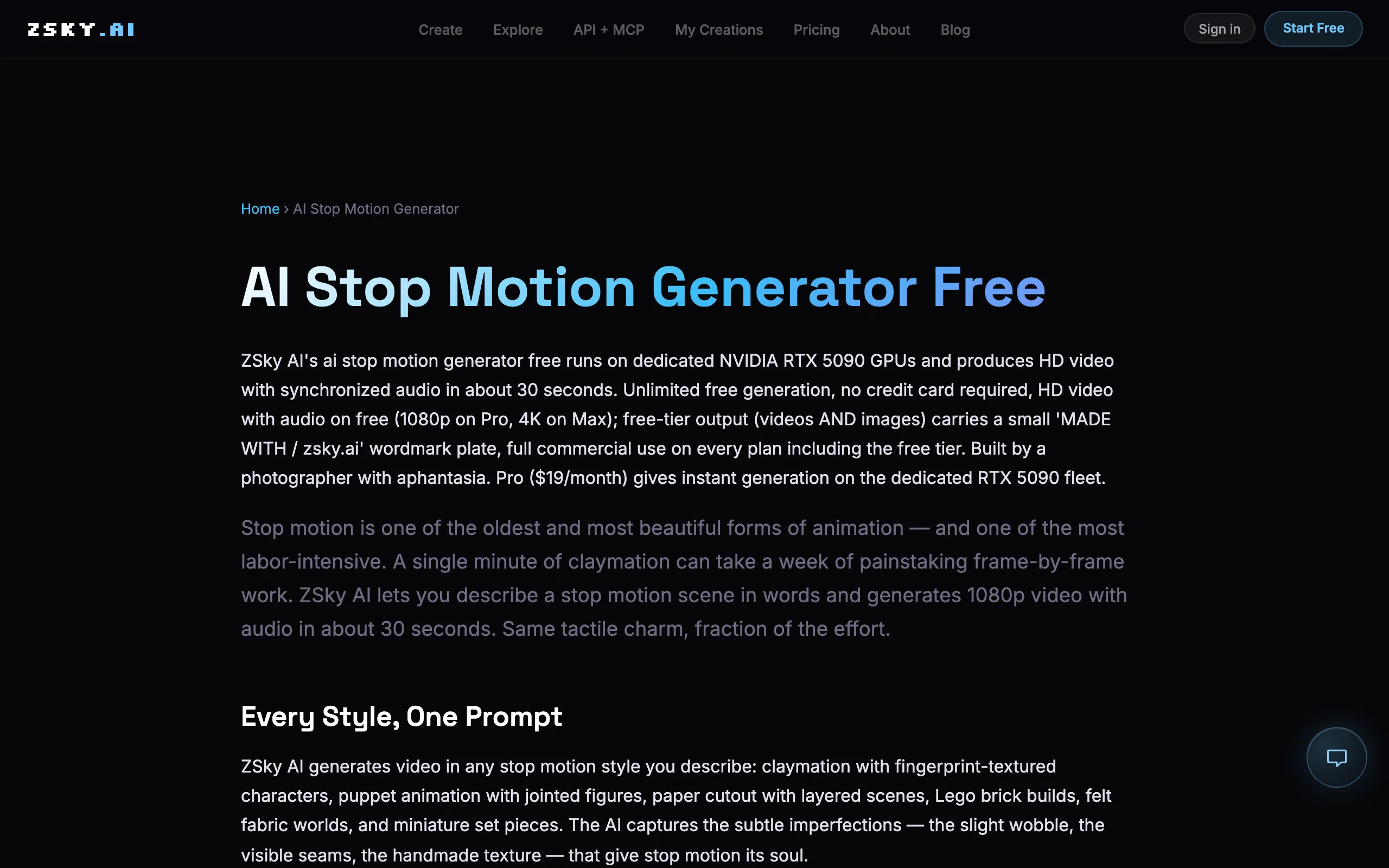
ZSky is the easiest place to try the look. Its AI stop motion generator turns a text prompt into a roughly 30-second clip with synced audio in claymation, jointed puppet, paper cutout, brick, or felt styles.
Key features
- Text-to-video in several stop motion materials
- Roughly 30-second clips with synchronized audio
- 1080p on Pro and 4K on Max
- Commercial use claimed on every plan
Best for
- Testing which stop motion material suits your idea
- Hobbyists who do not need a finished, narrated video
Pricing
- Pro: $19/mo for 1080p and faster generation; Max adds 4K
Pros
- Several materials beyond clay in one tool
Cons
- A younger product with less track record than the others here
How to choose the best AI stop motion video generator for your project
Start with what you will publish, then pick the shortest route there.
1) Do you need a finished video or footage to edit?
- A finished, narrated video: ClipNova (story to claymation episode) or Agent Opus (script or link to promo)
- Footage you will cut together: Kling, Morphic, Hailuo, or Runway
- A quick look at the style: ZSky
A 10-second clip of a clay character is lovely. A 60-second episode with a hook, a voice, and captions is what grows a channel, and the gap between them is script, voiceover, and editing time.
2) Clay, puppets, or paper?
- Plasticine claymation: ClipNova's Claymation preset, Kling, or Hailuo
- Felt puppets, wire armatures, paper-craft: Morphic's workflow or ZSky's material styles
- Whatever the material, match it to the story. Clay reads as warm and comic; felt and paper feel like a picture book.
3) How will the character stay the same?
Consistency is where AI stop motion usually breaks. Hailuo and Morphic use reference images, Runway uses references plus tight shot control, and ClipNova keeps one character design across every scene in a generation. For a recurring series, lock this down before you subscribe; rerolling until a face matches is how credits vanish.
4) What does one published video cost?
Translate plans into output. ClipNova's $19 Hobby plan covers regular short claymation episodes with rights included. Kling's $10 Standard is the cheapest entry plan for expressive clay motion. Runway's Standard buys under a minute of flagship footage a month. Generate two or three test videos in your niche on each shortlist tool before committing.
If clay is one of several looks you want to try, the same workflow applies to 3D animation in our Disney Pixar style video generator roundup, and plans are on the ClipNova pricing page.
A note on "stop motion makers": pages from VEED and CapCut rank for "stop motion video maker", but they are editors that sequence photos or lower the frame rate of footage you already shot. They are useful if you are animating real clay by hand; they do not generate anything.
Frequently asked
What is an AI stop motion video generator?
An AI stop motion video generator creates video that looks like stop motion animation, with clay, felt, paper, or puppet textures and slightly stepped motion, from a text prompt or an image. Instead of photographing a puppet frame by frame, you describe the scene and the model renders the footage. Some tools, like ClipNova, return a finished video with narration and captions; most return short clips you edit yourself.
Can AI make claymation videos?
Yes. ClipNova has a Claymation style preset in Prompt to Video and Image to Video, so one setting gives the whole video a plasticine look with visible fingerprints and a miniature set. Clip generators like Kling and Hailuo can also produce claymation when you describe the style in the prompt, and ZSky offers claymation among several stop motion materials.
Can I turn a photo into a claymation video?
Yes. In ClipNova, run the photo through Image to Cartoon with the Claymation style to get a clay version of your pet, person, or product, then animate it in Image to Video with the Claymation style selected so the motion keeps the look. Kling and Runway can also animate a clay still you already have.
Is AI stop motion the same as real stop motion?
No. AI stop motion imitates the look, including clay textures, handmade sets, and the jittery rhythm, but the frames are generated rather than photographed. Tools like VEED and CapCut that rank for "stop motion maker" are the opposite: they sequence photos you took yourself and generate nothing. Choose AI generation for speed and volume, and real capture when the handmade process is the point.
Can I monetize AI claymation videos on YouTube and TikTok?
Yes, if your plan includes commercial rights and the content is original. ClipNova includes commercial rights on every plan; Morphic and Runway include them on their subscription plans. Original stories and a consistent character also matter, since platforms demonetize repetitive templated content.
How do I keep a clay character consistent across videos?
Use a tool with a consistency mechanism rather than rerolling prompts. Hailuo accepts up to 12 reference images, Morphic and Runway use reference inputs, and ClipNova keeps one character design across every scene in a generation. Keep the same character description and style setting in every prompt for a series.
If I want to run a claymation channel, which tool should I pick?
ClipNova fits a publishing schedule best, because each prompt returns a complete claymation episode with scenes, voiceover in 18 languages, music, and captions, and commercial rights are included on every plan from $19 a month. Start on the $19 Hobby plan to test the Claymation style in your niche, then scale up as you publish more.