HomeToolsAudio to Video

Auto highlight detectionCaptions in 30+ languagesWaveform, b-roll, podcast modesSpeaker labels & avatars
Used by 7,500+ podcasters to turn audio into shareable video

Audio to Video.

Drop a podcast, a voice memo, or any audio file — get a captioned, visually rich video ready for YouTube, TikTok and Reels. Auto-cut to the best 60 seconds.

Drop your audio
Video Format
Drop a podcast, voice memo, or MP3Browse filesUp to 3 hours · MP3 / WAV / M4A
1,830 audio files turned into video in the last 24h
— Output Example
▸ preview9:16 · 1080p
00:00 / 00:45
— AI Magic

Turn audio into a captioned video.

— Your audio
preset · 1/3
Audio brief
141 chars
60-second pull from a 45-minute interview. Pick the most quotable beat, add speaker labels, captions in heavy sans serif, waveform animation.
ModePodcast clip
CaptionsBurned in · 9:16
Visual mode
Podcast clip
1080p · 9:16
— Final video
Ready
● Live9:16 · 1080p
Drop final render
slot · audio-video
00:00 / 00:45
— How it works

From audio to shareable video in 3 simple steps.

Step 1
Audio waveform with detected highlight markers

Drop the audio

Upload your podcast, voice memo, audiobook chapter or interview. The AI transcribes, detects speakers and finds the highlights.

Step 2
Six visual mode thumbnails

Pick the visual mode

Podcast clip, waveform, b-roll, AI avatar, lyric-style. The AI matches visuals to topics and locks captions to the spoken word.

Step 3
Publish panel scheduling to YouTube, TikTok and Reels

Render & publish

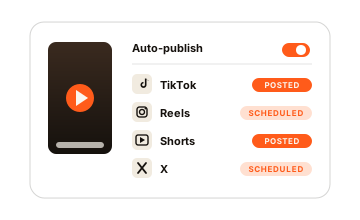
Export 9:16 for socials, 16:9 for YouTube. Captions in any language. One click to schedule.

— Watch & Learn

How to turn a 60-minute podcast into ten shareable shorts?

From audio drop to publish-ready visuals — highlight detection, captions and speaker labels in under 5 minutes.

▸ Tutorial · 16:9

I dropped a 45-min podcast and got twelve viral shorts (walkthrough).

— Who it's for

Built for everyone whose ideas live in audio.

Podcasters

Podcasters & hosts

Stop letting hours of gold sit on Spotify. One audio file in, ten highlight shorts out — captioned, branded, ready to schedule.

Coaches

Coaches & speakers

Voice memos become daily content. Record a 90-second thought, get a publish-ready video before your next coffee.

Audiobooks

Audiobook authors

Promote chapters with cinematic visuals. Hook readers with a scene before they ever hit 'play'.

Journalists

Reporters & researchers

Turn interview audio into clip-ready video for socials and editorial sites. Speaker labels, source citations, captions in any language.

— Comparison

Manual video edit vs ClipNova.

Turning a podcast into video means hours in a timeline. ClipNova hands you captioned, visually rich highlights in minutes.

Feature
ClipNova Audio
Manual edit
Setup
Drop audio, render
Import, transcribe, sync, cut, export
Highlight detection
Automatic, AI-ranked
Listen back, mark by hand
Captions
Auto-synced in 30+ languages
Manual word timing
Speaker labels
Auto-detected
Annotate manually
Time per highlight
Under 1 minute
30–60 minutes per highlight
— Example Videos

See what you can publish.

Different audio sources, same engine.

Podcast highlight clips.

60-second pulls from a long episode. Speaker labels, captions, waveform animation. The kind of shorts your guests actually want to repost.

  • AI-ranked highlight detection
  • Speaker labels with avatars
  • Hard cuts on topic changes
  • 9:16 + 1:1 + 16:9 exports
16:9
Drop example here
slot · podcast-example

Voice-memo reels.

Turn a quick thought into a publish-ready reel. AI avatar lip-syncs to your voice, b-roll cuts on topic, captions burn in.

  • Lip-synced AI avatar
  • Topic-aware b-roll
  • Captions in any language
  • Daily content from voice memos
16:9
Drop example here
slot · memo-example

Audiobook chapter promos.

Hook readers with cinematic visuals built from the narrator's words. Scene-by-scene b-roll, subtle music bed, 16:9 for YouTube.

  • Word-by-word scene generation
  • Cinematic 16:9 grade
  • Optional title cards per chapter
  • Sample chapter export
16:9
Drop example here
slot · audiobook-example
— FAQs

Frequently asked.

What is Audio to Video?
A tool that takes an audio file (podcast, voice memo, audiobook, interview) and turns it into a captioned, visually rich video. The AI transcribes, detects speakers, finds the highlights and picks the visuals.
What audio formats are supported?
MP3, WAV, M4A, AAC and FLAC. Free plans cap at 10 minutes per file; paid plans go up to 3 hours per render.
Are captions accurate?
Yes. Our transcription leads industry benchmarks for English, and supports 30+ languages including non-Latin scripts. You can hand-edit captions in the editor before publishing.
Can it detect multiple speakers?
Yes. Up to six speakers are auto-detected and labeled. You can assign avatars or initials per speaker before generation.
Can I use my own AI avatar?
Yes. On paid plans, upload reference photos of yourself and the AI keeps you lip-synced and consistent across every clip.
What aspect ratios are supported?
9:16 for TikTok/Reels/Shorts, 1:1 for feed, 16:9 for YouTube. All ratios rendered in one go on paid plans.
How long does generation take?
Most 60-second clips render in under 90 seconds. A 30-minute podcast turned into ten clips takes about 8–12 minutes.
Do I own commercial rights?
On paid plans, yes — full commercial rights including monetized publishing, paid distribution and licensing.
View complete help center

Find detailed answers to 100+ questions about features, tools, and workflows

or check our markdown version optimized for LLMs →
— Tools

Free AI video tools.

Audio in, video out.

See all tools
ClipNova

The fastest way to turn audio into video.

Create my first audio video

Captions and visuals included